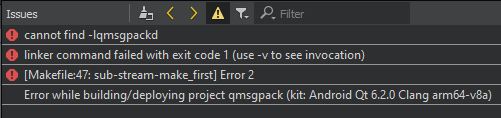
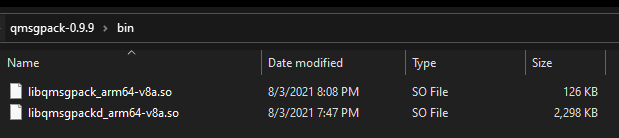
Trying to build QMsgPack lib for Android 6.2.0 Clang arm64-v8a
-
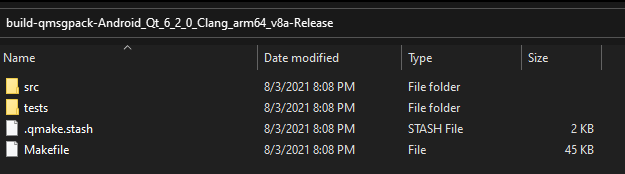
Did you check the content of the build folder ?
-
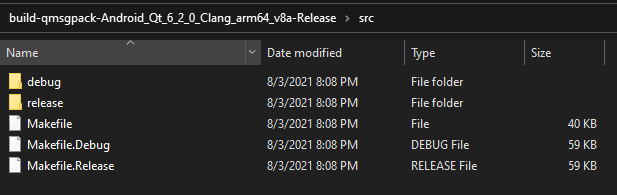
There are several folders, what's in them ?
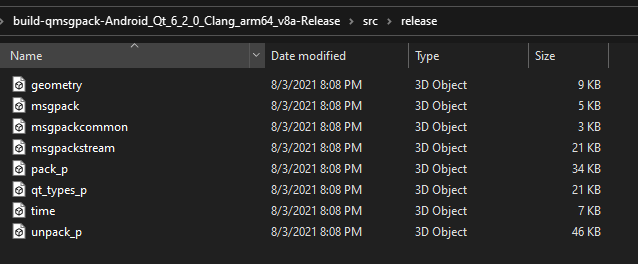
Do you have any library ?
If memory serves well, there should be a bin folder somewhere. -
There are several folders, what's in them ?
Do you have any library ?
If memory serves well, there should be a bin folder somewhere. -
On the contrary, you have two libraries !
They have their architecture as part of their name, hence the linker does not find them to link to the test.
If your rename them both without the arm64_v8a part, it should work.
-
On the contrary, you have two libraries !
They have their architecture as part of their name, hence the linker does not find them to link to the test.
If your rename them both without the arm64_v8a part, it should work.
-
In the absolute, you can ignore that as the libraries were built so you can use them in your main application.
Otherwise, you can add a dummy application in a separate subdirs project to "finalize" things.
-
In the absolute, you can ignore that as the libraries were built so you can use them in your main application.
Otherwise, you can add a dummy application in a separate subdirs project to "finalize" things.
-
You do the same as in the tests.
So you should get automatic selection of the debug or release build of the library.
-
You do the same as in the tests.
So you should get automatic selection of the debug or release build of the library.
@SGaist hmm so my app just keeps crashing with
E AndroidRuntime: FATAL EXCEPTION: qtMainLoopThread E AndroidRuntime: Process: org.qtproject.example.MythicalNeonController2022, PID: 26459 E AndroidRuntime: java.lang.UnsatisfiedLinkError: dlopen failed: library "libqmsgpack_arm64-v8a.so" not found: needed by /data/app/~~LJNNcupsrVLUgmF_dlRnOQ==/org.qtproject.example.MythicalNeonController2022-wsptj5r7HC3hbU6jwxMthw==/lib/arm64/libMythicalNeonController2022_arm64-v8a.so in namespace classloader-namespace E AndroidRuntime: at java.lang.Runtime.load0(Runtime.java:939) E AndroidRuntime: at java.lang.System.load(System.java:1628) E AndroidRuntime: at org.qtproject.qt.android.QtNative$4.run(QtNative.java:511) E AndroidRuntime: at org.qtproject.qt.android.QtThread$2.run(QtThread.java:87) E AndroidRuntime: at org.qtproject.qt.android.QtThread$1.run(QtThread.java:61) E AndroidRuntime: at java.lang.Thread.run(Thread.java:923) -
You need to deploy it as well. See here for more information about that matter.
-
You need to deploy it as well. See here for more information about that matter.
@SGaist my .pro has
win32:CONFIG(release, debug|release): LIBS += -LC:/build-qmsgpack-Android_Qt_6_2_0_Clang_arm64_v8a-Release/android-build/libs/arm64-v8a/release/ -lqmsgpack_arm64-v8a
else:win32:CONFIG(debug, debug|release): LIBS += -LC:/build-qmsgpack-Android_Qt_6_2_0_Clang_arm64_v8a-Release/android-build/libs/arm64-v8a/debug/ -lqmsgpack_arm64-v8a
else:unix: LIBS += -LC:/build-qmsgpack-Android_Qt_6_2_0_Clang_arm64_v8a-Release/android-build/libs/arm64-v8a/ -lqmsgpack_arm64-v8a

INCLUDEPATH += C:/build-qmsgpack-Android_Qt_6_2_0_Clang_arm64_v8a-Release/android-build/libs/arm64-v8a
DEPENDPATH += C:/build-qmsgpack-Android_Qt_6_2_0_Clang_arm64_v8a-Release/android-build/libs/arm64-v8a
that should be enough? :S
-
Did you read the documentation I linked to ?
There's a difference between building and deploying.
-
Did you read the documentation I linked to ?
There's a difference between building and deploying.
-
In certain way, yes. But you are using an external library, so you have to tell the system that you want to deploy it as well. That is what is explained in the documentation I linked above.
-
In certain way, yes. But you are using an external library, so you have to tell the system that you want to deploy it as well. That is what is explained in the documentation I linked above.
-
Did you enable debugging on your device ?