qmake error - QT Creator 3.1.1 (opensource)
-
Hi all,
Hoping for some assistance/guidance on an issue I am experiencing. I've done a fresh install of QT Creator 3.1.1 (this is the software required for a course I am attempting).
After trying a basic program I receive the below error when attempting to build the program.
13:56:37: Running steps for project hello...
13:56:37: Could not start process "C:\Qt\Qt5.3.0\5.3\mingw482_32\bin\qmake.exe" C:\Users\nnathaniel\Downloads\hello\hello\hello.pro -r -spec win32-g++ "CONFIG+=debug"
Error while building/deploying project hello (kit: Desktop)
When executing step 'qmake'
13:56:37: Elapsed time: 00:00.I have checked the kit, Qt Versions and Compilers and all seems to be in order there. Also tried this on a different laptop with the same error :|
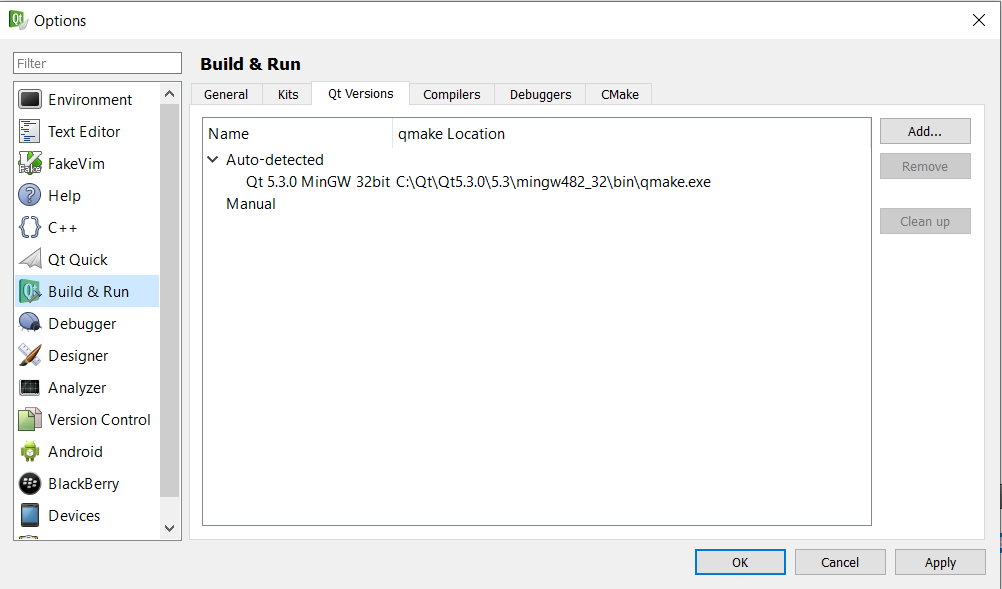
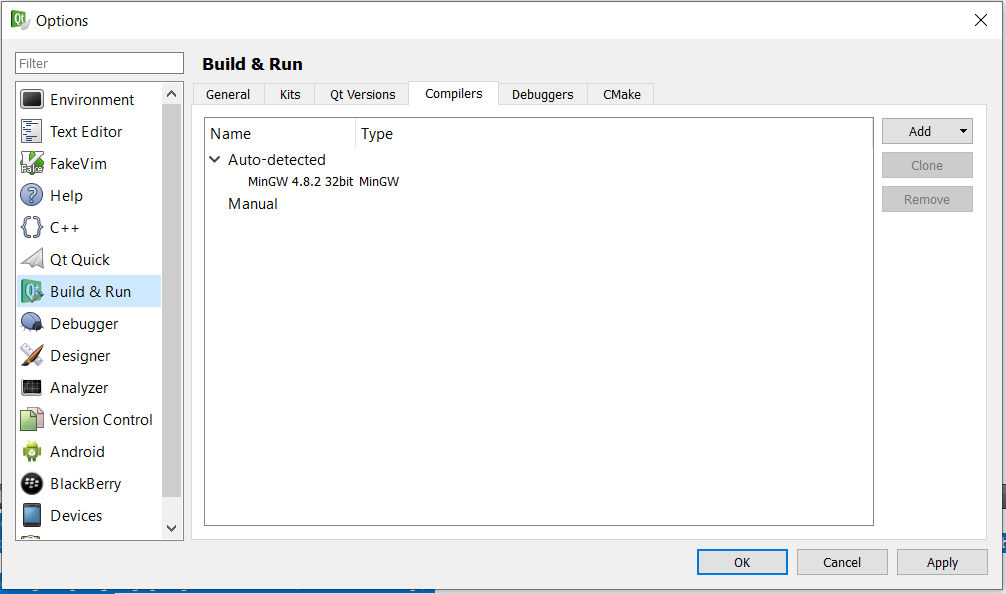
OS: Windows 10 Enterprise
Really hope someone can point me in the right direction.
ps. I have tried uninstalling and reinstalling multiple times :|
-
@ntn7 said in qmake error - QT Creator 3.1.1 (opensource):
Can you post the contents of
hello.pro?@ntn7 said in qmake error - QT Creator 3.1.1 (opensource):
a fresh install of QT Creator 3.1.1 (this is the software required for a course I am attempting).
This version is 7 years old...
-
@ntn7 said in qmake error - QT Creator 3.1.1 (opensource):
Can you post the contents of
hello.pro?@ntn7 said in qmake error - QT Creator 3.1.1 (opensource):
a fresh install of QT Creator 3.1.1 (this is the software required for a course I am attempting).
This version is 7 years old...
@VRonin Thanks for your prompt response. I would like to get into a debate with the university regarding the software selection but don't see the point ;)
#-------------------------------------------------
#
# Project created by QtCreator 2021-05-17T10:24:41
#
#-------------------------------------------------

QT       += core gui

greaterThan(QT_MAJOR_VERSION, 4): QT += widgets


TARGET = tst_hellotest


TEMPLATE = app


SOURCES += \
    main.cpp
#include <QApplication> #include <QLabel> int main (int argc, char* argv[]) { QApplication app(argc, argv); QLabel* label = new QLabel("HelloQT!"); label->show(); return app.exec(); } -
Hi all,
Hoping for some assistance/guidance on an issue I am experiencing. I've done a fresh install of QT Creator 3.1.1 (this is the software required for a course I am attempting).
After trying a basic program I receive the below error when attempting to build the program.
13:56:37: Running steps for project hello...
13:56:37: Could not start process "C:\Qt\Qt5.3.0\5.3\mingw482_32\bin\qmake.exe" C:\Users\nnathaniel\Downloads\hello\hello\hello.pro -r -spec win32-g++ "CONFIG+=debug"
Error while building/deploying project hello (kit: Desktop)
When executing step 'qmake'
13:56:37: Elapsed time: 00:00.I have checked the kit, Qt Versions and Compilers and all seems to be in order there. Also tried this on a different laptop with the same error :|
OS: Windows 10 Enterprise
Really hope someone can point me in the right direction.
ps. I have tried uninstalling and reinstalling multiple times :|
Project looks good
@ntn7 said in qmake error - QT Creator 3.1.1 (opensource):
Could not start process "C:\Qt\Qt5.3.0\5.3\mingw482_32\bin\qmake.exe
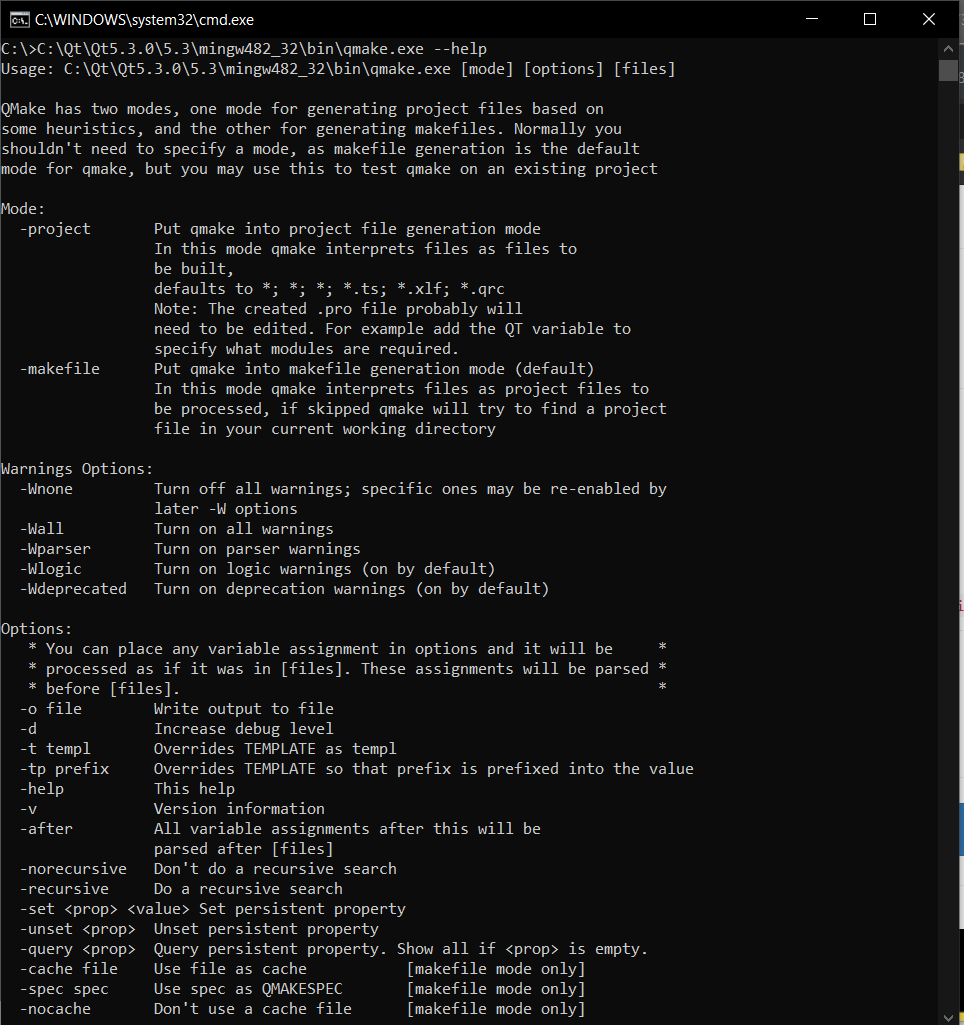
I suspect some permissioning issue. Try opening cmd and typing
C:\Qt\Qt5.3.0\5.3\mingw482_32\bin\qmake.exe --help -
Project looks good
@ntn7 said in qmake error - QT Creator 3.1.1 (opensource):
Could not start process "C:\Qt\Qt5.3.0\5.3\mingw482_32\bin\qmake.exe
I suspect some permissioning issue. Try opening cmd and typing
C:\Qt\Qt5.3.0\5.3\mingw482_32\bin\qmake.exe --help -
looks like it's working, let's try running it manually.
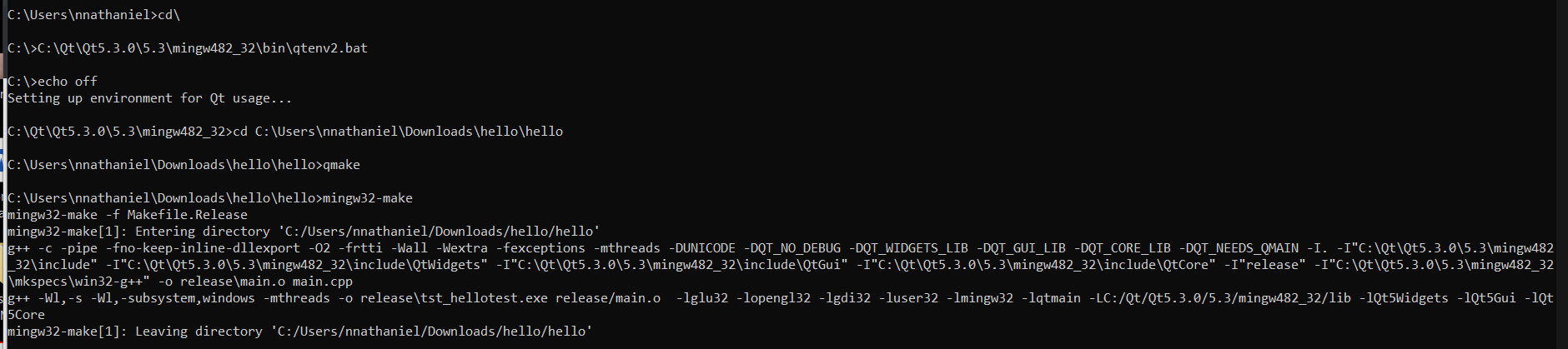
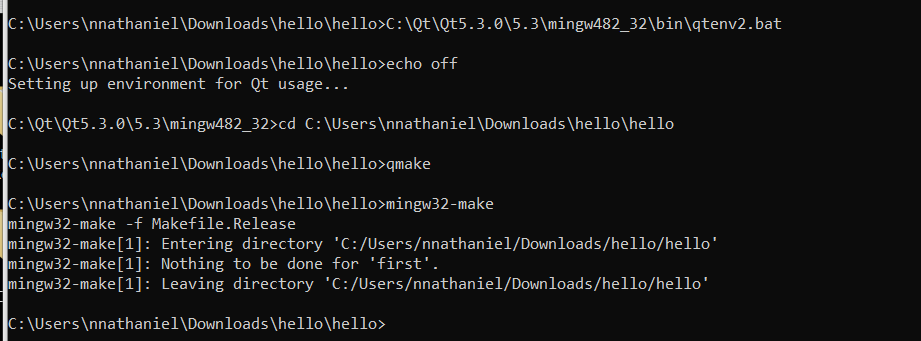
in cmd, typeC:\Qt\Qt5.3.0\5.3\mingw482_32\bin\qtenv2.bat cd C:\Users\nnathaniel\Downloads\hello\hello qmake mingw32-make -
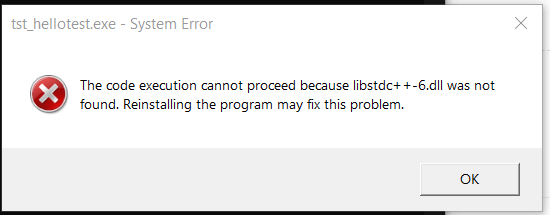
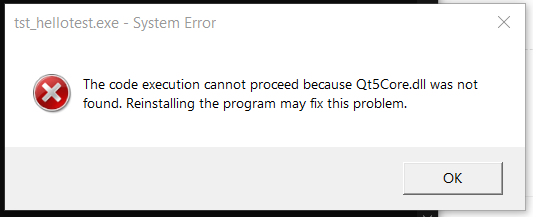
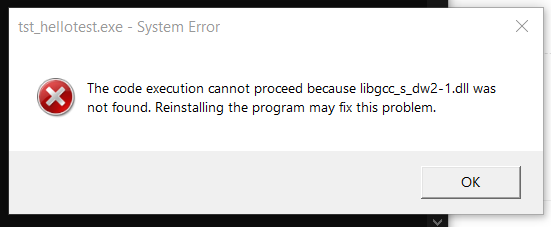
Looks like it compiled succesfully, do you have
tst_hellotest.exesomewhere in your project folder? -
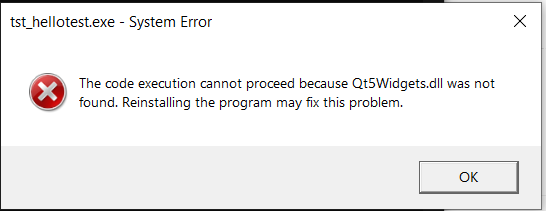
don't double click it, run it from the console (replace
Path\To\Executablewith the path totst_hellotest.exe.C:\Qt\Qt5.3.0\5.3\mingw482_32\bin\qtenv2.bat cd Path\To\Executable\tst_hellotest.exeIn any case this proves you can compile a program with qmake/mingw32-make so try opening the project with Qt Creator again
-
don't double click it, run it from the console (replace
Path\To\Executablewith the path totst_hellotest.exe.C:\Qt\Qt5.3.0\5.3\mingw482_32\bin\qtenv2.bat cd Path\To\Executable\tst_hellotest.exeIn any case this proves you can compile a program with qmake/mingw32-make so try opening the project with Qt Creator again
@VRonin I've run it via the console and that works.
Tried again via Qt creator and get the same error as before
13:01:47: Running steps for project hello...
13:01:47: Could not start process "C:\Qt\Qt5.3.0\5.3\mingw482_32\bin\qmake.exe" C:\Users\nnathaniel\Downloads\hello\hello\hello.pro -r -spec win32-g++ "CONFIG+=debug"
Error while building/deploying project hello (kit: Desktop)
When executing step 'qmake'
13:01:47: Elapsed time: 00:00. -
@VRonin I've run it via the console and that works.
Tried again via Qt creator and get the same error as before
13:01:47: Running steps for project hello...
13:01:47: Could not start process "C:\Qt\Qt5.3.0\5.3\mingw482_32\bin\qmake.exe" C:\Users\nnathaniel\Downloads\hello\hello\hello.pro -r -spec win32-g++ "CONFIG+=debug"
Error while building/deploying project hello (kit: Desktop)
When executing step 'qmake'
13:01:47: Elapsed time: 00:00. -
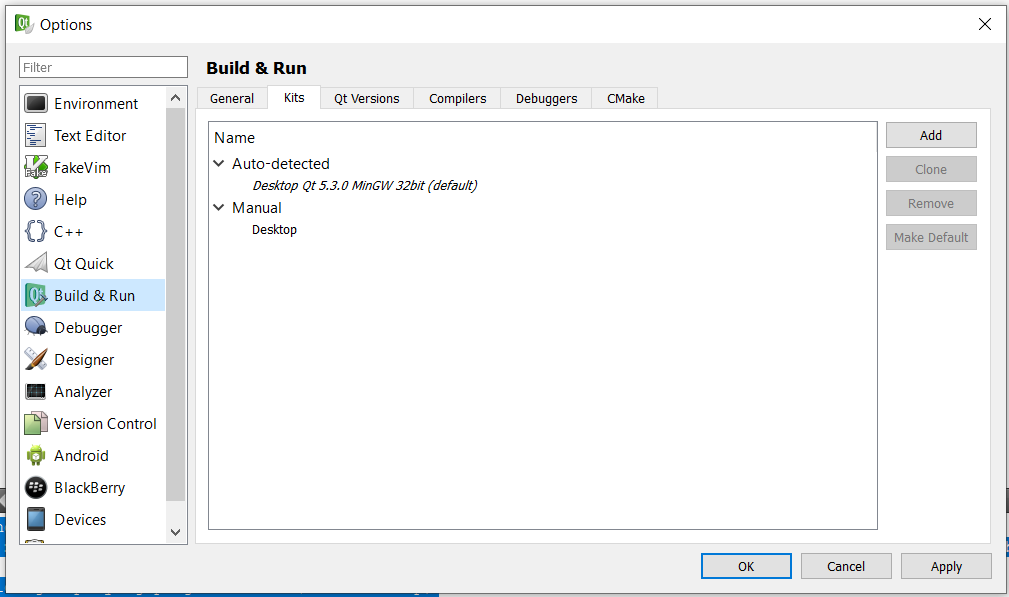
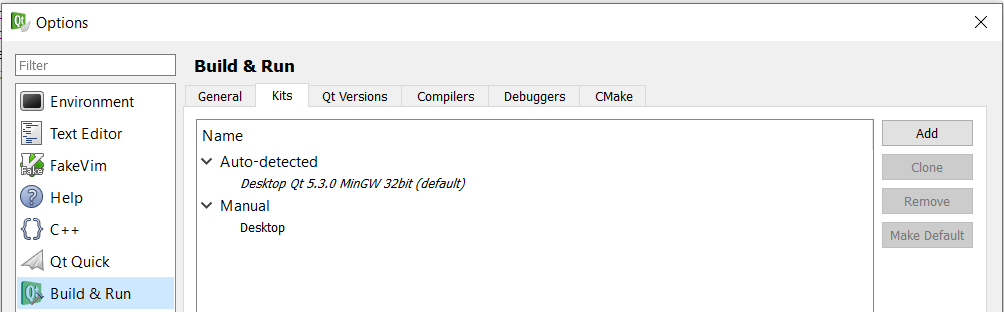
@ntn7 what kit is selected, when you run it from QtCreator, the auto detected one or the manual one?
-
@J-Hilk Hi, below are the kit details that are being used. this is what was setup by default, i haven't changed this.
-
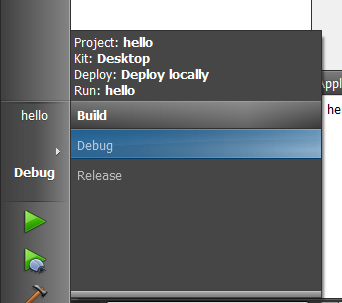
@ntn7 You did not answer the question. As you can see there are 2 Kits, so which one do you use?
-
@jsulm is this the detail you looking for? :|
if not, please will you point me to the right direction and I'll provide whats needed
@ntn7 @J-Hilk So, it's the manually added Kit
-
-
@ntn7 said in qmake error - QT Creator 3.1.1 (opensource):
after removing it
You don't have to remove it, you can easily switch between different Kits
-
ok, I really am a little lost now... I've changed the location of the above project and I receive the error again... I've checked the kit thats being used and its only the one referenced above.

what am i doing wrong? :(
am i perhaps building this incorrectly?