Skip to content
  • Categories
  • Recent
  • Tags
  • Popular
  • Users
  • Groups
  • Search
  • Get Qt Extensions
  • Unsolved
Collapse
Brand Logo
  1. Home
  2. Qt Development
  3. General and Desktop
  4. A project into another
Forum Updated to NodeBB v4.3 + New Features

A project into another

Scheduled Pinned Locked Moved Solved General and Desktop
19 Posts 4 Posters 1.4k Views 2 Watching
  • Oldest to Newest
  • Newest to Oldest
  • Most Votes
Reply
  • Reply as topic
Log in to reply
This topic has been deleted. Only users with topic management privileges can see it.
  • SGaistS Offline
    SGaistS Offline
    SGaist
    Lifetime Qt Champion
    wrote on last edited by
    #5

    That's too short of a .pro file content to comment. Is it your top level .pro file ?

    Interested in AI ? www.idiap.ch
    Please read the Qt Code of Conduct - https://forum.qt.io/topic/113070/qt-code-of-conduct

    V 1 Reply Last reply
    1
    • SGaistS SGaist

      That's too short of a .pro file content to comment. Is it your top level .pro file ?

      V Offline
      V Offline
      VenAle17
      wrote on last edited by
      #6

      @sgaist said in A project into another:

      That's too short of a .pro file content to comment. Is it your top level .pro file ?

      Terminal is my top level .pro file (the first one .pro file that i include in the message).
      Myleds is the .pro file that i want include in the other project (terminal).

      aha_1980A 1 Reply Last reply
      0
      • V VenAle17

        @sgaist said in A project into another:

        That's too short of a .pro file content to comment. Is it your top level .pro file ?

        Terminal is my top level .pro file (the first one .pro file that i include in the message).
        Myleds is the .pro file that i want include in the other project (terminal).

        aha_1980A Offline
        aha_1980A Offline
        aha_1980
        Lifetime Qt Champion
        wrote on last edited by
        #7

        @venale17

        Terminal is my top level .pro file (the first one .pro file that i include in the message).

        As said, that will not work. Toplevel is the .pro file with SUBDIRS. All other .pro files go into subdirectories. Please check the link I gave you.

        Regards

        Qt has to stay free or it will die.

        V 1 Reply Last reply
        1
        • aha_1980A aha_1980

          @venale17

          Terminal is my top level .pro file (the first one .pro file that i include in the message).

          As said, that will not work. Toplevel is the .pro file with SUBDIRS. All other .pro files go into subdirectories. Please check the link I gave you.

          Regards

          V Offline
          V Offline
          VenAle17
          wrote on last edited by
          #8

          As said, that will not work. Toplevel is the .pro file with SUBDIRS. All other .pro files go into subdirectories. Please check the link I gave you.

          Regards

          Hi aha_1980,
          i create a top level file .pro (that i named 'Final') and then, as the documentation said, i merge the program 'terminal' as subdirector but now the program don't recognize the lib like QSerialPort or QMainWindow.
          This is Final.pro

          QT       += widgets
          QT       += core gui
          
          CONFIG += c++11
          
          TEMPLATE = subdirs
          
          SUBDIRS = \
                  C:/Qt/Examples/Qt-5.13.0/serialport/terminal/terminal.pro


          And this:

          #TARGET = terminal
          
          QT       += widgets
          QT       += core gui
          
          CONFIG += c++11
          
          HEADERS = \
             $$PWD/mainwindow.h \
             $$PWD/qcustomplot.h \
             $$PWD/settingsdialog.h
          
          SOURCES = \
             $$PWD/main.cpp \
             $$PWD/mainwindow.cpp \
             $$PWD/mainwindow.ui \
             $$PWD/qcustomplot.cpp \
             $$PWD/settingsdialog.cpp \
             $$PWD/settingsdialog.ui \
             $$PWD/terminal.pro \
             $$PWD/terminal.qrc
          
          INCLUDEPATH = \
              $$PWD/.
          
          #DEFINES = 
          

          terminal.pro.
          Any ideas?

          1 Reply Last reply
          0
          • mrjjM Offline
            mrjjM Offline
            mrjj
            Lifetime Qt Champion
            wrote on last edited by
            #9

            Hi
            I have to ask to be sure.
            By merge one project into other, you do aim for having a project file that will
            also build the other projects?
            And not trying to use the myled led class in the Qt terminal sample where you added
            customplot too ?

            V 1 Reply Last reply
            0
            • mrjjM mrjj

              Hi
              I have to ask to be sure.
              By merge one project into other, you do aim for having a project file that will
              also build the other projects?
              And not trying to use the myled led class in the Qt terminal sample where you added
              customplot too ?

              V Offline
              V Offline
              VenAle17
              wrote on last edited by
              #10

              @mrjj said in A project into another:

              Hi
              I have to ask to be sure.
              By merge one project into other, you do aim for having a project file that will
              also build the other projects?
              And not trying to use the myled led class in the Qt terminal sample where you added
              customplot too ?

              Hi,
              i'm trying to create a project that recognize a buffer of data (this in the project terminal) and translates it as a click button action that change the color of the led (Myleds).
              So i create this two projects and now i want to create just one that it should do what i said.

              1 Reply Last reply
              0
              • mrjjM Offline
                mrjjM Offline
                mrjj
                Lifetime Qt Champion
                wrote on last edited by
                #11

                Hi
                So its sounds like you just want to include myled.h and myled.cpp in the terminal project just like
                customplot and simply use the widget ?

                V 1 Reply Last reply
                2
                • mrjjM mrjj

                  Hi
                  So its sounds like you just want to include myled.h and myled.cpp in the terminal project just like
                  customplot and simply use the widget ?

                  V Offline
                  V Offline
                  VenAle17
                  wrote on last edited by
                  #12

                  @mrjj said in A project into another:

                  Hi
                  So its sounds like you just want to include myled.h and myled.cpp in the terminal project just like
                  customplot and simply use the widget ?

                  It's not so easy because Myleds project contains another project too (named qled, with qled.h and qled.cpp).
                  This second project has a .pri file, not a .pro file.
                  I tried to use that method to include Myleds in Terminal but it didn't work.

                  mrjjM 1 Reply Last reply
                  0
                  • V VenAle17

                    @mrjj said in A project into another:

                    Hi
                    So its sounds like you just want to include myled.h and myled.cpp in the terminal project just like
                    customplot and simply use the widget ?

                    It's not so easy because Myleds project contains another project too (named qled, with qled.h and qled.cpp).
                    This second project has a .pri file, not a .pro file.
                    I tried to use that method to include Myleds in Terminal but it didn't work.

                    mrjjM Offline
                    mrjjM Offline
                    mrjj
                    Lifetime Qt Champion
                    wrote on last edited by
                    #13

                    @venale17
                    But a pri file is perfect.
                    Normally you can just reference that and it should just work.
                    include(path to file/qled.pri)

                    Is it this one ?
                    https://www.linux-apps.com/content/show.php/QLed+?content=72482

                    1 Reply Last reply
                    1
                    • V Offline
                      V Offline
                      VenAle17
                      wrote on last edited by
                      #14

                      Yes, it is.

                      1 Reply Last reply
                      0
                      • mrjjM Offline
                        mrjjM Offline
                        mrjj
                        Lifetime Qt Champion
                        wrote on last edited by
                        #15

                        Hi
                        Ok that surely works with pri file as i used it myself.
                        let me clean it up and you can have a look at the test project.

                        1 Reply Last reply
                        1
                        • V Offline
                          V Offline
                          VenAle17
                          wrote on last edited by
                          #16

                          ok, thank you

                          1 Reply Last reply
                          0
                          • mrjjM Offline
                            mrjjM Offline
                            mrjj
                            Lifetime Qt Champion
                            wrote on last edited by mrjj
                            #17

                            Hi again
                            here is small project that uses it.
                            https://www.dropbox.com/s/tnj5zf7xd0zt5jx/Testqled.zip?dl=0

                            The key to use in terminal project is.
                            Copy the qled folder to your project folder. (so its a sub folder to where the terminal.pro file is)
                            Then add to terminal.pro

                            include($$PWD/qled/qled.pri)

                            then in terminal mainwindow or where you need it
                            #include "qled/qled.h"

                            and then it knows Qled and you can just new them as needed.
                            (as sample does)
                            You would likely insert it into one of the layouts of terminal project.
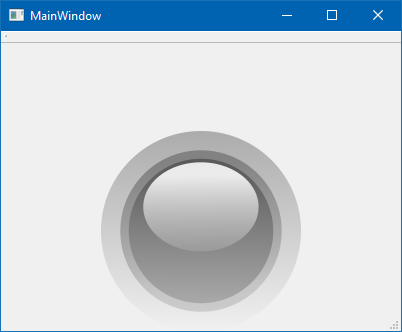
                            alt text

                            ps. QLed can also be compiled to a Designer plugin but its complicated as it was made for Qt4
                            and even i have a working version, it has compiler requirements and very fiddly so
                            to use a few Leds in Terminal, this is far, far easier.

                            V 1 Reply Last reply
                            2
                            • mrjjM mrjj

                              Hi again
                              here is small project that uses it.
                              https://www.dropbox.com/s/tnj5zf7xd0zt5jx/Testqled.zip?dl=0

                              The key to use in terminal project is.
                              Copy the qled folder to your project folder. (so its a sub folder to where the terminal.pro file is)
                              Then add to terminal.pro

                              include($$PWD/qled/qled.pri)

                              then in terminal mainwindow or where you need it
                              #include "qled/qled.h"

                              and then it knows Qled and you can just new them as needed.
                              (as sample does)
                              You would likely insert it into one of the layouts of terminal project.

                              alt text

                              ps. QLed can also be compiled to a Designer plugin but its complicated as it was made for Qt4
                              and even i have a working version, it has compiler requirements and very fiddly so
                              to use a few Leds in Terminal, this is far, far easier.

                              V Offline
                              V Offline
                              VenAle17
                              wrote on last edited by
                              #18

                              @mrjj said in A project into another:

                              Hi again
                              here is small project that uses it.
                              https://www.dropbox.com/s/tnj5zf7xd0zt5jx/Testqled.zip?dl=0

                              The key to use in terminal project is.
                              Copy the qled folder to your project folder. (so its a sub folder to where the terminal.pro file is)
                              Then add to terminal.pro

                              include($$PWD/qled/qled.pri)

                              then in terminal mainwindow or where you need it
                              #include "qled/qled.h"

                              and then it knows Qled and you can just new them as needed.
                              (as sample does)
                              You would likely insert it into one of the layouts of terminal project.

                              ps. QLed can also be compiled to a Designer plugin but its complicated as it was made for Qt4
                              and even i have a working version, it has compiler requirements and very fiddly so
                              to use a few Leds in Terminal, this is far, far easier.

                              Yeah, now it's working, thank you so much @mrjj

                              1 Reply Last reply
                              2
                              • mrjjM Offline
                                mrjjM Offline
                                mrjj
                                Lifetime Qt Champion
                                wrote on last edited by
                                #19

                                Super ! :)
                                Please mark it as solved then.

                                1 Reply Last reply
                                0

                                • Login

                                • Login or register to search.
                                • First post
                                  Last post
                                0
                                • Categories
                                • Recent
                                • Tags
                                • Popular
                                • Users
                                • Groups
                                • Search
                                • Get Qt Extensions
                                • Unsolved