Skip to content
  • Categories
  • Recent
  • Tags
  • Popular
  • Users
  • Groups
  • Search
  • Get Qt Extensions
  • Unsolved
Collapse
Brand Logo
  1. Home
  2. Qt Development
  3. General and Desktop
  4. A project into another
Qt 6.11 is out! See what's new in the release blog

A project into another

Scheduled Pinned Locked Moved Solved General and Desktop
19 Posts 4 Posters 7.0k Views 2 Watching
  • Oldest to Newest
  • Newest to Oldest
  • Most Votes
Reply
  • Reply as topic
Log in to reply
This topic has been deleted. Only users with topic management privileges can see it.
  • mrjjM Offline
    mrjjM Offline
    mrjj
    Lifetime Qt Champion
    wrote on last edited by
    #9

    Hi
    I have to ask to be sure.
    By merge one project into other, you do aim for having a project file that will
    also build the other projects?
    And not trying to use the myled led class in the Qt terminal sample where you added
    customplot too ?

    V 1 Reply Last reply
    0
    • mrjjM mrjj

      Hi
      I have to ask to be sure.
      By merge one project into other, you do aim for having a project file that will
      also build the other projects?
      And not trying to use the myled led class in the Qt terminal sample where you added
      customplot too ?

      V Offline
      V Offline
      VenAle17
      wrote on last edited by
      #10

      @mrjj said in A project into another:

      Hi
      I have to ask to be sure.
      By merge one project into other, you do aim for having a project file that will
      also build the other projects?
      And not trying to use the myled led class in the Qt terminal sample where you added
      customplot too ?

      Hi,
      i'm trying to create a project that recognize a buffer of data (this in the project terminal) and translates it as a click button action that change the color of the led (Myleds).
      So i create this two projects and now i want to create just one that it should do what i said.

      1 Reply Last reply
      0
      • mrjjM Offline
        mrjjM Offline
        mrjj
        Lifetime Qt Champion
        wrote on last edited by
        #11

        Hi
        So its sounds like you just want to include myled.h and myled.cpp in the terminal project just like
        customplot and simply use the widget ?

        V 1 Reply Last reply
        2
        • mrjjM mrjj

          Hi
          So its sounds like you just want to include myled.h and myled.cpp in the terminal project just like
          customplot and simply use the widget ?

          V Offline
          V Offline
          VenAle17
          wrote on last edited by
          #12

          @mrjj said in A project into another:

          Hi
          So its sounds like you just want to include myled.h and myled.cpp in the terminal project just like
          customplot and simply use the widget ?

          It's not so easy because Myleds project contains another project too (named qled, with qled.h and qled.cpp).
          This second project has a .pri file, not a .pro file.
          I tried to use that method to include Myleds in Terminal but it didn't work.

          mrjjM 1 Reply Last reply
          0
          • V VenAle17

            @mrjj said in A project into another:

            Hi
            So its sounds like you just want to include myled.h and myled.cpp in the terminal project just like
            customplot and simply use the widget ?

            It's not so easy because Myleds project contains another project too (named qled, with qled.h and qled.cpp).
            This second project has a .pri file, not a .pro file.
            I tried to use that method to include Myleds in Terminal but it didn't work.

            mrjjM Offline
            mrjjM Offline
            mrjj
            Lifetime Qt Champion
            wrote on last edited by
            #13

            @venale17
            But a pri file is perfect.
            Normally you can just reference that and it should just work.
            include(path to file/qled.pri)

            Is it this one ?
            https://www.linux-apps.com/content/show.php/QLed+?content=72482

            1 Reply Last reply
            1
            • V Offline
              V Offline
              VenAle17
              wrote on last edited by
              #14

              Yes, it is.

              1 Reply Last reply
              0
              • mrjjM Offline
                mrjjM Offline
                mrjj
                Lifetime Qt Champion
                wrote on last edited by
                #15

                Hi
                Ok that surely works with pri file as i used it myself.
                let me clean it up and you can have a look at the test project.

                1 Reply Last reply
                1
                • V Offline
                  V Offline
                  VenAle17
                  wrote on last edited by
                  #16

                  ok, thank you

                  1 Reply Last reply
                  0
                  • mrjjM Offline
                    mrjjM Offline
                    mrjj
                    Lifetime Qt Champion
                    wrote on last edited by mrjj
                    #17

                    Hi again
                    here is small project that uses it.
                    https://www.dropbox.com/s/tnj5zf7xd0zt5jx/Testqled.zip?dl=0

                    The key to use in terminal project is.
                    Copy the qled folder to your project folder. (so its a sub folder to where the terminal.pro file is)
                    Then add to terminal.pro

                    include($$PWD/qled/qled.pri)

                    then in terminal mainwindow or where you need it
                    #include "qled/qled.h"

                    and then it knows Qled and you can just new them as needed.
                    (as sample does)
                    You would likely insert it into one of the layouts of terminal project.
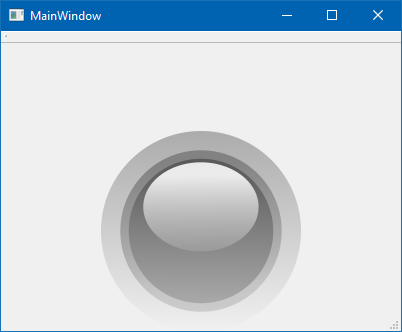
                    alt text

                    ps. QLed can also be compiled to a Designer plugin but its complicated as it was made for Qt4
                    and even i have a working version, it has compiler requirements and very fiddly so
                    to use a few Leds in Terminal, this is far, far easier.

                    V 1 Reply Last reply
                    2
                    • mrjjM mrjj

                      Hi again
                      here is small project that uses it.
                      https://www.dropbox.com/s/tnj5zf7xd0zt5jx/Testqled.zip?dl=0

                      The key to use in terminal project is.
                      Copy the qled folder to your project folder. (so its a sub folder to where the terminal.pro file is)
                      Then add to terminal.pro

                      include($$PWD/qled/qled.pri)

                      then in terminal mainwindow or where you need it
                      #include "qled/qled.h"

                      and then it knows Qled and you can just new them as needed.
                      (as sample does)
                      You would likely insert it into one of the layouts of terminal project.

                      alt text

                      ps. QLed can also be compiled to a Designer plugin but its complicated as it was made for Qt4
                      and even i have a working version, it has compiler requirements and very fiddly so
                      to use a few Leds in Terminal, this is far, far easier.

                      V Offline
                      V Offline
                      VenAle17
                      wrote on last edited by
                      #18

                      @mrjj said in A project into another:

                      Hi again
                      here is small project that uses it.
                      https://www.dropbox.com/s/tnj5zf7xd0zt5jx/Testqled.zip?dl=0

                      The key to use in terminal project is.
                      Copy the qled folder to your project folder. (so its a sub folder to where the terminal.pro file is)
                      Then add to terminal.pro

                      include($$PWD/qled/qled.pri)

                      then in terminal mainwindow or where you need it
                      #include "qled/qled.h"

                      and then it knows Qled and you can just new them as needed.
                      (as sample does)
                      You would likely insert it into one of the layouts of terminal project.

                      ps. QLed can also be compiled to a Designer plugin but its complicated as it was made for Qt4
                      and even i have a working version, it has compiler requirements and very fiddly so
                      to use a few Leds in Terminal, this is far, far easier.

                      Yeah, now it's working, thank you so much @mrjj

                      1 Reply Last reply
                      2
                      • mrjjM Offline
                        mrjjM Offline
                        mrjj
                        Lifetime Qt Champion
                        wrote on last edited by
                        #19

                        Super ! :)
                        Please mark it as solved then.

                        1 Reply Last reply
                        0

                        • Login

                        • Login or register to search.
                        • First post
                          Last post
                        0
                        • Categories
                        • Recent
                        • Tags
                        • Popular
                        • Users
                        • Groups
                        • Search
                        • Get Qt Extensions
                        • Unsolved