
A project into another
-
Terminal is my top level .pro file (the first one .pro file that i include in the message).
As said, that will not work. Toplevel is the .pro file with
SUBDIRS. All other .pro files go into subdirectories. Please check the link I gave you.Regards
As said, that will not work. Toplevel is the .pro file with
SUBDIRS. All other .pro files go into subdirectories. Please check the link I gave you.Regards
Hi aha_1980,
i create a top level file .pro (that i named 'Final') and then, as the documentation said, i merge the program 'terminal' as subdirector but now the program don't recognize the lib like QSerialPort or QMainWindow.
This is Final.proQT += widgets QT += core gui CONFIG += c++11 TEMPLATE = subdirs SUBDIRS = \ C:/Qt/Examples/Qt-5.13.0/serialport/terminal/terminal.proAnd this:
#TARGET = terminal QT += widgets QT += core gui CONFIG += c++11 HEADERS = \ $$PWD/mainwindow.h \ $$PWD/qcustomplot.h \ $$PWD/settingsdialog.h SOURCES = \ $$PWD/main.cpp \ $$PWD/mainwindow.cpp \ $$PWD/mainwindow.ui \ $$PWD/qcustomplot.cpp \ $$PWD/settingsdialog.cpp \ $$PWD/settingsdialog.ui \ $$PWD/terminal.pro \ $$PWD/terminal.qrc INCLUDEPATH = \ $$PWD/. #DEFINES =terminal.pro.
Any ideas? -
Hi
I have to ask to be sure.
By merge one project into other, you do aim for having a project file that will
also build the other projects?
And not trying to use the myled led class in the Qt terminal sample where you added
customplot too ? -
Hi
I have to ask to be sure.
By merge one project into other, you do aim for having a project file that will
also build the other projects?
And not trying to use the myled led class in the Qt terminal sample where you added
customplot too ?@mrjj said in A project into another:
Hi
I have to ask to be sure.
By merge one project into other, you do aim for having a project file that will
also build the other projects?
And not trying to use the myled led class in the Qt terminal sample where you added
customplot too ?Hi,
i'm trying to create a project that recognize a buffer of data (this in the project terminal) and translates it as a click button action that change the color of the led (Myleds).
So i create this two projects and now i want to create just one that it should do what i said. -
Hi
So its sounds like you just want to include myled.h and myled.cpp in the terminal project just like
customplot and simply use the widget ? -
Hi
So its sounds like you just want to include myled.h and myled.cpp in the terminal project just like
customplot and simply use the widget ?@mrjj said in A project into another:
Hi
So its sounds like you just want to include myled.h and myled.cpp in the terminal project just like
customplot and simply use the widget ?It's not so easy because Myleds project contains another project too (named qled, with qled.h and qled.cpp).
This second project has a .pri file, not a .pro file.
I tried to use that method to include Myleds in Terminal but it didn't work. -
@mrjj said in A project into another:
Hi
So its sounds like you just want to include myled.h and myled.cpp in the terminal project just like
customplot and simply use the widget ?It's not so easy because Myleds project contains another project too (named qled, with qled.h and qled.cpp).
This second project has a .pri file, not a .pro file.
I tried to use that method to include Myleds in Terminal but it didn't work.@venale17
But a pri file is perfect.
Normally you can just reference that and it should just work.
include(path to file/qled.pri)Is it this one ?
https://www.linux-apps.com/content/show.php/QLed+?content=72482 -
Hi
Ok that surely works with pri file as i used it myself.
let me clean it up and you can have a look at the test project. -
Hi again
here is small project that uses it.
https://www.dropbox.com/s/tnj5zf7xd0zt5jx/Testqled.zip?dl=0The key to use in terminal project is.
Copy the qled folder to your project folder. (so its a sub folder to where the terminal.pro file is)
Then add to terminal.proinclude($$PWD/qled/qled.pri)
then in terminal mainwindow or where you need it
#include "qled/qled.h"and then it knows Qled and you can just new them as needed.
(as sample does)
You would likely insert it into one of the layouts of terminal project.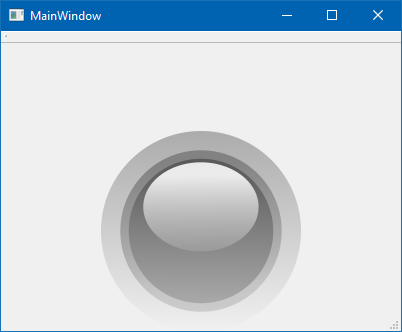
ps. QLed can also be compiled to a Designer plugin but its complicated as it was made for Qt4
and even i have a working version, it has compiler requirements and very fiddly so
to use a few Leds in Terminal, this is far, far easier. -
Hi again
here is small project that uses it.
https://www.dropbox.com/s/tnj5zf7xd0zt5jx/Testqled.zip?dl=0The key to use in terminal project is.
Copy the qled folder to your project folder. (so its a sub folder to where the terminal.pro file is)
Then add to terminal.proinclude($$PWD/qled/qled.pri)
then in terminal mainwindow or where you need it
#include "qled/qled.h"and then it knows Qled and you can just new them as needed.
(as sample does)
You would likely insert it into one of the layouts of terminal project.ps. QLed can also be compiled to a Designer plugin but its complicated as it was made for Qt4
and even i have a working version, it has compiler requirements and very fiddly so
to use a few Leds in Terminal, this is far, far easier.@mrjj said in A project into another:
Hi again
here is small project that uses it.
https://www.dropbox.com/s/tnj5zf7xd0zt5jx/Testqled.zip?dl=0The key to use in terminal project is.
Copy the qled folder to your project folder. (so its a sub folder to where the terminal.pro file is)
Then add to terminal.proinclude($$PWD/qled/qled.pri)
then in terminal mainwindow or where you need it
#include "qled/qled.h"and then it knows Qled and you can just new them as needed.
(as sample does)
You would likely insert it into one of the layouts of terminal project.ps. QLed can also be compiled to a Designer plugin but its complicated as it was made for Qt4
and even i have a working version, it has compiler requirements and very fiddly so
to use a few Leds in Terminal, this is far, far easier.Yeah, now it's working, thank you so much @mrjj
-
Super ! :)
Please mark it as solved then.

