Skip to content
  • Categories
  • Recent
  • Tags
  • Popular
  • Users
  • Groups
  • Search
  • Get Qt
  • Unsolved
Collapse
Brand Logo
  1. Home
  2. Qt Development
  3. Mobile and Embedded
  4. Qt Android application environment setup
Qt 6.12 LTS is out! See what's new in the release blog

Qt Android application environment setup

Scheduled Pinned Locked Moved Unsolved Mobile and Embedded
3 Posts 3 Posters 305 Views
  • Oldest to Newest
  • Newest to Oldest
  • Most Votes
Reply
  • Reply as topic
Log in to reply
This topic has been deleted. Only users with topic management privileges can see it.
  • S Offline
    S Offline
    SudarsanaaMathan
    wrote on last edited by
    #1

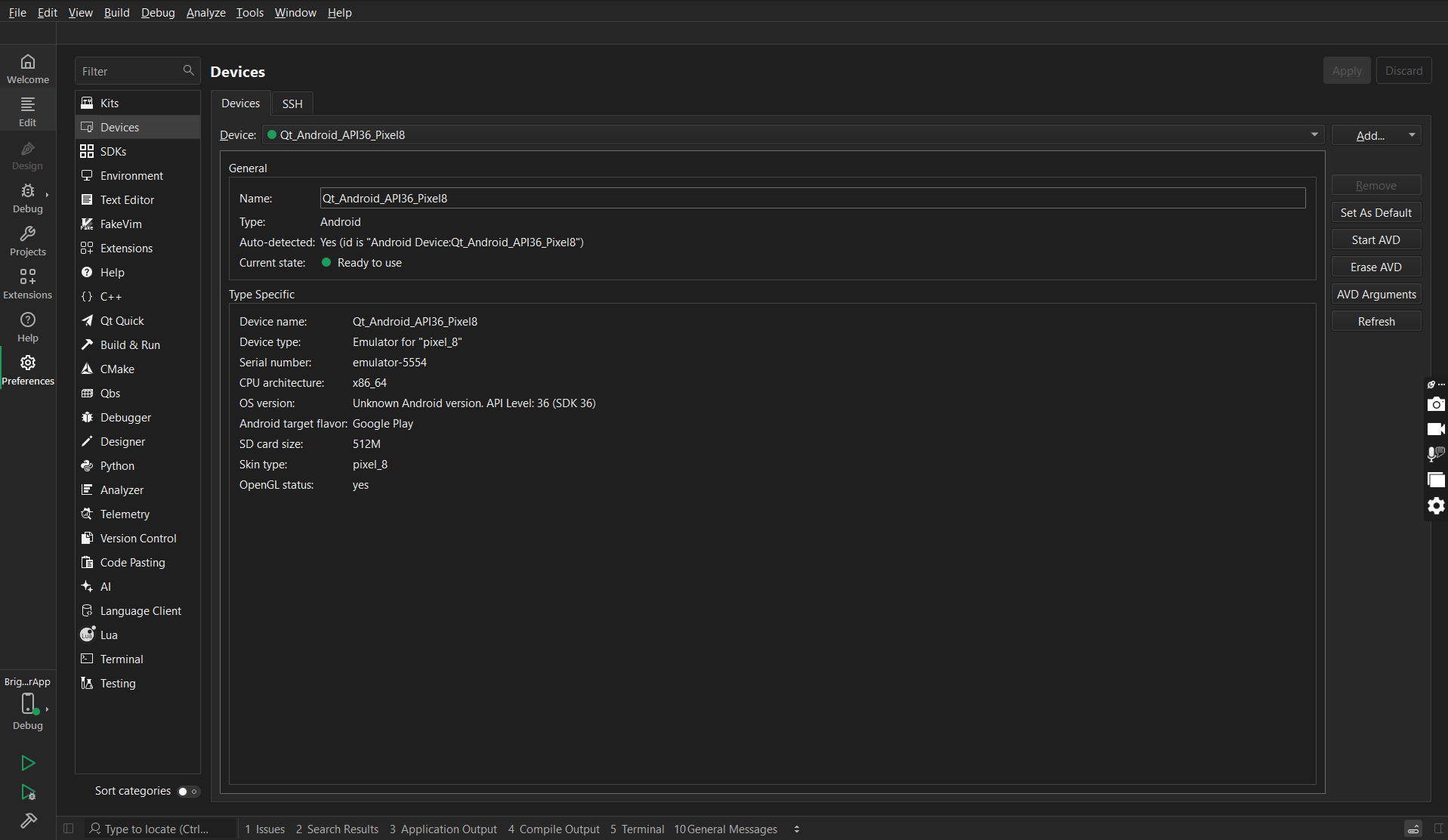
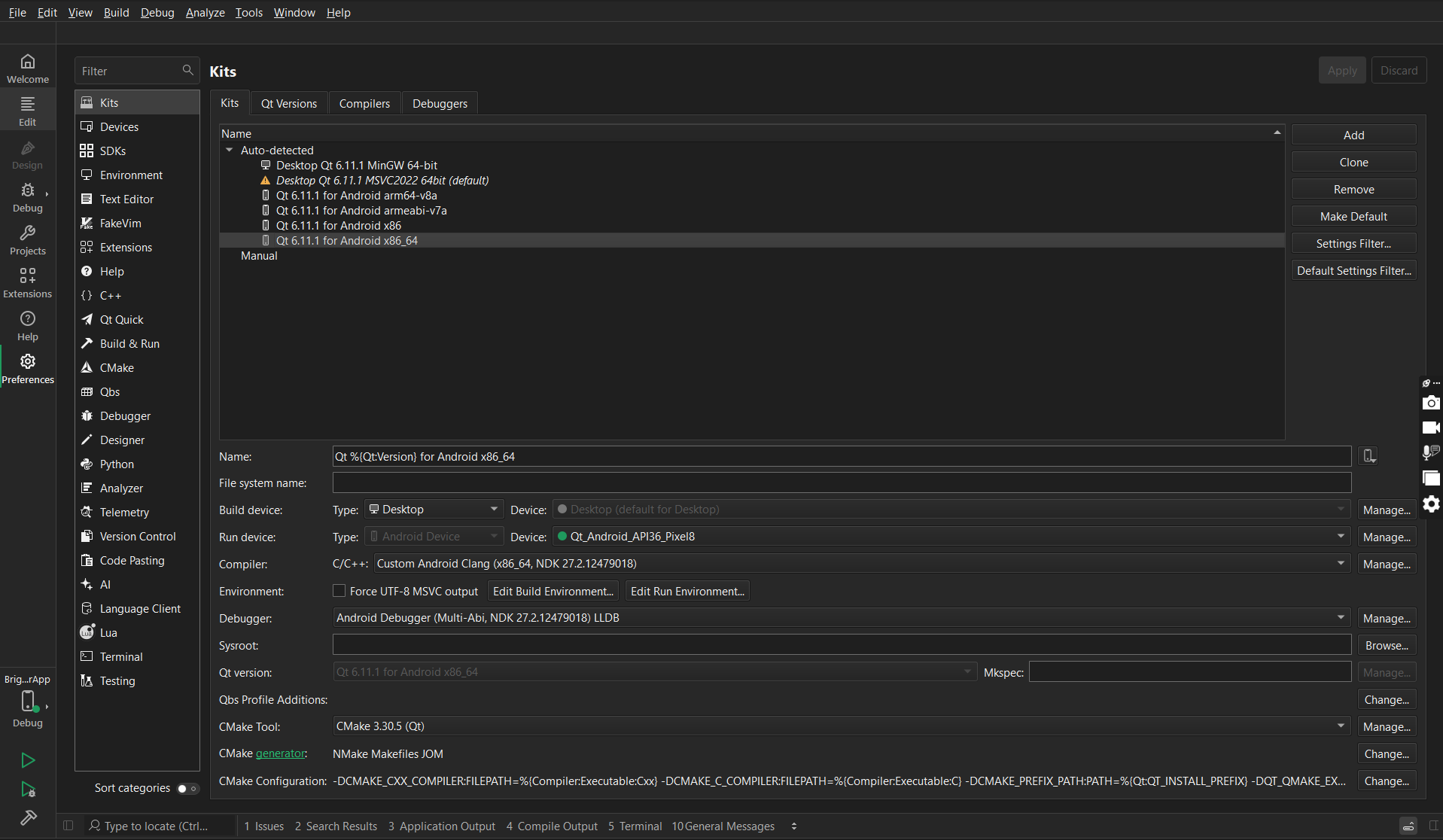
    I'm trying to configure the qt creator 19.0.2 in order to develop mobile applications. So far, I've installed Android studio and then qt detected the new Android virtual device as Pixel 8 but on running an already present qt application, it is generating errors on building and running the application. The device and kit have been set as the device detected on Android Studio.
    The following are the screenshots attached for reference. It would be really helpful know from someone the mistake and the correct steps for the setting up qt creator for developing mobile applications and also to test the simulator and emulator on an already present qt application.

    d068ea52-0d9c-44a6-bad4-a902ad43a58e-image.png
    6e30b249-fe13-4612-bc19-6440299c20d9-image.png
    dde01b14-c4ea-4439-811e-c92957edbd75-image.png

    jsulmJ 1 Reply Last reply
    0
    • Nils SjobergN Offline
      Nils SjobergN Offline
      Nils Sjoberg
      wrote on last edited by
      #2

      פרסם את טקסט השגיאה המדויק מפלט הבנייה/הרצה

      "What's up, Doc?"

      1 Reply Last reply
      0
      • S SudarsanaaMathan

        I'm trying to configure the qt creator 19.0.2 in order to develop mobile applications. So far, I've installed Android studio and then qt detected the new Android virtual device as Pixel 8 but on running an already present qt application, it is generating errors on building and running the application. The device and kit have been set as the device detected on Android Studio.
        The following are the screenshots attached for reference. It would be really helpful know from someone the mistake and the correct steps for the setting up qt creator for developing mobile applications and also to test the simulator and emulator on an already present qt application.

        d068ea52-0d9c-44a6-bad4-a902ad43a58e-image.png
        6e30b249-fe13-4612-bc19-6440299c20d9-image.png
        dde01b14-c4ea-4439-811e-c92957edbd75-image.png

        jsulmJ Offline
        jsulmJ Offline
        jsulm
        Lifetime Qt Champion
        wrote on last edited by
        #3

        @SudarsanaaMathan Please post the whole error message, so it is clear from where the error originated.


        https://forum.qt.io/topic/113070/qt-code-of-conduct

        1 Reply Last reply
        0

        • Login

        • Login or register to search.
        • First post
          Last post
        0
        • Categories
        • Recent
        • Tags
        • Popular
        • Users
        • Groups
        • Search
        • Get Qt
        • Unsolved