qml quick
-
Hii
i have installed ubuntu 18.04 and have installed qt in it
Qt Creator 4.5.2
Based on Qt 5.9.5 (GCC 7.3.0, 64 bit)but i am getting qml qick error
-
Hii
i have installed ubuntu 18.04 and have installed qt in it
Qt Creator 4.5.2
Based on Qt 5.9.5 (GCC 7.3.0, 64 bit)but i am getting qml qick error
@sneha-ashok what "qml qick" error are you getting? What are you trying to do? Please describe the steps.
From that description all I can say is: you've installed Qt Creator (IDE) but not Qt libraries. Try with
sudo apt install qt5-qmakeorsudo apt qt5-default. You may need to install additional Qt libs if QML is not included in the default package. -
@sneha-ashok what "qml qick" error are you getting? What are you trying to do? Please describe the steps.
From that description all I can say is: you've installed Qt Creator (IDE) but not Qt libraries. Try with
sudo apt install qt5-qmakeorsudo apt qt5-default. You may need to install additional Qt libs if QML is not included in the default package.@sierdzio
after installing those command still the qml quick error is there. -
Hii
i have installed ubuntu 18.04 and have installed qt in it
Qt Creator 4.5.2
Based on Qt 5.9.5 (GCC 7.3.0, 64 bit)but i am getting qml qick error
i just build an application in qt while building i am getting qml quick error
-
i just build an application in qt while building i am getting qml quick error
@sneha-ashok
You have now posted 3 times without showing what the error actually is. Do you not think that it would be a good idea if you want help on it? -
@sneha-ashok
You have now posted 3 times without showing what the error actually is. Do you not think that it would be a good idea if you want help on it? -
@sneha-ashok hi, based on the light information you are giving, I would say that you installed Qt using your distribution package manager. Based on that error message, you did not install all the required development packages.
-
sudo apt install libqt5qml5 libqt5quick5(Z(:^
-
sudo apt install libqt5qml5 libqt5quick5sudo apt install libqt5qml5 libqt5quick5The
-devsuffix are missing :-) -
sudo apt install libqt5qml5 libqt5quick5@sierdzio
after installing those commands also the error is occuring -
i just build an application in qt while building i am getting qml quick error
@sneha-ashok Project ERROR: Unknown module(s) in QT: qml quick
15:16:56: The process "/usr/lib/qt5/bin/qmake" exited with code 3.The kit Desktop has configuration issues which might be the root cause for this problem.
When executing step "qmake"
this the error -
@sierdzio
after installing those commands also the error is occuring -
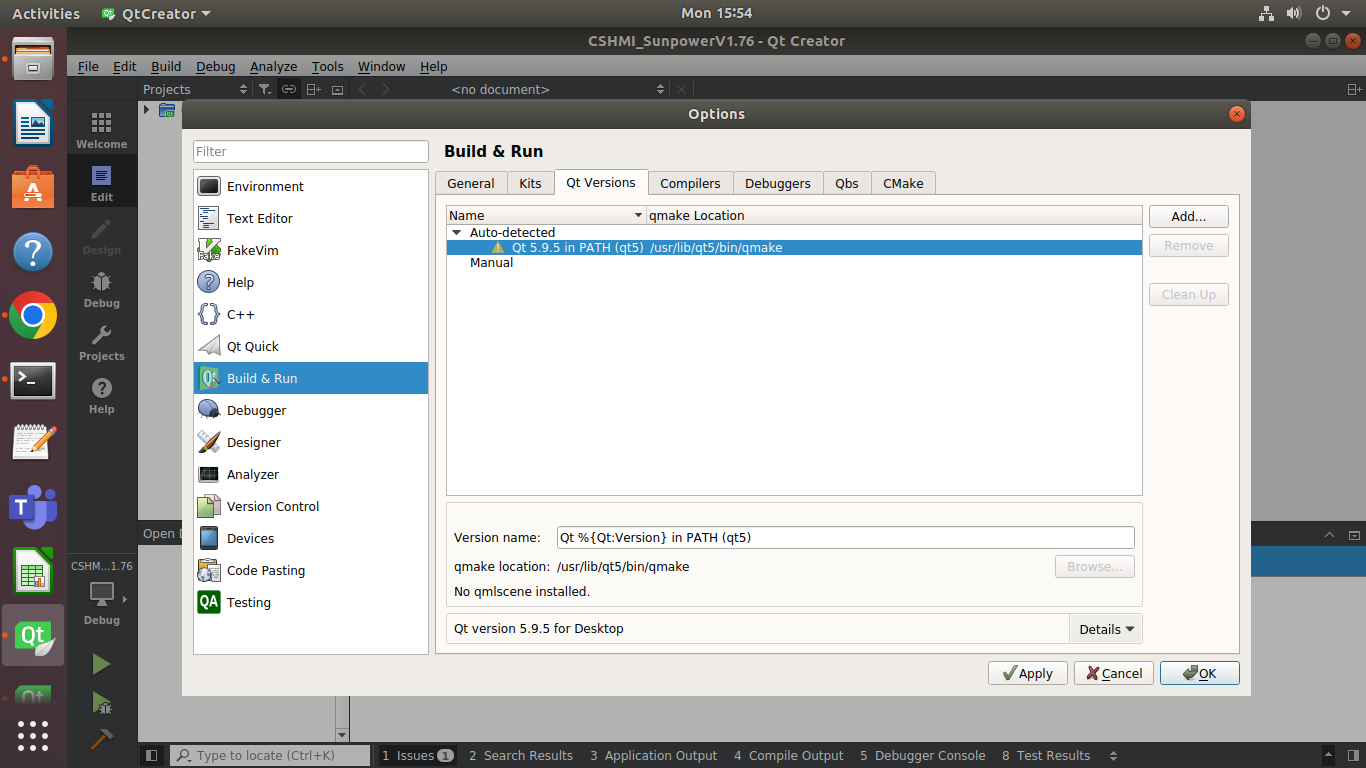
No qml scenes it says
It's provided by the qmlscene package.
As for the unknown module error, as already suggested: install the missing development packages.
-
It's provided by the qmlscene package.
As for the unknown module error, as already suggested: install the missing development packages.
-
@SGaist i fixed the qml quick error
when i run my application i get an error saying
error while loading shared libraries: libQt5Core.so.5: cannot open shared object file: No such file or directoryIs there any solutions for this ?
@sneha-ashok run ldd on your application to see what exactly is being found and not.