
Skip to content
  • Categories
  • Recent
  • Tags
  • Popular
  • Users
  • Groups
  • Search
  • Get Qt Extensions
  • Unsolved
Collapse
Brand Logo
  1. Home
  2. Qt Development
  3. General and Desktop
  4. Extra window when creating my .exe
Qt 6.11 is out! See what's new in the release blog

Extra window when creating my .exe

Scheduled Pinned Locked Moved Solved General and Desktop
12 Posts 4 Posters 1.9k Views 2 Watching
  • Oldest to Newest
  • Newest to Oldest
  • Most Votes
Reply
  • Reply as topic
Log in to reply
This topic has been deleted. Only users with topic management privileges can see it.
  • O Offline
    O Offline
    Oumayma
    wrote on last edited by
    #1

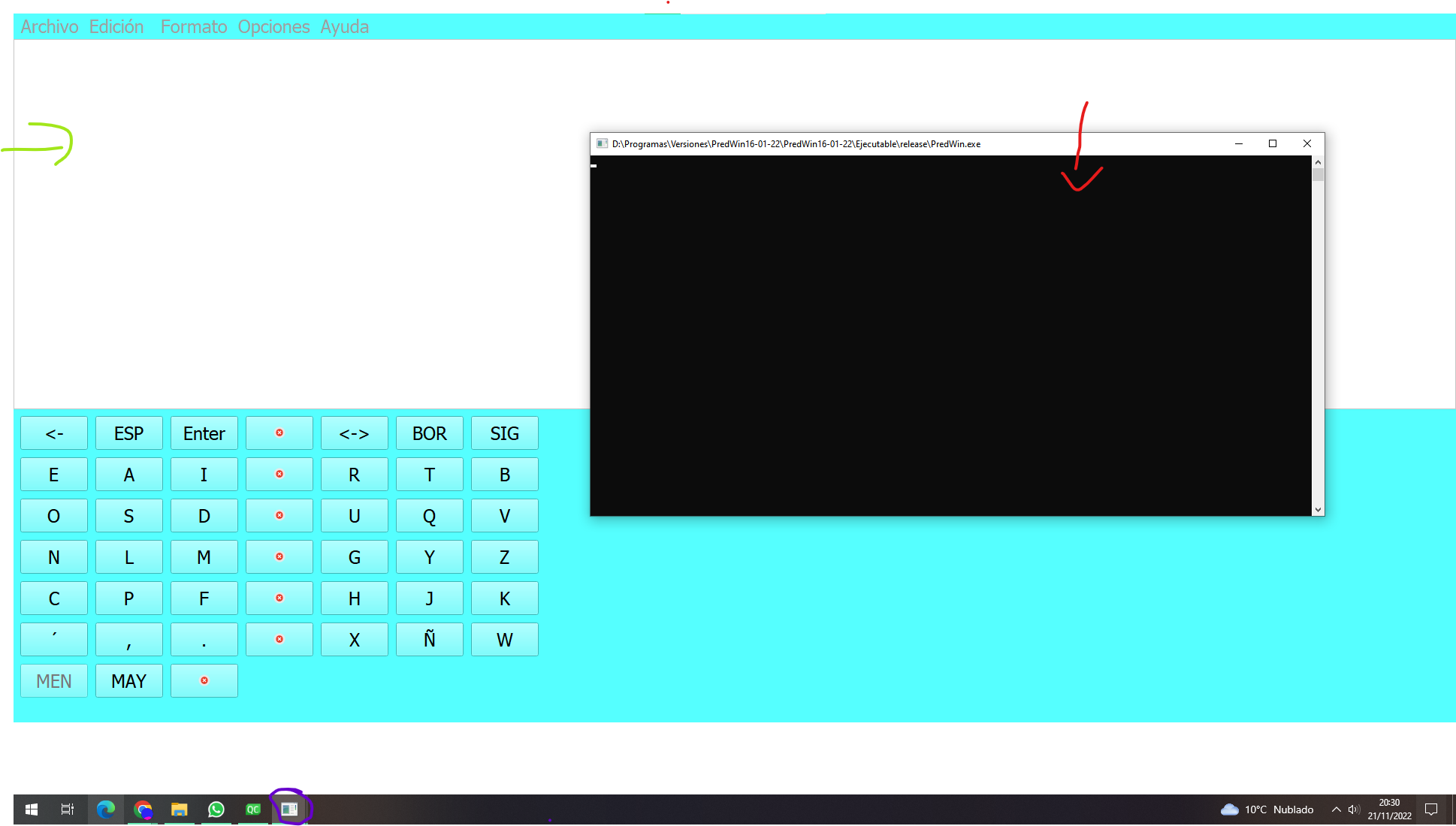
    Good morning, when I create my application executable, when I open it, two windows open, one black like a console and the application window, how can I remove that "extra" window?

    2b6724de-f8cc-4e5b-a354-8157cc9f6875-image.png

    1 Reply Last reply
    0
    • SGaistS Offline
      SGaistS Offline
      SGaist
      Lifetime Qt Champion
      wrote on last edited by
      #10

      Why do you have testlib in your application dependencies ?

      Interested in AI ? www.idiap.ch
      Please read the Qt Code of Conduct - https://forum.qt.io/topic/113070/qt-code-of-conduct

      O 1 Reply Last reply
      1
      • SGaistS Offline
        SGaistS Offline
        SGaist
        Lifetime Qt Champion
        wrote on last edited by
        #2

        Hi,

        Is it a qmake or CMake project ?

        Interested in AI ? www.idiap.ch
        Please read the Qt Code of Conduct - https://forum.qt.io/topic/113070/qt-code-of-conduct

        O 1 Reply Last reply
        0
        • SGaistS SGaist

          Hi,

          Is it a qmake or CMake project ?

          O Offline
          O Offline
          Oumayma
          wrote on last edited by
          #3

          @SGaist Hi, is a qmake proyect.

          1 Reply Last reply
          0
          • SGaistS Offline
            SGaistS Offline
            SGaist
            Lifetime Qt Champion
            wrote on last edited by
            #4

            Any chance you have CONFIG += console in it ?

            Interested in AI ? www.idiap.ch
            Please read the Qt Code of Conduct - https://forum.qt.io/topic/113070/qt-code-of-conduct

            O 1 Reply Last reply
            0
            • SGaistS SGaist

              Any chance you have CONFIG += console in it ?

              O Offline
              O Offline
              Oumayma
              wrote on last edited by
              #5

              @SGaist No, i haven't

              Christian EhrlicherC 1 Reply Last reply
              0
              • O Oumayma

                @SGaist No, i haven't

                Christian EhrlicherC Offline
                Christian EhrlicherC Offline
                Christian Ehrlicher
                Lifetime Qt Champion
                wrote on last edited by Christian Ehrlicher
                #6

                @Oumayma said in Extra window when creating my .exe:

                No, i haven't

                Then add

                CONFIG -= console to your pro file and take a look if you really don't add it somewhere.

                Qt Online Installer direct download: https://download.qt.io/official_releases/online_installers/
                Visit the Qt Academy at https://academy.qt.io/catalog

                1 Reply Last reply
                0
                • SGaistS Offline
                  SGaistS Offline
                  SGaist
                  Lifetime Qt Champion
                  wrote on last edited by
                  #7

                  Ok, can you share your .pro file ?
                  Which compiler are you using ?
                  Which version of Qt ?
                  How are you starting your application ?

                  Interested in AI ? www.idiap.ch
                  Please read the Qt Code of Conduct - https://forum.qt.io/topic/113070/qt-code-of-conduct

                  O 1 Reply Last reply
                  0
                  • SGaistS SGaist

                    Ok, can you share your .pro file ?
                    Which compiler are you using ?
                    Which version of Qt ?
                    How are you starting your application ?

                    O Offline
                    O Offline
                    Oumayma
                    wrote on last edited by
                    #8

                    @SGaist

                    My .pro

                    QT       += core gui printsupport testlib
                    
                    greaterThan(QT_MAJOR_VERSION, 4):  QT += widgets qml quick
                    CONFIG(release, debug|release):DEFINES += QT_NO_DEBUG_OUTPUT
                    
                    CONFIG += c++11
                    
                    # You can make your code fail to compile if it uses deprecated APIs.
                    # In order to do so, uncomment the following line.
                    #DEFINES += QT_DISABLE_DEPRECATED_BEFORE=0x060000    # disables all the APIs deprecated before Qt 6.0.0
                    INCLUDEPATH += $$PWD
                    
                    SOURCES += \
                        Manager.cpp \
                        main.cpp
                    
                    HEADERS += \
                        Constants.h \
                        Manager.h
                    
                    FORMS += \
                        Interfaz.ui
                    
                    # Default rules for deployment.
                    qnx: target.path = /tmp/$${TARGET}/bin
                    else: unix:!android: target.path = /opt/$${TARGET}/bin
                    !isEmpty(target.path): INSTALLS += target
                    
                    RESOURCES += \
                        iconos.qrc
                    
                    ANDROID_ABIS = armeabi-v7a arm64-v8a x86 x86_64
                    ANDROID_PACKAGE_SOURCE_DIR = $$PWD/AndroidSource
                    
                    DISTFILES += \
                        .gdbinit \
                        AndroidSource/AndroidManifest.xml \
                        TextosAyuda/Ayuda1 \
                        TextosAyuda/Ayuda1.txt \
                        TextosAyuda/Ayuda2 \
                        TextosAyuda/Ayuda3 \
                        TextosAyuda/AyudaPruebas.txt


                    Compailer: MinGW 8.1.0 32-bit for C++
                    QT version : QT 5.15.1
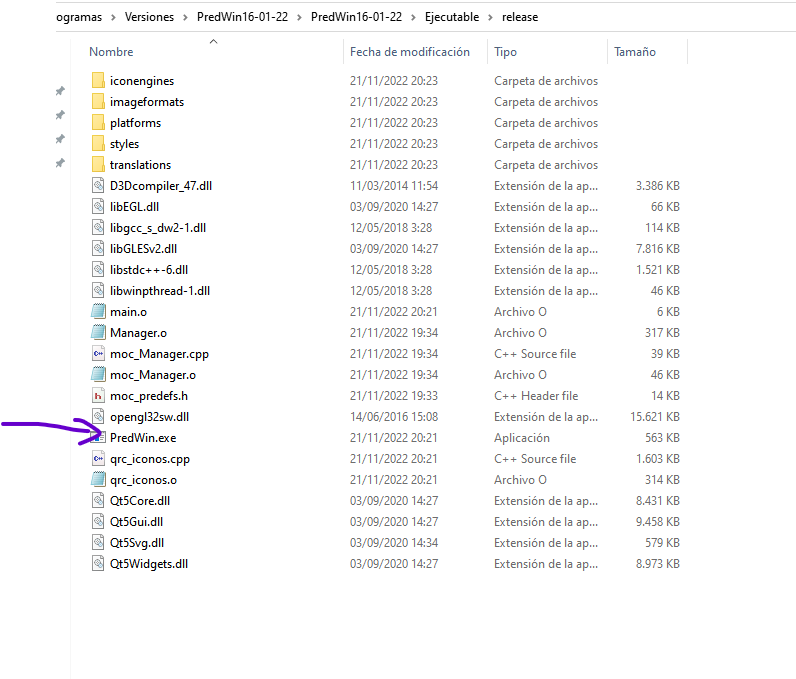
                    I click in .exe of mi app.
                    bb9ec483-9ce7-41be-9ba0-39dfeeb74af5-image.png

                    1 Reply Last reply
                    0
                    • M Offline
                      M Offline
                      mpergand
                      wrote on last edited by mpergand
                      #9

                      Seems similar to this:
                      https://forum.qt.io/topic/133723/two-windows-opening-after-i-deployed-an-application-on-windows

                      1 Reply Last reply
                      1
                      • SGaistS Offline
                        SGaistS Offline
                        SGaist
                        Lifetime Qt Champion
                        wrote on last edited by
                        #10

                        Why do you have testlib in your application dependencies ?

                        Interested in AI ? www.idiap.ch
                        Please read the Qt Code of Conduct - https://forum.qt.io/topic/113070/qt-code-of-conduct

                        O 1 Reply Last reply
                        1
                        • SGaistS SGaist

                          Why do you have testlib in your application dependencies ?

                          O Offline
                          O Offline
                          Oumayma
                          wrote on last edited by
                          #11

                          @SGaist

                          I have reviewed my code and I see why I have the dependencie for testliib in mi app. it is because i have a old import of QTestEventList class. But currently I do not use the QTestEventList class at all, I have removed the import of the code and the testlib from .pro and the second window no longer appears. Thank you very much for the help.

                          1 Reply Last reply
                          0
                          • SGaistS Offline
                            SGaistS Offline
                            SGaist
                            Lifetime Qt Champion
                            wrote on last edited by
                            #12

                            Good cleanup.

                            That said, the test module is meant for that: testing. It shall not be part of an application that is not part of a test bed.
                            Interested in AI ? www.idiap.ch
                            Please read the Qt Code of Conduct - https://forum.qt.io/topic/113070/qt-code-of-conduct

                            1 Reply Last reply
                            0

                            • Login

                            • Login or register to search.
                            • First post
                              Last post
                            0
                            • Categories
                            • Recent
                            • Tags
                            • Popular
                            • Users
                            • Groups
                            • Search
                            • Get Qt Extensions
                            • Unsolved