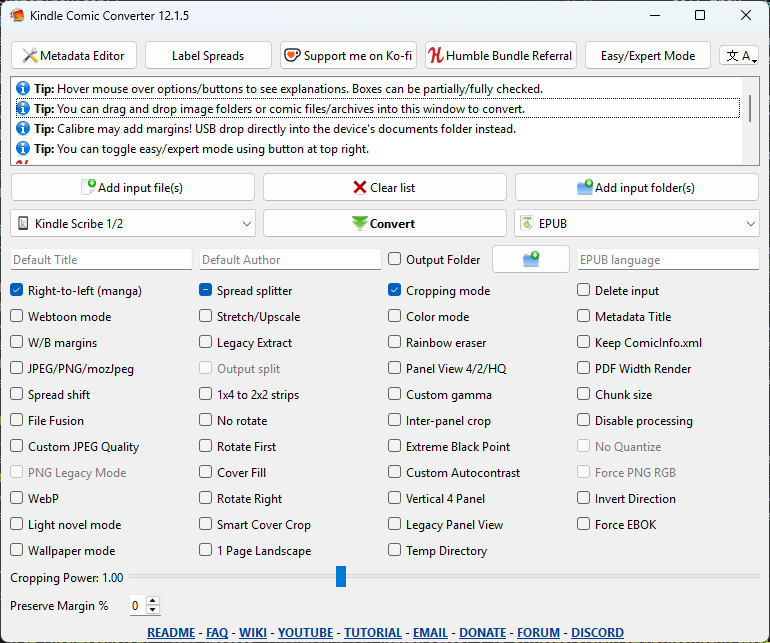
PySide 6.10.0-6.10.1 upgrade changed my padding on Windows, how to restore?
-
I'm not too familiar with Qt, I inherited this project.
This problem only exists on Windows, macOS/Linux is fine. If I use 6.10.0 or earlier, it looks how I expect:
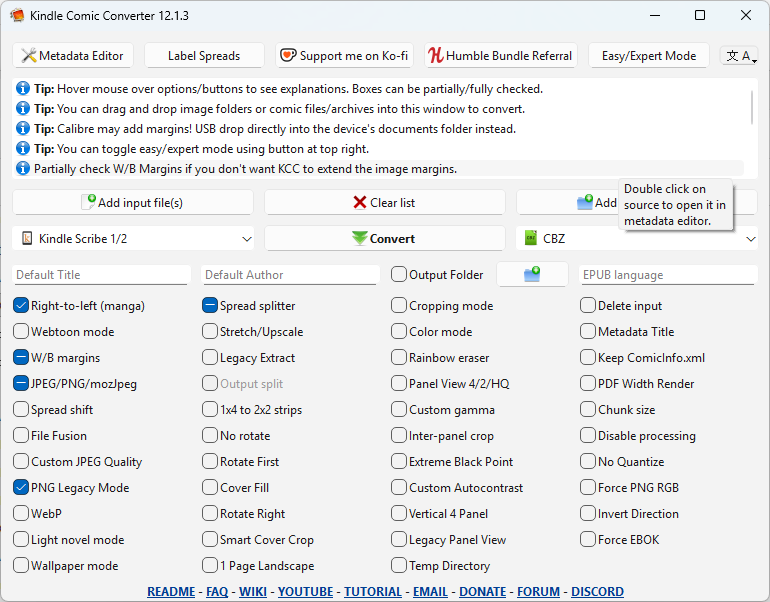
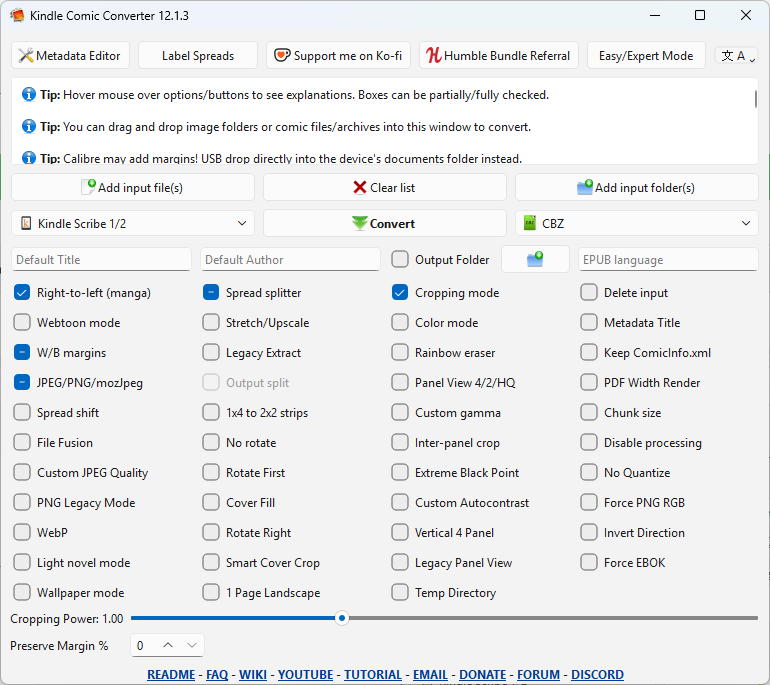
But if I go to pyside 6.10.1 or later, including 6.12, it looks like this:
This is the project, in case it's useful: https://github.com/ciromattia/kcc
The app also builds using 6.1.3 and 6.4.3 for legacy OS. So hopefully any change doesn't affect the older pyside. the app was on pyqt5 originally but I ported to pyside6.
This is mainly because I want to use python 3.14 but that needs 6.10.1
-
Could you maybe specify which UI elements and differences you mean specifically?
-
This was due to the non-fully ready win11 style in Qt6.10 - in 6.12 the margins are adopted to match more to the winui3 style
-
I still have the problem of extra padding around the check boxes and the top messages in 6.12.0.
I probably can override this manually but I feel I shouldn't have to.
changing the setStyle() between
windows11,windowsvista,Windows, andFusionhas varying results. The messages at the top sometimes have padding fixed. But the checkboxes never do.Just for reference, here's what it looks on macOS: https://forum.qt.io/topic/165221/pyside6-ui-looks-different-depending-on-which-macos-built-python
-
This post is deleted!
-
I actually took a little more time and started comparing screenshots side by side.
The padding for default theme changed in 6.10.1 and is still the same in 6.12.
I think this is probably intentional and I shouldn't expect help.
However, closer inspection of the
windowsvistatheme does have the original spacing, so I think I'll just use that when I upgrade Qt. It looks close enough I suppose. The app is from 2012 so I guess an old look is fine. I really prefer the 6.9 look but that's just a nitpick.Maybe I could request the 6.9 theme somehow?