Skip to content
  • Categories
  • Recent
  • Tags
  • Popular
  • Users
  • Groups
  • Search
  • Get Qt
  • Unsolved
Collapse
Brand Logo
  1. Home
  2. Qt Development
  3. General and Desktop
  4. Deleting row from QTableWidget and from Sqlite database
Qt 6.11 is out! See what's new in the release blog

Deleting row from QTableWidget and from Sqlite database

Scheduled Pinned Locked Moved Solved General and Desktop
71 Posts 6 Posters 90.9k Views 2 Watching
  • Oldest to Newest
  • Newest to Oldest
  • Most Votes
Reply
  • Reply as topic
Log in to reply
This topic has been deleted. Only users with topic management privileges can see it.
  • JonBJ JonB

    @Risver
    OK, so independent of your selection querymodel->removeRows(0, 1); fails to remove the first row? We can then rule out anything to do with the UI or the selection.

    R Offline
    R Offline
    Risver
    wrote on last edited by
    #43

    @JonB said in Deleting row from QTableWidget and from Sqlite database:

    @Risver
    OK, so independent of your selection querymodel->removeRows(0, 1); fails to remove the first row? We can then rule out anything to do with the UI or the selection.

    Do you have something specific in mind ?

    1 Reply Last reply
    0
    • R Risver

      @JonB
      Exactly.

      JonBJ Online
      JonBJ Online
      JonB
      wrote on last edited by JonB
      #44

      @Risver
      Hang on. Does QSqlQueryModel allow any removing it all? It's a query, it won't/shouldn't do anything to the database for sure.

      [Yep, I'm sure, QSqlQueryModel is a read only model, you can't remove rows from it.]

      If you are wanting to alter the underlying the database table, I think you should be using QSqlTableModel instead?

      I leave this to you, or @Christian-Ehrlicher, now, as I'm done for the week :)

      R 1 Reply Last reply
      2
      • JonBJ JonB

        @Risver
        Hang on. Does QSqlQueryModel allow any removing it all? It's a query, it won't/shouldn't do anything to the database for sure.

        [Yep, I'm sure, QSqlQueryModel is a read only model, you can't remove rows from it.]

        If you are wanting to alter the underlying the database table, I think you should be using QSqlTableModel instead?

        I leave this to you, or @Christian-Ehrlicher, now, as I'm done for the week :)

        R Offline
        R Offline
        Risver
        wrote on last edited by
        #45

        @JonB said in Deleting row from QTableWidget and from Sqlite database:

        @Risver
        Hang on. Does QSqlQueryModel allow any removing it all? It's a query, it won't/shouldn't do anything to the database for sure.

        [Yep, I'm sure, QSqlQueryModel is a read only model, you can't remove rows from it.]

        If you are wanting to alter the underlying the database table, I think you should be using QSqlTableModel instead?

        I leave this to you, or @Christian-Ehrlicher, now, as I'm done for the week :)

        Okay, thank You, I will try to use QSqlTableModel.

        1 Reply Last reply
        0
        • R Offline
          R Offline
          Risver
          wrote on last edited by Risver
          #46

          I've changed the QSqlQueryModel into QSqlTableModel and everything is working !
          Thank you all ! :)

          I have one more question - how can i refresh the table at the current time ?
          8201cec4-25b6-4066-a082-31ebafd7efaf-image.png

          Done it !

          1 Reply Last reply
          0
          • R Offline
            R Offline
            Risver
            wrote on last edited by
            #47

            I have one more question - can i get data from column and replace these with other data ?

            1 Reply Last reply
            0
            • SGaistS Offline
              SGaistS Offline
              SGaist
              Lifetime Qt Champion
              wrote on last edited by
              #48

              Hi,

              Do you mean an entire column ?

              Interested in AI ? www.idiap.ch
              Please read the Qt Code of Conduct - https://forum.qt.io/topic/113070/qt-code-of-conduct

              R 1 Reply Last reply
              0
              • SGaistS SGaist

                Hi,

                Do you mean an entire column ?

                R Offline
                R Offline
                Risver
                wrote on last edited by
                #49

                @SGaist said in Deleting row from QTableWidget and from Sqlite database:

                Hi,

                Do you mean an entire column ?

                Hi, yes i mean all the cells that are in the column

                1 Reply Last reply
                0
                • SGaistS Offline
                  SGaistS Offline
                  SGaist
                  Lifetime Qt Champion
                  wrote on last edited by
                  #50

                  Yes, select the whole column and then use a loop to parse the selection.

                  Interested in AI ? www.idiap.ch
                  Please read the Qt Code of Conduct - https://forum.qt.io/topic/113070/qt-code-of-conduct

                  R 1 Reply Last reply
                  1
                  • SGaistS SGaist

                    Yes, select the whole column and then use a loop to parse the selection.

                    R Offline
                    R Offline
                    Risver
                    wrote on last edited by
                    #51

                    @SGaist
                    Okay and can i replace the old data with new data ?

                    JonBJ 1 Reply Last reply
                    0
                    • R Risver

                      @SGaist
                      Okay and can i replace the old data with new data ?

                      JonBJ Online
                      JonBJ Online
                      JonB
                      wrote on last edited by JonB
                      #52

                      @Risver
                      What "new data", from where? Do you mean something like over-pasting a selected column's data with other data in the QTreeView UI? Do you mean updating all rows to change one column's data in the model and/or the SQL database? Programatically or by user interaction? Or what?

                      R 1 Reply Last reply
                      0
                      • JonBJ JonB

                        @Risver
                        What "new data", from where? Do you mean something like over-pasting a selected column's data with other data in the QTreeView UI? Do you mean updating all rows to change one column's data in the model and/or the SQL database? Programatically or by user interaction? Or what?

                        R Offline
                        R Offline
                        Risver
                        wrote on last edited by Risver
                        #53

                        @JonB said in Deleting row from QTableWidget and from Sqlite database:

                        @Risver
                        What "new data", from where? Do you mean something like over-pasting a selected column's data with other data in the QTreeView UI? Do you mean updating all rows to change one column's data in the model and/or the SQL database? Programatically or by user interaction? Or what?

                        I mean updating all rows to change one column's data in the model(not in SQL), I would like this to happen programatically.

                        The passwords in database are encrypted, I want them to be decrypted when I open the application.

                        JonBJ 1 Reply Last reply
                        0
                        • R Risver

                          @JonB said in Deleting row from QTableWidget and from Sqlite database:

                          @Risver
                          What "new data", from where? Do you mean something like over-pasting a selected column's data with other data in the QTreeView UI? Do you mean updating all rows to change one column's data in the model and/or the SQL database? Programatically or by user interaction? Or what?

                          I mean updating all rows to change one column's data in the model(not in SQL), I would like this to happen programatically.

                          The passwords in database are encrypted, I want them to be decrypted when I open the application.

                          JonBJ Online
                          JonBJ Online
                          JonB
                          wrote on last edited by JonB
                          #54

                          @Risver
                          The you must loop over each row, updating the column:

                          for (int row = 0; row < querymodel->rowCount(); row++)
                              querymodel->setData(querymodel->index(row, someColumnNumber), someValue);
                          

                          Is that what you meant?

                          R 1 Reply Last reply
                          1
                          • JonBJ JonB

                            @Risver
                            The you must loop over each row, updating the column:

                            for (int row = 0; row < querymodel->rowCount(); row++)
                                querymodel->setData(querymodel->index(row, someColumnNumber), someValue);
                            

                            Is that what you meant?

                            R Offline
                            R Offline
                            Risver
                            wrote on last edited by
                            #55

                            @JonB said in Deleting row from QTableWidget and from Sqlite database:

                            @Risver
                            The you must loop over each row, updating the column:

                            for (int row = 0; row < querymodel->rowCount(); row++)
                                querymodel->setData(querymodel->index(row, someColumnNumber), someValue);
                            

                            Is that what you meant?

                            Yes, thank you. But it is also changing the data in database.

                            JonBJ 1 Reply Last reply
                            0
                            • R Risver

                              @JonB said in Deleting row from QTableWidget and from Sqlite database:

                              @Risver
                              The you must loop over each row, updating the column:

                              for (int row = 0; row < querymodel->rowCount(); row++)
                                  querymodel->setData(querymodel->index(row, someColumnNumber), someValue);
                              

                              Is that what you meant?

                              Yes, thank you. But it is also changing the data in database.

                              JonBJ Online
                              JonBJ Online
                              JonB
                              wrote on last edited by
                              #56

                              @Risver
                              Of course. If you change a QSqlTableModel's data it will end up updating the database. That's the point of it.

                              You need to think out what you do and do not want to update, when and why.

                              R 1 Reply Last reply
                              1
                              • JonBJ JonB

                                @Risver
                                Of course. If you change a QSqlTableModel's data it will end up updating the database. That's the point of it.

                                You need to think out what you do and do not want to update, when and why.

                                R Offline
                                R Offline
                                Risver
                                wrote on last edited by Risver
                                #57

                                @JonB
                                Now i'm using

                                ui->tableView->model()->setData(ui->tableView->model()->index(i, 3), passdecoded);
                                

                                But it's only work for first row.

                                    for(int i = 0; i < table->rowCount(); i++)
                                    {
                                        QByteArray pass = ui->tableView->model()->data(ui->tableView->model()->index(i, 3)).toString().toUtf8();
                                        pass = QByteArray::fromBase64(pass);
                                        QString passdecoded = decoding(pass);
                                        qDebug() << passdecoded;
                                        ui->tableView->model()->setData(ui->tableView->model()->index(i, 3), passdecoded);
                                    }
                                

                                Now i see its also changing the data in database...

                                JonBJ 1 Reply Last reply
                                0
                                • R Risver

                                  @JonB
                                  Now i'm using

                                  ui->tableView->model()->setData(ui->tableView->model()->index(i, 3), passdecoded);
                                  

                                  But it's only work for first row.

                                      for(int i = 0; i < table->rowCount(); i++)
                                      {
                                          QByteArray pass = ui->tableView->model()->data(ui->tableView->model()->index(i, 3)).toString().toUtf8();
                                          pass = QByteArray::fromBase64(pass);
                                          QString passdecoded = decoding(pass);
                                          qDebug() << passdecoded;
                                          ui->tableView->model()->setData(ui->tableView->model()->index(i, 3), passdecoded);
                                      }
                                  

                                  Now i see its also changing the data in database...

                                  JonBJ Online
                                  JonBJ Online
                                  JonB
                                  wrote on last edited by
                                  #58

                                  @Risver
                                  Read https://doc.qt.io/qt-5/qsqltablemodel.html#submitAll, https://doc.qt.io/qt-5/qsqltablemodel.html#EditStrategy-enum and https://doc.qt.io/qt-5/qsqltablemodel.html#setEditStrategy, and check what yours currently is.

                                  R 1 Reply Last reply
                                  0
                                  • JonBJ JonB

                                    @Risver
                                    Read https://doc.qt.io/qt-5/qsqltablemodel.html#submitAll, https://doc.qt.io/qt-5/qsqltablemodel.html#EditStrategy-enum and https://doc.qt.io/qt-5/qsqltablemodel.html#setEditStrategy, and check what yours currently is.

                                    R Offline
                                    R Offline
                                    Risver
                                    wrote on last edited by
                                    #59

                                    @JonB said in Deleting row from QTableWidget and from Sqlite database:

                                    @Risver
                                    Read https://doc.qt.io/qt-5/qsqltablemodel.html#submitAll, https://doc.qt.io/qt-5/qsqltablemodel.html#EditStrategy-enum and https://doc.qt.io/qt-5/qsqltablemodel.html#setEditStrategy, and check what yours currently is.

                                    I'm not sure, before i used setEditStrategy() only the first row was changed, when i used OnFieldChange, all was changed but it was applied to database, when i used OnRowChange and OnManualSubmit only the last row was changed.

                                    JonBJ 1 Reply Last reply
                                    0
                                    • R Risver

                                      @JonB said in Deleting row from QTableWidget and from Sqlite database:

                                      @Risver
                                      Read https://doc.qt.io/qt-5/qsqltablemodel.html#submitAll, https://doc.qt.io/qt-5/qsqltablemodel.html#EditStrategy-enum and https://doc.qt.io/qt-5/qsqltablemodel.html#setEditStrategy, and check what yours currently is.

                                      I'm not sure, before i used setEditStrategy() only the first row was changed, when i used OnFieldChange, all was changed but it was applied to database, when i used OnRowChange and OnManualSubmit only the last row was changed.

                                      JonBJ Online
                                      JonBJ Online
                                      JonB
                                      wrote on last edited by
                                      #60

                                      @Risver This is over to you now.

                                      R 1 Reply Last reply
                                      0
                                      • JonBJ JonB

                                        @Risver This is over to you now.

                                        R Offline
                                        R Offline
                                        Risver
                                        wrote on last edited by
                                        #61

                                        @JonB said in Deleting row from QTableWidget and from Sqlite database:

                                        @Risver This is over to you now.

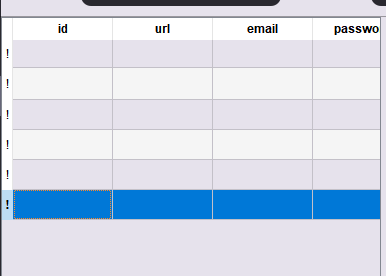
                                        Thank you for your help, but I already solved the problem myself. Passwords are decrypted when the application is turned on, and encrypted when closed.

                                        JonBJ SGaistS 3 Replies Last reply
                                        0
                                        • R Risver

                                          @JonB said in Deleting row from QTableWidget and from Sqlite database:

                                          @Risver This is over to you now.

                                          Thank you for your help, but I already solved the problem myself. Passwords are decrypted when the application is turned on, and encrypted when closed.

                                          JonBJ Online
                                          JonBJ Online
                                          JonB
                                          wrote on last edited by
                                          #62

                                          @Risver That sounds like nothing to do with your model/database/update issues, which should now be working correctly.

                                          1 Reply Last reply
                                          0

                                          • Login

                                          • Login or register to search.
                                          • First post
                                            Last post
                                          0
                                          • Categories
                                          • Recent
                                          • Tags
                                          • Popular
                                          • Users
                                          • Groups
                                          • Search
                                          • Get Qt
                                          • Unsolved