Skip to content
  • Categories
  • Recent
  • Tags
  • Popular
  • Users
  • Groups
  • Search
  • Get Qt Extensions
  • Unsolved
Collapse
Brand Logo
  1. Home
  2. Qt Development
  3. Qt for Python
  4. QImage to QPixmap where should I add scale() If I want to set to QLable

QImage to QPixmap where should I add scale() If I want to set to QLable

Scheduled Pinned Locked Moved Solved Qt for Python
18 Posts 3 Posters 4.0k Views 2 Watching
  • Oldest to Newest
  • Newest to Oldest
  • Most Votes
Reply
  • Reply as topic
Log in to reply
This topic has been deleted. Only users with topic management privileges can see it.
  • SGaistS SGaist

    Hi,

    That's what the @mrjjle answer suggested: do not set it to true if you want to handle the resize yourself.

    D Offline
    D Offline
    darrenleeleelee1
    wrote on last edited by
    #6

    @SGaist ok.

    1 Reply Last reply
    0
    • mrjjM mrjj

      Hi
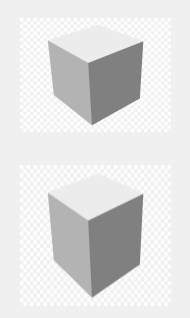
      Also scaling the bitmap to its own size won't show anything

      say if you had to labels
      alt text

      and we scale to them

      auto qimage = QImage(":/2554644-middle.png");
          {
          qimage = qimage.scaled(ui->label->width(),ui->label->height(), Qt::KeepAspectRatio, Qt::SmoothTransformation);
          auto pixmap = QPixmap::fromImage(qimage);
          ui->label->setPixmap(pixmap);
          }
      
          {
          qimage = qimage.scaled(ui->label->width(),ui->label->height(), Qt::IgnoreAspectRatio, Qt::SmoothTransformation);
          auto pixmap = QPixmap::fromImage(qimage);
          ui->label_2->setPixmap(pixmap);
          }
      

      alt text

      then i think you can see effect of KeepAspectRatio and IgnoreAspectRatio

      D Offline
      D Offline
      darrenleeleelee1
      wrote on last edited by
      #7

      @mrjj

      qimage = QtGui.QImage(arr.data, arr.shape[1], arr.shape[0], arr.shape[1]*2, QtGui.QImage.Format_Grayscale16).copy()
              qimage = qimage.scaled(self.photo.width(), self.photo.height(), QtCore.Qt.IgnoreAspectRatio, QtCore.Qt.SmoothTransformation)
              pixmap = QtGui.QPixmap.fromImage(qimage)
              self.photo.setPixmap(pixmap)
      

      did you mean this?But it still not wok.print(self.photo.hasScaledContents()) this return False.

      mrjjM 1 Reply Last reply
      0
      • D darrenleeleelee1

        @mrjj

        qimage = QtGui.QImage(arr.data, arr.shape[1], arr.shape[0], arr.shape[1]*2, QtGui.QImage.Format_Grayscale16).copy()
                qimage = qimage.scaled(self.photo.width(), self.photo.height(), QtCore.Qt.IgnoreAspectRatio, QtCore.Qt.SmoothTransformation)
                pixmap = QtGui.QPixmap.fromImage(qimage)
                self.photo.setPixmap(pixmap)
        

        did you mean this?But it still not wok.print(self.photo.hasScaledContents()) this return False.

        mrjjM Offline
        mrjjM Offline
        mrjj
        Lifetime Qt Champion
        wrote on last edited by
        #8

        @darrenleeleelee1
        Hi
        hmm, I cant guess why.
        for me, it clearly ignores the AspectRatio.

        Maybe your picture is perfectly square?

        D 1 Reply Last reply
        0
        • mrjjM mrjj

          @darrenleeleelee1
          Hi
          hmm, I cant guess why.
          for me, it clearly ignores the AspectRatio.

          Maybe your picture is perfectly square?

          D Offline
          D Offline
          darrenleeleelee1
          wrote on last edited by
          #9

          @mrjj no, It's(2235, 3408)

          mrjjM 1 Reply Last reply
          0
          • D darrenleeleelee1

            @mrjj no, It's(2235, 3408)

            mrjjM Offline
            mrjjM Offline
            mrjj
            Lifetime Qt Champion
            wrote on last edited by
            #10

            @darrenleeleelee1

            ok.

            what are
            photo.width() and self.photo.height()

            D 1 Reply Last reply
            0
            • mrjjM mrjj

              @darrenleeleelee1

              ok.

              what are
              photo.width() and self.photo.height()

              D Offline
              D Offline
              darrenleeleelee1
              wrote on last edited by
              #11

              @mrjj (512, 512)

              mrjjM 1 Reply Last reply
              0
              • D darrenleeleelee1

                @mrjj (512, 512)

                mrjjM Offline
                mrjjM Offline
                mrjj
                Lifetime Qt Champion
                wrote on last edited by
                #12

                @darrenleeleelee1

                Hi
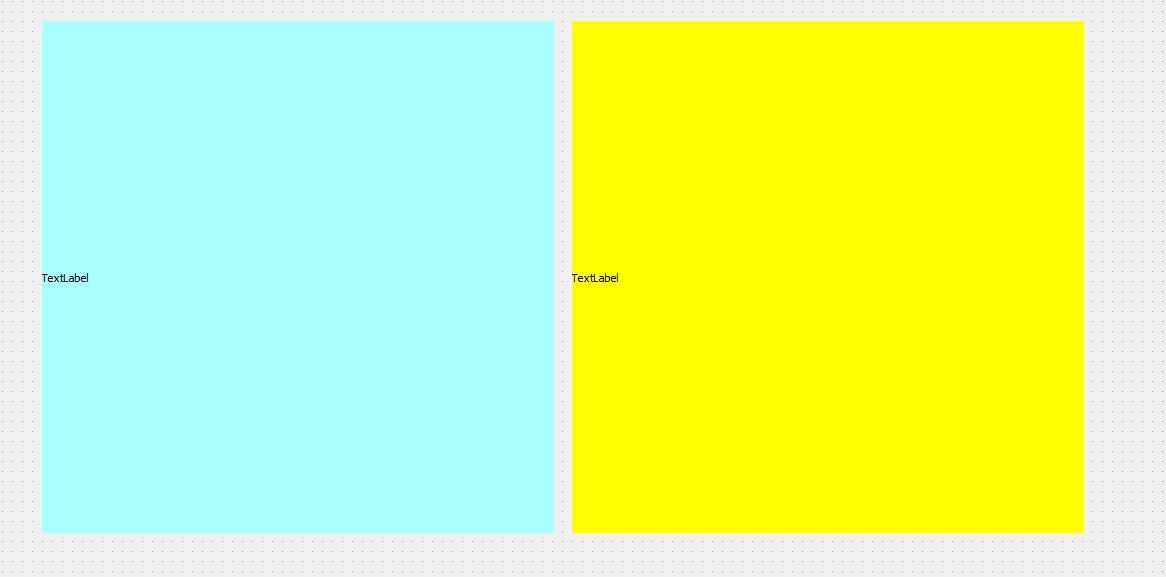
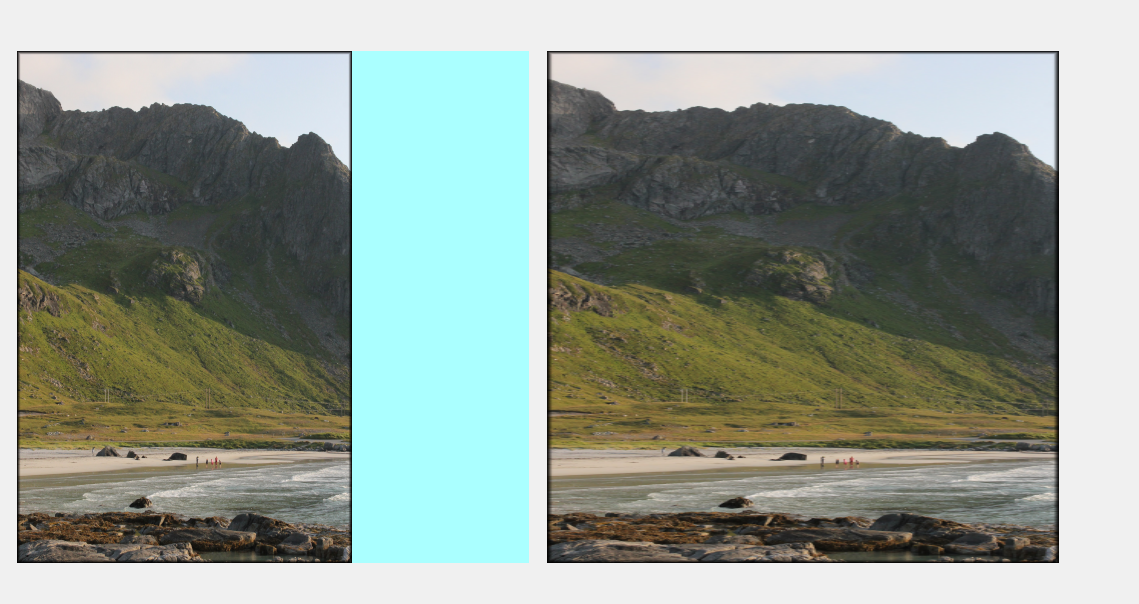
                I tried with the same sizes as you, found image at (2235, 3408) also
                alt text

                alt text

                So not why you always seems to see the same.

                What Qt version are you using ?

                D 1 Reply Last reply
                1
                • mrjjM mrjj

                  @darrenleeleelee1

                  Hi
                  I tried with the same sizes as you, found image at (2235, 3408) also

                  alt text

                  alt text

                  So not why you always seems to see the same.

                  What Qt version are you using ?

                  D Offline
                  D Offline
                  darrenleeleelee1
                  wrote on last edited by darrenleeleelee1
                  #13

                  @mrjj
                  4d78dd71-1242-4dcf-aead-373f43c746a1-image.png
                  You use scale for QImage not QPixmap?

                  mrjjM 1 Reply Last reply
                  0
                  • D darrenleeleelee1

                    @mrjj
                    4d78dd71-1242-4dcf-aead-373f43c746a1-image.png
                    You use scale for QImage not QPixmap?

                    mrjjM Offline
                    mrjjM Offline
                    mrjj
                    Lifetime Qt Champion
                    wrote on last edited by
                    #14

                    @darrenleeleelee1

                    Hi
                    Yes.

                    {
                        qimage = qimage.scaled(ui->label->width(),ui->label->height(), Qt::KeepAspectRatio, Qt::SmoothTransformation);
                        auto pixmap = QPixmap::fromImage(qimage);
                        ui->label->setPixmap(pixmap);
                        }
                    
                    D 1 Reply Last reply
                    1
                    • mrjjM mrjj

                      @darrenleeleelee1

                      Hi
                      Yes.

                      {
                          qimage = qimage.scaled(ui->label->width(),ui->label->height(), Qt::KeepAspectRatio, Qt::SmoothTransformation);
                          auto pixmap = QPixmap::fromImage(qimage);
                          ui->label->setPixmap(pixmap);
                          }
                      
                      D Offline
                      D Offline
                      darrenleeleelee1
                      wrote on last edited by
                      #15

                      @mrjj What is the different if I am scale to QPixmap

                      mrjjM 1 Reply Last reply
                      0
                      • D darrenleeleelee1

                        @mrjj What is the different if I am scale to QPixmap

                        mrjjM Offline
                        mrjjM Offline
                        mrjj
                        Lifetime Qt Champion
                        wrote on last edited by
                        #16

                        @darrenleeleelee1

                        Hi
                        as far as I know, nothing.
                        Both return a scaled copy.

                        I cant see anything wrong with the code you shown. So unless its a bug in 5.9.7
                        i really have no idea why the images look the same to you.

                        Also, you scale it down a lot so there should always be an effect.

                        D 1 Reply Last reply
                        1
                        • mrjjM mrjj

                          @darrenleeleelee1

                          Hi
                          as far as I know, nothing.
                          Both return a scaled copy.

                          I cant see anything wrong with the code you shown. So unless its a bug in 5.9.7
                          i really have no idea why the images look the same to you.

                          Also, you scale it down a lot so there should always be an effect.

                          D Offline
                          D Offline
                          darrenleeleelee1
                          wrote on last edited by
                          #17

                          @mrjj OK, thanks, I found I was not put two Image together like you do.And I miss the change.Thanks you alot.Sorry bother you.

                          mrjjM 1 Reply Last reply
                          1
                          • D darrenleeleelee1

                            @mrjj OK, thanks, I found I was not put two Image together like you do.And I miss the change.Thanks you alot.Sorry bother you.

                            mrjjM Offline
                            mrjjM Offline
                            mrjj
                            Lifetime Qt Champion
                            wrote on last edited by
                            #18

                            @darrenleeleelee1

                            ahh. Well that explains why they look so much the same :)
                            No worries, its no bother at all.

                            1 Reply Last reply
                            1

                            • Login

                            • Login or register to search.
                            • First post
                              Last post
                            0
                            • Categories
                            • Recent
                            • Tags
                            • Popular
                            • Users
                            • Groups
                            • Search
                            • Get Qt Extensions
                            • Unsolved