
Help with how to do something...
-
@SPlatten said in Help with how to do something...:
Will the QTableView be suitable for this?
You will just need some styling of the tableview, nothing major
@VRonin , to be honest, this is a bigger learning curve than I have time for, all I need is a scrollable area with a label and input widget on each row. I don't want something that looks like a spreadsheet, just a standard dialog look and feel with a scrollbar if required.
If I drag and drop the widgets using Qt Creator I can create what I want in the WYSIWYG editor, but I can't use this, I have to create the same in code.
-
Hi
I think the code your shown is missing something from the scroll area setup. like settings its content widget.
https://doc.qt.io/qt-5/qscrollarea.html#setWidgetJust to be clear. you are looking for something like this
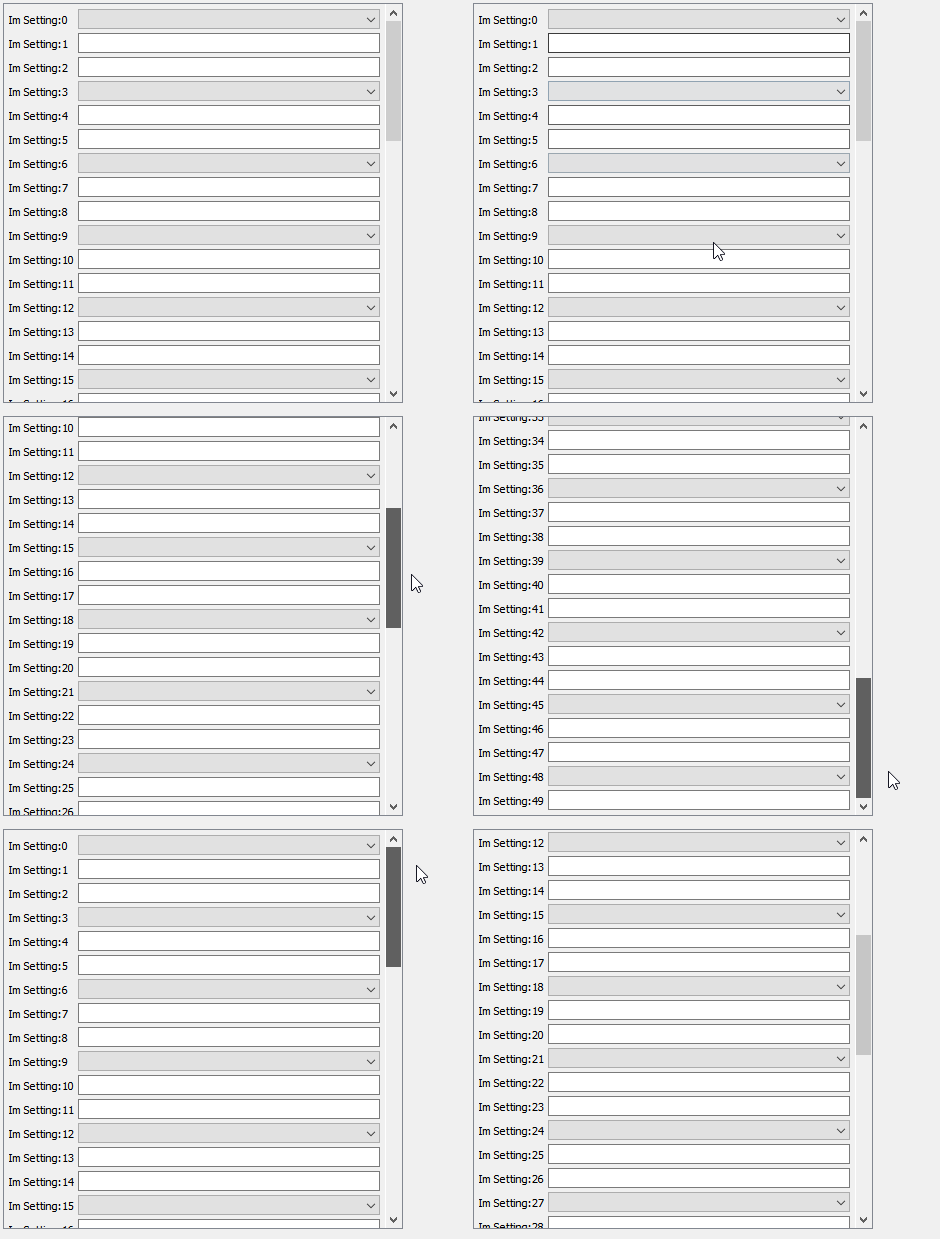
auto scrollArea = new QScrollArea(centralWidget()); scrollArea ->move(10, 10); scrollArea ->resize(400, 400); // you dont need this as you should put it in a layout in your dialog scrollArea->setVerticalScrollBarPolicy(Qt::ScrollBarAsNeeded); scrollArea->setHorizontalScrollBarPolicy(Qt::ScrollBarAsNeeded); scrollArea->setWidgetResizable(true); // set up its center widget as docs tells auto scrollAreaWidgetContents = new QWidget(); auto verticalLayout = new QVBoxLayout(scrollAreaWidgetContents); verticalLayout->setSpacing(4); verticalLayout->setContentsMargins(4, 4, 4, 4); // setup the "row" handler widget using a from layout auto rowHandlerwidget = new QWidget(scrollAreaWidgetContents); auto formLayout = new QFormLayout(rowHandlerwidget); formLayout->setSpacing(4); formLayout->setContentsMargins(1, 1, 1, 1); // add some "rows! for (int numRows = 0; numRows < 50; ++numRows) { auto label = new QLabel(rowHandlerwidget); label ->setText( "Im Setting:" + QString::number(numRows)); formLayout->setWidget(numRows, QFormLayout::LabelRole, label); if ( numRows % 3 ) { auto lineEdit = new QLineEdit(rowHandlerwidget); formLayout->setWidget(numRows, QFormLayout::FieldRole, lineEdit); } else { auto combo = new QComboBox(rowHandlerwidget); formLayout->setWidget(numRows, QFormLayout::FieldRole, combo); } } // assign row hander widget verticalLayout->addWidget(rowHandlerwidget); // assign scrollsbox widget scrollArea->setWidget(scrollAreaWidgetContents); // do you have this one ? -
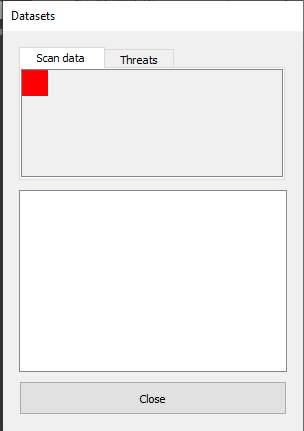
A little progress, to see if I could figure out what was going wrong I set the background colour of the widget in the tab to red:
 cid:image002.jpg@01D7433C.78A4BD40
Why is the widget so small? It was added to the tab with:
psaTab->setWidget(pPage); //psaTab = pointer to QScrollArea
mpTabs->addTab(psaTab, strTab); // mpTabs = member pointer to QTabsWidget
I thought the page would fill the area of the tab ?
-
Hi
I think the code your shown is missing something from the scroll area setup. like settings its content widget.
https://doc.qt.io/qt-5/qscrollarea.html#setWidgetJust to be clear. you are looking for something like this
auto scrollArea = new QScrollArea(centralWidget()); scrollArea ->move(10, 10); scrollArea ->resize(400, 400); // you dont need this as you should put it in a layout in your dialog scrollArea->setVerticalScrollBarPolicy(Qt::ScrollBarAsNeeded); scrollArea->setHorizontalScrollBarPolicy(Qt::ScrollBarAsNeeded); scrollArea->setWidgetResizable(true); // set up its center widget as docs tells auto scrollAreaWidgetContents = new QWidget(); auto verticalLayout = new QVBoxLayout(scrollAreaWidgetContents); verticalLayout->setSpacing(4); verticalLayout->setContentsMargins(4, 4, 4, 4); // setup the "row" handler widget using a from layout auto rowHandlerwidget = new QWidget(scrollAreaWidgetContents); auto formLayout = new QFormLayout(rowHandlerwidget); formLayout->setSpacing(4); formLayout->setContentsMargins(1, 1, 1, 1); // add some "rows! for (int numRows = 0; numRows < 50; ++numRows) { auto label = new QLabel(rowHandlerwidget); label ->setText( "Im Setting:" + QString::number(numRows)); formLayout->setWidget(numRows, QFormLayout::LabelRole, label); if ( numRows % 3 ) { auto lineEdit = new QLineEdit(rowHandlerwidget); formLayout->setWidget(numRows, QFormLayout::FieldRole, lineEdit); } else { auto combo = new QComboBox(rowHandlerwidget); formLayout->setWidget(numRows, QFormLayout::FieldRole, combo); } } // assign row hander widget verticalLayout->addWidget(rowHandlerwidget); // assign scrollsbox widget scrollArea->setWidget(scrollAreaWidgetContents); // do you have this one ? -
@mrjj , thank you thats exactly the kind of thing I am looking for, all the examples I've seen online just add the QScrollArea to the tab, what do I need to do to get it to fill the tab area?
-
@SPlatten
Hi
you assign a layout to the tabpage to which you add the scroll area.
then layout will make it use all space.@mrjj , if you see the code I pasted earlier:
QScrollArea* psaTab = new QScrollArea();
QGridLayout* pgrdLayout = new QGridLayout();
QWidget* pPage = new QWidget();
pPage->setLayout(pgrdLayout);
psaTab->setWidget(pPage);
mpTabs->addTab(psaTab, strTab);
Kind Regards,
Sy -
@mrjj , if you see the code I pasted earlier:
QScrollArea* psaTab = new QScrollArea(); QGridLayout* pgrdLayout = new QGridLayout(); QWidget* pPage = new QWidget(); pPage->setLayout(pgrdLayout); psaTab->setWidget(pPage); mpTabs->addTab(psaTab, strTab); -
Hmm so you use the scroll area directly as a "page" for the tab control?
That should make it cover all area.
-
@SPlatten
Hi
well might not be wrong. just forgotten.
do you have
scroll->setWidgetResizable(true);


