Skip to content
  • Categories
  • Recent
  • Tags
  • Popular
  • Users
  • Groups
  • Search
  • Get Qt Extensions
  • Unsolved
Collapse
Brand Logo
  1. Home
  2. Qt Development
  3. Mobile and Embedded
  4. Android OpenSSL settings. How?
Qt 6.11 is out! See what's new in the release blog

Android OpenSSL settings. How?

Scheduled Pinned Locked Moved Solved Mobile and Embedded
4 Posts 3 Posters 679 Views
  • Oldest to Newest
  • Newest to Oldest
  • Most Votes
Reply
  • Reply as topic
Log in to reply
This topic has been deleted. Only users with topic management privileges can see it.
  • B Offline
    B Offline
    bogong
    wrote on last edited by bogong
    #1

    Hello all!
    I've got this;

    Screenshot 2020-05-09 at 18.16.20.png

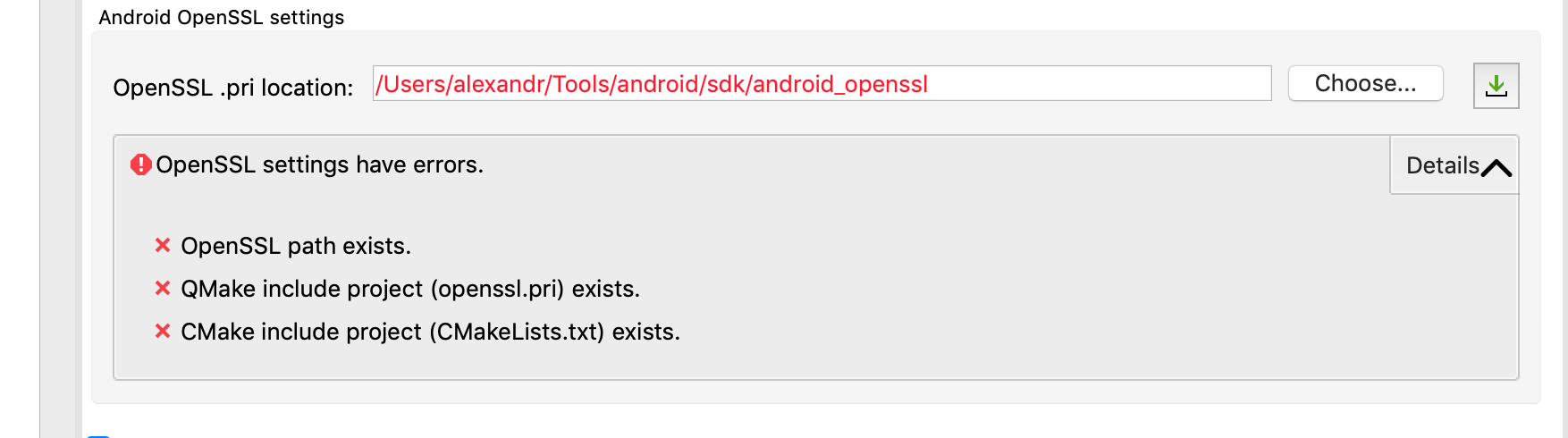
    How to solve it? Is there any manuals?

    jsulmJ 1 Reply Last reply
    0
    • B bogong

      Hello all!
      I've got this;

      Screenshot 2020-05-09 at 18.16.20.png

      How to solve it? Is there any manuals?

      jsulmJ Offline
      jsulmJ Offline
      jsulm
      Lifetime Qt Champion
      wrote on last edited by
      #2

      @bogong Check https://doc.qt.io/qt-5/android-openssl-support.html

      https://forum.qt.io/topic/113070/qt-code-of-conduct

      1 Reply Last reply
      0
      • B Offline
        B Offline
        bogong
        wrote on last edited by bogong
        #3

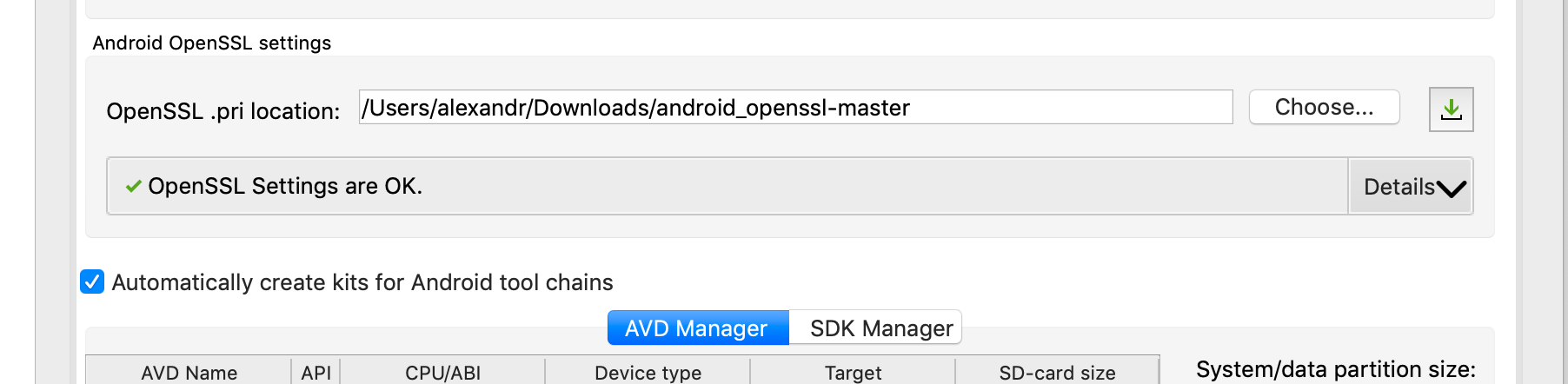
        Solution found. Issue closed. This block is about adding OpenSSL from KDAP - https://github.com/KDAB/android_openssl It's making possible without tricks to build directly from Qt Creator OpenSSL for any ABI.

        You need:

        • Download or clone the repository mentioned above
        • Add the path to directory root to this settings

        You will get something like this:
        Screenshot 2020-05-20 at 09.26.25.png

        SAYKOS 1 Reply Last reply
        1
        • B bogong

          Solution found. Issue closed. This block is about adding OpenSSL from KDAP - https://github.com/KDAB/android_openssl It's making possible without tricks to build directly from Qt Creator OpenSSL for any ABI.

          You need:

          • Download or clone the repository mentioned above
          • Add the path to directory root to this settings

          You will get something like this:
          Screenshot 2020-05-20 at 09.26.25.png

          SAYKOS Offline
          SAYKOS Offline
          SAYKO
          wrote on last edited by
          #4

          @bogong Thank you bro.

          1 Reply Last reply
          0

          • Login

          • Login or register to search.
          • First post
            Last post
          0
          • Categories
          • Recent
          • Tags
          • Popular
          • Users
          • Groups
          • Search
          • Get Qt Extensions
          • Unsolved