Skip to content
  • Categories
  • Recent
  • Tags
  • Popular
  • Users
  • Groups
  • Search
  • Get Qt Extensions
  • Unsolved
Collapse
Brand Logo
  1. Home
  2. Qt Development
  3. General and Desktop
  4. Menu without action
Qt 6.11 is out! See what's new in the release blog

Menu without action

Scheduled Pinned Locked Moved Solved General and Desktop
16 Posts 5 Posters 2.9k Views 4 Watching
  • Oldest to Newest
  • Newest to Oldest
  • Most Votes
Reply
  • Reply as topic
Log in to reply
This topic has been deleted. Only users with topic management privileges can see it.
  • Y yogis40

    Hello,
    I'm a newbie in Qt and I've a simple question.

    When I click on the Menu 'Clear', I want to clear a QTextEdit widget.
    In the same application, I have a Menu 'File' which contains several choices as New, Save and Quit.
    With these items, I have associated a slot for each action and it works fine.

    So my question, is to know if it's possible to click on the Menu 'Clear' and the QTextEdit will clear.

    Thanks by advance for your help.
    Yogis

    0_1549345707240_Snapshot_1.png [0_1549345723904_mainwindow.cpp](Uploading 100%)

    My code for the MainWindow.cpp file:

    #include "mainwindow.h"
    #include "ui_mainwindow.h"
    
    MainWindow::MainWindow(QWidget *parent) :
        QMainWindow(parent),
        ui(new Ui::MainWindow)
    {
        ui->setupUi(this);
        //connect(this->menuWidget()->,this->Clear(),ui->textEdit,Clear);
    }
    
    MainWindow::~MainWindow()
    {
        delete ui;
    }
    
    void MainWindow::on_actionNew_triggered()
    {
        ui->textEdit->append("New option selected");
    }
    
    void MainWindow::on_actionSave_triggered()
    {
        ui->textEdit->append("Save option selected");
    }
    
    void MainWindow::on_actionExit_triggered()
    {
        ui->textEdit->append("Exit option selected");
    }
    
    void MainWindow::Clear()
    {
        ui->textEdit->clear();
    }
    
    jsulmJ Offline
    jsulmJ Offline
    jsulm
    Lifetime Qt Champion
    wrote on last edited by
    #2

    @yogis40 Yes it is possible - connect the signal to the clear() slot of your text edit. It works same way you did for the other menues.

    https://forum.qt.io/topic/113070/qt-code-of-conduct

    1 Reply Last reply
    5
    • Y Offline
      Y Offline
      yogis40
      wrote on last edited by
      #3

      Thanks for your answer, I've tried but it seems that the syntax I propose is not the correct one.

      1 Reply Last reply
      0
      • mrjjM Offline
        mrjjM Offline
        mrjj
        Lifetime Qt Champion
        wrote on last edited by
        #4

        Hi
        try
        connect(ui->menuTest, &QMenu::triggered, ui->textEdit, &QTextEdit::clear);

        1 Reply Last reply
        2
        • Y Offline
          Y Offline
          yogis40
          wrote on last edited by
          #5

          Hello,
          Unfortunately it's not working. I've tried your syntax as follows:

              connect(ui->menuClear,&QMenu::triggered, ui->textEdit, &QTextEdit::clear);
          

          0_1549370518568_Snapshot_2.png

          jsulmJ 1 Reply Last reply
          0
          • Y yogis40

            Hello,
            Unfortunately it's not working. I've tried your syntax as follows:

                connect(ui->menuClear,&QMenu::triggered, ui->textEdit, &QTextEdit::clear);
            

            0_1549370518568_Snapshot_2.png

            jsulmJ Offline
            jsulmJ Offline
            jsulm
            Lifetime Qt Champion
            wrote on last edited by
            #6

            @yogis40 said in Menu without action:

            Unfortunately it's not working

            What exactly does not work? The connect? ...?

            https://forum.qt.io/topic/113070/qt-code-of-conduct

            Y 1 Reply Last reply
            3
            • M Offline
              M Offline
              mpergand
              wrote on last edited by mpergand
              #7

              It's very unusual for a menu to trigger an action directly, it's more like a button behaviour.
              If you want some buttons to trigger actions use a Toolbar, that's what it is made for.

              Cordialement :)

              1 Reply Last reply
              2
              • jsulmJ jsulm

                @yogis40 said in Menu without action:

                Unfortunately it's not working

                What exactly does not work? The connect? ...?

                Y Offline
                Y Offline
                yogis40
                wrote on last edited by
                #8

                @jsulm
                Hi, the compilation goes fine but when I click on the Clear menu as shown in the snapshot, the QtextEdit::clear method is not called or not working.
                B/R
                yogis40

                1 Reply Last reply
                0
                • SGaistS Offline
                  SGaistS Offline
                  SGaist
                  Lifetime Qt Champion
                  wrote on last edited by
                  #9

                  Hi,

                  As written in the triggered signal documentation:

                  • This signal is emitted when an action in this menu is triggered.

                  Interested in AI ? www.idiap.ch
                  Please read the Qt Code of Conduct - https://forum.qt.io/topic/113070/qt-code-of-conduct

                  Y 1 Reply Last reply
                  0
                  • SGaistS SGaist

                    Hi,

                    As written in the triggered signal documentation:

                    • This signal is emitted when an action in this menu is triggered.
                    Y Offline
                    Y Offline
                    yogis40
                    wrote on last edited by
                    #10

                    @SGaist :
                    Hi,
                    Thanks for your reply. I've looked into the documentation and not found a 'click' action in QtMenu.
                    Thanks by advance

                    Y 1 Reply Last reply
                    0
                    • Y yogis40

                      @SGaist :
                      Hi,
                      Thanks for your reply. I've looked into the documentation and not found a 'click' action in QtMenu.
                      Thanks by advance

                      Y Offline
                      Y Offline
                      yogis40
                      wrote on last edited by
                      #11

                      @yogis40
                      Sorry, i’ve Forgotten to ask my question.
                      How do we catch when the user is clicking on ‘Clear’ menu ? Is it possible to specify the ‘Clear’ in the QMenu::triggered(&Clear)
                      ?
                      Thanks for your help and sorry to ask but I’m a newbie and struggle with Qt.

                      1 Reply Last reply
                      0
                      • SGaistS Offline
                        SGaistS Offline
                        SGaist
                        Lifetime Qt Champion
                        wrote on last edited by SGaist
                        #12

                        It's not exactly a Qt problem. It's what you are trying to do. You're going against the UI guidelines of all desktop environments and against the normal usage of a menu.

                        The content of the menu bar is menus. Clicking on a menu should not trigger anythings else that showing its content.

                        Your clear action should be in for example an edit menu. You can put accelerator on it and even a keyboard shortcut.

                        Interested in AI ? www.idiap.ch
                        Please read the Qt Code of Conduct - https://forum.qt.io/topic/113070/qt-code-of-conduct

                        1 Reply Last reply
                        3
                        • mrjjM Offline
                          mrjjM Offline
                          mrjj
                          Lifetime Qt Champion
                          wrote on last edited by mrjj
                          #13

                          Hi
                          Just had a test.
                          connect(ui->menuClear,&QMenu::triggered, ui->textEdit, &QTextEdit::clear);
                          does not work as a top menu (with no sub items) added in Designer does not call triggered.
                          (it has no QAction to be triggered)
                          That is why its not working - as its expected to have sub items.

                          That said, its possible from code, using an QAction instead.

                          QAction *a = new QAction("Clear", this);
                          ui->menuBar->addAction(a);
                          connect(a, &QAction::triggered, ui->textEdit, &QTextEdit::clear);
                          

                          That works however as SGist says, its not really a normal way for menus to work seen
                          from a users perspective. a clear command would normally be in Edit sub menu.

                          1 Reply Last reply
                          1
                          • Y Offline
                            Y Offline
                            yogis40
                            wrote on last edited by
                            #14

                            Hello,
                            Thanks for your help and your answers.

                            Regarding the UI guidelines, I’m interested to found it. As mentioned previuously, I’m newbie in Qt and the last time I’ve programmed a UI it was in Visual Basic in 2004. Then, 15-years ago...

                            Thanks.

                            mrjjM SGaistS 2 Replies Last reply
                            0
                            • Y yogis40

                              Hello,
                              Thanks for your help and your answers.

                              Regarding the UI guidelines, I’m interested to found it. As mentioned previuously, I’m newbie in Qt and the last time I’ve programmed a UI it was in Visual Basic in 2004. Then, 15-years ago...

                              Thanks.

                              mrjjM Offline
                              mrjjM Offline
                              mrjj
                              Lifetime Qt Champion
                              wrote on last edited by
                              #15

                              @yogis40
                              Hi
                              Welcome back to GUI programming then :)
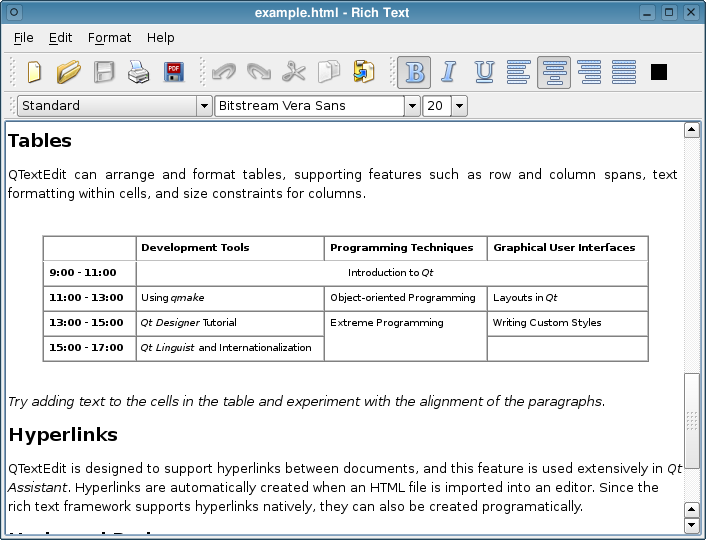
                              Such single click activation commands are often put in the QToolbar
                              (Lives just under the menu)

                              alt text

                              1 Reply Last reply
                              2
                              • Y yogis40

                                Hello,
                                Thanks for your help and your answers.

                                Regarding the UI guidelines, I’m interested to found it. As mentioned previuously, I’m newbie in Qt and the last time I’ve programmed a UI it was in Visual Basic in 2004. Then, 15-years ago...

                                Thanks.

                                SGaistS Offline
                                SGaistS Offline
                                SGaist
                                Lifetime Qt Champion
                                wrote on last edited by
                                #16

                                @yogis40 said in Menu without action:

                                Regarding the UI guidelines, I’m interested to found it. As mentioned previuously, I’m newbie in Qt and the last time I’ve programmed a UI it was in Visual Basic in 2004. Then, 15-years ago...

                                There's per platform:

                                • KDE's human interface guidelines
                                • Apple's human interface guildines for macOS
                                • Apple's human interface guildines for iOS
                                • Apple's human interface guildines for tvOS
                                • Windows desktop guideline

                                Interested in AI ? www.idiap.ch
                                Please read the Qt Code of Conduct - https://forum.qt.io/topic/113070/qt-code-of-conduct

                                1 Reply Last reply
                                2

                                • Login

                                • Login or register to search.
                                • First post
                                  Last post
                                0
                                • Categories
                                • Recent
                                • Tags
                                • Popular
                                • Users
                                • Groups
                                • Search
                                • Get Qt Extensions
                                • Unsolved