
Application Hangs when Main Window Closes
-
Hi,
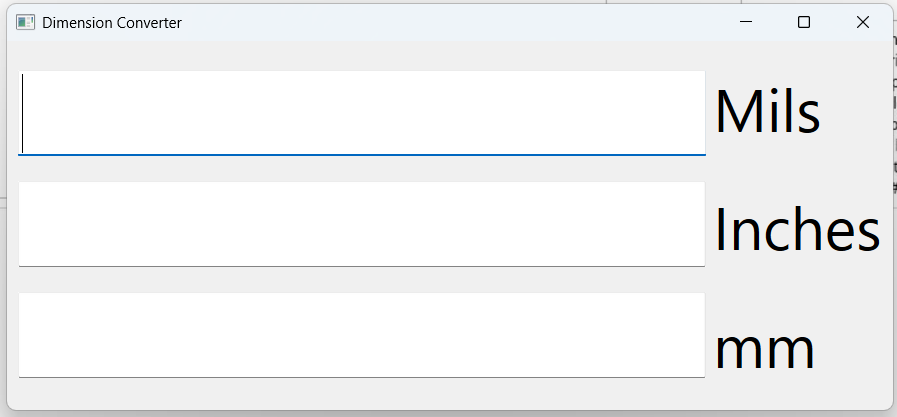
I have a very simple dimension converting application I developed with Desktop Qt 6.8.1: Three text boxes and three labels; typing a number in one of the boxes displays that number converted to other units (e.g. inches to millimeters).
On a Debian 12 system, when I close the window, the process doesn't exit. Debugging shows that the
QApplicationdestructor gets stuck waiting for aQXcbEventQueueto be destroyed, itself stuck in a call toQThread::wait. This problem doesn't seem to occur on Windows.The
QXcbEventQueuethread itself is stuck inside a call toxcb_wait_for_event.The
QDBusConnectionthread also seems to be stuck inside a call tog_main_context_iteration.My main.cpp:
#include "mainwindow.h"
#include <QApplication>

int main(int argc, char * argv[]) {
    QApplication a(argc, argv);
    MainWindow w;
    w.show();
    return a.exec();
}
and my MainWindow constructor and destructor:
MainWindow::MainWindow(QWidget * parent)
    : QMainWindow(parent)
    , ui(new Ui::MainWindow)
{
    ui->setupUi(this);
    connect(ui->txtIn, SIGNAL(textEdited(QString)), this, SLOT(txtInChanged(QString)));
    connect(ui->txtMils, SIGNAL(textEdited(QString)), this, SLOT(txtMilsChanged(QString)));
    connect(ui->txtMm, SIGNAL(textEdited(QString)), this, SLOT(txtMmChanged(QString)));
}

MainWindow::~MainWindow()
{
    delete ui;
}
The slots are simple methods that convert the text to a number, do the math, and put the result in the other two fields.
This smells like a deadlock, but I don't know what might be causing it.
I happen to be running this through an X2Go remote X session, which could be part of the problem; at application startup, the message
qt.qpa.xcb: X server does not support XInput 2is emitted. I haven't had a chance to check for this issue at the physical console (display :0).Are there any known issues with Qt 6.8 and remote X sessions? What else might be causing this?
-
Hi,
I have a very simple dimension converting application I developed with Desktop Qt 6.8.1: Three text boxes and three labels; typing a number in one of the boxes displays that number converted to other units (e.g. inches to millimeters).
On a Debian 12 system, when I close the window, the process doesn't exit. Debugging shows that the
QApplicationdestructor gets stuck waiting for aQXcbEventQueueto be destroyed, itself stuck in a call toQThread::wait. This problem doesn't seem to occur on Windows.The
QXcbEventQueuethread itself is stuck inside a call toxcb_wait_for_event.The
QDBusConnectionthread also seems to be stuck inside a call tog_main_context_iteration.My main.cpp:
#include "mainwindow.h"
#include <QApplication>

int main(int argc, char * argv[]) {
    QApplication a(argc, argv);
    MainWindow w;
    w.show();
    return a.exec();
}
and my MainWindow constructor and destructor:
MainWindow::MainWindow(QWidget * parent)
    : QMainWindow(parent)
    , ui(new Ui::MainWindow)
{
    ui->setupUi(this);
    connect(ui->txtIn, SIGNAL(textEdited(QString)), this, SLOT(txtInChanged(QString)));
    connect(ui->txtMils, SIGNAL(textEdited(QString)), this, SLOT(txtMilsChanged(QString)));
    connect(ui->txtMm, SIGNAL(textEdited(QString)), this, SLOT(txtMmChanged(QString)));
}

MainWindow::~MainWindow()
{
    delete ui;
}
The slots are simple methods that convert the text to a number, do the math, and put the result in the other two fields.
This smells like a deadlock, but I don't know what might be causing it.
I happen to be running this through an X2Go remote X session, which could be part of the problem; at application startup, the message
qt.qpa.xcb: X server does not support XInput 2is emitted. I haven't had a chance to check for this issue at the physical console (display :0).Are there any known issues with Qt 6.8 and remote X sessions? What else might be causing this?
-
Now, for the 20,000$ question...Are you using pure X11, or running the app under xwayland?


