
Cannot find application binary in build dir
-
In Qt 6.9.2 with NDK 26r, SDK 34, 35.
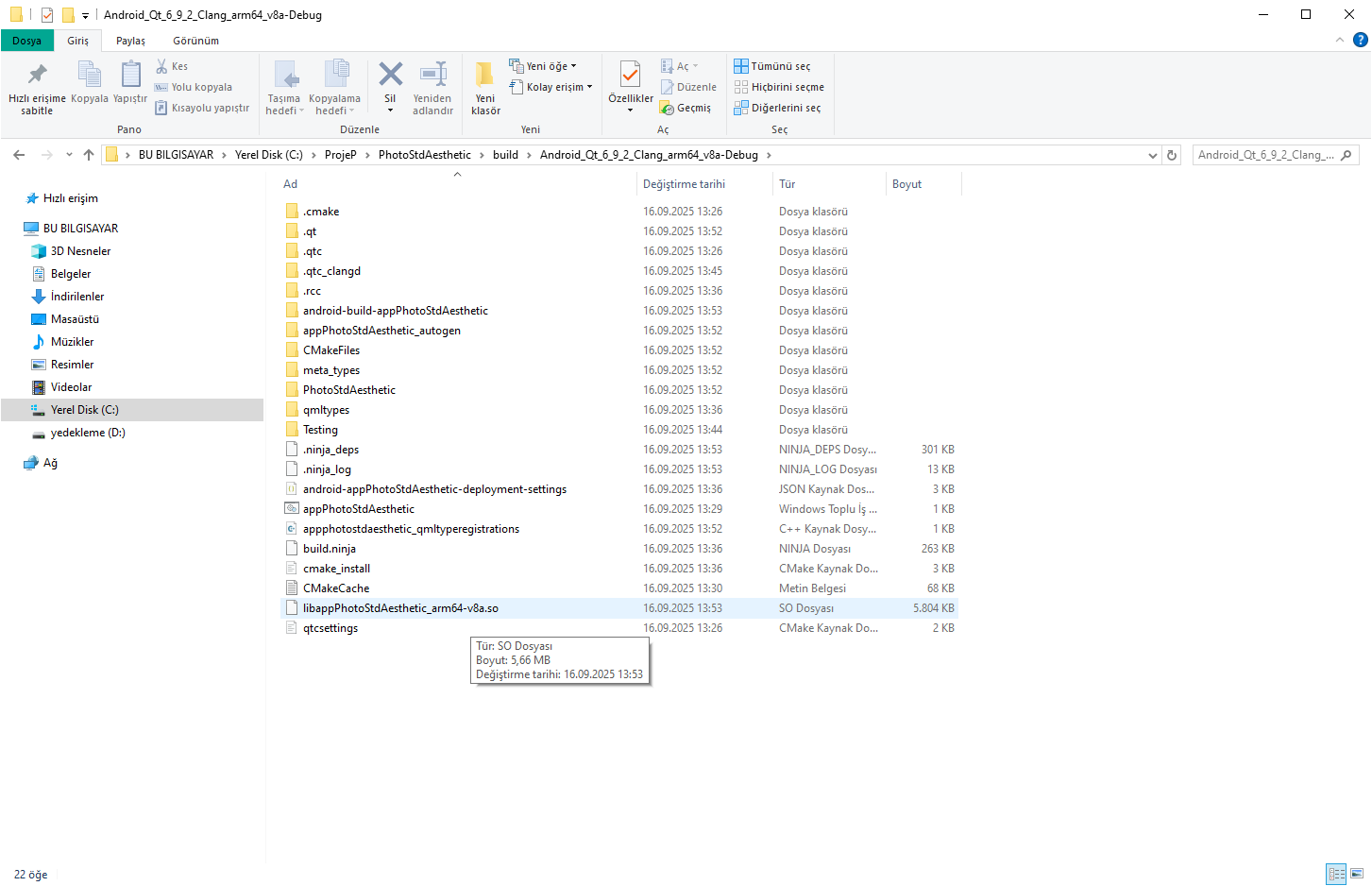
With these settings, Qt's demo mobile apps work, but in my project, the .so files give a compilation error. The .so file is not in the lib folder, but is created under the root directory. I tried different alternatives but couldn't solve it.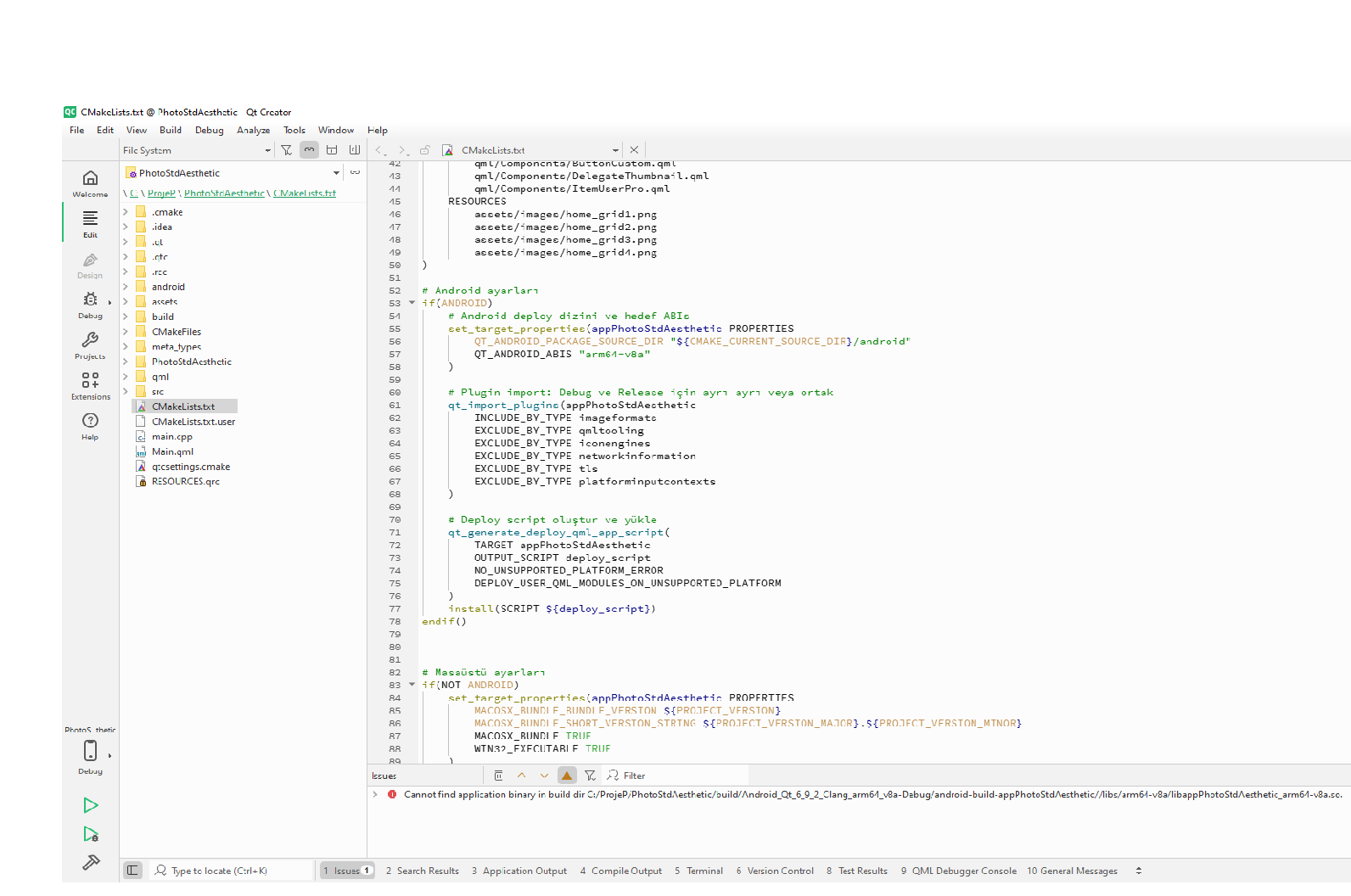

-
In Qt 6.9.2 with NDK 26r, SDK 34, 35.
With these settings, Qt's demo mobile apps work, but in my project, the .so files give a compilation error. The .so file is not in the lib folder, but is created under the root directory. I tried different alternatives but couldn't solve it. -
cmake_minimum_required(VERSION 3.16)
project(PhotoStdAesthetic VERSION 0.1 LANGUAGES CXX)
set(CMAKE_CXX_STANDARD 17)
set(CMAKE_CXX_STANDARD_REQUIRED ON)set(CMAKE_AUTOMOC ON)
set(CMAKE_AUTORCC ON)
set(CMAKE_AUTOUIC ON)
set(CMAKE_INCLUDE_CURRENT_DIR ON)Qt paketleri (Sql'i açtım, gerekirse yorumla)
find_package(Qt6 6.9 REQUIRED COMPONENTS Core Gui Quick Multimedia QuickControls2)
qt_standard_project_setup(REQUIRES 6.5)
Ana executable (Android’de otomatik .so üretir)
qt_add_executable(appPhotoStdAesthetic
main.cpp
src/Camera/CameraHandler.cpp
src/Camera/CameraHandler.h
src/Share/ShareUtils.cpp
src/Share/ShareUtils.h
src/UserModel/UserModel.cpp
src/UserModel/UserModel.h
src/GalleryModel/GalleryModel.cpp
src/GalleryModel/GalleryModel.h
)qt_add_qml_module(appPhotoStdAesthetic
URI PhotoStdAesthetic
VERSION 1.0
QML_FILES
Main.qml
qml/Pages/PageUserPro.qml
qml/Pages/homePage.qml
qml/Pages/CamPageNose.qml
qml/Pages/PageGallery.qml
qml/Pages/PageViewer.qml
qml/Pages/PageRegister.qml
qml/Components/ButtonCustom.qml
qml/Components/DelegateThumbnail.qml
qml/Components/ItemUserPro.qml
RESOURCES
assets/images/home_grid1.png
assets/images/home_grid2.png
assets/images/home_grid3.png
assets/images/home_grid4.png
)Android ayarları
if(ANDROID)
# Android deploy dizini ve hedef ABIs
set_target_properties(appPhotoStdAesthetic PROPERTIES
QT_ANDROID_PACKAGE_SOURCE_DIR "${CMAKE_CURRENT_SOURCE_DIR}/android"
QT_ANDROID_ABIS "arm64-v8a"
QT_ANDROID_PACKAGE_NAME "com.photostdaesthetic.app"
QT_ANDROID_TARGET_SDK_VERSION 34) # Plugin import: Debug ve Release için ayrı ayrı veya ortak qt_import_plugins(appPhotoStdAesthetic INCLUDE_BY_TYPE imageformats EXCLUDE_BY_TYPE qmltooling EXCLUDE_BY_TYPE iconengines EXCLUDE_BY_TYPE networkinformation EXCLUDE_BY_TYPE tls EXCLUDE_BY_TYPE platforminputcontexts ) # Deploy script oluştur ve yükle qt_generate_deploy_qml_app_script( TARGET appPhotoStdAesthetic OUTPUT_SCRIPT deploy_script NO_UNSUPPORTED_PLATFORM_ERROR DEPLOY_USER_QML_MODULES_ON_UNSUPPORTED_PLATFORM ) install(SCRIPT ${deploy_script})endif()
Masaüstü ayarları
if(NOT ANDROID)
set_target_properties(appPhotoStdAesthetic PROPERTIES
MACOSX_BUNDLE_BUNDLE_VERSION ${PROJECT_VERSION}
MACOSX_BUNDLE_SHORT_VERSION_STRING ${PROJECT_VERSION_MAJOR}.${PROJECT_VERSION_MINOR}
MACOSX_BUNDLE TRUE
WIN32_EXECUTABLE TRUE
)
endif()Qt kütüphaneleri
target_link_libraries(appPhotoStdAesthetic
PRIVATE
Qt6::Core
Qt6::Gui
Qt6::Quick
Qt6::QuickControls2
Qt6::Multimedia
)
