QFileDialog oddity on Windows when using setFilter()
-
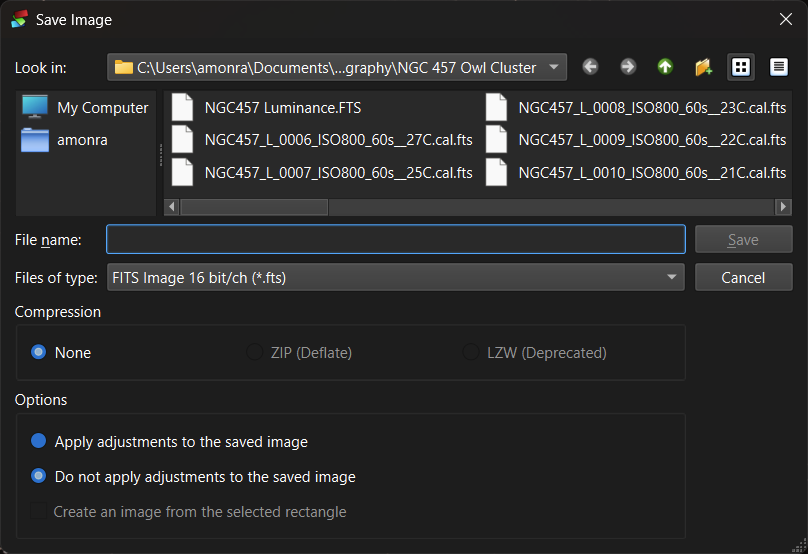
My code below displayed the contents of the directory that match the filter selected:
QSettings settings;

auto directory{ settings.value("Folders/SavePictureFolder").toString() };
auto extension{ settings.value("Folders/SavePictureExtension").toString().toLower() };
auto apply{ settings.value("Folders/SaveApplySetting", false).toBool() };
TIFFCOMPRESSION compression{ static_cast<TIFFCOMPRESSION>(
	settings.value("Folders/SaveCompression", (uint)TC_NONE).toUInt()) };
auto filterIndex{ settings.value("Folders/SavePictureIndex", 0).toUInt() };
if (filterIndex > 5) filterIndex = 0;

QStringList fileFilters{
	tr("TIFF Image 16 bit/ch (*.tif)", "IDS_FILTER_OUTPUT"),
	tr("TIFF Image 32 bit/ch - integer (*.tif)", "IDS_FILTER_OUTPUT"),
	tr("TIFF Image 32 bit/ch - rational (*.tif)", "IDS_FILTER_OUTPUT"),
	tr("FITS Image 16 bit/ch (*.fts)", "IDS_FILTER_OUTPUT"),
	tr("FITS Image 32 bit/ch - integer (*.fts)", "IDS_FILTER_OUTPUT"),
	tr("FITS Image 32 bit/ch - rational (*.fts)", "IDS_FILTER_OUTPUT")
};

if (filterIndex > 2) extension = ".fts";
else extension = ".tif";

//
// SavePicture is a sub-class of QFileDialog, we'll set the QFileDialog vars first
//
SavePicture dlg{ this, tr("Save Image"), directory };
dlg.setDefaultSuffix(extension);
//dlg.setFilter(QDir::Files | QDir::Writable);
dlg.setNameFilters(fileFilters);
auto filter{ fileFilters.at(filterIndex) };
dlg.selectNameFilter(filter);
//
// selectNameFilter doesn't fire the QFileDialog::filterSelected signal
// so need to drive the slot ourself
//
dlg.onFilter(filter);
//
// Now set our sub-class variables
//
dlg.setCompression(TIFFCOMPRESSION(compression));
dlg.setApply(apply);
if (!selectionRect.isEmpty()) dlg.setUseRect(true);

//
// display the dialogue
//
if (QDialog::Accepted == dlg.exec())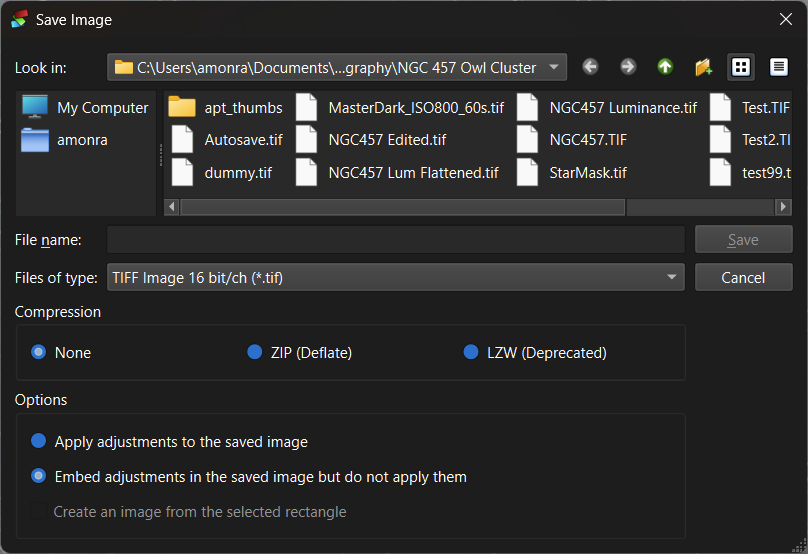
If I un-comment the dlg.setFilter(QDir::Files | QDir::Writable); line I get:
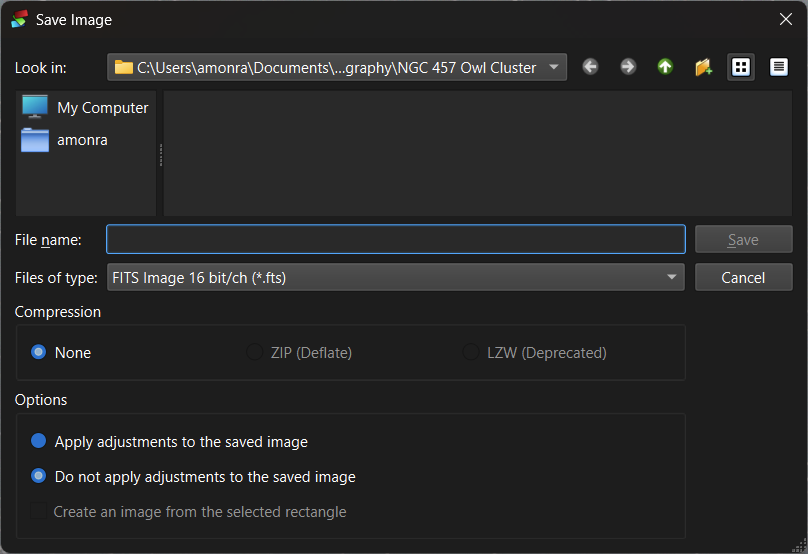
IOW NO files are shown?
Why not?
David
-
My code below displayed the contents of the directory that match the filter selected:
QSettings settings;

auto directory{ settings.value("Folders/SavePictureFolder").toString() };
auto extension{ settings.value("Folders/SavePictureExtension").toString().toLower() };
auto apply{ settings.value("Folders/SaveApplySetting", false).toBool() };
TIFFCOMPRESSION compression{ static_cast<TIFFCOMPRESSION>(
	settings.value("Folders/SaveCompression", (uint)TC_NONE).toUInt()) };
auto filterIndex{ settings.value("Folders/SavePictureIndex", 0).toUInt() };
if (filterIndex > 5) filterIndex = 0;

QStringList fileFilters{
	tr("TIFF Image 16 bit/ch (*.tif)", "IDS_FILTER_OUTPUT"),
	tr("TIFF Image 32 bit/ch - integer (*.tif)", "IDS_FILTER_OUTPUT"),
	tr("TIFF Image 32 bit/ch - rational (*.tif)", "IDS_FILTER_OUTPUT"),
	tr("FITS Image 16 bit/ch (*.fts)", "IDS_FILTER_OUTPUT"),
	tr("FITS Image 32 bit/ch - integer (*.fts)", "IDS_FILTER_OUTPUT"),
	tr("FITS Image 32 bit/ch - rational (*.fts)", "IDS_FILTER_OUTPUT")
};

if (filterIndex > 2) extension = ".fts";
else extension = ".tif";

//
// SavePicture is a sub-class of QFileDialog, we'll set the QFileDialog vars first
//
SavePicture dlg{ this, tr("Save Image"), directory };
dlg.setDefaultSuffix(extension);
//dlg.setFilter(QDir::Files | QDir::Writable);
dlg.setNameFilters(fileFilters);
auto filter{ fileFilters.at(filterIndex) };
dlg.selectNameFilter(filter);
//
// selectNameFilter doesn't fire the QFileDialog::filterSelected signal
// so need to drive the slot ourself
//
dlg.onFilter(filter);
//
// Now set our sub-class variables
//
dlg.setCompression(TIFFCOMPRESSION(compression));
dlg.setApply(apply);
if (!selectionRect.isEmpty()) dlg.setUseRect(true);

//
// display the dialogue
//
if (QDialog::Accepted == dlg.exec())
If I un-comment the dlg.setFilter(QDir::Files | QDir::Writable); line I get:
IOW NO files are shown?
Why not?
David
-
You forgot QDir::Readable so all files which are readable were filtered out.
-
Meh - that isn't obvious at all - so what use is QDir::Writable.??? The concept of a write only file seems a bit crazy.
@Perdrix
PassingQDir::Writable(and notQDir::Readable) is a good way to find those "crazy write-only" files :)Although I'm not sure I've seen it, might have an application for a log file that a program can write to when run by a user but you don't want/need the user to be able to look at it.
Docs give an example of:
For example, setting the Readable, Writable, and Files flags allows all files to be listed for which the application has read access, write access or both.
So does
QDir::Readableon its own (I mean withQDir::Filesof course) list only read-only files?