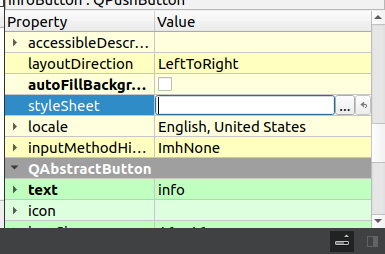
invalid style sheet error for QButton
-
@agmar Shouldn't you specify what color you want to change? Just like you can see here: https://doc.qt.io/qt-6/stylesheet-reference.html
-
Hi,
i wanted to change the colour for a button in the ui i was workin on , but i get this error and i tried the same with code, it didnt seem to work, is there anything that could fix this ?
@agmar Shouldn't you specify what color you want to change? Just like you can see here: https://doc.qt.io/qt-6/stylesheet-reference.html
-
@agmar Shouldn't you specify what color you want to change? Just like you can see here: https://doc.qt.io/qt-6/stylesheet-reference.html
-
i thought i selected the color i want to change by selecting one of these
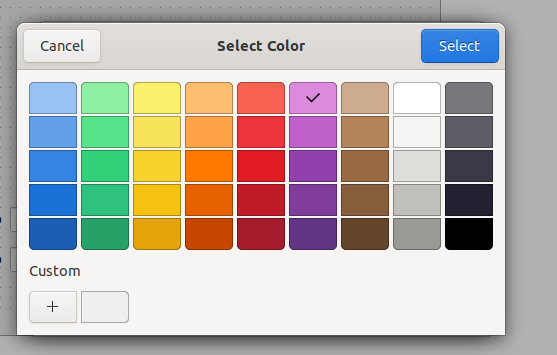
if i click on e of them you get the situation that i showed in the first photo that i sent. the documentation isnt very...useful
-
@agmar Shouldn't you specify what color you want to change? Just like you can see here: https://doc.qt.io/qt-6/stylesheet-reference.html
-
@agmar You selected a color, but color for what?!
Please read documentation, there is even an example:QPushButton { background-color: red; border: none; } -
A agmar has marked this topic as solved on
-
@agmar C++ basics. What you wrote is not valid C++. A style-sheet is a string...
And you also need to use https://doc.qt.io/qt-6/qwidget.html#styleSheet-prop if you want to set style-sheet in code.