Skip to content
  • Categories
  • Recent
  • Tags
  • Popular
  • Users
  • Groups
  • Search
  • Get Qt Extensions
  • Unsolved
Collapse
Brand Logo
  1. Home
  2. Qt Development
  3. General and Desktop
  4. pie display
Forum Updated to NodeBB v4.3 + New Features

pie display

Scheduled Pinned Locked Moved Unsolved General and Desktop
7 Posts 4 Posters 480 Views 1 Watching
  • Oldest to Newest
  • Newest to Oldest
  • Most Votes
Reply
  • Reply as topic
Log in to reply
This topic has been deleted. Only users with topic management privileges can see it.
  • O Offline
    O Offline
    odJL
    wrote on last edited by odJL
    #1

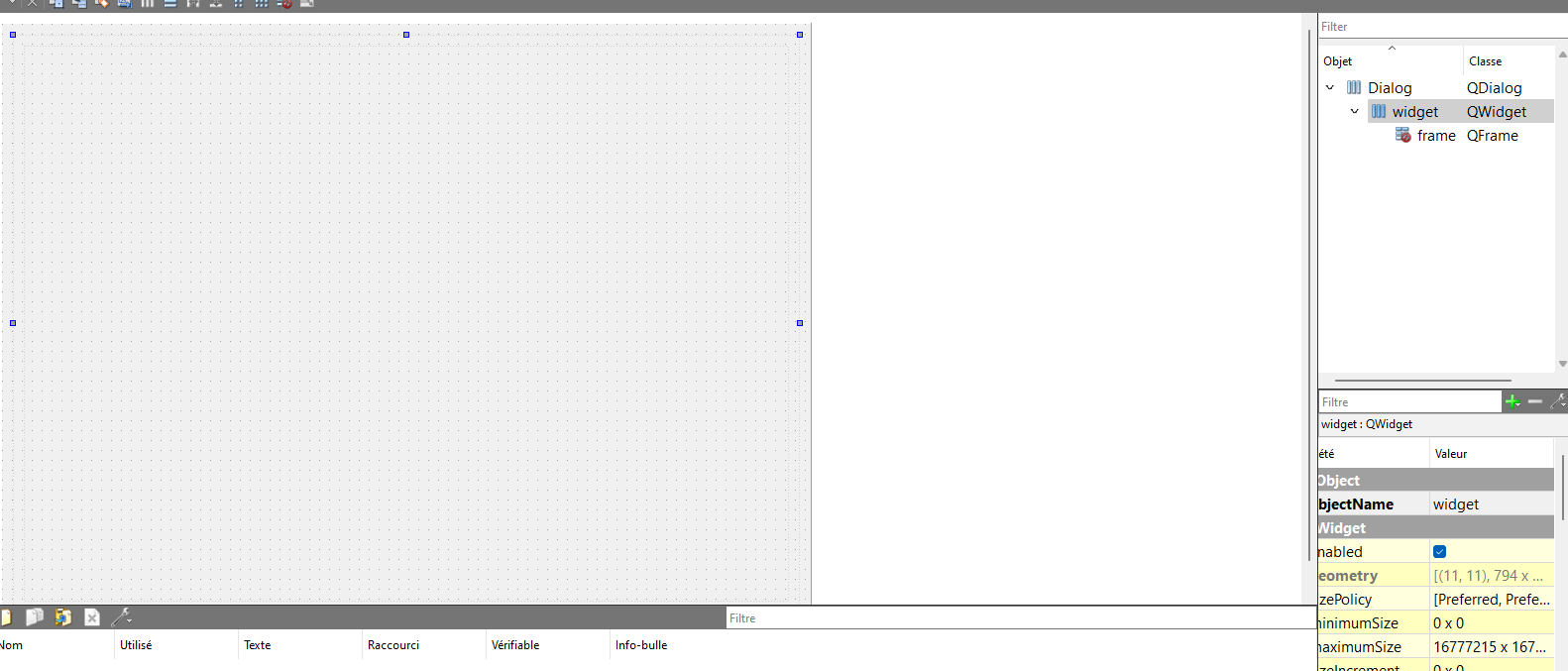
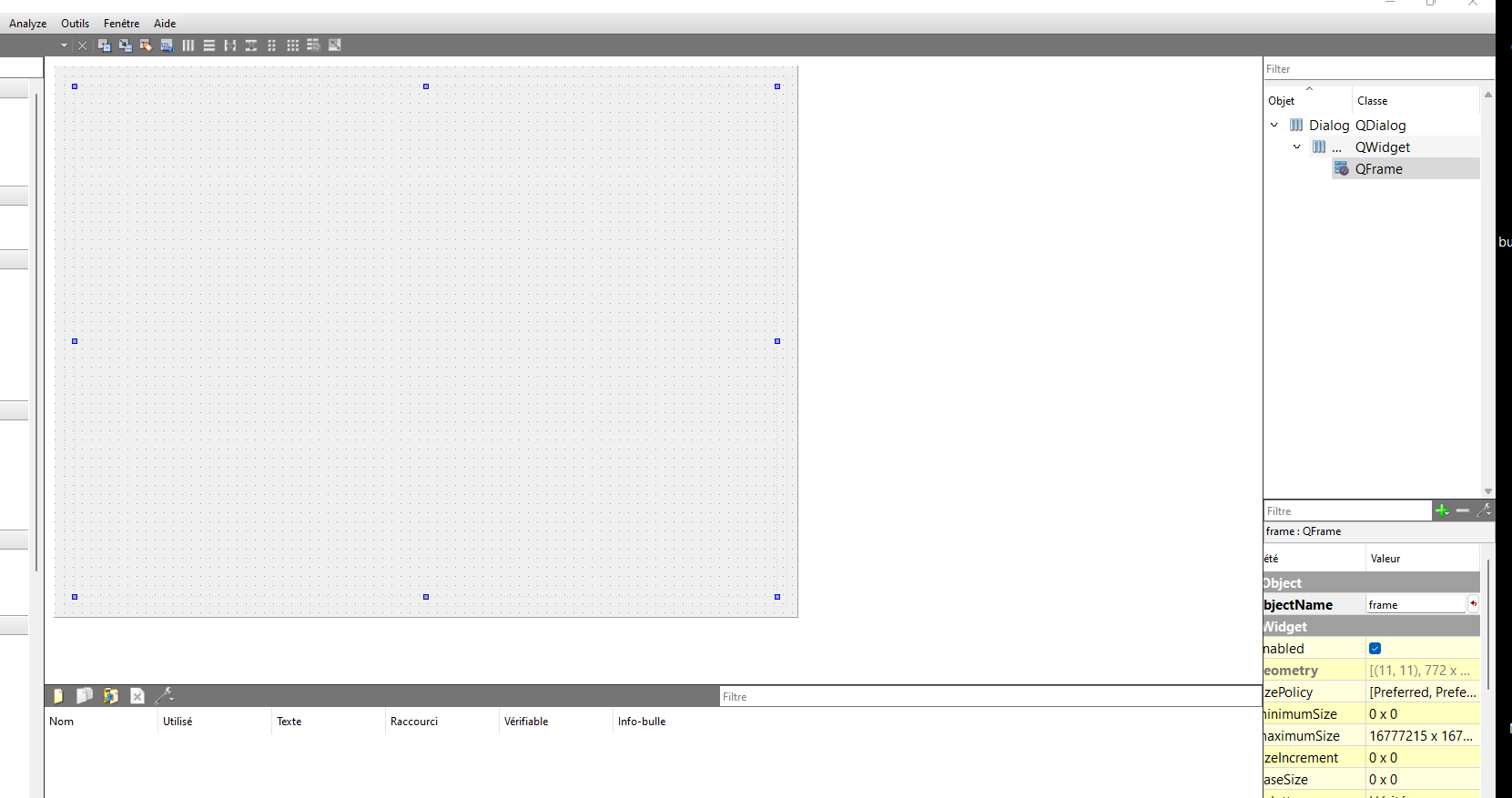
    i made a dialog to display but it dont show anything how to deals with that guys and thnaks?

    Capture d’écran 2022-11-13 211244.png ![Capture d’écran 2022-11-12 194909.png]Capture d’écran 2022-11-13 211244.png Capture d’écran 2022-11-13 211223.png

    1 Reply Last reply
    0
    • SGaistS Offline
      SGaistS Offline
      SGaist
      Lifetime Qt Champion
      wrote on last edited by
      #2

      Hi and welcome to devnet,

      You need to call show on your widget.

      It would be better to set a layout on your frame and then add your widget to that layout. Otherwise you will also have to manage the size and position of that widget by hand.

      Interested in AI ? www.idiap.ch
      Please read the Qt Code of Conduct - https://forum.qt.io/topic/113070/qt-code-of-conduct

      O JonBJ 2 Replies Last reply
      1
      • SGaistS SGaist

        Hi and welcome to devnet,

        You need to call show on your widget.

        It would be better to set a layout on your frame and then add your widget to that layout. Otherwise you will also have to manage the size and position of that widget by hand.

        O Offline
        O Offline
        odJL
        wrote on last edited by
        #3

        @SGaist i already add a widget ?!!

        1 Reply Last reply
        0
        • SGaistS SGaist

          Hi and welcome to devnet,

          You need to call show on your widget.

          It would be better to set a layout on your frame and then add your widget to that layout. Otherwise you will also have to manage the size and position of that widget by hand.

          JonBJ Online
          JonBJ Online
          JonB
          wrote on last edited by JonB
          #4

          @odJL

          @SGaist said in pie display:

          You need to call show on your widget.

          Your chartView.

          1 Reply Last reply
          0
          • SGaistS Offline
            SGaistS Offline
            SGaist
            Lifetime Qt Champion
            wrote on last edited by
            #5

            Setting a widget as parent to another widget does not make it visible quite the contrary. See the setParent documentation.

            As already suggested you should use a layout on your frame.

            Interested in AI ? www.idiap.ch
            Please read the Qt Code of Conduct - https://forum.qt.io/topic/113070/qt-code-of-conduct

            O 1 Reply Last reply
            1
            • SGaistS SGaist

              Setting a widget as parent to another widget does not make it visible quite the contrary. See the setParent documentation.

              As already suggested you should use a layout on your frame.

              O Offline
              O Offline
              odJL
              wrote on last edited by
              #6

              @SGaist is there a simple way to show the pie?
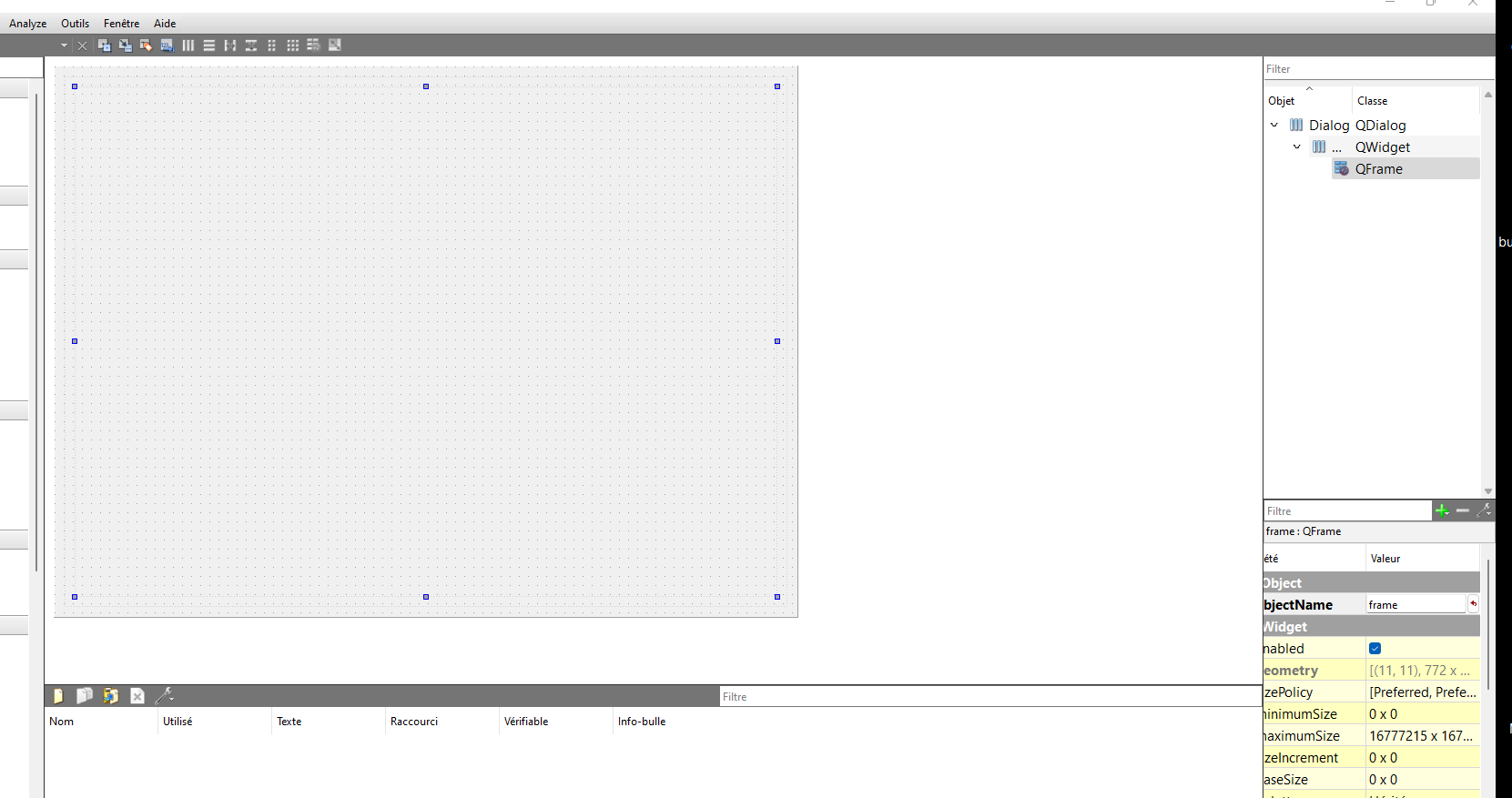
              i used a layout anf ->show(); and theres not resultAAA.png 11.png
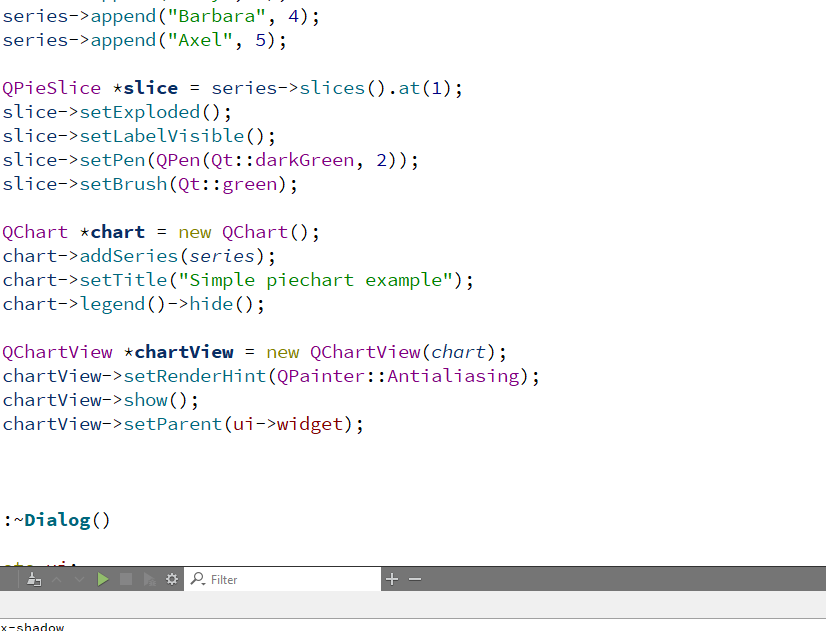
              you mean like this ? cuz i didnt understand well sorry
              jsulmJ 1 Reply Last reply
              0
              • O odJL

                @SGaist is there a simple way to show the pie?
                i used a layout anf ->show(); and theres not resultAAA.png 11.png
                you mean like this ? cuz i didnt understand well sorry

                jsulmJ Offline
                jsulmJ Offline
                jsulm
                Lifetime Qt Champion
                wrote on last edited by
                #7

                @odJL Call show() AFTER setting parent...

                https://forum.qt.io/topic/113070/qt-code-of-conduct

                1 Reply Last reply
                1

                • Login

                • Login or register to search.
                • First post
                  Last post
                0
                • Categories
                • Recent
                • Tags
                • Popular
                • Users
                • Groups
                • Search
                • Get Qt Extensions
                • Unsolved