
Widgets are not being shown
-
Hello. I am working on my university project on the Space topic. I decided to do a model of Solar system, but I encountered a lot of problems. I have class Drawer, I am setting it as MainWindow layout, the class should draw me orbits of planets(Star sublevel) with QPainter and the planets itself, the planets are animated and circles around their orbits with the help of Qtimer. Planet is a widget with ui, that consists of Qlabel for planet image and, later, there will be text info close to it. The problem now is that my planets don't want to show on the screen, howewer, their parent is Drawer, and it is shown(orbits) correctly(one more question about it later).
Here is my Drawer classclass Drawer : public QWidget { Q_OBJECT public: explicit Drawer(Star *star, QWidget *parent = nullptr); ~Drawer(); Star *star; vector<float> angles; vector<planetWidget*> widgets; QTimer *animation; void startClock(){ animation=new QTimer(this); connect(animation, SIGNAL(timeout()), this, SLOT(handler())); animation->start(16); } private slots: void handler(){ //something more drawPlanets(); } void drawPlanets(); protected: void paintEvent(QPaintEvent *event); };drawer.cpp
Drawer::Drawer(Star *star, QWidget *parent) : QWidget(parent)
{
    for(int i=0; i<10;i++){//fix later
        angles.push_back(rand()%360);
    }
    planetWidget *widget;
    this->star=star;
    Planet *planet;
    QPoint center(this->width()/2, this->height()/2);
    float x, y;
    for(int i=0, j=0; i<star->sublevelCount; i++, j=0){
        planet=star->sublevel[i];
        while(planet){
            QString path=":/images/images/planets/";
            path.append(QString::number((j+++1)%star->sublevelCount));
            path.append(".png");
            widget=new planetWidget(path, planet, this);
            widget->resize(250, 150);
            widgets.push_back(widget);
            planet=planet->next;
        }
    }
}
void Drawer::drawPlanets()
{
    QPoint center(this->width()/2, this->height()/2);
    Planet *planet;
    float x, y;
    for(int i=0, j=0; i<star->sublevelCount; i++, j=0){
        planet=star->sublevel[i];
        while(planet){
            x=this->width()/2+(planet->orbit+20)*cos(angles[i])-100;
            y= this->height()/2+(planet->orbit+20)*sin(angles[i])-100;
            x=round(x);
            y=round(y);
            widgets[i]->move(x, y);
            planet=planet->next;
        }
        angles[i]+=0.001;
    }
}
But this is what I see on the screen, no planets here.

I think it would be great if someone not gave me right code, but simply explained, what I am doing wrong. As I know, if you want to add widget to another widget and show it on the screen, you don't need to use layouts at all, but I could not find the solution on how to add Drawer on the screen without setting it as the main layout. The same thing with planets(but layouts did not work either). How should I add widget inside of a widget in general and what is my problem in particular here?
Sorry for asking such stupid question, but I am pretty bad at English, so I was not able to find answers by myself.
Thank you. -
In my experience , a widget not inside a layout is invisible par default.
Adding setVisible(true) in the constructor solved the problem for me.@mpergand said in Widgets are not being shown:
setVisible
Adding setVisible to constructor in Drawer and also in Planet widget did something very strange.(Sun got right to the left upper corner)
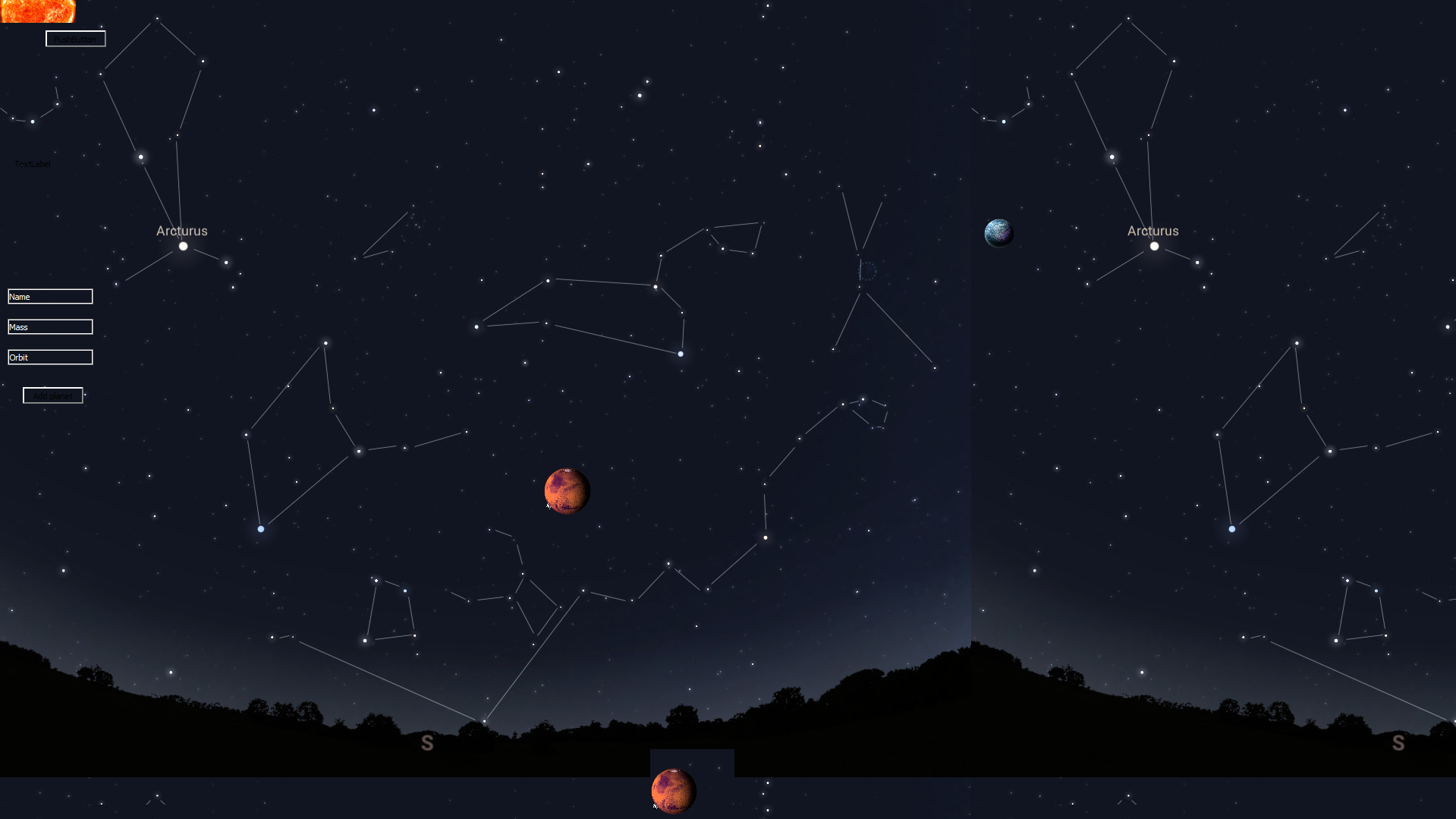
Also, planets started jumping back and forth on their orbits sometimes, also, if I press Alf+F4, the programm is not closing, but only one planet on the screen does. -
Yes, problem was here, but now strange this happened. Now my planets are in rectangles filled with (0;0) position's background, but I think I am able to fix it.
I will be pleased if someone explained me if I did everything else related to this parenthness correct. And how to fix the thing with widgets, that if I click on the planet, and then press Alt+F4, only planet widget is being closed?Thank you for the solution, @mpergand!
-
Yes, problem was here, but now strange this happened. Now my planets are in rectangles filled with (0;0) position's background, but I think I am able to fix it.
I will be pleased if someone explained me if I did everything else related to this parenthness correct. And how to fix the thing with widgets, that if I click on the planet, and then press Alt+F4, only planet widget is being closed?Thank you for the solution, @mpergand!
-
Hi,
Looking at your application and if you want to stay with widgets, you might want to consider using the graphics view framework .
-
Hi,
Looking at your application and if you want to stay with widgets, you might want to consider using the graphics view framework .
