
QPolygon as QPushButton
-
Hi,
I am trying to create a pushbutton that is shaped like a polygon.
It's shape can vary per pushbutton, but I can't manage to get 1 push button working.
I would love to hear feedback on how to make it work/improve.
I added a pushbutton to my mainwindow.ui and upgraded it to a QPolygonPushButton instead of just a regular QPushButton.This is my code:
qpolygonpushbutton.cpp:
#include "qpolygonpushbutton.h"

QPolygonPushButton::QPolygonPushButton(QVector<QPoint> qv_points)
{
    this->polygon << qv_points;
}

void QPolygonPushButton::paintEvent(QPaintEvent *e)
{
    QPainter painter(this);
    painter.setViewport(e->rect());
    painter.setPen(QPen(Qt::black, 1, Qt::SolidLine, Qt::RoundCap, Qt::RoundJoin));
    painter.drawPolygon(this->polygon);
}
qmainwindow.cpp:
#include "mainwindow.h" #include "ui_mainwindow.h" MainWindow::MainWindow(QWidget *parent) : QMainWindow(parent) , ui(new Ui::MainWindow) { ui->setupUi(this); qv_point = {QPoint(10,20), QPoint(20,30), QPoint(50,30)}; ui->pushButton = new QPolygonPushButton(qv_point); } MainWindow::~MainWindow() { delete ui; } -
Hi
And what is currently the issue with the code ?You do know that you paint a polygon on the surface of
the button. the button is not a polygon as such and will respond to clicks
for its client area regardless of the poly shape.Is the goal that the button be shaped like the polygon ( also hit test) then you should look into
https://doc.qt.io/qt-5/qwidget.html#setMask-1do notice this can be heavy is the poly is complex.
sample of a round button
https://stackoverflow.com/questions/31144234/how-to-use-mask-with-transparency-on-qwidget/34790542#34790542 -
Hi
I currently have this:#include "button.h" #include <QPainter> Button::Button(QWidget *parent) : QPushButton(parent) { setMouseTracking(true); setMask(QPolygon(this->polygon)); }It seems to work if the polygon is hardcoded into the button.h file or button.cpp, but I would like to give a polygon to it when I create a new polygon pushbutton.
So the MainWindow should look something like this:
#include "mainwindow.h"
#include "ui_mainwindow.h"
#include <QPushButton>

MainWindow::MainWindow(QWidget *parent)
    : QMainWindow(parent)
    , ui(new Ui::MainWindow)
{
    qv_point = {QPoint(10,20), QPoint(20,30), QPoint(50,30)};
    QPolygon poly = qv_point;
    Button *pushbutton = new Button(poly);
    ui->setupUi(this);
    pushbutton->update();
}

MainWindow::~MainWindow()
{
    delete ui;
}
Do you have any idea's on how to do that?
-
Hi
Just change your Button constructor to accept one.Button::Button(QWidget *parent, QPolygon poly) : QPushButton(parent), MyPoly(poly) {
.....and then you can just do it as you want
Button *pushbutton = new Button(this, somepoly);
-
Hi
Just change your Button constructor to accept one.Button::Button(QWidget *parent, QPolygon poly) : QPushButton(parent), MyPoly(poly) {
.....and then you can just do it as you want
Button *pushbutton = new Button(this, somepoly);
Hi
thank you so much. I almost got it working.
update:
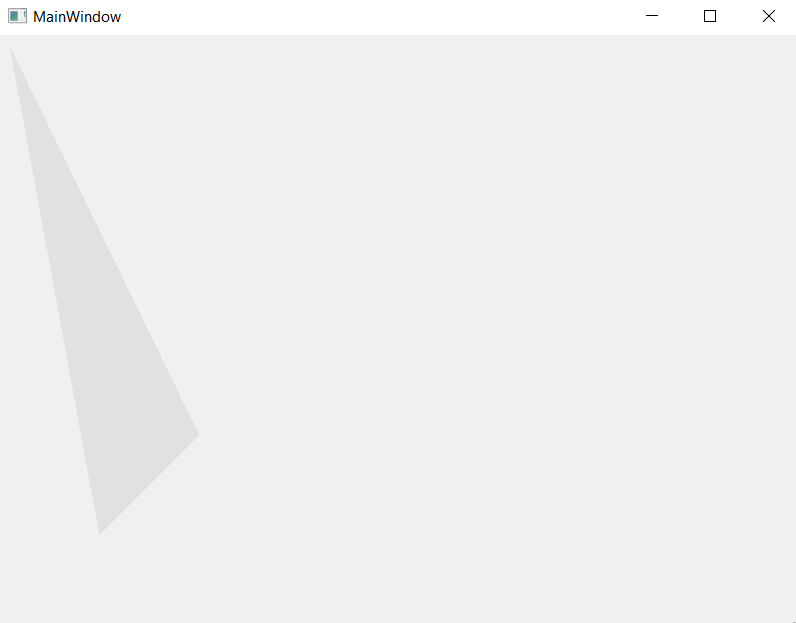
It draws the polygon in the mainwindow, but it doesn't have the functionalities that a button has. How can I add these functionalities such as it being pressable?This is what it currently looks like, but it's not clickable:
-
Hi
thank you so much. I almost got it working.
update:
It draws the polygon in the mainwindow, but it doesn't have the functionalities that a button has. How can I add these functionalities such as it being pressable?This is what it currently looks like, but it's not clickable:
Hi
But it should still have those features?
Its still a QPushButton yes ?Button::Button(QWidget *parent) : QPushButton(parent) <<< base class is a button
so it should still give the same signals as normally unless you
also overrode the mousePressEvent and didnt show in this code.So i think its still clickable but just dont show any press effect since its custom drawn now. ( i guess)
-
Hi
thank you so much. I almost got it working.
update:
It draws the polygon in the mainwindow, but it doesn't have the functionalities that a button has. How can I add these functionalities such as it being pressable?This is what it currently looks like, but it's not clickable:
Try to connect to your PolygonButton and print some debug output to console with QDebug inside your slot function. It should work, as @mrjj already said, because you are subclassing
QPushButton, which is aQAbstractButtonsubclass. So yourPolygonButtonshould have all non-private functions, signals, events etc as a regularQPushButtonYou could add some graphic effects with stylesheet (change color on click or mouseDown and so on)
@mrjj For my interest: You suggested to use
setMask... It doen't change the boundings of the object, right? (Just the painted area?!) The button still keeps its bounding rectangle?!
If debugging is the process of removing software bugs, then programming must be the process of putting them in.
~E. W. Dijkstra
-
Try to connect to your PolygonButton and print some debug output to console with QDebug inside your slot function. It should work, as @mrjj already said, because you are subclassing
QPushButton, which is aQAbstractButtonsubclass. So yourPolygonButtonshould have all non-private functions, signals, events etc as a regularQPushButtonYou could add some graphic effects with stylesheet (change color on click or mouseDown and so on)
@mrjj For my interest: You suggested to use
setMask... It doen't change the boundings of the object, right? (Just the painted area?!) The button still keeps its bounding rectangle?!@Pl45m4
Hi
Docs says
"Masked widgets receive mouse events only on their visible portions."
so it should affect the hit testing like seen in
https://doc.qt.io/qt-5/qtwidgets-widgets-shapedclock-example.html# -
@Pl45m4
Hi
Docs says
"Masked widgets receive mouse events only on their visible portions."
so it should affect the hit testing like seen in
https://doc.qt.io/qt-5/qtwidgets-widgets-shapedclock-example.html#Just picked this project up again, but I still didn't manage to get it working.
I have two classes (MainWindow & Button). This is what I tried:
button.cpp:
#include "button.h"

Button::Button( QPolygon poly,QWidget *parent) : QPushButton(parent), QPolygon(poly)
{
    setMouseTracking(true);
    setMask(QPolygon(poly));
}
mainwindow.cpp:
#include "mainwindow.h"
#include "ui_mainwindow.h"
#include <QPushButton>
#include <QDebug>

MainWindow::MainWindow(QWidget *parent)
    : QMainWindow(parent)
    , ui(new Ui::MainWindow)
{
    QVector<QPoint> qv_point = {QPoint(100,100), QPoint(200,100), QPoint(200, 200)};
    QPolygon polygon = qv_point;
    Button *pushbutton = new Button(polygon, this);
    ui->setupUi(this);
    pushbutton->update();
    pushbutton->setGeometry(0,0,202, 502);

    connect(pushbutton, &QPushButton::clicked, this, &MainWindow::pushbutton_clicked);
    //pushbutton->setStyle()
}

MainWindow::~MainWindow()
{
    delete ui;
}

void MainWindow::pushbutton_clicked()
{
    qDebug() << "clicked";
}
It does not print "clicked".
-
Hi
It must be something in your button class.
Like overriding mousePress and not call
base class.If i use your code + QpushButton. it works.
 QVector<QPoint> qv_point = {QPoint(100, 100), QPoint(200, 100), QPoint(200, 200)};
    QPolygon polygon = qv_point;
    QPushButton *pushbutton = new QPushButton(this);
    pushbutton->setGeometry(0, 0, 202, 502);
    pushbutton->setMouseTracking(true);
    pushbutton->setMask(QPolygon(qv_point));

    connect(pushbutton, &QPushButton::clicked, this, &MainWindow::pushbutton_clicked);
}

void MainWindow::pushbutton_clicked()
{
    qDebug() << "test";
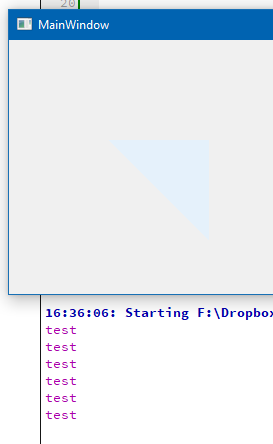
}
-
Hi
It must be something in your button class.
Like overriding mousePress and not call
base class.If i use your code + QpushButton. it works.
QVector<QPoint> qv_point = {QPoint(100, 100), QPoint(200, 100), QPoint(200, 200)}; QPolygon polygon = qv_point; QPushButton *pushbutton = new QPushButton(this); pushbutton->setGeometry(0, 0, 202, 502); pushbutton->setMouseTracking(true); pushbutton->setMask(QPolygon(qv_point)); connect(pushbutton, &QPushButton::clicked, this, &MainWindow::pushbutton_clicked); } void MainWindow::pushbutton_clicked() { qDebug() << "test"; }@mrjj said in QPolygon as QPushButton:
QVector<QPoint> qv_point = {QPoint(100, 100), QPoint(200, 100), QPoint(200, 200)};
QPolygon polygon = qv_point;
QPushButton *pushbutton = new QPushButton(this);
pushbutton->setGeometry(0, 0, 202, 502);
pushbutton->setMouseTracking(true);
pushbutton->setMask(QPolygon(qv_point));connect(pushbutton, &QPushButton::clicked, this, &MainWindow::pushbutton_clicked);}
void MainWindow::pushbutton_clicked()
{
qDebug() << "test";
}Alright, then there must be something wrong with the Button class. Thank you so much for your help.
I'll post the solution here if I got it to work with the Button class. -
@mrjj said in QPolygon as QPushButton:
QVector<QPoint> qv_point = {QPoint(100, 100), QPoint(200, 100), QPoint(200, 200)};
QPolygon polygon = qv_point;
QPushButton *pushbutton = new QPushButton(this);
pushbutton->setGeometry(0, 0, 202, 502);
pushbutton->setMouseTracking(true);
pushbutton->setMask(QPolygon(qv_point));connect(pushbutton, &QPushButton::clicked, this, &MainWindow::pushbutton_clicked);}
void MainWindow::pushbutton_clicked()
{
qDebug() << "test";
}Alright, then there must be something wrong with the Button class. Thank you so much for your help.
I'll post the solution here if I got it to work with the Button class.@hobbyProgrammer
Ok. it should work with custom class too.
I would guess on you have a custom mousePress or mouseMove or similar
and forgot to call base class. Else im not sure what could be wrong. -
@hobbyProgrammer
Ok. it should work with custom class too.
I would guess on you have a custom mousePress or mouseMove or similar
and forgot to call base class. Else im not sure what could be wrong.This post is deleted! -
It works! This is the solution...
#include "mainwindow.h"
#include "ui_mainwindow.h"
#include <QPushButton>
#include <QDebug>MainWindow::MainWindow(QWidget *parent)
: QMainWindow(parent)
, ui(new Ui::MainWindow)
{
QVector<QPoint> qv_point = {QPoint(100, 100), QPoint(200, 100), QPoint(200, 200)};
QPolygon polygon = qv_point;
Button *pushbutton = new Button(polygon, this);connect(pushbutton, &Button::clicked, this, &MainWindow::pushbutton_clicked);}
MainWindow::~MainWindow()
{
delete ui;
}
void MainWindow::pushbutton_clicked()
{
qDebug() << "test";
}#include "button.h"
Button::Button( QPolygon poly,QWidget *parent) : QPushButton(parent), QPolygon(poly)
{
setGeometry(0,0,200,500);
setMouseTracking(true);
setMask(QPolygon(poly));
}

