
Qimagereader and cliprect example
-
I am developing an image viewer to load and show high-resolution image. I am planning to use Qimagereader and cliprect function.
Anybody please help me to know how to map the region of interest coordinate maping to high resolution image.
That means how can i use cliprect function ? -
Hi
I have not seem any examples so i made you one.#include <QImageReader> #include <QDebug> MainWindow::MainWindow(QWidget *parent) : QMainWindow(parent), ui(new Ui::MainWindow) { ui->setupUi(this); QImageReader reader("e:/test.jpg"); reader.setClipRect(QRect(100, 100, 100, 100)); QImage img; if ( reader.canRead()) { img = reader.read(); ui->label->setPixmap(QPixmap::fromImage(img)); // test show it } else qDebug() << "cannot read image";that will load and draw 100,100, to 200,200 from the test image
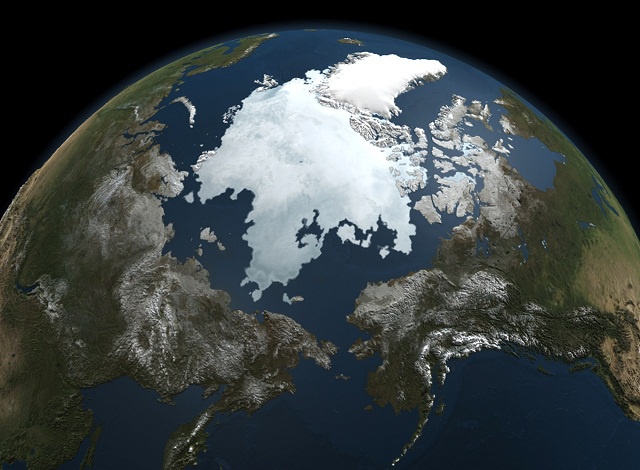
and result is
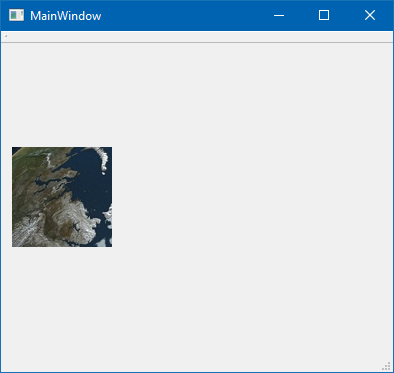
and seems to check out in photoshop
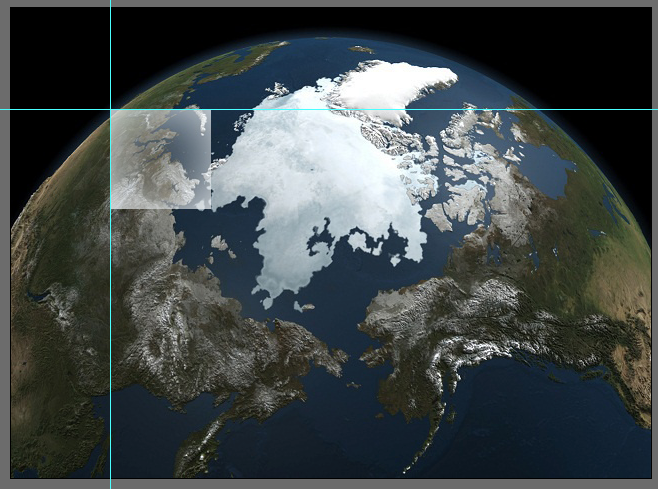
I didnt have any real satelite images to test with.
-
Hi
I have not seem any examples so i made you one.#include <QImageReader> #include <QDebug> MainWindow::MainWindow(QWidget *parent) : QMainWindow(parent), ui(new Ui::MainWindow) { ui->setupUi(this); QImageReader reader("e:/test.jpg"); reader.setClipRect(QRect(100, 100, 100, 100)); QImage img; if ( reader.canRead()) { img = reader.read(); ui->label->setPixmap(QPixmap::fromImage(img)); // test show it } else qDebug() << "cannot read image";that will load and draw 100,100, to 200,200 from the test image
and result is
and seems to check out in photoshop
I didnt have any real satelite images to test with.
@mrjj Thank you.
I am looking for one more example. i e i am having a scaled image of an actual high resoultion image and that showing it in the application first.And i select a portion of the scaled image as region of interset via a rectangle draw and then i collect the region interest coorinates. Now i want to load that region of interest area from the actual high resolution image to the another widget of the application. So my question is how can i map the coordinates from the scaled image to actual high resolution image. ?
-
@mrjj Thank you.
I am looking for one more example. i e i am having a scaled image of an actual high resoultion image and that showing it in the application first.And i select a portion of the scaled image as region of interset via a rectangle draw and then i collect the region interest coorinates. Now i want to load that region of interest area from the actual high resolution image to the another widget of the application. So my question is how can i map the coordinates from the scaled image to actual high resolution image. ?
@BinuJanardhanan You ask exact same question in another thread!
Please do not duplicate your questions! -
@BinuJanardhanan You ask exact same question in another thread!
Please do not duplicate your questions!@jsulm sorry for that.
I put that question as a reply to the answer , i thought so he can easly identify my doubt. that why.. -
Hi
. So my question is how can i map the coordinates from the scaled image to actual high resolution image. ?well, you have to calculate the other way of what you did to make it "scaled".
-
Hi
. So my question is how can i map the coordinates from the scaled image to actual high resolution image. ?well, you have to calculate the other way of what you did to make it "scaled".
@mrjj thanks.

