Skip to content
  • Categories
  • Recent
  • Tags
  • Popular
  • Users
  • Groups
  • Search
  • Get Qt Extensions
  • Unsolved
Collapse
Brand Logo
  1. Home
  2. Qt Development
  3. General and Desktop
  4. Can't Compile connect method
Qt 6.11 is out! See what's new in the release blog

Can't Compile connect method

Scheduled Pinned Locked Moved Solved General and Desktop
9 Posts 5 Posters 1.4k Views 4 Watching
  • Oldest to Newest
  • Newest to Oldest
  • Most Votes
Reply
  • Reply as topic
Log in to reply
This topic has been deleted. Only users with topic management privileges can see it.
  • T Offline
    T Offline
    theroark
    wrote on last edited by
    #1

    I am new to Qt. I am trying to learn to make Notepad from tutorial available online by Qt.
    The following method throws an undefined reference to 'Notepad::newDocument()'
    error:

    connect(ui->actionNew,&QAction::triggered,this,&Notepad::newDocument);

    Some tips on this please...

    1 Reply Last reply
    0
    • Christian EhrlicherC Offline
      Christian EhrlicherC Offline
      Christian Ehrlicher
      Lifetime Qt Champion
      wrote on last edited by
      #2

      So where did you implement the function Notepad::newDocument() ?

      Qt Online Installer direct download: https://download.qt.io/official_releases/online_installers/
      Visit the Qt Academy at https://academy.qt.io/catalog

      1 Reply Last reply
      3
      • mrjjM Offline
        mrjjM Offline
        mrjj
        Lifetime Qt Champion
        wrote on last edited by mrjj
        #3

        Hi and welcome to the forums.

        If this example
        https://doc.qt.io/qt-5/qtwidgets-tutorials-notepad-example.html
        Then first you add the slot

        class Notepad : public QMainWindow
        {
            Q_OBJECT
        
        public:
            explicit Notepad(QWidget *parent = 0);
            ~Notepad();
        
        private slots:
            void newDocument(); <<<
        ...
        

        then later they show the implementation. Which goes in the cpp file.

        void Notepad::newDocument()
        {
            currentFile.clear();
            ui->textEdit->setText(QString());
        }
        
        1 Reply Last reply
        5
        • T Offline
          T Offline
          theroark
          wrote on last edited by
          #4

          @mrjj
          Thanks a lot...
          I tried that as well it doesn't work. :(

          1 Reply Last reply
          0
          • SGaistS Offline
            SGaistS Offline
            SGaist
            Lifetime Qt Champion
            wrote on last edited by
            #5

            Hi,

            You have to give more details. "Doesn't work" goes from missing a semi-colon to asteroid hitting the earth Tunguska style.

            Interested in AI ? www.idiap.ch
            Please read the Qt Code of Conduct - https://forum.qt.io/topic/113070/qt-code-of-conduct

            1 Reply Last reply
            5
            • T Offline
              T Offline
              theroark
              wrote on last edited by
              #6

              @SGaist I understand. below is the in detail description of the problem.

              I first declared the signal element shown below with actionNew:
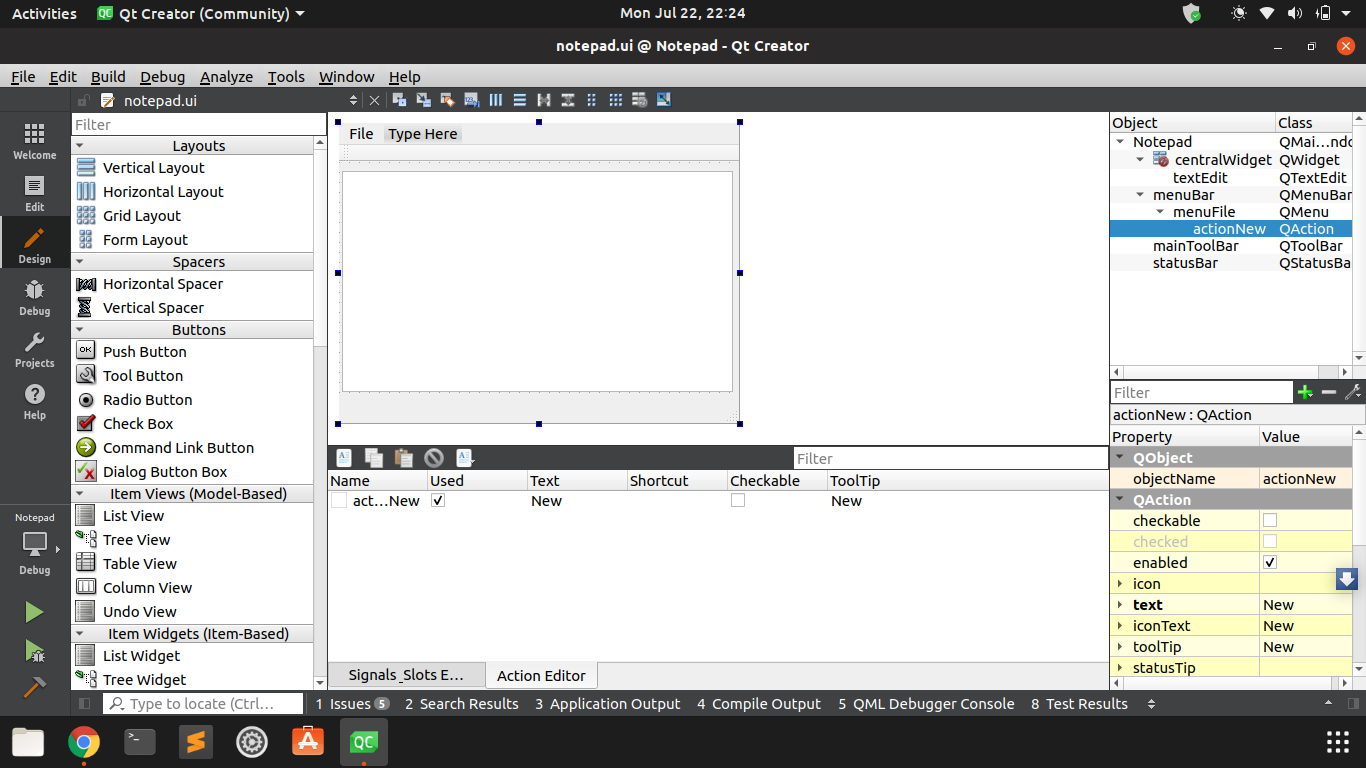
              0_1563814610400_Screenshot from 2019-07-22 22-24-14.png

              Then I declared a slot like below:
              0_1563814637172_Screenshot from 2019-07-22 22-24-42.png

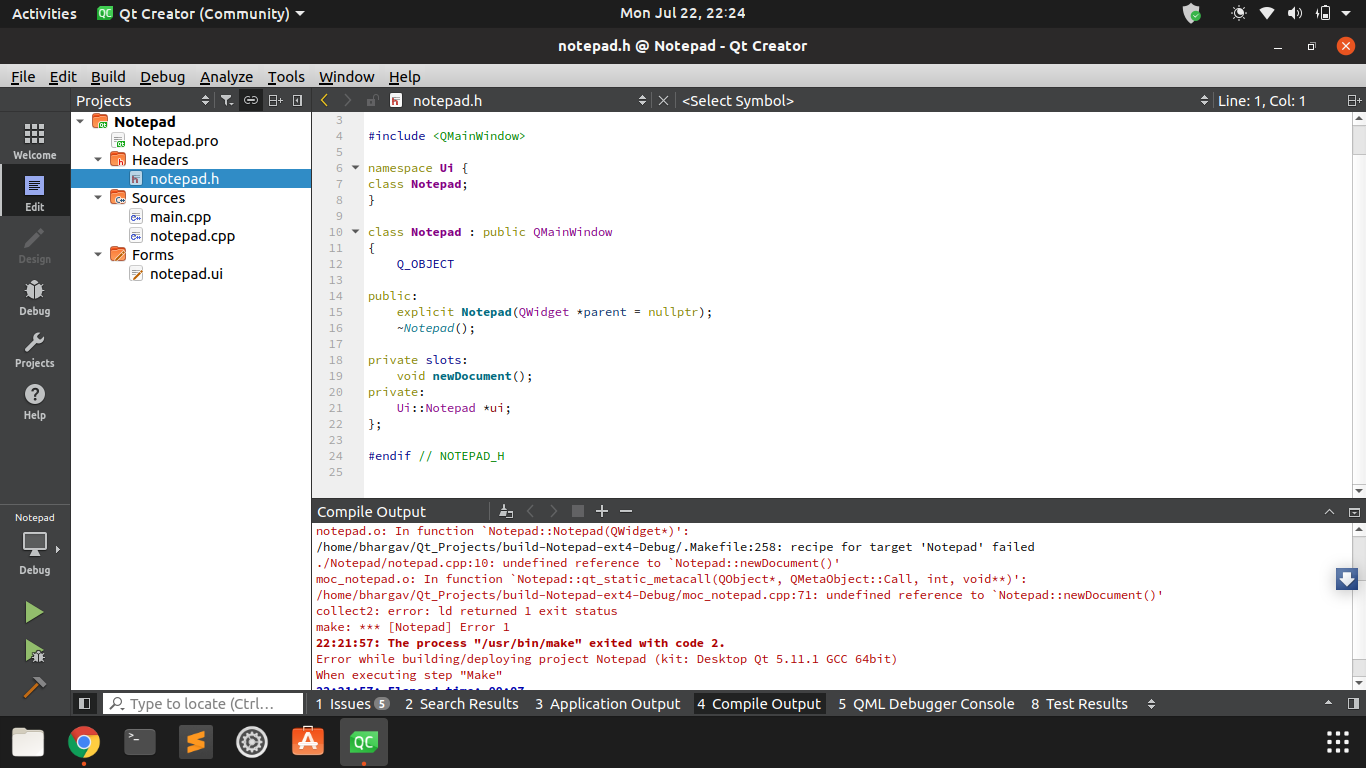
              After that I connected them and below show are the compiled results :
              0_1563814669805_Screenshot from 2019-07-22 22-24-33.png

              JKSHJ 1 Reply Last reply
              0
              • SGaistS Offline
                SGaistS Offline
                SGaist
                Lifetime Qt Champion
                wrote on last edited by
                #7

                You have to implement the slot even if empty to get started.

                Interested in AI ? www.idiap.ch
                Please read the Qt Code of Conduct - https://forum.qt.io/topic/113070/qt-code-of-conduct

                1 Reply Last reply
                2
                • T theroark

                  @SGaist I understand. below is the in detail description of the problem.

                  I first declared the signal element shown below with actionNew:
                  0_1563814610400_Screenshot from 2019-07-22 22-24-14.png

                  Then I declared a slot like below:
                  0_1563814637172_Screenshot from 2019-07-22 22-24-42.png

                  After that I connected them and below show are the compiled results :
                  0_1563814669805_Screenshot from 2019-07-22 22-24-33.png

                  JKSHJ Offline
                  JKSHJ Offline
                  JKSH
                  Moderators
                  wrote on last edited by
                  #8

                  @theroark said in Can't Compile connect method:

                  Then I declared a slot like below:

                  A declaration is not enough. You must also give it a function body.

                  • See https://docs.microsoft.com/en-us/cpp/cpp/functions-cpp?view=vs-2019 for an explanation.
                  • See @mrjj's post above for a solution.

                  Qt Doc Search for browsers: forum.qt.io/topic/35616/web-browser-extension-for-improved-doc-searches

                  1 Reply Last reply
                  3
                  • T Offline
                    T Offline
                    theroark
                    wrote on last edited by
                    #9

                    Hey all, @JKSH @SGaist @mrjj,

                    Thanks, It worked!!!!

                    1 Reply Last reply
                    1

                    • Login

                    • Login or register to search.
                    • First post
                      Last post
                    0
                    • Categories
                    • Recent
                    • Tags
                    • Popular
                    • Users
                    • Groups
                    • Search
                    • Get Qt Extensions
                    • Unsolved