
Skip to content
  • Categories
  • Recent
  • Tags
  • Popular
  • Users
  • Groups
  • Search
  • Get Qt Extensions
  • Unsolved
Collapse
Brand Logo
  1. Home
  2. Qt Development
  3. General and Desktop
  4. How to get DisplayRole?
Qt 6.11 is out! See what's new in the release blog

How to get DisplayRole?

Scheduled Pinned Locked Moved Unsolved General and Desktop
4 Posts 2 Posters 1.3k Views 1 Watching
  • Oldest to Newest
  • Newest to Oldest
  • Most Votes
Reply
  • Reply as topic
Log in to reply
This topic has been deleted. Only users with topic management privileges can see it.
  • S Offline
    S Offline
    SRaD
    wrote on last edited by
    #1

    I have a delegate for my TreeView with a paint method like the following, but the problem is that when the mouse hovers over a row, index_data is always empty showing "".

    void MyTreeViewDelegate::paint(QPainter *painter,
    const QStyleOptionViewItem &option, const QModelIndex &index) const
    {
        QModelIndex parent = index.parent();
        QModelIndex child = index.sibling(parent.row(), parent.column());
    
        QString index_data = index.data(Qt::DisplayRole).toString();
    
        if (option.state & QStyle::State_MouseOver) {
            std::cout << "got a mouse over" << std::endl;                         
    
        qDebug() << "index_data: " << index_data;
        }           
        // ...
    }
    

    Any thoughts where I'm going wrong?

    1 Reply Last reply
    0
    • mrjjM Offline
      mrjjM Offline
      mrjj
      Lifetime Qt Champion
      wrote on last edited by
      #2

      Hi
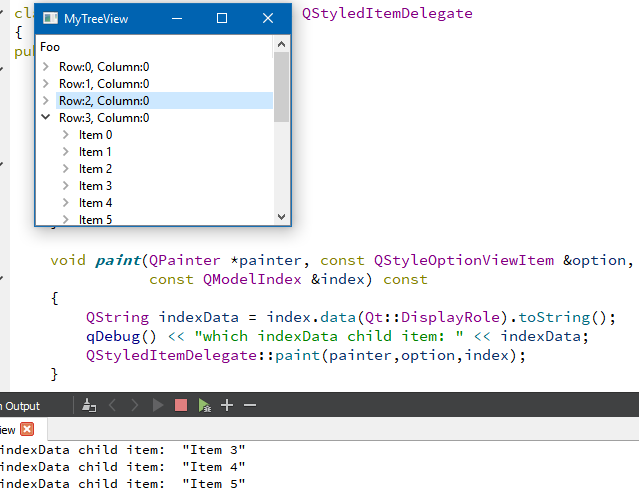
      the same code works fine with a QStandardItemModel
      alt text

      so my guess is that you use a custom model and there is something with the index or it
      uses EditRole and not Display role.

      1 Reply Last reply
      1
      • S Offline
        S Offline
        SRaD
        wrote on last edited by
        #3

        I do use a custom model. I'm hoping the following helps in some way.

        QVariant MyTreeModel::data(const QModelIndex &index, int role) const
        {
            QModelIndex parent = index.parent();
            QModelIndex child = index.sibling(parent.row(), parent.column());
        
            if (!index.isValid())
                return QVariant();
        
            MyTreeItem *item = static_cast<MyTreeItem *>
                (index.internalPointer());
        
            if (role == Qt::CheckStateRole) {
                if (parent.row() == 0 && index.column() == 0)
                    return static_cast<int>(item->getChecked() ? Qt::Checked :
                    Qt::Unchecked);
            }
        
            if (role != Qt::DisplayRole)
                return QVariant();
        
            return item->data(index.column());
        }
        
        1 Reply Last reply
        0
        • mrjjM Offline
          mrjjM Offline
          mrjj
          Lifetime Qt Champion
          wrote on last edited by mrjj
          #4

          Hi
          Try to qDebug() << index in delegate and
          then call
          MyTreeModel::data with same index and see if it returns anything valid.

          also did you reuse the model from here ?
          https://doc.qt.io/qt-5/qtwidgets-itemviews-simpletreemodel-example.html

          1 Reply Last reply
          0

          • Login

          • Login or register to search.
          • First post
            Last post
          0
          • Categories
          • Recent
          • Tags
          • Popular
          • Users
          • Groups
          • Search
          • Get Qt Extensions
          • Unsolved