Skip to content
  • Categories
  • Recent
  • Tags
  • Popular
  • Users
  • Groups
  • Search
  • Get Qt Extensions
  • Unsolved
Collapse
Brand Logo
  1. Home
  2. Qt Development
  3. QML and Qt Quick
  4. Pixel accuracy

Pixel accuracy

Scheduled Pinned Locked Moved Solved QML and Qt Quick
8 Posts 4 Posters 1.6k Views 3 Watching
  • Oldest to Newest
  • Newest to Oldest
  • Most Votes
Reply
  • Reply as topic
Log in to reply
This topic has been deleted. Only users with topic management privileges can see it.
  • ashajgA Offline
    ashajgA Offline
    ashajg
    wrote on last edited by
    #1

    Hi

    I was wondering if I am assigning value to the height of rectangle as

    height:99.80
    

    what will happen with pixels?
    will the last pixel take 0.80 as value?
    I am working on code where pixel accuracy is very important so just want to know for above case will it take 99.80 as value or 100 as value or 99 as a value for height.

    Thanks
    Ashish Ajgaonkar

    1 Reply Last reply
    0
    • sierdzioS Offline
      sierdzioS Offline
      sierdzio
      Moderators
      wrote on last edited by
      #2

      Try it out... My guess is that it will be rounded to 100, but the best solution is to just try :-) Plus maybe check the sources.

      (Z(:^

      1 Reply Last reply
      4
      • ashajgA Offline
        ashajgA Offline
        ashajg
        wrote on last edited by
        #3

        hi @sierdzio
        I wrote this program to get some clue

        import QtQuick 2.9
        import QtQuick.Window 2.2
        Window {
            visible: true
            width: 640
            height: 480
            title: qsTr("Hello World")
            property double size:99.5
            Rectangle
            {
                id: rect_one
                color:"RED"
                height:size
                width:100 
            }   
            Rectangle
            {
                id:rect_two
                color:"Blue"
                height:100
                width:100
                x:300
                MouseArea
                {
                    anchors.fill:parent
                    onClicked:{
                        console.log(rect_one.height)
                    }
                    
                }
            }
        }
        

        Here I am setting property double size:99.5 and assigning size to height of rect_one and on mouse clicked I am fetching height of rect_one Like this console.log(rect_one.height)

        Solution for this is

        QML debugging is enabled. Only use this in a safe environment.
        qml: 99.5
        

        So is this the right way to confirm the above case?
        as it is returning 99.5 can I claim that 99.5 pixel is the height ?

        1 Reply Last reply
        0
        • sierdzioS Offline
          sierdzioS Offline
          sierdzio
          Moderators
          wrote on last edited by
          #4

          Place one rectangle on top of the other to see if there is any real difference in size. QML engine will report the dimension you set, but when displayed, it's not possible to display half of a pixel (well maybe it is, perhaps, with antialiasing), so it's likely that an approximation is made.

          (Z(:^

          1 Reply Last reply
          2
          • Shrinidhi UpadhyayaS Offline
            Shrinidhi UpadhyayaS Offline
            Shrinidhi Upadhyaya
            wrote on last edited by
            #5

            Hi @ashajg ,

            when you give the height or width of Rectangle,they are rounded of to the nearest value that is,
            if height <= 99.5 then height = 99
            if height > 99.5 then height = 100

            here is a sample code for that:-

             Rectangle {
                height: 100
                width: 100
                color: "transparent"
                border.color: "black"
                anchors.centerIn: parent
            
                Rectangle {
                    height: 99.5
                    width: 99.5
                    color: "red"
            
                    Text {
                        text: parent.height
                        anchors.centerIn: parent
                    }
                }
            }
            

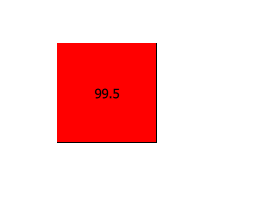
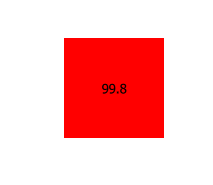
            Here are few samples output images attached:-
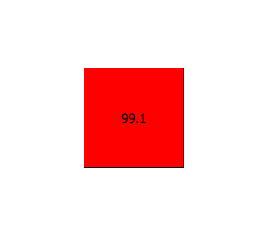
            0_1551946581624_Rect(99.1).PNG

            0_1551946595436_Rect(99.5).PNG

            0_1551946606655_Rect(99.8).PNG

            0_1551946613479_Rect(100).PNG

            Shrinidhi Upadhyaya.
            Upvote the answer(s) that helped you to solve the issue.

            1 Reply Last reply
            4
            • J.HilkJ Offline
              J.HilkJ Offline
              J.Hilk
              Moderators
              wrote on last edited by
              #6

              This is something, that could also be highly related to the display you're using.

              Phones for example tend to group pixels together (group of 4 or 9) you yourself will only operate on the reduced width and height, but drawing directly relates to the actual pixels.

              If I remember that correctly.


              Be aware of the Qt Code of Conduct, when posting : https://forum.qt.io/topic/113070/qt-code-of-conduct


              Q: What's that?
              A: It's blue light.
              Q: What does it do?
              A: It turns blue.

              1 Reply Last reply
              1
              • ashajgA Offline
                ashajgA Offline
                ashajg
                wrote on last edited by
                #7

                @Shrinidhi-Upadhyaya @J-Hilk thanks.

                1 Reply Last reply
                0
                • Shrinidhi UpadhyayaS Offline
                  Shrinidhi UpadhyayaS Offline
                  Shrinidhi Upadhyaya
                  wrote on last edited by Shrinidhi Upadhyaya
                  #8

                  You are welcome :-) @ashajg , can you mark [SOLVED] to thread title!

                  Shrinidhi Upadhyaya.
                  Upvote the answer(s) that helped you to solve the issue.

                  1 Reply Last reply
                  0

                  • Login

                  • Login or register to search.
                  • First post
                    Last post
                  0
                  • Categories
                  • Recent
                  • Tags
                  • Popular
                  • Users
                  • Groups
                  • Search
                  • Get Qt Extensions
                  • Unsolved