Skip to content
  • Categories
  • Recent
  • Tags
  • Popular
  • Users
  • Groups
  • Search
  • Get Qt
  • Unsolved
Collapse
Brand Logo
  1. Home
  2. Qt Development
  3. Qt for Python
  4. PySide6 UI looks different depending on which macOS built Python
Qt 6.12 LTS is out! See what's new in the release blog

PySide6 UI looks different depending on which macOS built Python

Scheduled Pinned Locked Moved Solved Qt for Python
5 Posts 2 Posters 68 Views
  • Oldest to Newest
  • Newest to Oldest
  • Most Votes
Reply
  • Reply as topic
Log in to reply
This topic has been deleted. Only users with topic management privileges can see it.
  • A Offline
    A Offline
    axu2
    wrote last edited by
    #1

    If I built an app using macOS 15 using Homebrew Python (the exact version doesn't seem to matter, I tried several), then the app looks the same on macOS 15/27.

    However, if I built it using Homebrew Python on macOS 27, then the app looks different (and in my opinion, worse).

    Is there any way to force the old look?

    This is the old look:
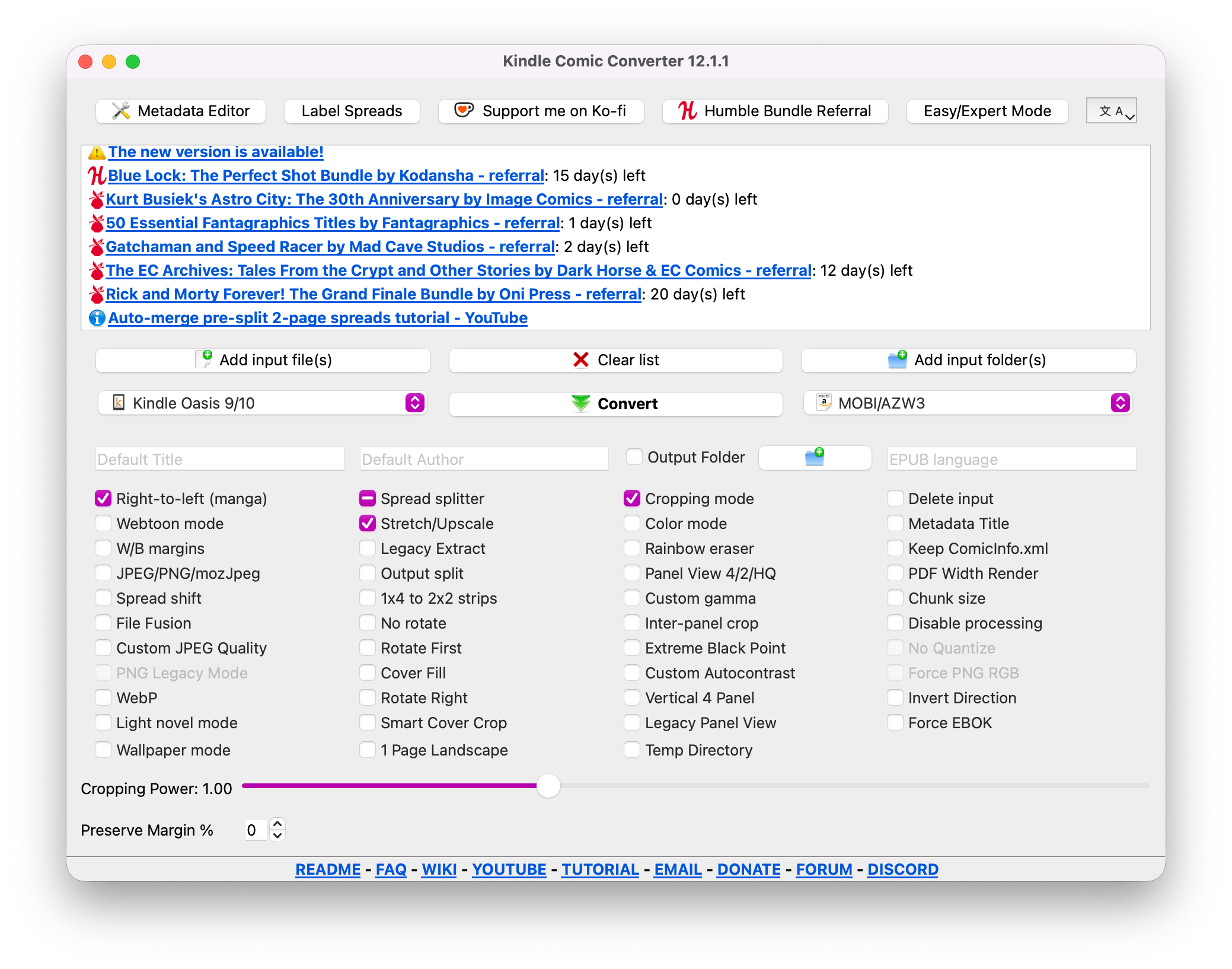
    Screenshot_2026-10-27_at_3.21.13_PM.png

    I got user feedback that the new look looks bad, especially with the pure white background.
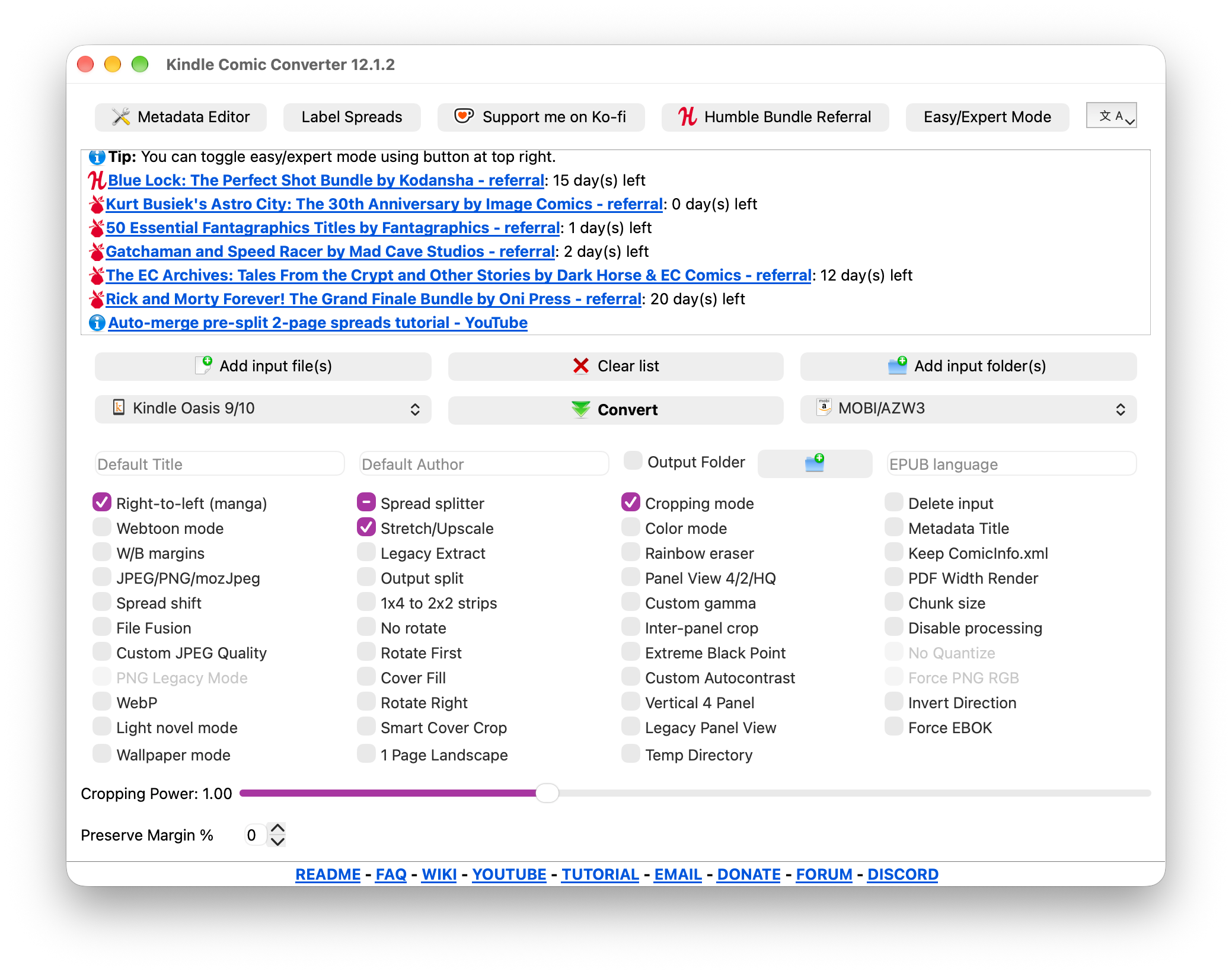
    Screenshot_2026-10-27_at_3.21.42_PM.png

    1 Reply Last reply
    0
    • M Offline
      M Offline
      miracletech322
      wrote last edited by
      #2

      In my opinion, I suggest to use QStyleFactory class.
      print(QStyleFactory.keys())
      You can get available styles through call this function and, keep macos style.
      Good luck to you.

      1 Reply Last reply
      0
      • A Offline
        A Offline
        axu2
        wrote last edited by
        #3

        calling setStyle('Windows') looks terrible on macOS, but that's expected.

        calling setStyle('Fusion') looks OK but not ideal.

        calling setStyle('macOS') doesn't change anything.

        I think the problem is related to the python version, not Qt. since the red/yellow/green button in top left get liquid glassified.

        1 Reply Last reply
        0
        • M Offline
          M Offline
          miracletech322
          wrote last edited by
          #4

          Qt's macOS guidance describes adding this key to the app's Info.plist:

          <key>UIDesignRequiresCompatibility</key>
          <true/>
          Please update Info.plist file and try again.

          1 Reply Last reply
          0
          • A Offline
            A Offline
            axu2
            wrote last edited by axu2
            #5

            Yes, that worked, thank you!

            where is the guide you mentioned?

            1 Reply Last reply
            0
            • A axu2 has marked this topic as solved

            • Login

            • Login or register to search.
            • First post
              Last post
            0
            • Categories
            • Recent
            • Tags
            • Popular
            • Users
            • Groups
            • Search
            • Get Qt
            • Unsolved