

Load files (databases, audio files, images) to Android Emulator devices internal storage
-
Dear Qt Devs,
I create this post because it answers at least 100 topics that are all under a different name in hope that future posts get linked to this one and people contribute to the solution provided here.
Lets say your app uses a database file. When you build your project on a windows system and the target is set to an android device
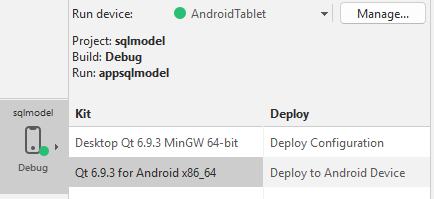
Unfortunately, the database file(or audio files or whatever), even though you might have it added under the resources in CMAKE file in your project, won't be copied in the internal memory of the target device image ( in this case the AndroidTablet AVD).
To fix this,
-
go to the SDK folder path in windows explorer:

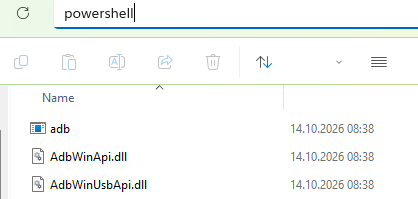
, and open platform-tools folder which contains the adb.exe executable. While in this folder, type powershell in the address bar to start powershell at this location:
-
Your emulator needs to be running for the file transfer commands to work, either start it by running your programm, or use Start AVD button from Preferences -> Devices inside of Qt-Creator.
-
Now in PowerShell, use
.\adb.exe shell pm list packages -3, to list 3rd party installed packages which should list your app name that you can use in next steps:
-
Since I think one cannot access the app files folder directly you first need to push the files to a temporary location(can also be sd card memory) of the AVD. Use push command
.\adb.exe push "C:\Qt_test_projects\example-db" /data/local/tmp/example-dband it will copy the file from your windows folder to the android emulated device:
-
copy (alternatively - move) the file inside your app files folder using run-as command option with the previously retrieved package name
.\adb.exe shell run-as org.qtproject.example.appsqlmodel cp /data/local/tmp/example-db files/example-dbto access it:
-
Now your file should be in the files folder that is the default path where your main app will look for, you can list the files in this folder using
.\adb.exe shell run-as org.qtproject.example.appsqlmodel ls -l filescommand.:

You can also check the working directory name through your main.cpp file and check if that resource exists, for this you need to include <QDebug> ,<QDir> and <QFileInfo> in the main.cpp and then use:
qDebug() << "Working directory:" << QDir::currentPath();
qDebug() << "Database path:"<< QFileInfo("./example-db").absoluteFilePath();
qDebug() << "Database exists:" << QFileInfo::exists("./example-db");
qDebug() << "Database size:" << QFileInfo("./example-db").size();
this will give you some info in the application output window when you run it:

- Enjoy that your App in your Android Emulator doesn't crash and can load the resources it should be loading PayPal me some money lol.
Cheers
-
-
D DSpUz marked this topic as a regular topic