
Skip to content
  • Categories
  • Recent
  • Tags
  • Popular
  • Users
  • Groups
  • Search
  • Get Qt Extensions
  • Unsolved
Collapse
Brand Logo
  1. Home
  2. Qt Development
  3. General and Desktop
  4. QWidget: Must construct a QApplication before a QWidget
Forum Updated to NodeBB v4.3 + New Features

QWidget: Must construct a QApplication before a QWidget

Scheduled Pinned Locked Moved Solved General and Desktop
15 Posts 4 Posters 939 Views 1 Watching
  • Oldest to Newest
  • Newest to Oldest
  • Most Votes
Reply
  • Reply as topic
Log in to reply
This topic has been deleted. Only users with topic management privileges can see it.
  • jronaldJ Offline
    jronaldJ Offline
    jronald
    wrote last edited by jronald
    #1

    Env

    OS archlinux
    Qt 6.10.1
    Qwt 6.3.0

    Problem

    After recent updates of Qt, an error occurs, error message:

    QWidget: Must construct a QApplication before a QWidget
    

    And formerly no error.

    Sample codes

    https://github.com/user-attachments/files/24138817/TestQwt.zip

    More Info

    Similar post: https://forum.qt.io/topic/115273/qwidget-must-construct-a-qapplication-before-a-qwidget, but no solution.

    1 Reply Last reply
    0
    • jronaldJ jronald

      @JonB

      Both Qt and Qwt are installed from the official repo of archlinux.
      But obviously Qwt is built with an older version of Qt.
      Asking for help from archlinux (https://bbs.archlinux.org/viewtopic.php?pid=2277935).

      JonBJ Offline
      JonBJ Offline
      JonB
      wrote last edited by
      #14

      @jronald said in QWidget: Must construct a QApplication before a QWidget:

      But obviously Qwt is built with an older version of Qt.

      I see it now says there

      So libqwt.so links against qt5, so trying to use it with qt6 won't relly work.

      If your repo release of Qwt is Qt5 you really aren't going to get anywhere if you are using Qt 6! They may both come from a repo but they are not intended to be used together. Surprised you didn't get a linker error or something.

      jronaldJ 1 Reply Last reply
      0
      • Christian EhrlicherC Offline
        Christian EhrlicherC Offline
        Christian Ehrlicher
        Lifetime Qt Champion
        wrote last edited by
        #2

        Use a debugger and e.g. QT_FATAL_WARNINGS to see where it comes from and fix it.

        Qt Online Installer direct download: https://download.qt.io/official_releases/online_installers/
        Visit the Qt Academy at https://academy.qt.io/catalog

        jronaldJ 1 Reply Last reply
        0
        • Christian EhrlicherC Christian Ehrlicher

          Use a debugger and e.g. QT_FATAL_WARNINGS to see where it comes from and fix it.

          jronaldJ Offline
          jronaldJ Offline
          jronald
          wrote last edited by
          #3

          @Christian-Ehrlicher The test project works a few days ago, it doesn't work only after some updates of Qt, not sure it's caused by Qwt or Qt.

          JonBJ 1 Reply Last reply
          0
          • jronaldJ jronald

            @Christian-Ehrlicher The test project works a few days ago, it doesn't work only after some updates of Qt, not sure it's caused by Qwt or Qt.

            JonBJ Offline
            JonBJ Offline
            JonB
            wrote last edited by
            #4

            @jronald Still try what @Christian-Ehrlicher has suggested.

            1 Reply Last reply
            0
            • jronaldJ Offline
              jronaldJ Offline
              jronald
              wrote last edited by jronald
              #5

              simplied the test codes in one file as below:
              main.cpp

              #include <qwt_plot_curve.h>
              #include <qwt_plot.h>
              #include <qapplication.h>
              
              int main(int argc, char **argv)
              {
                  QApplication a(argc, argv);
                  double x[101];
                  double y[101];
                  
                  for ( int i = 0; i < 101; i++ ) {
                      x[i] =  i / 10.0;
                      y[i] = sin(x[i]);
                  }
                      
                  QwtPlot plot;
                  QwtPlotCurve *curve = new QwtPlotCurve();
                  curve->setRawSamples(x, y, 101);
                  curve->attach(&plot);
                  plot.show();
                  return a.exec();
              }
              

              when set env QT_FATAL_WARNINGS, the only output is still the same, i.e.

              QWidget: Must construct a QApplication before a QWidget
              

              When debug, it aborts at line QwtPlot plot;, message as below:
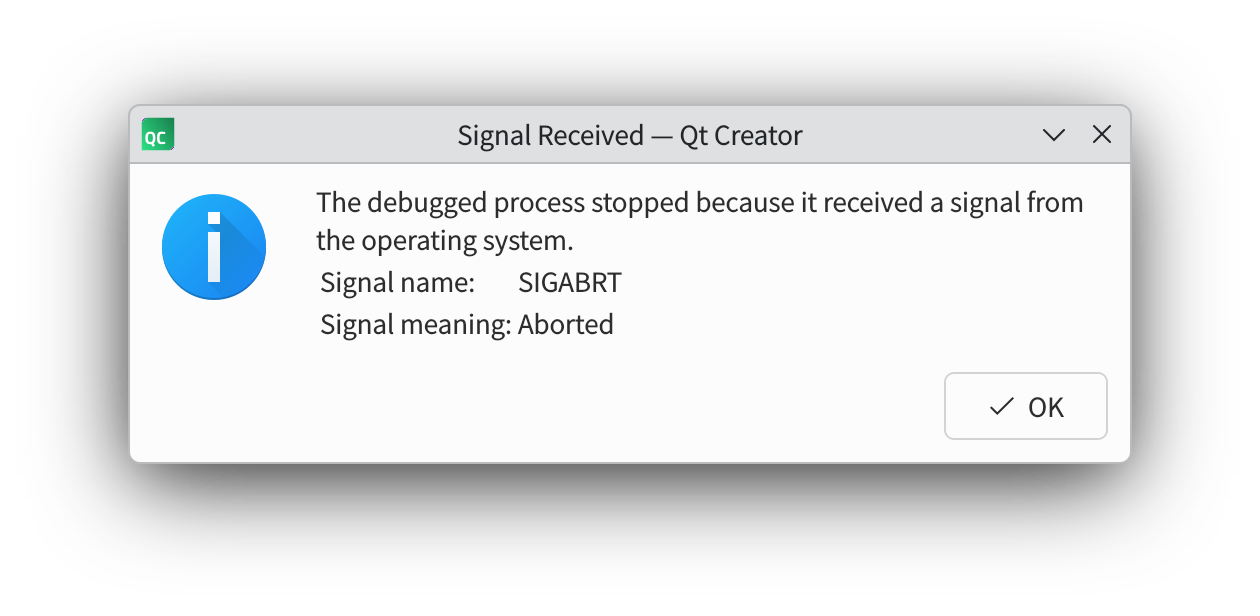
              image.png

              JonBJ 1 Reply Last reply
              0
              • jronaldJ jronald

                simplied the test codes in one file as below:
                main.cpp

                #include <qwt_plot_curve.h>
                #include <qwt_plot.h>
                #include <qapplication.h>
                
                int main(int argc, char **argv)
                {
                    QApplication a(argc, argv);
                    double x[101];
                    double y[101];
                    
                    for ( int i = 0; i < 101; i++ ) {
                        x[i] =  i / 10.0;
                        y[i] = sin(x[i]);
                    }
                        
                    QwtPlot plot;
                    QwtPlotCurve *curve = new QwtPlotCurve();
                    curve->setRawSamples(x, y, 101);
                    curve->attach(&plot);
                    plot.show();
                    return a.exec();
                }
                

                when set env QT_FATAL_WARNINGS, the only output is still the same, i.e.

                QWidget: Must construct a QApplication before a QWidget
                

                When debug, it aborts at line QwtPlot plot;, message as below:
                image.png

                JonBJ Offline
                JonBJ Offline
                JonB
                wrote last edited by
                #6

                @jronald
                So first simplify it further: sounds like you need no more than

                    QApplication a(argc, argv);
                    QwtPlot plot;
                

                Right? Or is there more to it?

                Then in case it helps please show the full stack trace when it errors/crashes.

                jronaldJ 1 Reply Last reply
                0
                • JonBJ JonB

                  @jronald
                  So first simplify it further: sounds like you need no more than

                      QApplication a(argc, argv);
                      QwtPlot plot;
                  

                  Right? Or is there more to it?

                  Then in case it helps please show the full stack trace when it errors/crashes.

                  jronaldJ Offline
                  jronaldJ Offline
                  jronald
                  wrote last edited by jronald
                  #7

                  @JonB

                  int main(int argc, char **argv)
                  {
                      QApplication a(argc, argv);
                      QwtPlot plot;
                      return 0;
                  }
                  

                  same error

                  SGaistS 1 Reply Last reply
                  0
                  • jronaldJ jronald

                    @JonB

                    int main(int argc, char **argv)
                    {
                        QApplication a(argc, argv);
                        QwtPlot plot;
                        return 0;
                    }
                    

                    same error

                    SGaistS Offline
                    SGaistS Offline
                    SGaist
                    Lifetime Qt Champion
                    wrote last edited by
                    #8

                    @jronald hi,

                    As @JonB requested, please provide the full stack trace of the crash.

                    Interested in AI ? www.idiap.ch
                    Please read the Qt Code of Conduct - https://forum.qt.io/topic/113070/qt-code-of-conduct

                    jronaldJ 1 Reply Last reply
                    0
                    • SGaistS SGaist

                      @jronald hi,

                      As @JonB requested, please provide the full stack trace of the crash.

                      jronaldJ Offline
                      jronaldJ Offline
                      jronald
                      wrote last edited by
                      #9

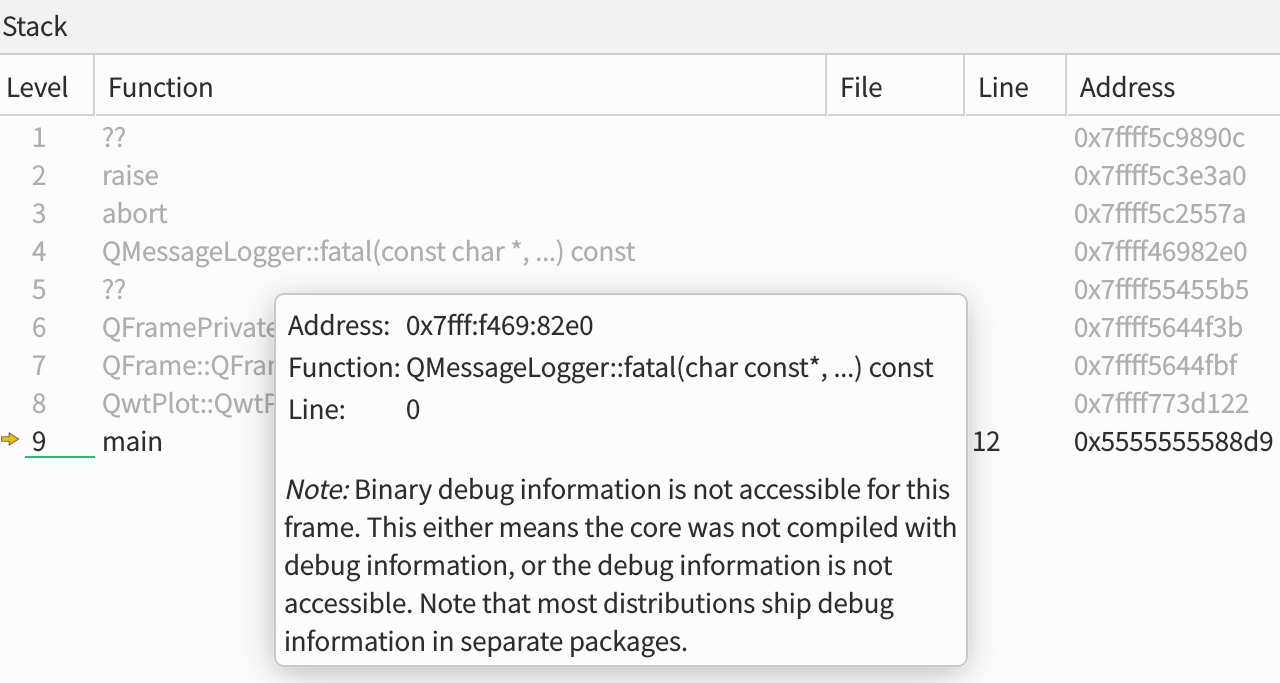
                      @SGaist said in QWidget: Must construct a QApplication before a QWidget:

                      please provide the full stack trace of the crash.

                      1 ??                                                            0x7ffff5c9890c 
                      2 raise                                                         0x7ffff5c3e3a0 
                      3 abort                                                         0x7ffff5c2557a 
                      4 QMessageLogger::fatal(const char *, ...) const                0x7ffff46982e0 
                      5 ??                                                            0x7ffff55455b5 
                      6 QFramePrivate::QFramePrivate()                                0x7ffff5644f3b 
                      7 QFrame::QFrame(QWidget *, QFlags<Qt::WindowType>)             0x7ffff5644fbf 
                      8 QwtPlot::QwtPlot(QWidget *)                                   0x7ffff773d122 
                      9 main                                              main.cpp 12 0x5555555588d9
                      

                      f3a234d8-9be3-4081-b086-559ef32f38ac-image.png

                      JonBJ 1 Reply Last reply
                      0
                      • jronaldJ jronald

                        @SGaist said in QWidget: Must construct a QApplication before a QWidget:

                        please provide the full stack trace of the crash.

                        1 ??                                                            0x7ffff5c9890c 
                        2 raise                                                         0x7ffff5c3e3a0 
                        3 abort                                                         0x7ffff5c2557a 
                        4 QMessageLogger::fatal(const char *, ...) const                0x7ffff46982e0 
                        5 ??                                                            0x7ffff55455b5 
                        6 QFramePrivate::QFramePrivate()                                0x7ffff5644f3b 
                        7 QFrame::QFrame(QWidget *, QFlags<Qt::WindowType>)             0x7ffff5644fbf 
                        8 QwtPlot::QwtPlot(QWidget *)                                   0x7ffff773d122 
                        9 main                                              main.cpp 12 0x5555555588d9
                        

                        f3a234d8-9be3-4081-b086-559ef32f38ac-image.png

                        JonBJ Offline
                        JonBJ Offline
                        JonB
                        wrote last edited by JonB
                        #10

                        @jronald
                        Hmm, does not tell us much more than you have said --- it is crashing inside something QFramePrivate called during your QwtPlot plot; constructor.

                        I don't know anything about Qwt. Is it something where you get source code and you compile it yourself --- I imagine so? Do you compile it separately from your own code, so you have a created perhaps some sort of "library" which you link against? Especially since you say "After recent updates of Qt, an error occurs", is there any chance your code and Qwt are not compiled identically? Are you sure they use the same version of Qt --- e.g. if it has changed for your source code has changed equally for Qwt --- and you are compiling both for debug or both for release? Have you done a complete, clean rebuild? Does the problem occur both when you compile everything for debug and everything for release? Compiling both your code & Qwt for debug might help track something down. If you also build Qt yourself and so have sources you could step though in debugger right to the point where it errors down in QFramePrivate and probably thereby figure what exactly is happening.

                        Otherwise, let's check it's only a Qwt issue: we know the stack trace dies in QFrame: try creating a QFrame in a standalone program with no Qwt anywhere, does that work OK?

                        1 Reply Last reply
                        0
                        • jronaldJ Offline
                          jronaldJ Offline
                          jronald
                          wrote last edited by jronald
                          #11

                          Qwt if a famous chart lib for Qt.
                          It is installed from the official repo of archlinux (https://archlinux.org/packages/extra/x86_64/qwt/).
                          It's last update time is 2024-06-29 21:30 UTC.
                          So it must uses an older version of Qt, I've reported it on the archlinux forum. (https://bbs.archlinux.org/viewtopic.php?pid=2277935)

                          JonBJ 1 Reply Last reply
                          0
                          • jronaldJ jronald

                            Qwt if a famous chart lib for Qt.
                            It is installed from the official repo of archlinux (https://archlinux.org/packages/extra/x86_64/qwt/).
                            It's last update time is 2024-06-29 21:30 UTC.
                            So it must uses an older version of Qt, I've reported it on the archlinux forum. (https://bbs.archlinux.org/viewtopic.php?pid=2277935)

                            JonBJ Offline
                            JonBJ Offline
                            JonB
                            wrote last edited by JonB
                            #12

                            @jronald
                            If you are not using the same version of Qt to compile your code versus the version of Qt used to compile any libraries, Qwt or otherwise, which you use things will obviously go wrong.

                            In general, if you use a Qt package (such as Qwt) from a repo then you must use the Qt itself package from that repo. You should not use an existing repo-package with a more up-to-date Qt you might have obtained for yourself. If, perhaps, you have fetched/built Qt 6.10.1 for your own development purposes then you should compile any libraries, such as Qwt, for yourself with that same Qt version.

                            jronaldJ 1 Reply Last reply
                            2
                            • JonBJ JonB

                              @jronald
                              If you are not using the same version of Qt to compile your code versus the version of Qt used to compile any libraries, Qwt or otherwise, which you use things will obviously go wrong.

                              In general, if you use a Qt package (such as Qwt) from a repo then you must use the Qt itself package from that repo. You should not use an existing repo-package with a more up-to-date Qt you might have obtained for yourself. If, perhaps, you have fetched/built Qt 6.10.1 for your own development purposes then you should compile any libraries, such as Qwt, for yourself with that same Qt version.

                              jronaldJ Offline
                              jronaldJ Offline
                              jronald
                              wrote last edited by jronald
                              #13

                              @JonB

                              Both Qt and Qwt are installed from the official repo of archlinux.
                              But obviously Qwt is built with an older version of Qt.
                              Asking for help from archlinux (https://bbs.archlinux.org/viewtopic.php?pid=2277935).

                              JonBJ 1 Reply Last reply
                              0
                              • jronaldJ jronald

                                @JonB

                                Both Qt and Qwt are installed from the official repo of archlinux.
                                But obviously Qwt is built with an older version of Qt.
                                Asking for help from archlinux (https://bbs.archlinux.org/viewtopic.php?pid=2277935).

                                JonBJ Offline
                                JonBJ Offline
                                JonB
                                wrote last edited by
                                #14

                                @jronald said in QWidget: Must construct a QApplication before a QWidget:

                                But obviously Qwt is built with an older version of Qt.

                                I see it now says there

                                So libqwt.so links against qt5, so trying to use it with qt6 won't relly work.

                                If your repo release of Qwt is Qt5 you really aren't going to get anywhere if you are using Qt 6! They may both come from a repo but they are not intended to be used together. Surprised you didn't get a linker error or something.

                                jronaldJ 1 Reply Last reply
                                0
                                • JonBJ JonB

                                  @jronald said in QWidget: Must construct a QApplication before a QWidget:

                                  But obviously Qwt is built with an older version of Qt.

                                  I see it now says there

                                  So libqwt.so links against qt5, so trying to use it with qt6 won't relly work.

                                  If your repo release of Qwt is Qt5 you really aren't going to get anywhere if you are using Qt 6! They may both come from a repo but they are not intended to be used together. Surprised you didn't get a linker error or something.

                                  jronaldJ Offline
                                  jronaldJ Offline
                                  jronald
                                  wrote last edited by
                                  #15

                                  @JonB said in QWidget: Must construct a QApplication before a QWidget:

                                  If your repo release of Qwt is Qt5 you really aren't going to get anywhere if you are using Qt 6! They may both come from a repo but they are not intended to be used together. Surprised you didn't get a linker error or something.

                                  More suprised, it even runs normally serveral days ago, before some updates of Qt6.

                                  I've tested qwt-qt6, it works.

                                  1 Reply Last reply
                                  1
                                  • jronaldJ jronald has marked this topic as solved

                                  • Login

                                  • Login or register to search.
                                  • First post
                                    Last post
                                  0
                                  • Categories
                                  • Recent
                                  • Tags
                                  • Popular
                                  • Users
                                  • Groups
                                  • Search
                                  • Get Qt Extensions
                                  • Unsolved