Skip to content
  • Categories
  • Recent
  • Tags
  • Popular
  • Users
  • Groups
  • Search
  • Get Qt Extensions
  • Unsolved
Collapse
Brand Logo
  1. Home
  2. Qt Development
  3. General and Desktop
  4. Suitable kit Issue
Qt 6.11 is out! See what's new in the release blog

Suitable kit Issue

Scheduled Pinned Locked Moved Solved General and Desktop
5 Posts 2 Posters 582 Views
  • Oldest to Newest
  • Newest to Oldest
  • Most Votes
Reply
  • Reply as topic
Log in to reply
This topic has been deleted. Only users with topic management privileges can see it.
  • N Offline
    N Offline
    NapDynamite
    wrote on last edited by
    #1

    Hi there.

    I have installed QT-6.10 with MSVC 2022 (visual studio 2022) as a part of toolchain guideline for the development of QGroundControl application (https://docs.qgroundcontrol.com/master/en/qgc-dev-guide/getting_started/)

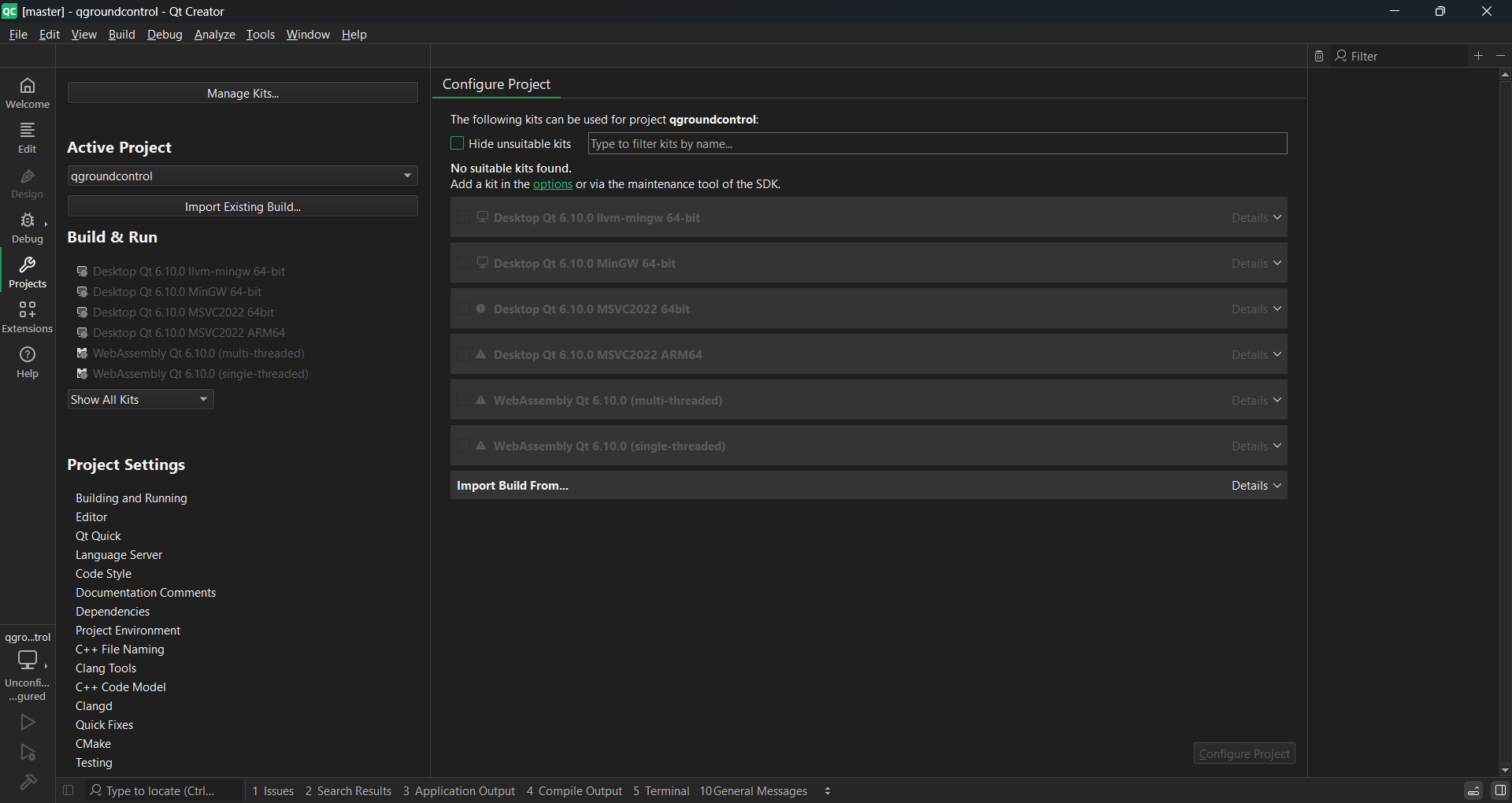
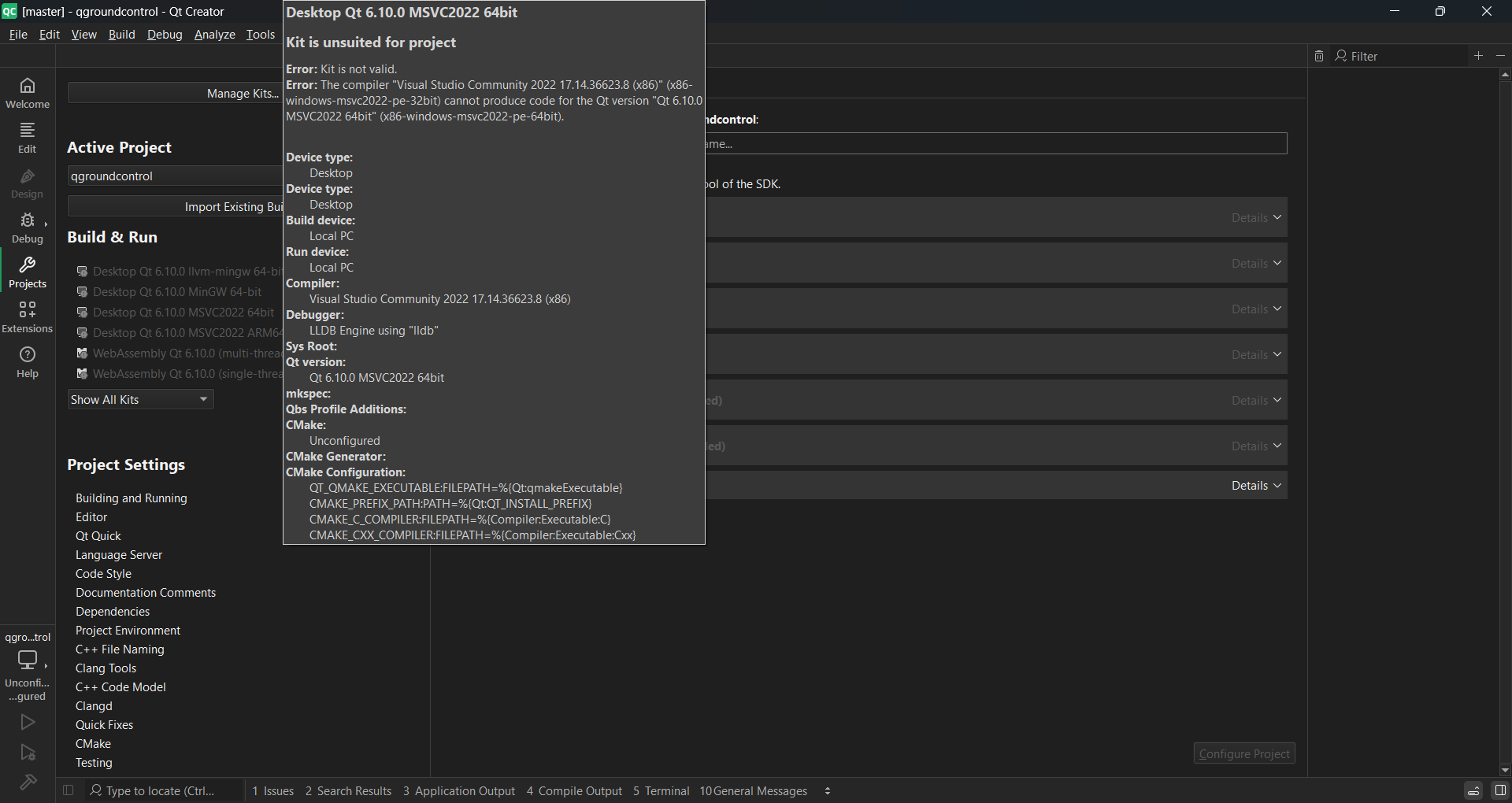
    Now that I want to configure project in the welcome screen just to test, I cannot find any suitable kits. The supported platforms according to the link (https://doc.qt.io/qt-6/supported-platforms.html) for QT-6.10 is MSVC 2022 which I have already installed.

    I have installed QT using online installer. Using custom installation and selecting QT-6.10 and MSVC 2022 64 bit under the drop down.
    73bce065-1d69-4821-81b1-1fe0d417bf0d-image.png

    4dbd77b7-36e4-4ede-9f7a-25079ff332ae-image.png

    Attaching screenshot.
    Platform is Win11.

    cristian-adamC 1 Reply Last reply
    0
    • N NapDynamite

      I have installed x86/64 version of MSVC. But I don't know why it is greyed out here.

      cristian-adamC Online
      cristian-adamC Online
      cristian-adam
      wrote on last edited by
      #4

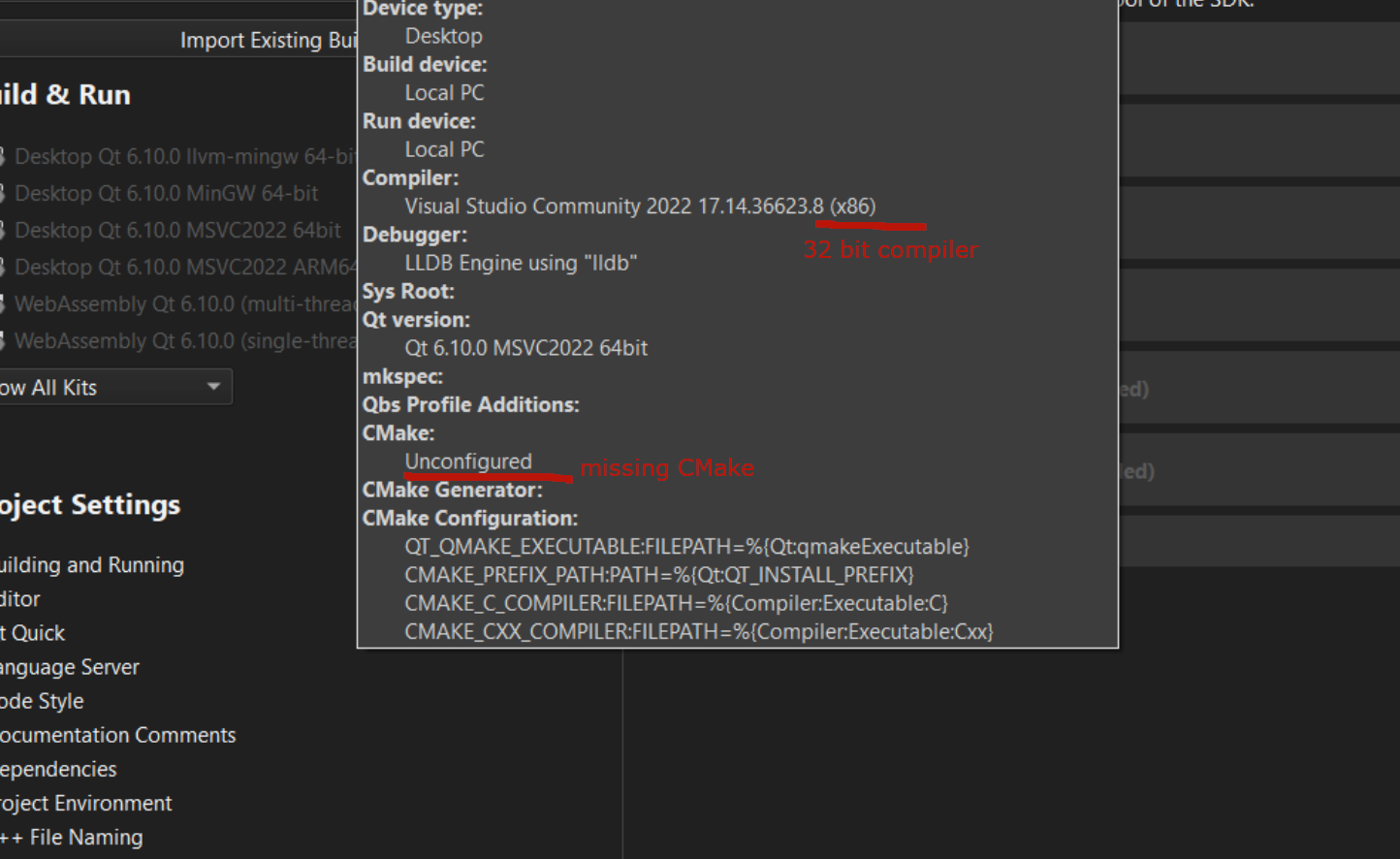
      @NapDynamite bad-msvc-kit.png

      Take care of these things. You need to go to the Kits sections and modify the compiler and CMake sections.

      Afterwards you'll have a working kit.

      1 Reply Last reply
      1
      • N NapDynamite

        Hi there.

        I have installed QT-6.10 with MSVC 2022 (visual studio 2022) as a part of toolchain guideline for the development of QGroundControl application (https://docs.qgroundcontrol.com/master/en/qgc-dev-guide/getting_started/)

        Now that I want to configure project in the welcome screen just to test, I cannot find any suitable kits. The supported platforms according to the link (https://doc.qt.io/qt-6/supported-platforms.html) for QT-6.10 is MSVC 2022 which I have already installed.

        I have installed QT using online installer. Using custom installation and selecting QT-6.10 and MSVC 2022 64 bit under the drop down.

        73bce065-1d69-4821-81b1-1fe0d417bf0d-image.png

        4dbd77b7-36e4-4ede-9f7a-25079ff332ae-image.png

        Attaching screenshot.
        Platform is Win11.

        cristian-adamC Online
        cristian-adamC Online
        cristian-adam
        wrote on last edited by
        #2

        @NapDynamite Make sure you have the x86_64 version of the MSVC Compiler installed.

        Also, make sure you have CMake installed.

        1 Reply Last reply
        0
        • N Offline
          N Offline
          NapDynamite
          wrote on last edited by
          #3

          I have installed x86/64 version of MSVC. But I don't know why it is greyed out here.

          cristian-adamC 1 Reply Last reply
          0
          • N NapDynamite

            I have installed x86/64 version of MSVC. But I don't know why it is greyed out here.

            cristian-adamC Online
            cristian-adamC Online
            cristian-adam
            wrote on last edited by
            #4

            @NapDynamite bad-msvc-kit.png

            Take care of these things. You need to go to the Kits sections and modify the compiler and CMake sections.

            Afterwards you'll have a working kit.

            1 Reply Last reply
            1
            • N NapDynamite has marked this topic as solved on
            • N Offline
              N Offline
              NapDynamite
              wrote on last edited by
              #5

              Thanks @cristian-adam

              1 Reply Last reply
              0

              • Login

              • Login or register to search.
              • First post
                Last post
              0
              • Categories
              • Recent
              • Tags
              • Popular
              • Users
              • Groups
              • Search
              • Get Qt Extensions
              • Unsolved