
Qt Creator shows nothing for my first 3D project!
-
... and the crash is gone when I add this line as first in
main():qputenv("QSG_RHI_BACKEND", "opengl"); -
... and the crash is gone when I add this line as first in
main():qputenv("QSG_RHI_BACKEND", "opengl"); -
@sierdzio
Even if I add that line inmain.cppthe result is the same:ninja: no work to do!
Did you test it using a new QtQuick project or yet something from Examples section?@qcoderpro said in Qt Creator shows nothing for my first 3D project!:
@sierdzio
Even if I add that line inmain.cppthe result is the same:ninja: no work to do!
Did you test it using a new QtQuick project or yet something from Examples section?Yes, a new QtQuick project.
ninja: no work to do
Maybe you forgot to save
main.cppbefore building? -
@qcoderpro said in Qt Creator shows nothing for my first 3D project!:
@sierdzio
Even if I add that line inmain.cppthe result is the same:ninja: no work to do!
Did you test it using a new QtQuick project or yet something from Examples section?Yes, a new QtQuick project.
ninja: no work to do
Maybe you forgot to save
main.cppbefore building? -
Yes, I save it (many times press ctrl+S), yet no success!
Here's my project in a QML_2.zp file: https://www.dropbox.com/s/m7nnftx9kwic0pf/QML_2.rar?dl=0@qcoderpro said in Qt Creator shows nothing for my first 3D project!:
Yes, I save it (many times press ctrl+S), yet no success!
Here's my project in a QML_2.zp file: https://www.dropbox.com/s/m7nnftx9kwic0pf/QML_2.rar?dl=0BEFORE QGuiApplication!
int main(int argc, char *argv[]) { QGuiApplication app(argc, argv); qputenv("QSG_RHI_BACKEND", "opengl"); // <= WRONG! -
@qcoderpro said in Qt Creator shows nothing for my first 3D project!:
Yes, I save it (many times press ctrl+S), yet no success!
Here's my project in a QML_2.zp file: https://www.dropbox.com/s/m7nnftx9kwic0pf/QML_2.rar?dl=0BEFORE QGuiApplication!
int main(int argc, char *argv[]) { QGuiApplication app(argc, argv); qputenv("QSG_RHI_BACKEND", "opengl"); // <= WRONG!Here's my
main.cppnow:#include <QGuiApplication> #include <QQmlApplicationEngine> int main(int argc, char *argv[]) { qputenv("QSG_RHI_BACKEND", "opengl"); QGuiApplication app(argc, argv); QQmlApplicationEngine engine; const QUrl url(u"qrc:/QML_2/Main.qml"_qs); QObject::connect(&engine, &QQmlApplicationEngine::objectCreationFailed, &app, []() { QCoreApplication::exit(-1); }, Qt::QueuedConnection); engine.load(url); return app.exec(); }Saved and ran it again. Yet nothing!
For Build -> clean (project QML_2), I get these:
Issues Window: warning: ninja: build stopped: subcommand failed.
Complie output window: Running steps for project QML_2...
Starting: "C:\Qt\Tools\CMake_64\bin\cmake.exe" --build D:/Projects/QML/QML_2/build-QML_2-Desktop_Qt_6_5_0_MinGW_64_bit-Debug --target clean
Cleaning additional files...
Cleaning all built files...
FAILED: clean
C:\Qt\Tools\Ninja\ninja.exe -t clean
Cleaning... ninja: error: remove(appQML_2.exe): Permission denied 20 files.
ninja: build stopped: subcommand failed.
The process "C:\Qt\Tools\CMake_64\bin\cmake.exe" exited with code 1.Shouldn't I use a
windowinstead of anIteminmain,qml? -
Here's my
main.cppnow:#include <QGuiApplication> #include <QQmlApplicationEngine> int main(int argc, char *argv[]) { qputenv("QSG_RHI_BACKEND", "opengl"); QGuiApplication app(argc, argv); QQmlApplicationEngine engine; const QUrl url(u"qrc:/QML_2/Main.qml"_qs); QObject::connect(&engine, &QQmlApplicationEngine::objectCreationFailed, &app, []() { QCoreApplication::exit(-1); }, Qt::QueuedConnection); engine.load(url); return app.exec(); }Saved and ran it again. Yet nothing!
For Build -> clean (project QML_2), I get these:
Issues Window: warning: ninja: build stopped: subcommand failed.
Complie output window: Running steps for project QML_2...
Starting: "C:\Qt\Tools\CMake_64\bin\cmake.exe" --build D:/Projects/QML/QML_2/build-QML_2-Desktop_Qt_6_5_0_MinGW_64_bit-Debug --target clean
Cleaning additional files...
Cleaning all built files...
FAILED: clean
C:\Qt\Tools\Ninja\ninja.exe -t clean
Cleaning... ninja: error: remove(appQML_2.exe): Permission denied 20 files.
ninja: build stopped: subcommand failed.
The process "C:\Qt\Tools\CMake_64\bin\cmake.exe" exited with code 1.Shouldn't I use a
windowinstead of anIteminmain,qml?@qcoderpro said in Qt Creator shows nothing for my first 3D project!:
Cleaning... ninja: error: remove(appQML_2.exe): Permission denied 20 files.
You need to fix your permissions problem.
Shouldn't I use a
windowinstead of anIteminmain,qml?Yes. Or put that whole Item inside a Window. Both should work fine.
-
@qcoderpro said in Qt Creator shows nothing for my first 3D project!:
Cleaning... ninja: error: remove(appQML_2.exe): Permission denied 20 files.
You need to fix your permissions problem.
Shouldn't I use a
windowinstead of anIteminmain,qml?Yes. Or put that whole Item inside a Window. Both should work fine.
Yes, using a
Windowinstead of thatItemsolved the issue.import QtQuick import QtQuick.Window import QtDataVisualization Window { width: 640 height: 480 visible: true title: qsTr("Hello World") Item { width: 640 height: 480 Bars3D { // ...I get this output:
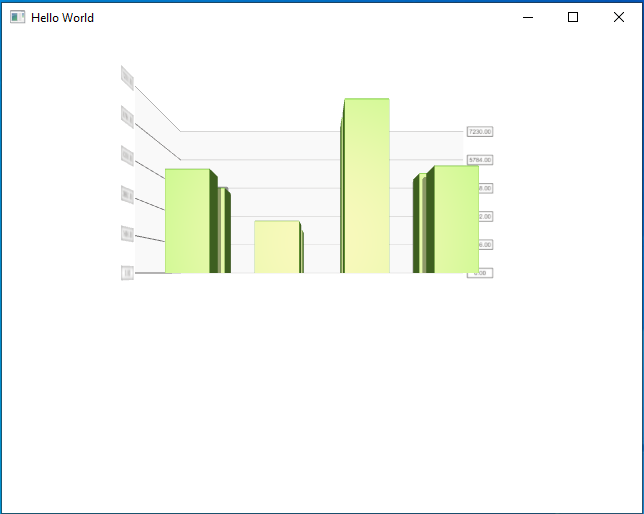
And when I move the mouse holding the right-click button, it shows different views of that, like: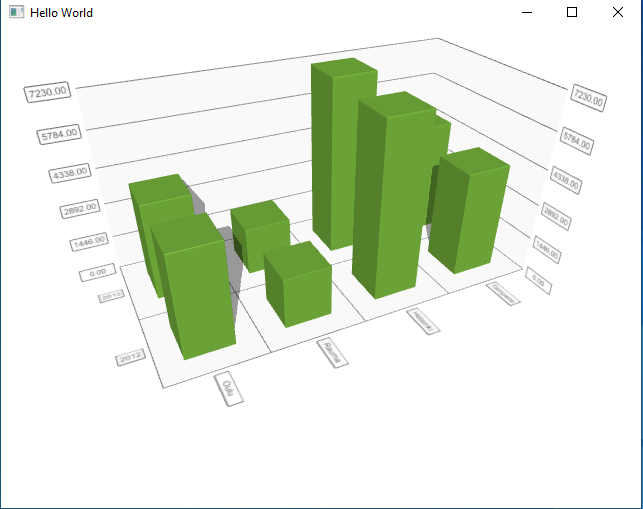
Do you get the output with the same quality?
(If possible send a screenshot of the output once you run the project, please. I just like to be sure about my graphics card performance for that project) -
Yes, using a
Windowinstead of thatItemsolved the issue.import QtQuick import QtQuick.Window import QtDataVisualization Window { width: 640 height: 480 visible: true title: qsTr("Hello World") Item { width: 640 height: 480 Bars3D { // ...I get this output:
And when I move the mouse holding the right-click button, it shows different views of that, like:
Do you get the output with the same quality?
(If possible send a screenshot of the output once you run the project, please. I just like to be sure about my graphics card performance for that project)Here you go:
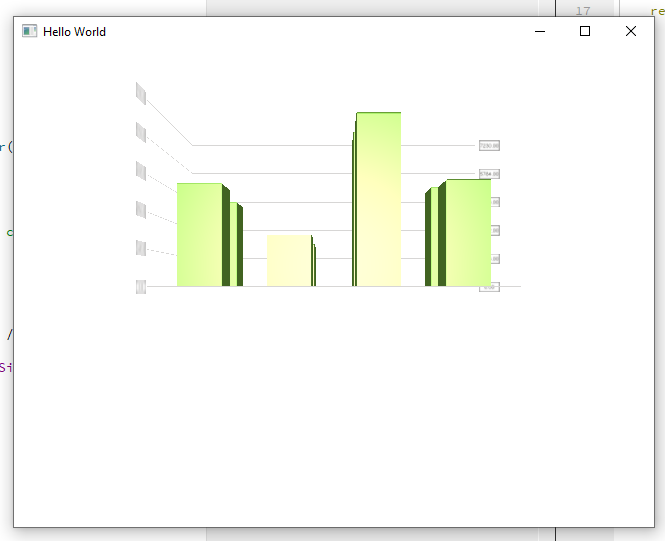
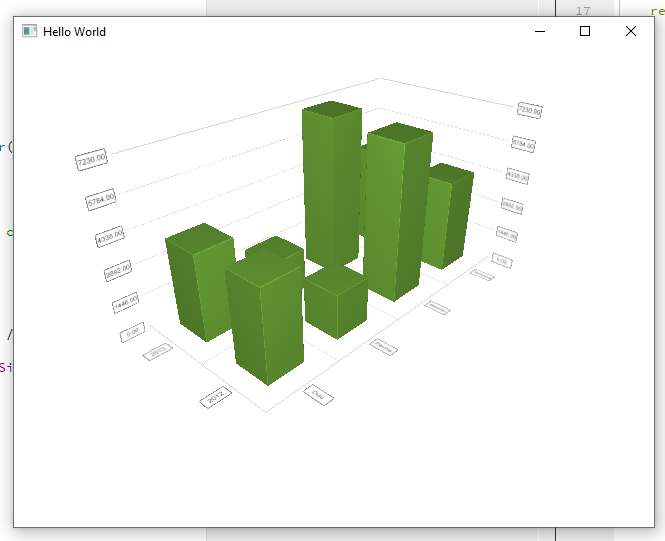
-
Q qcoderpro has marked this topic as solved on
