Skip to content
  • Categories
  • Recent
  • Tags
  • Popular
  • Users
  • Groups
  • Search
  • Get Qt
  • Unsolved
Collapse
Brand Logo
  1. Home
  2. Qt Development
  3. QML and Qt Quick
  4. Qt Creator shows nothing for my first 3D project!
Qt 6.12 LTS is out! See what's new in the release blog

Qt Creator shows nothing for my first 3D project!

Scheduled Pinned Locked Moved Solved QML and Qt Quick
22 Posts 2 Posters 5.8k Views 2 Watching
  • Oldest to Newest
  • Newest to Oldest
  • Most Votes
Reply
  • Reply as topic
Log in to reply
This topic has been deleted. Only users with topic management privileges can see it.
  • Q qcoderpro

    @sierdzio

    Thanks so much.
    My Qt version seems to be the same yours

    Capture2.PNG

    I will be very thankful if you zip that project and share it on some file sharing website (anyone you like) and I will download and scrutinize it, hopefully to know the reason why I get that problem.
    Thanks in advance.

    sierdzioS Offline
    sierdzioS Offline
    sierdzio
    Moderators
    wrote on last edited by
    #8

    OK so that again points in the direction of OpenGL drivers... but the ones from nVidia are very stable, it would be very unusual for them to cause a crash.

    (Z(:^

    Q 1 Reply Last reply
    0
    • sierdzioS sierdzio

      OK so that again points in the direction of OpenGL drivers... but the ones from nVidia are very stable, it would be very unusual for them to cause a crash.

      Q Offline
      Q Offline
      qcoderpro
      wrote on last edited by
      #9

      @sierdzio

      Do you also create a project for that example this way?
      New Project > Qt Quick Application -> CMake -> Qt 6.4 -> next -> finish
      and then without modifying main.cpp or CMakeLists.txt I paste the content of that example into main.qml file:

      import QtQuick
      import QtDataVisualization
      
      Item {
          width: 640
          height: 480
      
          Rectangle {
              x: 100; y: 100
              width: 200; height: 200
              color: "blue"
          }
      
          Bars3D {
              width: parent.width
              height: parent.height
      
              Bar3DSeries {
                  itemLabelFormat: "@colLabel, @rowLabel: @valueLabel"
      
                  ItemModelBarDataProxy {
                      itemModel: dataModel
                      // Mapping model roles to bar series rows, columns, and values.
                      rowRole: "year"
                      columnRole: "city"
                      valueRole: "expenses"
                  }
              }
          }
      
          ListModel {
              id: dataModel
              ListElement{ year: "2012"; city: "Oulu";     expenses: "4200"; }
              ListElement{ year: "2012"; city: "Rauma";    expenses: "2100"; }
              ListElement{ year: "2012"; city: "Helsinki"; expenses: "7040"; }
              ListElement{ year: "2012"; city: "Tampere";  expenses: "4330"; }
              ListElement{ year: "2013"; city: "Oulu";     expenses: "3960"; }
              ListElement{ year: "2013"; city: "Rauma";    expenses: "1990"; }
              ListElement{ year: "2013"; city: "Helsinki"; expenses: "7230"; }
              ListElement{ year: "2013"; city: "Tampere";  expenses: "4650"; }
          }
      }
      

      When I run this, Qt Creator shows nothing but in the Application Output I get the message: ninja: no work to do.

      sierdzioS 1 Reply Last reply
      0
      • Q qcoderpro

        @sierdzio

        Do you also create a project for that example this way?
        New Project > Qt Quick Application -> CMake -> Qt 6.4 -> next -> finish
        and then without modifying main.cpp or CMakeLists.txt I paste the content of that example into main.qml file:

        import QtQuick
        import QtDataVisualization
        
        Item {
            width: 640
            height: 480
        
            Rectangle {
                x: 100; y: 100
                width: 200; height: 200
                color: "blue"
            }
        
            Bars3D {
                width: parent.width
                height: parent.height
        
                Bar3DSeries {
                    itemLabelFormat: "@colLabel, @rowLabel: @valueLabel"
        
                    ItemModelBarDataProxy {
                        itemModel: dataModel
                        // Mapping model roles to bar series rows, columns, and values.
                        rowRole: "year"
                        columnRole: "city"
                        valueRole: "expenses"
                    }
                }
            }
        
            ListModel {
                id: dataModel
                ListElement{ year: "2012"; city: "Oulu";     expenses: "4200"; }
                ListElement{ year: "2012"; city: "Rauma";    expenses: "2100"; }
                ListElement{ year: "2012"; city: "Helsinki"; expenses: "7040"; }
                ListElement{ year: "2012"; city: "Tampere";  expenses: "4330"; }
                ListElement{ year: "2013"; city: "Oulu";     expenses: "3960"; }
                ListElement{ year: "2013"; city: "Rauma";    expenses: "1990"; }
                ListElement{ year: "2013"; city: "Helsinki"; expenses: "7230"; }
                ListElement{ year: "2013"; city: "Tampere";  expenses: "4650"; }
            }
        }
        

        When I run this, Qt Creator shows nothing but in the Application Output I get the message: ninja: no work to do.

        sierdzioS Offline
        sierdzioS Offline
        sierdzio
        Moderators
        wrote on last edited by sierdzio
        #10

        @qcoderpro said in Qt Creator shows nothing for my first 3D project!:

        Do you also create a project for that example this way?
        New Project > Qt Quick Application -> CMake -> Qt 6.4 -> next -> finish

        No. I open the example through Examples section in Qt Creator, then configure it and run.

        Welcome -> Examples -> search for that example -> Configure -> Build & Run

        (Z(:^

        Q 1 Reply Last reply
        0
        • sierdzioS sierdzio

          @qcoderpro said in Qt Creator shows nothing for my first 3D project!:

          Do you also create a project for that example this way?
          New Project > Qt Quick Application -> CMake -> Qt 6.4 -> next -> finish

          No. I open the example through Examples section in Qt Creator, then configure it and run.

          Welcome -> Examples -> search for that example -> Configure -> Build & Run

          Q Offline
          Q Offline
          qcoderpro
          wrote on last edited by
          #11

          @sierdzio
          That's a difference.
          That example doesn't exists in the Examples section! If you point to the simple bar graph one, yes, it works well for me too. But I need to somehow run the simple example mentioned here for part of my other project.

          Let's focus on that simple example. How do run it in a project? Please write the steps and I also do the same and then we compare our outputs. I'm sure that way we can be sure if there's a problem with my graphic card or not.

          sierdzioS 1 Reply Last reply
          0
          • Q qcoderpro

            @sierdzio
            That's a difference.
            That example doesn't exists in the Examples section! If you point to the simple bar graph one, yes, it works well for me too. But I need to somehow run the simple example mentioned here for part of my other project.

            Let's focus on that simple example. How do run it in a project? Please write the steps and I also do the same and then we compare our outputs. I'm sure that way we can be sure if there's a problem with my graphic card or not.

            sierdzioS Offline
            sierdzioS Offline
            sierdzio
            Moderators
            wrote on last edited by
            #12

            OK when I do it your way I get a crash, too.

            (Z(:^

            sierdzioS 1 Reply Last reply
            0
            • sierdzioS sierdzio

              OK when I do it your way I get a crash, too.

              sierdzioS Offline
              sierdzioS Offline
              sierdzio
              Moderators
              wrote on last edited by
              #13

              ... and the crash is gone when I add this line as first in main():

              qputenv("QSG_RHI_BACKEND", "opengl");
              

              (Z(:^

              Q 1 Reply Last reply
              0
              • sierdzioS sierdzio

                ... and the crash is gone when I add this line as first in main():

                qputenv("QSG_RHI_BACKEND", "opengl");
                
                Q Offline
                Q Offline
                qcoderpro
                wrote on last edited by
                #14

                @sierdzio
                Even if I add that line in main.cpp the result is the same: ninja: no work to do!
                Did you test it using a new QtQuick project or yet something from Examples section?

                sierdzioS 1 Reply Last reply
                0
                • Q qcoderpro

                  @sierdzio
                  Even if I add that line in main.cpp the result is the same: ninja: no work to do!
                  Did you test it using a new QtQuick project or yet something from Examples section?

                  sierdzioS Offline
                  sierdzioS Offline
                  sierdzio
                  Moderators
                  wrote on last edited by
                  #15

                  @qcoderpro said in Qt Creator shows nothing for my first 3D project!:

                  @sierdzio
                  Even if I add that line in main.cpp the result is the same: ninja: no work to do!
                  Did you test it using a new QtQuick project or yet something from Examples section?

                  Yes, a new QtQuick project.

                  ninja: no work to do

                  Maybe you forgot to save main.cpp before building?

                  (Z(:^

                  Q 1 Reply Last reply
                  0
                  • sierdzioS sierdzio

                    @qcoderpro said in Qt Creator shows nothing for my first 3D project!:

                    @sierdzio
                    Even if I add that line in main.cpp the result is the same: ninja: no work to do!
                    Did you test it using a new QtQuick project or yet something from Examples section?

                    Yes, a new QtQuick project.

                    ninja: no work to do

                    Maybe you forgot to save main.cpp before building?

                    Q Offline
                    Q Offline
                    qcoderpro
                    wrote on last edited by qcoderpro
                    #16

                    @sierdzio

                    Yes, I save it (many times press ctrl+S), yet no success!
                    Here's my project in a QML_2.zp file: https://www.dropbox.com/s/m7nnftx9kwic0pf/QML_2.rar?dl=0

                    sierdzioS 1 Reply Last reply
                    0
                    • Q qcoderpro

                      @sierdzio

                      Yes, I save it (many times press ctrl+S), yet no success!
                      Here's my project in a QML_2.zp file: https://www.dropbox.com/s/m7nnftx9kwic0pf/QML_2.rar?dl=0

                      sierdzioS Offline
                      sierdzioS Offline
                      sierdzio
                      Moderators
                      wrote on last edited by
                      #17

                      @qcoderpro said in Qt Creator shows nothing for my first 3D project!:

                      @sierdzio

                      Yes, I save it (many times press ctrl+S), yet no success!
                      Here's my project in a QML_2.zp file: https://www.dropbox.com/s/m7nnftx9kwic0pf/QML_2.rar?dl=0

                      BEFORE QGuiApplication!

                      int main(int argc, char *argv[])
                      {
                          QGuiApplication app(argc, argv);
                      
                          qputenv("QSG_RHI_BACKEND", "opengl"); // <= WRONG!
                      

                      (Z(:^

                      Q 1 Reply Last reply
                      1
                      • sierdzioS sierdzio

                        @qcoderpro said in Qt Creator shows nothing for my first 3D project!:

                        @sierdzio

                        Yes, I save it (many times press ctrl+S), yet no success!
                        Here's my project in a QML_2.zp file: https://www.dropbox.com/s/m7nnftx9kwic0pf/QML_2.rar?dl=0

                        BEFORE QGuiApplication!

                        int main(int argc, char *argv[])
                        {
                            QGuiApplication app(argc, argv);
                        
                            qputenv("QSG_RHI_BACKEND", "opengl"); // <= WRONG!
                        
                        Q Offline
                        Q Offline
                        qcoderpro
                        wrote on last edited by
                        #18

                        @sierdzio

                        Here's my main.cpp now:

                        #include <QGuiApplication>
                        #include <QQmlApplicationEngine>
                        
                        int main(int argc, char *argv[])
                        {
                            qputenv("QSG_RHI_BACKEND", "opengl");
                        
                            QGuiApplication app(argc, argv);
                        
                            QQmlApplicationEngine engine;
                            const QUrl url(u"qrc:/QML_2/Main.qml"_qs);
                            QObject::connect(&engine, &QQmlApplicationEngine::objectCreationFailed,
                                &app, []() { QCoreApplication::exit(-1); },
                                Qt::QueuedConnection);
                            engine.load(url);
                        
                            return app.exec();
                        }
                        

                        Saved and ran it again. Yet nothing!

                        For Build -> clean (project QML_2), I get these:

                        Issues Window: warning: ninja: build stopped: subcommand failed.

                        Complie output window: Running steps for project QML_2...
                        Starting: "C:\Qt\Tools\CMake_64\bin\cmake.exe" --build D:/Projects/QML/QML_2/build-QML_2-Desktop_Qt_6_5_0_MinGW_64_bit-Debug --target clean
                        Cleaning additional files...
                        Cleaning all built files...
                        FAILED: clean
                        C:\Qt\Tools\Ninja\ninja.exe -t clean
                        Cleaning... ninja: error: remove(appQML_2.exe): Permission denied 20 files.
                        ninja: build stopped: subcommand failed.
                        The process "C:\Qt\Tools\CMake_64\bin\cmake.exe" exited with code 1.

                        Shouldn't I use a window instead of an Item in main,qml?

                        sierdzioS 1 Reply Last reply
                        0
                        • Q qcoderpro

                          @sierdzio

                          Here's my main.cpp now:

                          #include <QGuiApplication>
                          #include <QQmlApplicationEngine>
                          
                          int main(int argc, char *argv[])
                          {
                              qputenv("QSG_RHI_BACKEND", "opengl");
                          
                              QGuiApplication app(argc, argv);
                          
                              QQmlApplicationEngine engine;
                              const QUrl url(u"qrc:/QML_2/Main.qml"_qs);
                              QObject::connect(&engine, &QQmlApplicationEngine::objectCreationFailed,
                                  &app, []() { QCoreApplication::exit(-1); },
                                  Qt::QueuedConnection);
                              engine.load(url);
                          
                              return app.exec();
                          }
                          

                          Saved and ran it again. Yet nothing!

                          For Build -> clean (project QML_2), I get these:

                          Issues Window: warning: ninja: build stopped: subcommand failed.

                          Complie output window: Running steps for project QML_2...
                          Starting: "C:\Qt\Tools\CMake_64\bin\cmake.exe" --build D:/Projects/QML/QML_2/build-QML_2-Desktop_Qt_6_5_0_MinGW_64_bit-Debug --target clean
                          Cleaning additional files...
                          Cleaning all built files...
                          FAILED: clean
                          C:\Qt\Tools\Ninja\ninja.exe -t clean
                          Cleaning... ninja: error: remove(appQML_2.exe): Permission denied 20 files.
                          ninja: build stopped: subcommand failed.
                          The process "C:\Qt\Tools\CMake_64\bin\cmake.exe" exited with code 1.

                          Shouldn't I use a window instead of an Item in main,qml?

                          sierdzioS Offline
                          sierdzioS Offline
                          sierdzio
                          Moderators
                          wrote on last edited by
                          #19

                          @qcoderpro said in Qt Creator shows nothing for my first 3D project!:

                          Cleaning... ninja: error: remove(appQML_2.exe): Permission denied 20 files.

                          You need to fix your permissions problem.

                          Shouldn't I use a window instead of an Item in main,qml?

                          Yes. Or put that whole Item inside a Window. Both should work fine.

                          (Z(:^

                          Q 1 Reply Last reply
                          1
                          • sierdzioS sierdzio

                            @qcoderpro said in Qt Creator shows nothing for my first 3D project!:

                            Cleaning... ninja: error: remove(appQML_2.exe): Permission denied 20 files.

                            You need to fix your permissions problem.

                            Shouldn't I use a window instead of an Item in main,qml?

                            Yes. Or put that whole Item inside a Window. Both should work fine.

                            Q Offline
                            Q Offline
                            qcoderpro
                            wrote on last edited by
                            #20

                            @sierdzio

                            Yes, using a Window instead of that Item solved the issue.

                            import QtQuick
                            import QtQuick.Window
                            import QtDataVisualization
                            
                            Window {
                                width: 640
                                height: 480
                                visible: true
                                title: qsTr("Hello World")
                            
                                Item {
                                    width: 640
                                    height: 480
                            
                                    Bars3D {
                            // ...
                            

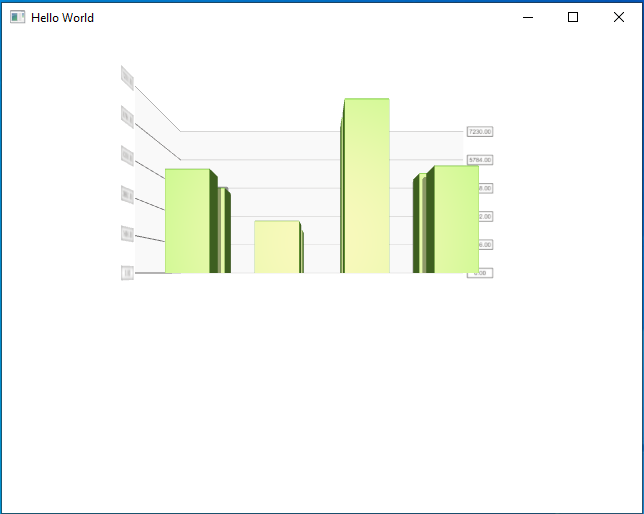
                            I get this output:

                            11.PNG
                            And when I move the mouse holding the right-click button, it shows different views of that, like:
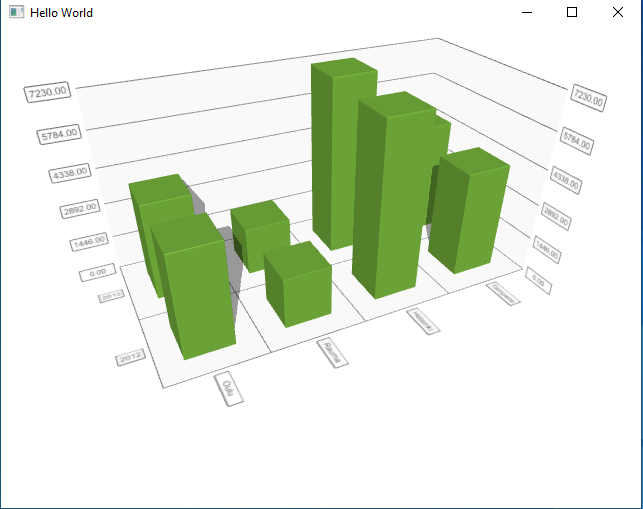
                            12.PNG
                            Do you get the output with the same quality?
                            (If possible send a screenshot of the output once you run the project, please. I just like to be sure about my graphics card performance for that project)

                            sierdzioS 1 Reply Last reply
                            0
                            • Q qcoderpro

                              @sierdzio

                              Yes, using a Window instead of that Item solved the issue.

                              import QtQuick
                              import QtQuick.Window
                              import QtDataVisualization
                              
                              Window {
                                  width: 640
                                  height: 480
                                  visible: true
                                  title: qsTr("Hello World")
                              
                                  Item {
                                      width: 640
                                      height: 480
                              
                                      Bars3D {
                              // ...
                              

                              I get this output:

                              11.PNG
                              And when I move the mouse holding the right-click button, it shows different views of that, like:

                              12.PNG
                              Do you get the output with the same quality?
                              (If possible send a screenshot of the output once you run the project, please. I just like to be sure about my graphics card performance for that project)

                              sierdzioS Offline
                              sierdzioS Offline
                              sierdzio
                              Moderators
                              wrote on last edited by
                              #21

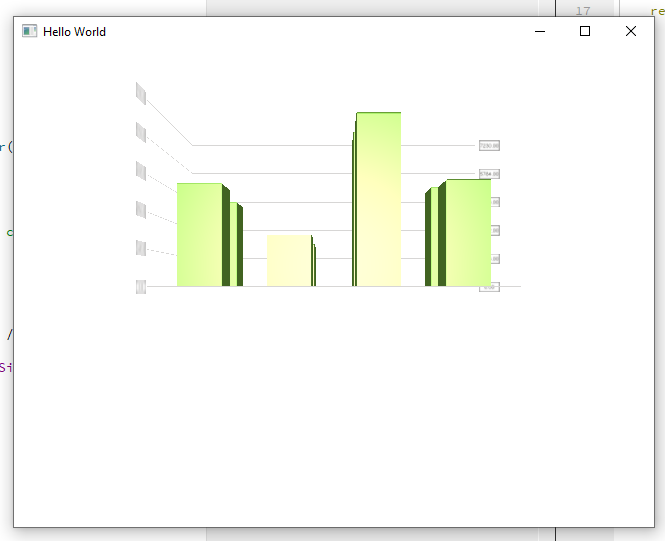
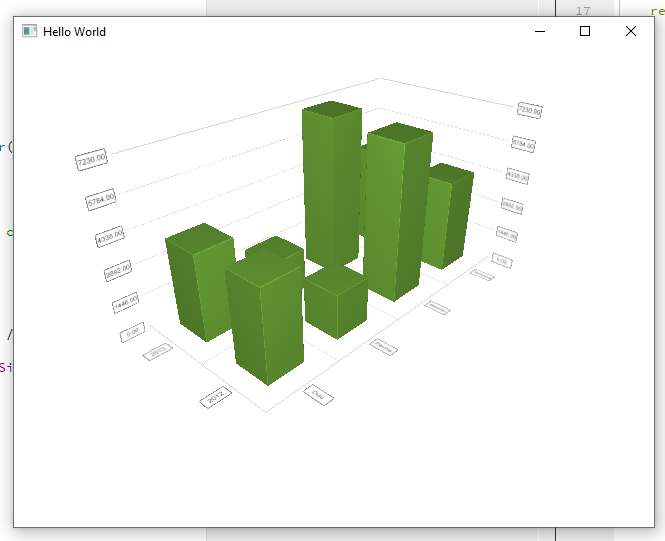
                              Here you go:
                              h1.png
                              h2.png

                              (Z(:^

                              Q 1 Reply Last reply
                              2
                              • sierdzioS sierdzio

                                Here you go:
                                h1.png
                                h2.png

                                Q Offline
                                Q Offline
                                qcoderpro
                                wrote on last edited by
                                #22

                                @sierdzio
                                Thanks so much for your patience and help. :)

                                1 Reply Last reply
                                0
                                • Q qcoderpro has marked this topic as solved on

                                • Login

                                • Login or register to search.
                                • First post
                                  Last post
                                0
                                • Categories
                                • Recent
                                • Tags
                                • Popular
                                • Users
                                • Groups
                                • Search
                                • Get Qt
                                • Unsolved