
Very long project build times after including QCustomPlot
-
@lukutis222 qcustomplot.cpp is like 1.3MB! You should rather build QCustomPlot as library and then include it in your project as library.
@jsulm
Yes you are probably right.The instructions on the QCustomPlot website are not super clear to me how to do this though.
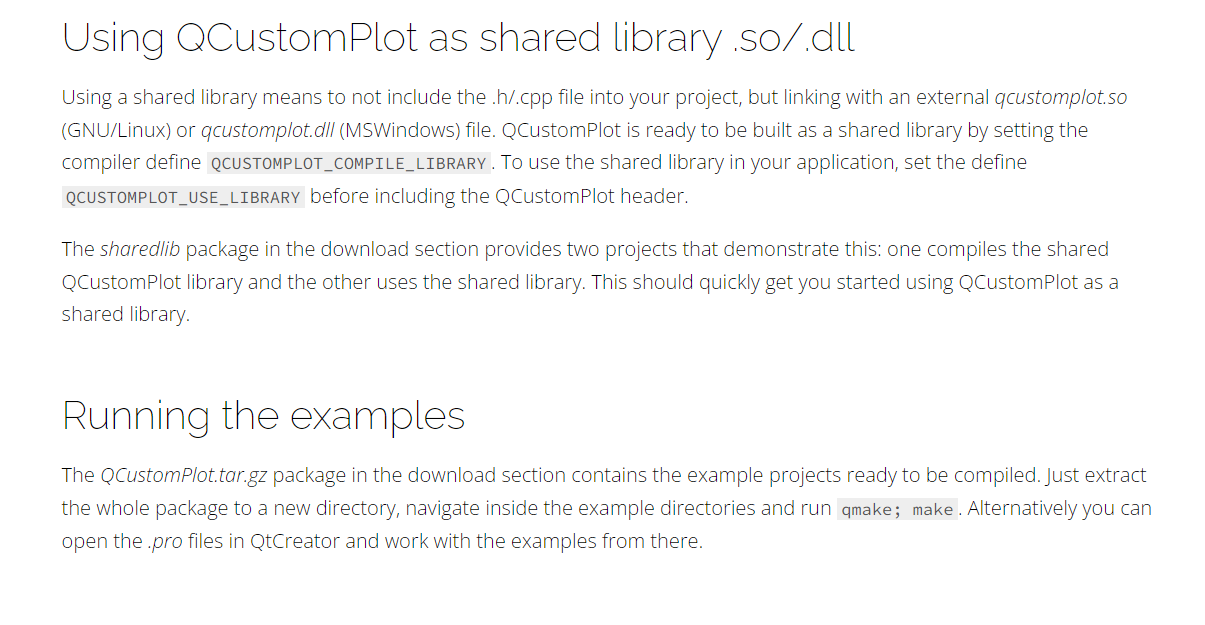
I have downloaded the files:
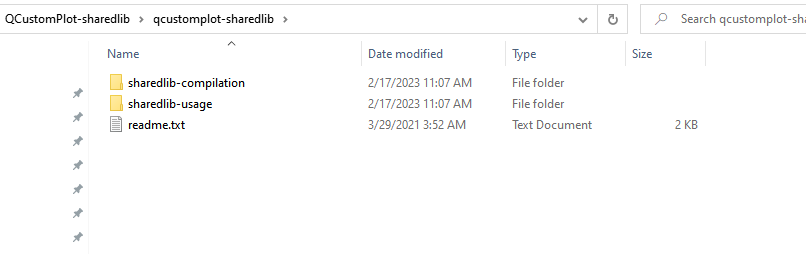
from what I understand, I just need to modify my project.pro file to something like this:
QT       += core gui
QT       += serialport

greaterThan(QT_MAJOR_VERSION, 4): QT += widgets printsupport

CONFIG += c++17

# You can make your code fail to compile if it uses deprecated APIs.
# In order to do so, uncomment the following line.
#DEFINES += QT_DISABLE_DEPRECATED_BEFORE=0x060000    # disables all the APIs deprecated before Qt 6.0.0


TARGET = sharedlib-usage
TEMPLATE = app

# Tell the qcustomplot header that it will be used as library:
DEFINES += QCUSTOMPLOT_USE_LIBRARY

# Link with debug version of qcustomplot if compiling in debug mode, else with release library:
CONFIG(debug, release|debug) {
  win32:QCPLIB = qcustomplotd2
  else: QCPLIB = qcustomplotd
} else {
  win32:QCPLIB = qcustomplot2
  else: QCPLIB = qcustomplot
}
LIBS += -L./ -l$$QCPLIB


SOURCES += \
    main.cpp \
    mainwindow.cpp \
    serial.cpp \
    ../../qcustomplot.cpp


HEADERS += \
    mainwindow.h \
    serial.h \


FORMS += \
    mainwindow.ui

# Default rules for deployment.
qnx: target.path = /tmp/$${TARGET}/bin
else: unix:!android: target.path = /opt/$${TARGET}/bin
!isEmpty(target.path): INSTALLS += target
Could someone give me a little bit more information on how to build this as a library?
-
@jsulm
Yes you are probably right.The instructions on the QCustomPlot website are not super clear to me how to do this though.
I have downloaded the files:
from what I understand, I just need to modify my project.pro file to something like this:
QT       += core gui
QT       += serialport

greaterThan(QT_MAJOR_VERSION, 4): QT += widgets printsupport

CONFIG += c++17

# You can make your code fail to compile if it uses deprecated APIs.
# In order to do so, uncomment the following line.
#DEFINES += QT_DISABLE_DEPRECATED_BEFORE=0x060000    # disables all the APIs deprecated before Qt 6.0.0


TARGET = sharedlib-usage
TEMPLATE = app

# Tell the qcustomplot header that it will be used as library:
DEFINES += QCUSTOMPLOT_USE_LIBRARY

# Link with debug version of qcustomplot if compiling in debug mode, else with release library:
CONFIG(debug, release|debug) {
  win32:QCPLIB = qcustomplotd2
  else: QCPLIB = qcustomplotd
} else {
  win32:QCPLIB = qcustomplot2
  else: QCPLIB = qcustomplot
}
LIBS += -L./ -l$$QCPLIB


SOURCES += \
    main.cpp \
    mainwindow.cpp \
    serial.cpp \
    ../../qcustomplot.cpp


HEADERS += \
    mainwindow.h \
    serial.h \


FORMS += \
    mainwindow.ui

# Default rules for deployment.
qnx: target.path = /tmp/$${TARGET}/bin
else: unix:!android: target.path = /opt/$${TARGET}/bin
!isEmpty(target.path): INSTALLS += target
Could someone give me a little bit more information on how to build this as a library?
@lukutis222 Download QCustomPlot-sharedlib.tar.gz and see how to do that.
In sharedlib-compilation there is pro file showing how to build as library.
In sharedlib-usage you can see how to use the library. -
@lukutis222 Download QCustomPlot-sharedlib.tar.gz and see how to do that.
In sharedlib-compilation there is pro file showing how to build as library.
In sharedlib-usage you can see how to use the library.That is exactly what I am confused about. I do not understand why is there 2 .pro files and which one do I need to use?
I only use 1 .pro file for my project.
-
That is exactly what I am confused about. I do not understand why is there 2 .pro files and which one do I need to use?
I only use 1 .pro file for my project.
@lukutis222 said in Very long project build times after including QCustomPlot:
That is exactly what I am confused about. I do not understand why is there 2 .pro files and which one do I need to use?
The pro files in the archive are examples how to build QCustomPlot as library and how to use that library in a project.
So, take the pro file from sharedlib-compilation to build QCustomPlot as library.
When you have that library take a look at pro file in sharedlib-usage to see how to add that library to your project. -
@lukutis222 said in Very long project build times after including QCustomPlot:
That is exactly what I am confused about. I do not understand why is there 2 .pro files and which one do I need to use?
The pro files in the archive are examples how to build QCustomPlot as library and how to use that library in a project.
So, take the pro file from sharedlib-compilation to build QCustomPlot as library.
When you have that library take a look at pro file in sharedlib-usage to see how to add that library to your project.This post is deleted! -
That is exactly what I am confused about. I do not understand why is there 2 .pro files and which one do I need to use?
I only use 1 .pro file for my project.
I think I am making some progress.
- 1. I put qcustomplot.cpp and qcustomplot.h to sharedlib folder:
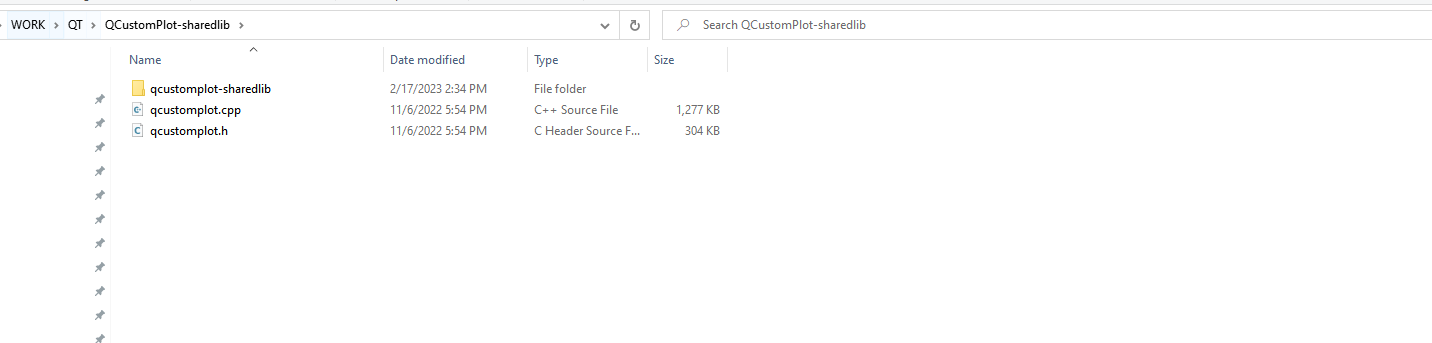
Inside qcustomplot-sharedlib there is sharedlib-compilation and sharedlib-usage
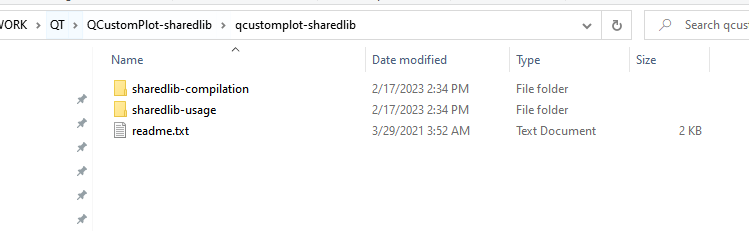
- 2. I have opened sharedlib-compliation.pro as qt project and build it for all configurations. The project built successfully. 3 folders were created inside qcustomplot-sharedlib:
build-sharedlib-compilation-Desktop_Qt_6_4_0_MinGW_64_bit-Debug
build-sharedlib-compilation-Desktop_Qt_6_4_0_MinGW_64_bit-Release
build-sharedlib-compilation-Desktop_Qt_6_4_0_MinGW_64_bit-Profile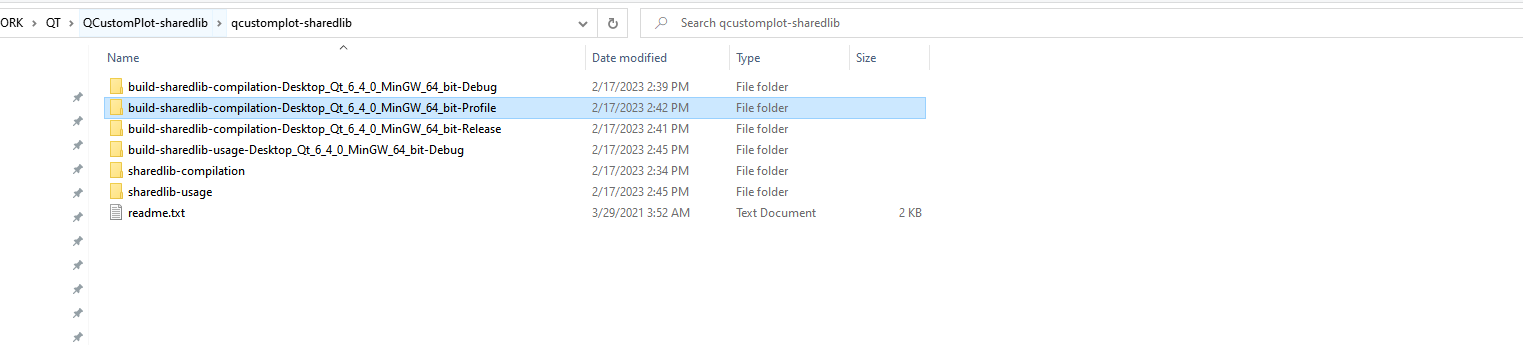
- 3. The following step on the instruction says:
Copy all created library/softlink files from the previous step to the sharedlib-usage directory
Does that mean that I have to copy all those files and put them in sharedlib-usage directory?
- 4. After copying all those files and pasting them in sharedlib-usage directory, I try to build sharedlib-usage example
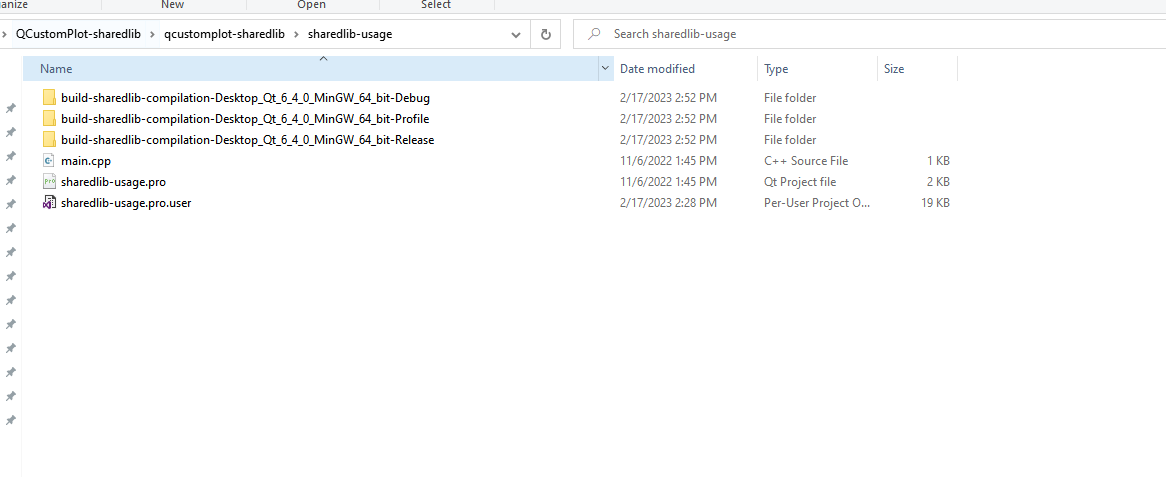
but I get the following errors:
Qt/6.4.0/mingw_64/lib/libQt6Gui.a C:/Qt/6.4.0/mingw_64/lib/libQt6Core.a -lmingw32 C:/Qt/6.4.0/mingw_64/lib/libQt6EntryPoint.a -lshell32
C:/Qt/Tools/mingw1120_64/bin/../lib/gcc/x86_64-w64-mingw32/11.2.0/../../../../x86_64-w64-mingw32/bin/ld.exe: cannot find -lqcustomplotd2
collect2.exe: error: ld returned 1 exit status
mingw32-make[1]: *** [Makefile.Debug:68: debug/sharedlib-usage.exe] Error 1
mingw32-make[1]: Leaving directory 'C:/Users/petrikas.lu/Desktop/WORK/QT/QCustomPlot-sharedlib/qcustomplot-sharedlib/build-sharedlib-usage-Desktop_Qt_6_4_0_MinGW_64_bit-Debug'
mingw32-make: *** [Makefile:45: debug] Error 2
14:45:40: The process "C:\Qt\Tools\mingw1120_64\bin\mingw32-make.exe" exited with code 2.
Error while building/deploying project sharedlib-usage (kit: Desktop Qt 6.4.0 MinGW 64-bit)
When executing step "Make"
14:45:40: Elapsed time: 00:07.
The error message says that it cannot find lqcustomplotd2.
-
I think I am making some progress.
- 1. I put qcustomplot.cpp and qcustomplot.h to sharedlib folder:
Inside qcustomplot-sharedlib there is sharedlib-compilation and sharedlib-usage
- 2. I have opened sharedlib-compliation.pro as qt project and build it for all configurations. The project built successfully. 3 folders were created inside qcustomplot-sharedlib:
build-sharedlib-compilation-Desktop_Qt_6_4_0_MinGW_64_bit-Debug
build-sharedlib-compilation-Desktop_Qt_6_4_0_MinGW_64_bit-Release
build-sharedlib-compilation-Desktop_Qt_6_4_0_MinGW_64_bit-Profile- 3. The following step on the instruction says:
Copy all created library/softlink files from the previous step to the sharedlib-usage directory
Does that mean that I have to copy all those files and put them in sharedlib-usage directory?
- 4. After copying all those files and pasting them in sharedlib-usage directory, I try to build sharedlib-usage example
but I get the following errors:
Qt/6.4.0/mingw_64/lib/libQt6Gui.a C:/Qt/6.4.0/mingw_64/lib/libQt6Core.a -lmingw32 C:/Qt/6.4.0/mingw_64/lib/libQt6EntryPoint.a -lshell32
C:/Qt/Tools/mingw1120_64/bin/../lib/gcc/x86_64-w64-mingw32/11.2.0/../../../../x86_64-w64-mingw32/bin/ld.exe: cannot find -lqcustomplotd2
collect2.exe: error: ld returned 1 exit status
mingw32-make[1]: *** [Makefile.Debug:68: debug/sharedlib-usage.exe] Error 1
mingw32-make[1]: Leaving directory 'C:/Users/petrikas.lu/Desktop/WORK/QT/QCustomPlot-sharedlib/qcustomplot-sharedlib/build-sharedlib-usage-Desktop_Qt_6_4_0_MinGW_64_bit-Debug'
mingw32-make: *** [Makefile:45: debug] Error 2
14:45:40: The process "C:\Qt\Tools\mingw1120_64\bin\mingw32-make.exe" exited with code 2.
Error while building/deploying project sharedlib-usage (kit: Desktop Qt 6.4.0 MinGW 64-bit)
When executing step "Make"
14:45:40: Elapsed time: 00:07.
The error message says that it cannot find lqcustomplotd2.
@lukutis222 said in Very long project build times after including QCustomPlot:
The error message says that it cannot find lqcustomplotd2.
Yes, and where exactly is it located?
You need to specify the location in the example pro file (you can post its content here if you need support). -
@lukutis222 said in Very long project build times after including QCustomPlot:
The error message says that it cannot find lqcustomplotd2.
Yes, and where exactly is it located?
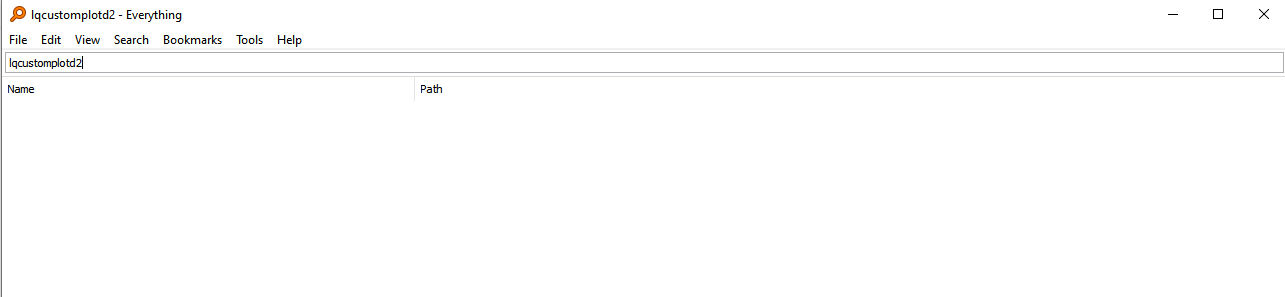
You need to specify the location in the example pro file (you can post its content here if you need support).I do not know where it is located. It feels like that this file does not exist in my computer. I use software called "everything" to find files. It works much better than windows search.
Also, when you say "in the example pro" file. Are you refering to sharelib-usage.pro? Because I am trying to build sharelib-usage.pro and it is as following:
# # Example project that uses QCustomPlot as a shared library # # The compiled shared library file(s) must be in the project directory. # On Unix, set LD_LIBRARY_PATH to "." before launching the compiled application # unless the library files are installed in one of the library locations (e.g. /usr/lib) # # Note that the qcustomplot.h header should not be added to the project file in the # HEADERS variable, but only included in your source files with #include. # QT += core gui greaterThan(QT_MAJOR_VERSION, 4): QT += widgets printsupport greaterThan(QT_MAJOR_VERSION, 4): CONFIG += c++11 lessThan(QT_MAJOR_VERSION, 5): QMAKE_CXXFLAGS += -std=c++11 TARGET = sharedlib-usage TEMPLATE = app # Tell the qcustomplot header that it will be used as library: DEFINES += QCUSTOMPLOT_USE_LIBRARY # Link with debug version of qcustomplot if compiling in debug mode, else with release library: CONFIG(debug, release|debug) { win32:QCPLIB = qcustomplotd2 else: QCPLIB = qcustomplotd } else { win32:QCPLIB = qcustomplot2 else: QCPLIB = qcustomplot } LIBS += -L./ -l$$QCPLIB SOURCES += main.cpp -
I do not know where it is located. It feels like that this file does not exist in my computer. I use software called "everything" to find files. It works much better than windows search.
Also, when you say "in the example pro" file. Are you refering to sharelib-usage.pro? Because I am trying to build sharelib-usage.pro and it is as following:
# # Example project that uses QCustomPlot as a shared library # # The compiled shared library file(s) must be in the project directory. # On Unix, set LD_LIBRARY_PATH to "." before launching the compiled application # unless the library files are installed in one of the library locations (e.g. /usr/lib) # # Note that the qcustomplot.h header should not be added to the project file in the # HEADERS variable, but only included in your source files with #include. # QT += core gui greaterThan(QT_MAJOR_VERSION, 4): QT += widgets printsupport greaterThan(QT_MAJOR_VERSION, 4): CONFIG += c++11 lessThan(QT_MAJOR_VERSION, 5): QMAKE_CXXFLAGS += -std=c++11 TARGET = sharedlib-usage TEMPLATE = app # Tell the qcustomplot header that it will be used as library: DEFINES += QCUSTOMPLOT_USE_LIBRARY # Link with debug version of qcustomplot if compiling in debug mode, else with release library: CONFIG(debug, release|debug) { win32:QCPLIB = qcustomplotd2 else: QCPLIB = qcustomplotd } else { win32:QCPLIB = qcustomplot2 else: QCPLIB = qcustomplot } LIBS += -L./ -l$$QCPLIB SOURCES += main.cpp@lukutis222 said in Very long project build times after including QCustomPlot:
I do not know where it is located
It should be located in the build folders you posted before.
And the names of libraries on Linux/UNIX systems start with lib not l. So, libqcustomplot* -
@lukutis222 said in Very long project build times after including QCustomPlot:
I do not know where it is located
It should be located in the build folders you posted before.
And the names of libraries on Linux/UNIX systems start with lib not l. So, libqcustomplot*Thanks for helping me.
-
1. Since I am on windows, why does it say that Iqcustomplotd2 is missing instead of libqcustomplot2d?
-
2. In the build folders that I have posted before inside debug or release folder (I am not sure if there is any difference), I see the following files:
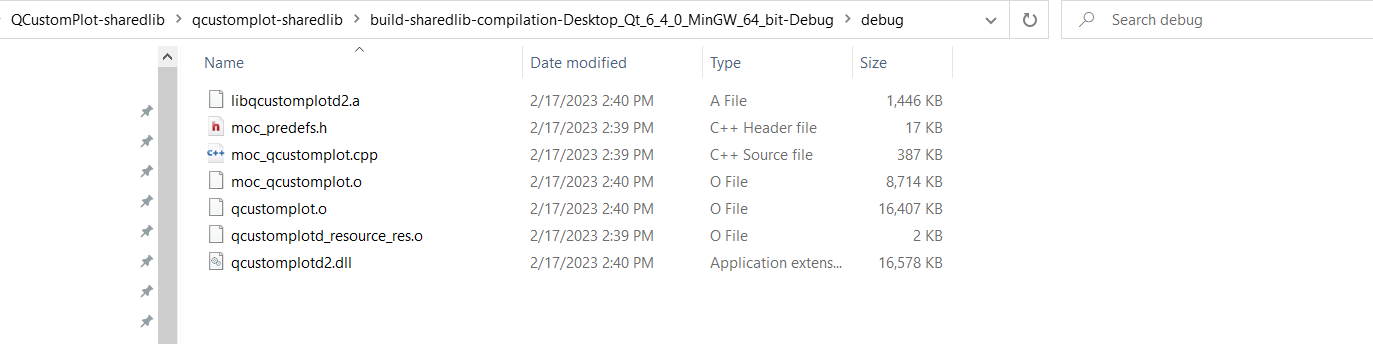
- 3. I have placed all those build files inside sharedlib-usage folder:
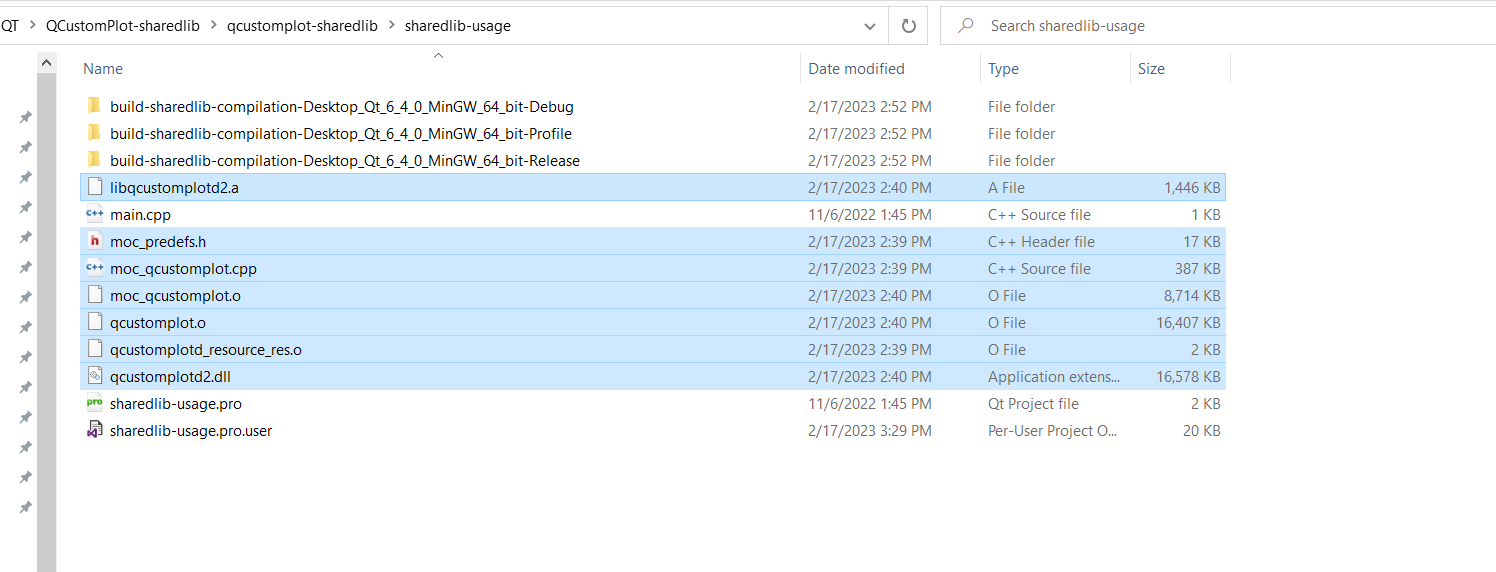
I assume that everything should be ok here right? I just need to tell my project to look for libqcustomplot instead of iqcustomplot? (After placing those files, the same error persists)
-
-
Thanks for helping me.
-
1. Since I am on windows, why does it say that Iqcustomplotd2 is missing instead of libqcustomplot2d?
-
2. In the build folders that I have posted before inside debug or release folder (I am not sure if there is any difference), I see the following files:
- 3. I have placed all those build files inside sharedlib-usage folder:
I assume that everything should be ok here right? I just need to tell my project to look for libqcustomplot instead of iqcustomplot? (After placing those files, the same error persists)
@lukutis222 said in Very long project build times after including QCustomPlot:
Since I am on windows, why does it say that Iqcustomplotd2 is missing instead of libqcustomplot2d?
It says it can't find -lqcustomplotd2. -l parameter is used to tell the linker to link the lib following -l, so qcustomplotd2 in your case.
You are using relative path to specify the folder to search for libs (-L./). Please check whether the folder passed to linker is correct (you can post the whole linker call here, above you only posted part of it). -
-
@lukutis222 said in Very long project build times after including QCustomPlot:
Since I am on windows, why does it say that Iqcustomplotd2 is missing instead of libqcustomplot2d?
It says it can't find -lqcustomplotd2. -l parameter is used to tell the linker to link the lib following -l, so qcustomplotd2 in your case.
You are using relative path to specify the folder to search for libs (-L./). Please check whether the folder passed to linker is correct (you can post the whole linker call here, above you only posted part of it).I still didint manage to find a solution for this..
I assume you want to see Compile Output:
09:51:38: Running steps for project sharedlib-usage... 09:51:38: Configuration unchanged, skipping qmake step. 09:51:38: Starting: "C:\Qt\Tools\mingw1120_64\bin\mingw32-make.exe" -j16 C:/Qt/Tools/mingw1120_64/bin/mingw32-make -f Makefile.Debug mingw32-make[1]: Entering directory 'C:/Users/petrikas.lu/Desktop/WORK/QT/QCustomPlot-sharedlib/qcustomplot-sharedlib/build-sharedlib-usage-Desktop_Qt_6_4_0_MinGW_64_bit-Debug' g++ -Wl,-subsystem,windows -mthreads -o debug/sharedlib-usage.exe debug/main.o -L. -lqcustomplotd2 C:/Qt/6.4.0/mingw_64/lib/libQt6PrintSupport.a C:/Qt/6.4.0/mingw_64/lib/libQt6Widgets.a C:/Qt/6.4.0/mingw_64/lib/libQt6Gui.a C:/Qt/6.4.0/mingw_64/lib/libQt6Core.a -lmingw32 C:/Qt/6.4.0/mingw_64/lib/libQt6EntryPoint.a -lshell32 C:/Qt/Tools/mingw1120_64/bin/../lib/gcc/x86_64-w64-mingw32/11.2.0/../../../../x86_64-w64-mingw32/bin/ld.exe: cannot find -lqcustomplotd2 collect2.exe: error: ld returned 1 exit status mingw32-make[1]: *** [Makefile.Debug:68: debug/sharedlib-usage.exe] Error 1 mingw32-make[1]: Leaving directory 'C:/Users/petrikas.lu/Desktop/WORK/QT/QCustomPlot-sharedlib/qcustomplot-sharedlib/build-sharedlib-usage-Desktop_Qt_6_4_0_MinGW_64_bit-Debug' mingw32-make: *** [Makefile:45: debug] Error 2 09:51:38: The process "C:\Qt\Tools\mingw1120_64\bin\mingw32-make.exe" exited with code 2. Error while building/deploying project sharedlib-usage (kit: Desktop Qt 6.4.0 MinGW 64-bit) When executing step "Make" 09:51:38: Elapsed time: 00:00. -
I still didint manage to find a solution for this..
I assume you want to see Compile Output:
09:51:38: Running steps for project sharedlib-usage... 09:51:38: Configuration unchanged, skipping qmake step. 09:51:38: Starting: "C:\Qt\Tools\mingw1120_64\bin\mingw32-make.exe" -j16 C:/Qt/Tools/mingw1120_64/bin/mingw32-make -f Makefile.Debug mingw32-make[1]: Entering directory 'C:/Users/petrikas.lu/Desktop/WORK/QT/QCustomPlot-sharedlib/qcustomplot-sharedlib/build-sharedlib-usage-Desktop_Qt_6_4_0_MinGW_64_bit-Debug' g++ -Wl,-subsystem,windows -mthreads -o debug/sharedlib-usage.exe debug/main.o -L. -lqcustomplotd2 C:/Qt/6.4.0/mingw_64/lib/libQt6PrintSupport.a C:/Qt/6.4.0/mingw_64/lib/libQt6Widgets.a C:/Qt/6.4.0/mingw_64/lib/libQt6Gui.a C:/Qt/6.4.0/mingw_64/lib/libQt6Core.a -lmingw32 C:/Qt/6.4.0/mingw_64/lib/libQt6EntryPoint.a -lshell32 C:/Qt/Tools/mingw1120_64/bin/../lib/gcc/x86_64-w64-mingw32/11.2.0/../../../../x86_64-w64-mingw32/bin/ld.exe: cannot find -lqcustomplotd2 collect2.exe: error: ld returned 1 exit status mingw32-make[1]: *** [Makefile.Debug:68: debug/sharedlib-usage.exe] Error 1 mingw32-make[1]: Leaving directory 'C:/Users/petrikas.lu/Desktop/WORK/QT/QCustomPlot-sharedlib/qcustomplot-sharedlib/build-sharedlib-usage-Desktop_Qt_6_4_0_MinGW_64_bit-Debug' mingw32-make: *** [Makefile:45: debug] Error 2 09:51:38: The process "C:\Qt\Tools\mingw1120_64\bin\mingw32-make.exe" exited with code 2. Error while building/deploying project sharedlib-usage (kit: Desktop Qt 6.4.0 MinGW 64-bit) When executing step "Make" 09:51:38: Elapsed time: 00:00.@lukutis222 said in Very long project build times after including QCustomPlot:
-L. -lqcustomplotd2
This is your problem: you put the lib into your project folder but tell linker to search in current folder which is build folder when your app is being built.
-
I still didint manage to find a solution for this..
I assume you want to see Compile Output:
09:51:38: Running steps for project sharedlib-usage... 09:51:38: Configuration unchanged, skipping qmake step. 09:51:38: Starting: "C:\Qt\Tools\mingw1120_64\bin\mingw32-make.exe" -j16 C:/Qt/Tools/mingw1120_64/bin/mingw32-make -f Makefile.Debug mingw32-make[1]: Entering directory 'C:/Users/petrikas.lu/Desktop/WORK/QT/QCustomPlot-sharedlib/qcustomplot-sharedlib/build-sharedlib-usage-Desktop_Qt_6_4_0_MinGW_64_bit-Debug' g++ -Wl,-subsystem,windows -mthreads -o debug/sharedlib-usage.exe debug/main.o -L. -lqcustomplotd2 C:/Qt/6.4.0/mingw_64/lib/libQt6PrintSupport.a C:/Qt/6.4.0/mingw_64/lib/libQt6Widgets.a C:/Qt/6.4.0/mingw_64/lib/libQt6Gui.a C:/Qt/6.4.0/mingw_64/lib/libQt6Core.a -lmingw32 C:/Qt/6.4.0/mingw_64/lib/libQt6EntryPoint.a -lshell32 C:/Qt/Tools/mingw1120_64/bin/../lib/gcc/x86_64-w64-mingw32/11.2.0/../../../../x86_64-w64-mingw32/bin/ld.exe: cannot find -lqcustomplotd2 collect2.exe: error: ld returned 1 exit status mingw32-make[1]: *** [Makefile.Debug:68: debug/sharedlib-usage.exe] Error 1 mingw32-make[1]: Leaving directory 'C:/Users/petrikas.lu/Desktop/WORK/QT/QCustomPlot-sharedlib/qcustomplot-sharedlib/build-sharedlib-usage-Desktop_Qt_6_4_0_MinGW_64_bit-Debug' mingw32-make: *** [Makefile:45: debug] Error 2 09:51:38: The process "C:\Qt\Tools\mingw1120_64\bin\mingw32-make.exe" exited with code 2. Error while building/deploying project sharedlib-usage (kit: Desktop Qt 6.4.0 MinGW 64-bit) When executing step "Make" 09:51:38: Elapsed time: 00:00.@lukutis222
For-lqcustomplotd2to work:-
You should have a file named
libqcustomplotd2.asomewhere. I can see two of them in your screenshots? One in...\build-...-Debug\debugand one copied tosharedlib-usage, right? -
The linker must be able to find that directory via a
-Ldirectory-path argument. You seem to have-L.. I do not know what the directory referred to via.("current directory") is. I suspect it's not right.
I see @jsulm has just commented on this. Either move the file to the build folder or change the
-L.to refer to the right directory. I am confused by the paths you show in your screenshots. I would try-L..first for your case. However, I don't actually think that is right for you. If that does not work try
-L../sharedlib-usagewhich I think is what you are actually showing you need?
-
-
Thanks for help.
I was following the instructions that came with the library. It says:
- Copy all created library/softlink files from the previous step to the sharedlib-usage directorybut it does not seem to make any sense.
Copying all files to build folder seems to work fine but does not make any sense. If I clean the project the files will be deleted and I will have to manually copy them to build folder again.
I dont fully understand what was the library owner reasoning for using:
#LIBS += -L./ -l$$QCPLIB -
Thanks for help.
I was following the instructions that came with the library. It says:
- Copy all created library/softlink files from the previous step to the sharedlib-usage directorybut it does not seem to make any sense.
Copying all files to build folder seems to work fine but does not make any sense. If I clean the project the files will be deleted and I will have to manually copy them to build folder again.
I dont fully understand what was the library owner reasoning for using:
#LIBS += -L./ -l$$QCPLIB@lukutis222 I wrote in my previous what I suggest you do.
-
@lukutis222 I wrote in my previous what I suggest you do.
This post is deleted!

