
Skip to content
  • Categories
  • Recent
  • Tags
  • Popular
  • Users
  • Groups
  • Search
  • Get Qt Extensions
  • Unsolved
Collapse
Brand Logo
  1. Home
  2. Qt Development
  3. General and Desktop
  4. Can't block OS pop ups in wifi managment
Qt 6.11 is out! See what's new in the release blog

Can't block OS pop ups in wifi managment

Scheduled Pinned Locked Moved Solved General and Desktop
5 Posts 2 Posters 545 Views 1 Watching
  • Oldest to Newest
  • Newest to Oldest
  • Most Votes
Reply
  • Reply as topic
Log in to reply
This topic has been deleted. Only users with topic management privileges can see it.
  • supergS Offline
    supergS Offline
    superg
    wrote on last edited by
    #1

    Hello, I have the following code:

    QProcess process;
    QStringList args;
    if (hasSecurity && !isKnown)
        args << "-w" << "5" << "-s" << "dev" << "wifi" << "connect" << networkSsid << "password" << (passEdit->isVisible() ? passEdit->text().trimmed() : "");
    else
        args << "--ask" << "dev" << "wifi" << "connect" << networkSsid;
    
    process.start("nmcli", args);
    process.waitForFinished();
    QByteArray error = process.readAllStandardOutput();
    qDebug() << error;
    
    if( error.contains( "Error: Connection activation failed" )) {
        warningErrorLabel->setText("Contraseña incorrecta");
    

    The thing is, when trying to connect to a network and inserting a wrong password, I get a pop up from the O.S like this:
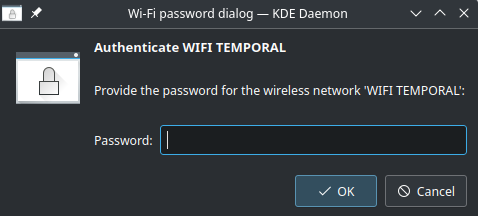
    Screenshot_20230123_173947.png
    But I want to manage the connectivity through my app, so what I would like to do is to let the user know that the password provided was incorrect (like I do in the last line of code) but also block any pop up from the OS, so the user can try again from within the app.

    1 Reply Last reply
    0
    • SGaistS Offline
      SGaistS Offline
      SGaist
      Lifetime Qt Champion
      wrote on last edited by
      #4

      So it would indeed be in kiosk mode, then the question is: why do you have a full desktop environment running on it ? Make your Qt application the only one running when the system is started.

      Interested in AI ? www.idiap.ch
      Please read the Qt Code of Conduct - https://forum.qt.io/topic/113070/qt-code-of-conduct

      supergS 1 Reply Last reply
      0
      • SGaistS Offline
        SGaistS Offline
        SGaist
        Lifetime Qt Champion
        wrote on last edited by
        #2

        Hi,

        Are you writing some kind of kiosk application ?

        Interested in AI ? www.idiap.ch
        Please read the Qt Code of Conduct - https://forum.qt.io/topic/113070/qt-code-of-conduct

        supergS 1 Reply Last reply
        0
        • SGaistS SGaist

          Hi,

          Are you writing some kind of kiosk application ?

          supergS Offline
          supergS Offline
          superg
          wrote on last edited by superg
          #3

          @SGaist Hello! I'm writing an app intented to be embedded in a lab machine using a raspberry pi, the idea is that the users never "see" that there's an OS behind the software they are using, hence the importance of managing everything from within the app.

          1 Reply Last reply
          0
          • SGaistS Offline
            SGaistS Offline
            SGaist
            Lifetime Qt Champion
            wrote on last edited by
            #4

            So it would indeed be in kiosk mode, then the question is: why do you have a full desktop environment running on it ? Make your Qt application the only one running when the system is started.

            Interested in AI ? www.idiap.ch
            Please read the Qt Code of Conduct - https://forum.qt.io/topic/113070/qt-code-of-conduct

            supergS 1 Reply Last reply
            0
            • SGaistS SGaist

              So it would indeed be in kiosk mode, then the question is: why do you have a full desktop environment running on it ? Make your Qt application the only one running when the system is started.

              supergS Offline
              supergS Offline
              superg
              wrote on last edited by
              #5

              @SGaist Thanks! I'll follow you recommendation.

              1 Reply Last reply
              0

              • Login

              • Login or register to search.
              • First post
                Last post
              0
              • Categories
              • Recent
              • Tags
              • Popular
              • Users
              • Groups
              • Search
              • Get Qt Extensions
              • Unsolved