
Skip to content
  • Categories
  • Recent
  • Tags
  • Popular
  • Users
  • Groups
  • Search
  • Get Qt Extensions
  • Unsolved
Collapse
Brand Logo
  1. Home
  2. Qt Development
  3. Installation and Deployment
  4. no connection with qsqlite
Qt 6.11 is out! See what's new in the release blog

no connection with qsqlite

Scheduled Pinned Locked Moved Solved Installation and Deployment
16 Posts 4 Posters 1.4k Views 1 Watching
  • Oldest to Newest
  • Newest to Oldest
  • Most Votes
Reply
  • Reply as topic
Log in to reply
This topic has been deleted. Only users with topic management privileges can see it.
  • SGaistS Offline
    SGaistS Offline
    SGaist
    Lifetime Qt Champion
    wrote on last edited by
    #4

    Hi and welcome to devnet,

    Do you mean the code from the Python documentation of the class ?

    Interested in AI ? www.idiap.ch
    Please read the Qt Code of Conduct - https://forum.qt.io/topic/113070/qt-code-of-conduct

    F 1 Reply Last reply
    0
    • SGaistS SGaist

      Hi and welcome to devnet,

      Do you mean the code from the Python documentation of the class ?

      F Offline
      F Offline
      FloCGN
      wrote on last edited by
      #5

      @SGaist I just want to include the "Rechnungen.db" database. For this I want to display the "Leistungen" table in "tbl_offene_leistungen" in my gui. It's my first code, it would be great if someone could show me a sample here.

      1 Reply Last reply
      0
      • SGaistS Offline
        SGaistS Offline
        SGaist
        Lifetime Qt Champion
        wrote on last edited by
        #6

        As already suggested by @Christian-Ehrlicher, you are missing a call to the open method of your db object.

        Interested in AI ? www.idiap.ch
        Please read the Qt Code of Conduct - https://forum.qt.io/topic/113070/qt-code-of-conduct

        F 1 Reply Last reply
        0
        • SGaistS SGaist

          As already suggested by @Christian-Ehrlicher, you are missing a call to the open method of your db object.

          F Offline
          F Offline
          FloCGN
          wrote on last edited by FloCGN
          #7

          @SGaist the code should then look like this ??

          db=QtSql.QSqlDatabase.addDatabase("QSQLITE")
          db.setDatabaseName("Rechnungen.db")
          db.open()
          

          It doesn’t work..

          sry for the stupid questions

          jsulmJ 1 Reply Last reply
          0
          • F FloCGN

            @SGaist the code should then look like this ??

            db=QtSql.QSqlDatabase.addDatabase("QSQLITE")
            db.setDatabaseName("Rechnungen.db")
            db.open()
            

            It doesn’t work..

            sry for the stupid questions

            jsulmJ Offline
            jsulmJ Offline
            jsulm
            Lifetime Qt Champion
            wrote on last edited by
            #8

            @FloCGN said in no connection with qsqlite:

            It doesn’t work

            What exactly does not work now?
            What does db.open() return?

            https://forum.qt.io/topic/113070/qt-code-of-conduct

            F 1 Reply Last reply
            1
            • jsulmJ jsulm

              @FloCGN said in no connection with qsqlite:

              It doesn’t work

              What exactly does not work now?
              What does db.open() return?

              F Offline
              F Offline
              FloCGN
              wrote on last edited by FloCGN
              #9

              @jsulm

              I want to display the "Leistungen" table in the "offene Leistungen" field. But nothing happens
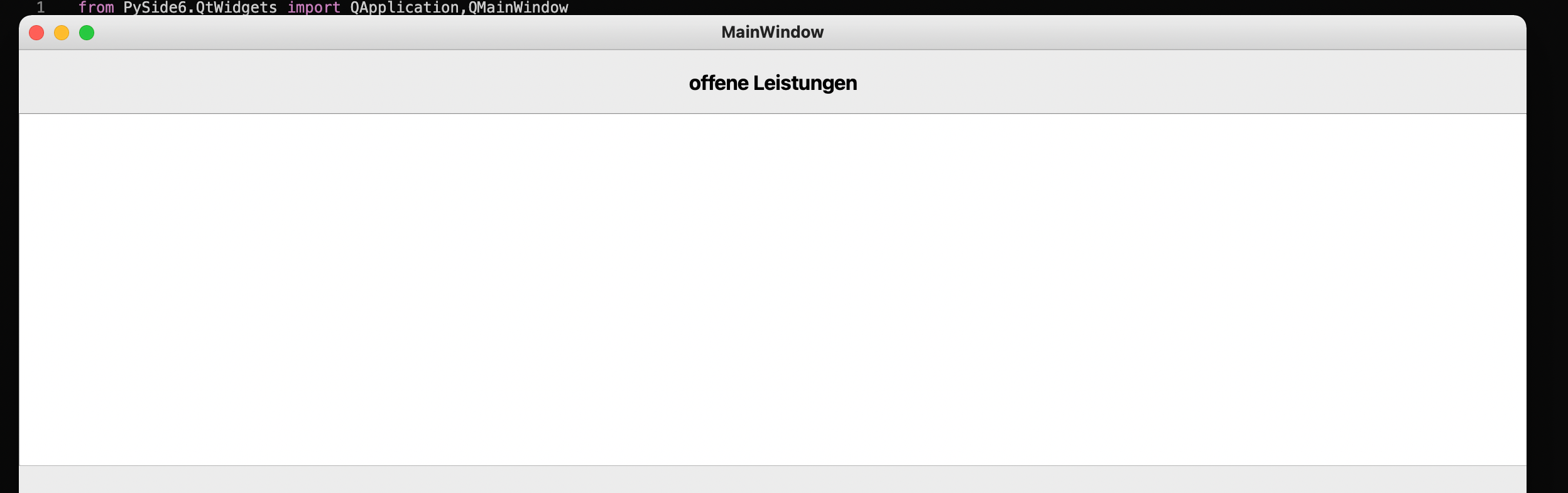
              Bildschirmfoto 2022-02-23 um 18.12.59.png

              when I write in the terminal db.open(), then this happens:

              Bildschirmfoto 2022-02-23 um 18.20.07.png

              from PySide6.QtWidgets import QApplication,QMainWindow
              from PySide6 import QtSql
              from QT.frm_main import Ui_frm_main
              
              
              class Frm_main(QMainWindow, Ui_frm_main):
                  def __init__(self):
                      super().__init__()
                      self.setupUi(self)
                      mod_offene_Leistungen = QtSql.QSqlRelationalTableModel()
                      mod_offene_Leistungen.setTable("Leistungen")
                      mod_offene_Leistungen.select()
                      self.tbl_offene_Leistungen.setModel(mod_offene_Leistungen)


              db=QtSql.QSqlDatabase.addDatabase("QSQLITE")
              db.setDatabaseName("Rechnungen.sqlite")
              db.open()


              app=QApplication()
              frm_main=Frm_main()
              frm_main.show()
              app.exec()
              
              1 Reply Last reply
              0
              • SGaistS Offline
                SGaistS Offline
                SGaist
                Lifetime Qt Champion
                wrote on last edited by
                #10

                Where is that file located on your system ?
                SQLite will create the file if it does not exists hence if your path is wrong you will have an empty database.

                Interested in AI ? www.idiap.ch
                Please read the Qt Code of Conduct - https://forum.qt.io/topic/113070/qt-code-of-conduct

                F 1 Reply Last reply
                1
                • SGaistS SGaist

                  Where is that file located on your system ?
                  SQLite will create the file if it does not exists hence if your path is wrong you will have an empty database.

                  F Offline
                  F Offline
                  FloCGN
                  wrote on last edited by
                  #11

                  @SGaist The file is in the same folder as the .py file

                  1 Reply Last reply
                  0
                  • SGaistS Offline
                    SGaistS Offline
                    SGaist
                    Lifetime Qt Champion
                    wrote on last edited by
                    #12

                    Then did you check the content of the file ?
                    What about adding error checks to your code ?

                    Interested in AI ? www.idiap.ch
                    Please read the Qt Code of Conduct - https://forum.qt.io/topic/113070/qt-code-of-conduct

                    F 1 Reply Last reply
                    0
                    • SGaistS SGaist

                      Then did you check the content of the file ?
                      What about adding error checks to your code ?

                      F Offline
                      F Offline
                      FloCGN
                      wrote on last edited by
                      #13

                      @SGaist the content of the database file ? I think its right

                      error checks are debugging functions ? I debugged it, but there were no error messages. I don't know if I did it right either. Like I said, I'm a total beginner

                      jsulmJ 1 Reply Last reply
                      0
                      • F FloCGN

                        @SGaist the content of the database file ? I think its right

                        error checks are debugging functions ? I debugged it, but there were no error messages. I don't know if I did it right either. Like I said, I'm a total beginner

                        jsulmJ Offline
                        jsulmJ Offline
                        jsulm
                        Lifetime Qt Champion
                        wrote on last edited by
                        #14

                        @FloCGN said in no connection with qsqlite:

                        I think its right

                        You think or you know?

                        "error checks are debugging functions ?" - no.
                        What does db.open() return? And please do not post some screen-shot, print it out!

                        print(db.open())
                        

                        If it returns false then check https://doc.qt.io/qt-5/qsqldatabase.html#lastError

                        https://forum.qt.io/topic/113070/qt-code-of-conduct

                        F 1 Reply Last reply
                        1
                        • jsulmJ jsulm

                          @FloCGN said in no connection with qsqlite:

                          I think its right

                          You think or you know?

                          "error checks are debugging functions ?" - no.
                          What does db.open() return? And please do not post some screen-shot, print it out!

                          print(db.open())
                          

                          If it returns false then check https://doc.qt.io/qt-5/qsqldatabase.html#lastError

                          F Offline
                          F Offline
                          FloCGN
                          wrote on last edited by
                          #15

                          @jsulm said in no connection with qsqlite:

                          https://doc.qt.io/qt-5/qsqldatabase.html#lastError

                          it returns TRUE

                          1 Reply Last reply
                          0
                          • F Offline
                            F Offline
                            FloCGN
                            wrote on last edited by
                            #16

                            I rewrote the code again and now it works somehow... Thanks anyway to everyone

                            1 Reply Last reply
                            0

                            • Login

                            • Login or register to search.
                            • First post
                              Last post
                            0
                            • Categories
                            • Recent
                            • Tags
                            • Popular
                            • Users
                            • Groups
                            • Search
                            • Get Qt Extensions
                            • Unsolved