
QGraphicsItem parent transformation
-
Hi,
I have twoQGraphicsItemobjects as in the image
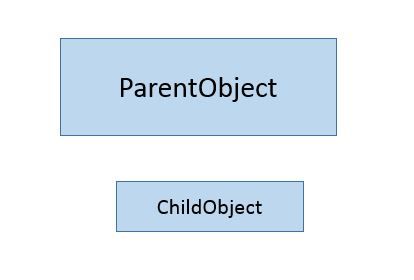
What I need is:-
Make the ChildObject moves as I drag the parent which was easily done by
setParentItemto ParentObject. -
I want to be able to rotate the ParentObject while keeping the ChildObject fixed.
The best I could come up with was setting the parent of the childobject to
nullptrwhen rotating and setting back to ParenObject when moving the ParentObjectQVariant MyShape::itemChange(GraphicsItemChange change, const QVariant &value) { if(change == QGraphicsItem::ItemPositionChange) childobject->setParentItem(this); else if (change == QGraphicsItem::ItemRotationChange) { childobject->setParentItem(nullptr); scene()->update(); } }I have initialized the ChildObject in the constructor of the ParentObject shape to appear under the ParentObject
ChildObject *childobj = new ChildObject;

    QPointF mPos;
    mPos.setX(rect().bottomLeft().x() + rect().width()/2 -
                  childObject->boundingRect().width()/2);

    mPos.setY(rect().bottomLeft().y() + rect().height()/3);
    childobj ->setPos(mapFromItem(this,mPos));
    childobj->setFlag(QGraphicsItem::ItemIgnoresTransformations,true);
    childobj->setParentItem(this);
However, when I run the code, the ChildObject moves when I rotate the ParentObject. I don't know what I am missing, I think its about the coordinate of the Parent/Scene issue but not sure. Please help.
Thanks in advance
-
-
Hi,
Based on the flag description:
The item ignores inherited transformations (i.e., its position is still anchored to its parent, but the parent or view rotation, zoom or shear transformations are ignored).I would say that this is the expected behaviour as the rotation will make the parent time move.
-
How about creating a QGraphicsItemGroup , add them both item and move the group, then you can rotate the child you need independently.
Or just do what you do, but listen to the parent item QGraphicsItem::ItemRotationChange and adjust child item rotation there to compensate parent rotation? -
How about creating a QGraphicsItemGroup , add them both item and move the group, then you can rotate the child you need independently.
Or just do what you do, but listen to the parent item QGraphicsItem::ItemRotationChange and adjust child item rotation there to compensate parent rotation?
