Skip to content
  • Categories
  • Recent
  • Tags
  • Popular
  • Users
  • Groups
  • Search
  • Get Qt Extensions
  • Unsolved
Collapse
Brand Logo
  1. Home
  2. Qt Development
  3. General and Desktop
  4. QMYSQL plugin on MacOS Catalina

QMYSQL plugin on MacOS Catalina

Scheduled Pinned Locked Moved Solved General and Desktop
20 Posts 3 Posters 1.0k Views 1 Watching
  • Oldest to Newest
  • Newest to Oldest
  • Most Votes
Reply
  • Reply as topic
Log in to reply
This topic has been deleted. Only users with topic management privileges can see it.
  • Christian EhrlicherC Offline
    Christian EhrlicherC Offline
    Christian Ehrlicher
    Lifetime Qt Champion
    wrote on last edited by
    #2

    @alexcru said in QMYSQL plugin on MacOS Catalina:

    I would be very grateful if you help me.

    Please read again your post and think about how we should help we with the provided information you gave us.

    Qt Online Installer direct download: https://download.qt.io/official_releases/online_installers/
    Visit the Qt Academy at https://academy.qt.io/catalog

    1 Reply Last reply
    0
    • A Offline
      A Offline
      alexcru
      wrote on last edited by alexcru
      #3

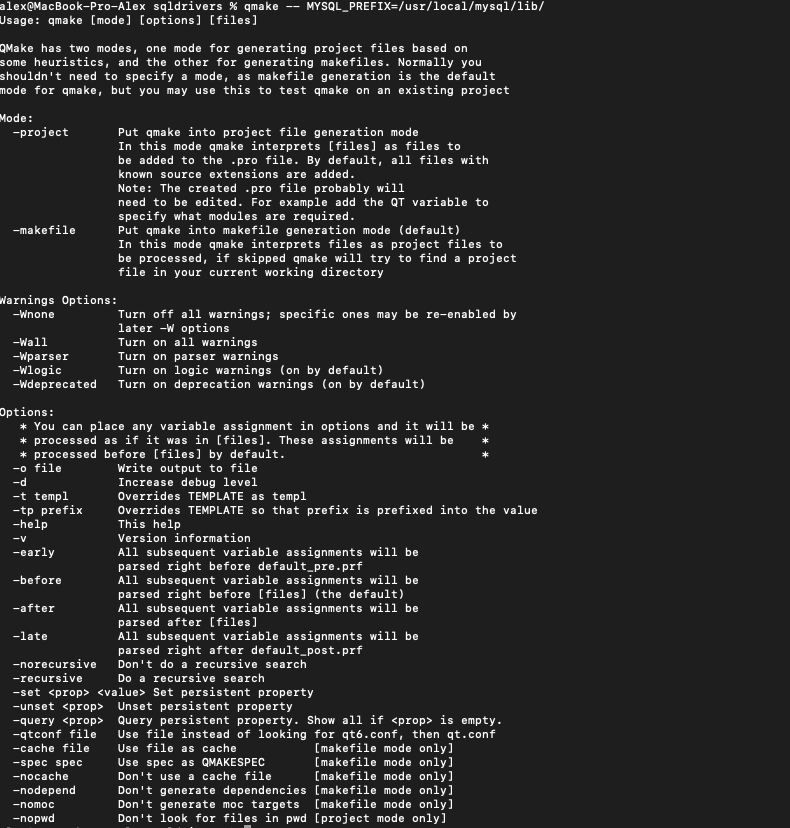
      I tried this comands:
      cd $QTDIR/qtbase/src/plugins/sqldrivers
      qmake -- MYSQL_PREFIX=/usr/local/mysql/lib/
      but after this comand i get:
      Screen Shot 2021-05-14 at 16.12.04.png

      1 Reply Last reply
      0
      • SGaistS Offline
        SGaistS Offline
        SGaist
        Lifetime Qt Champion
        wrote on last edited by
        #4

        Hi and welcome to devnet,

        Which version of Qt are you trying to build the driver for ?
        Where does that qmake come from ? Since you do not use the full path, it's starting to get suspicious.
        Which source is it ?
        Where did you download it ?

        Interested in AI ? www.idiap.ch
        Please read the Qt Code of Conduct - https://forum.qt.io/topic/113070/qt-code-of-conduct

        1 Reply Last reply
        0
        • A Offline
          A Offline
          alexcru
          wrote on last edited by
          #5

          I'm trying to build it for Ot 6.1.0, i download it from the official website. i followed the steps from https://doc.qt.io/qt-5/sql-driver.html#qmysql

          SGaistS 1 Reply Last reply
          0
          • Christian EhrlicherC Offline
            Christian EhrlicherC Offline
            Christian Ehrlicher
            Lifetime Qt Champion
            wrote on last edited by
            #6

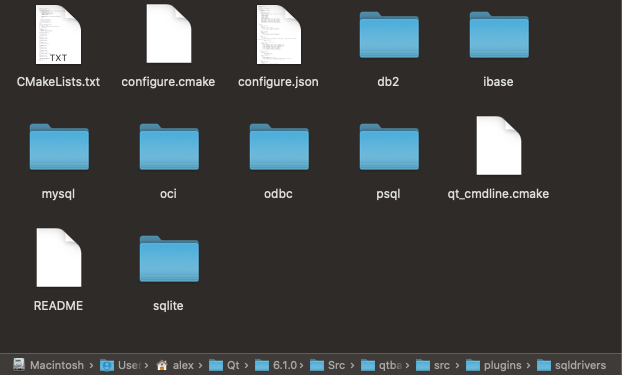
            We still don't know what qmake you're calling. And what's the content of the sqldrivers directory?

            Qt Online Installer direct download: https://download.qt.io/official_releases/online_installers/
            Visit the Qt Academy at https://academy.qt.io/catalog

            1 Reply Last reply
            0
            • A Offline
              A Offline
              alexcru
              wrote on last edited by
              #7

              Sqldrivers directory:
              Screen Shot 2021-05-14 at 16.37.05.png

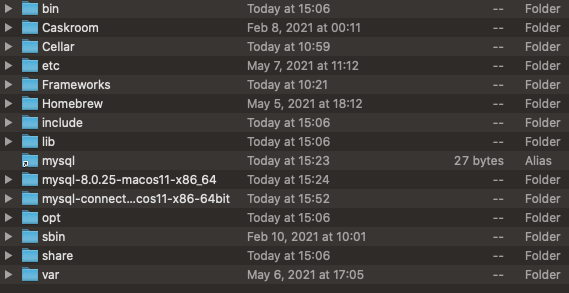
              /usr/local/mysql/lib/:
              Screen Shot 2021-05-14 at 16.38.14.png

              1 Reply Last reply
              0
              • A alexcru

                I'm trying to build it for Ot 6.1.0, i download it from the official website. i followed the steps from https://doc.qt.io/qt-5/sql-driver.html#qmysql

                SGaistS Offline
                SGaistS Offline
                SGaist
                Lifetime Qt Champion
                wrote on last edited by
                #8

                @alexcru said in QMYSQL plugin on MacOS Catalina:

                I'm trying to build it for Ot 6.1.0, i download it from the official website. i followed the steps from https://doc.qt.io/qt-5/sql-driver.html#qmysql

                Why are you following the Qt 5 documentation to build the Qt 6 driver ?

                Interested in AI ? www.idiap.ch
                Please read the Qt Code of Conduct - https://forum.qt.io/topic/113070/qt-code-of-conduct

                1 Reply Last reply
                1
                • A Offline
                  A Offline
                  alexcru
                  wrote on last edited by
                  #9

                  Ok so i read this:https://doc-snapshots.qt.io/qt6-dev/sql-driver.html#qmysql
                  but what should I put in <qt_installation_path>?

                  1 Reply Last reply
                  0
                  • A Offline
                    A Offline
                    alexcru
                    wrote on last edited by
                    #10

                    So a tried I typed this code:
                    qt-cmake -G"Ninja" /Users/alex/Qt/6.1.0/Src/qtbase/src/plugins/sqldrivers -DCMAKE_INSTALL_PREFIX=/Users/alex/Qt/6.1.0/Src/qtbase/src/plugins/sqldrivers/mysql -DMySQL_INCLUDE_DIR="/usr/local/mysql/include" -DMySQL_LIBRARY="/usr/local/mysql-8.0.25-macos11-x86_64/lib/libmysqlclient.dylib"

                    but i get this message:
                    Screen Shot 2021-05-14 at 18.09.04.png

                    1 Reply Last reply
                    0
                    • SGaistS Offline
                      SGaistS Offline
                      SGaist
                      Lifetime Qt Champion
                      wrote on last edited by
                      #11

                      Install ninja

                      Interested in AI ? www.idiap.ch
                      Please read the Qt Code of Conduct - https://forum.qt.io/topic/113070/qt-code-of-conduct

                      1 Reply Last reply
                      0
                      • A Offline
                        A Offline
                        alexcru
                        wrote on last edited by
                        #12

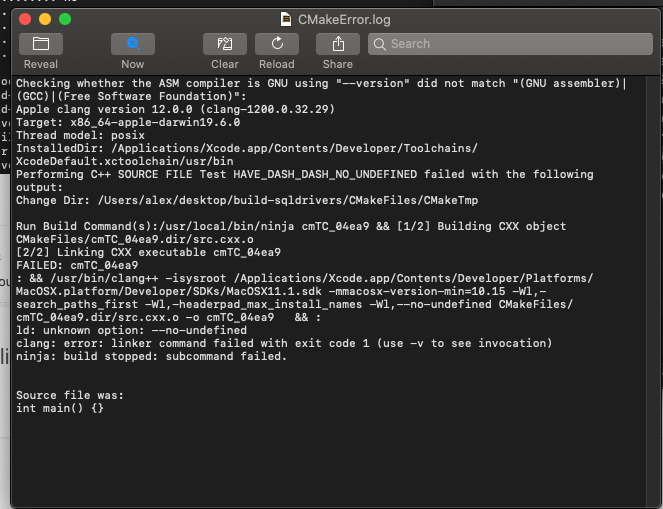
                        Now i get this error:
                        Screen Shot 2021-05-14 at 18.33.11.png

                        1 Reply Last reply
                        0
                        • SGaistS Offline
                          SGaistS Offline
                          SGaist
                          Lifetime Qt Champion
                          wrote on last edited by
                          #13

                          You have "configuring error" just above. You might want to take a look at that first.

                          Interested in AI ? www.idiap.ch
                          Please read the Qt Code of Conduct - https://forum.qt.io/topic/113070/qt-code-of-conduct

                          1 Reply Last reply
                          0
                          • A Offline
                            A Offline
                            alexcru
                            wrote on last edited by
                            #14

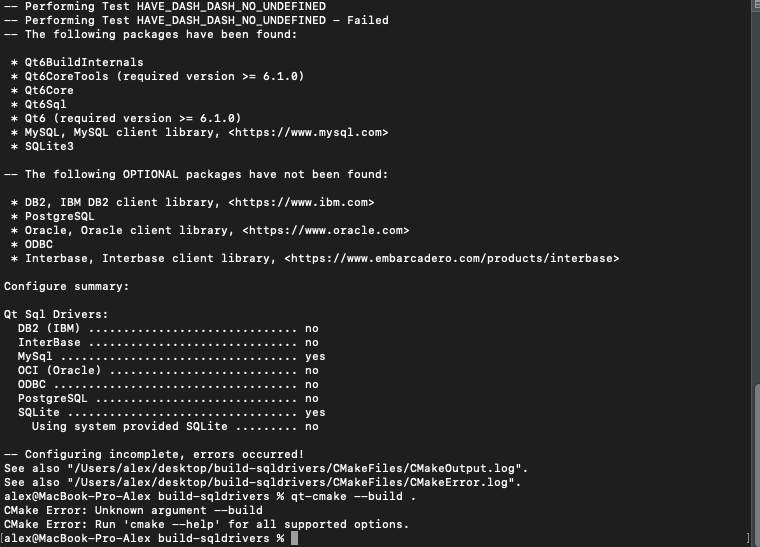
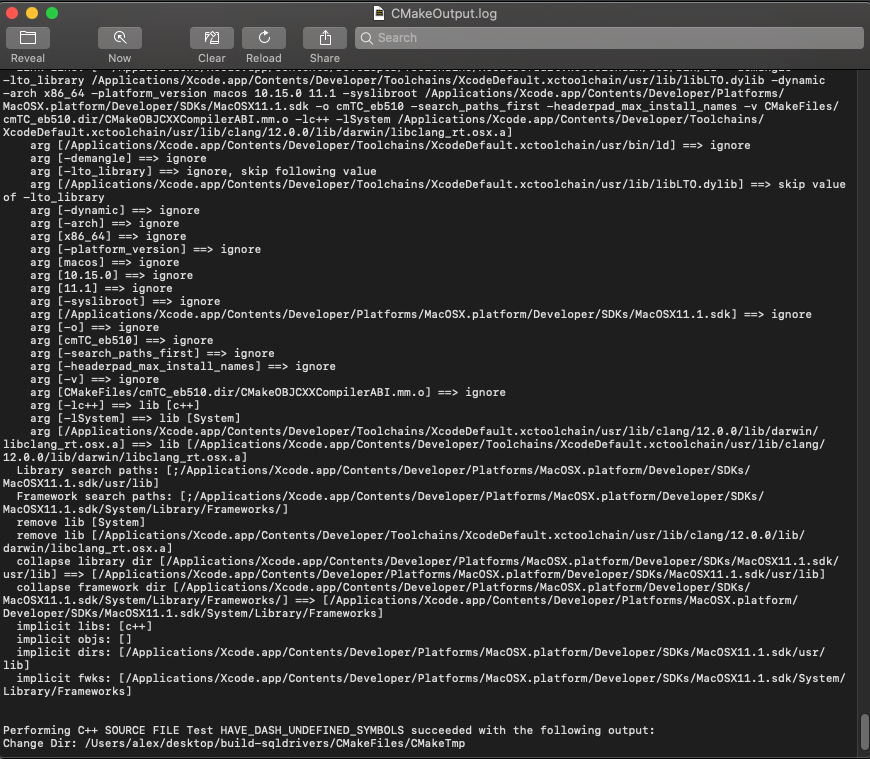
                            This are the rezults:
                            Screen Shot 2021-05-14 at 21.55.09.png

                            Screen Shot 2021-05-14 at 21.55.56.png

                            1 Reply Last reply
                            0
                            • A Offline
                              A Offline
                              alexcru
                              wrote on last edited by
                              #15

                              Can anyone help me with this error?

                              1 Reply Last reply
                              0
                              • SGaistS Offline
                                SGaistS Offline
                                SGaist
                                Lifetime Qt Champion
                                wrote on last edited by
                                #16

                                That one at least is wrong: @alexcru said in QMYSQL plugin on MacOS Catalina:

                                CMAKE_INSTALL_PREFIX

                                You do not want to install in the sources.

                                Interested in AI ? www.idiap.ch
                                Please read the Qt Code of Conduct - https://forum.qt.io/topic/113070/qt-code-of-conduct

                                1 Reply Last reply
                                0
                                • A Offline
                                  A Offline
                                  alexcru
                                  wrote on last edited by
                                  #17

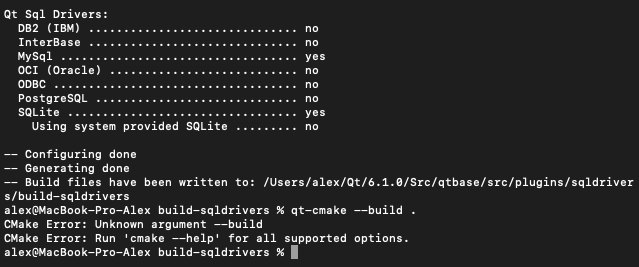
                                  Sorry to bother again but now i get this error:

                                  Screen Shot 2021-05-16 at 15.48.33.png

                                  1 Reply Last reply
                                  0
                                  • SGaistS Offline
                                    SGaistS Offline
                                    SGaist
                                    Lifetime Qt Champion
                                    wrote on last edited by
                                    #18

                                    Which version of cmake do you have ?

                                    Interested in AI ? www.idiap.ch
                                    Please read the Qt Code of Conduct - https://forum.qt.io/topic/113070/qt-code-of-conduct

                                    1 Reply Last reply
                                    0
                                    • A Offline
                                      A Offline
                                      alexcru
                                      wrote on last edited by
                                      #19

                                      I have resolved the problem, thanks tor the help.

                                      1 Reply Last reply
                                      0
                                      • SGaistS Offline
                                        SGaistS Offline
                                        SGaist
                                        Lifetime Qt Champion
                                        wrote on last edited by
                                        #20

                                        What was it ?

                                        Interested in AI ? www.idiap.ch
                                        Please read the Qt Code of Conduct - https://forum.qt.io/topic/113070/qt-code-of-conduct

                                        1 Reply Last reply
                                        0

                                        • Login

                                        • Login or register to search.
                                        • First post
                                          Last post
                                        0
                                        • Categories
                                        • Recent
                                        • Tags
                                        • Popular
                                        • Users
                                        • Groups
                                        • Search
                                        • Get Qt Extensions
                                        • Unsolved