Skip to content
  • Categories
  • Recent
  • Tags
  • Popular
  • Users
  • Groups
  • Search
  • Get Qt Extensions
  • Unsolved
Collapse
Brand Logo
  1. Home
  2. Qt Development
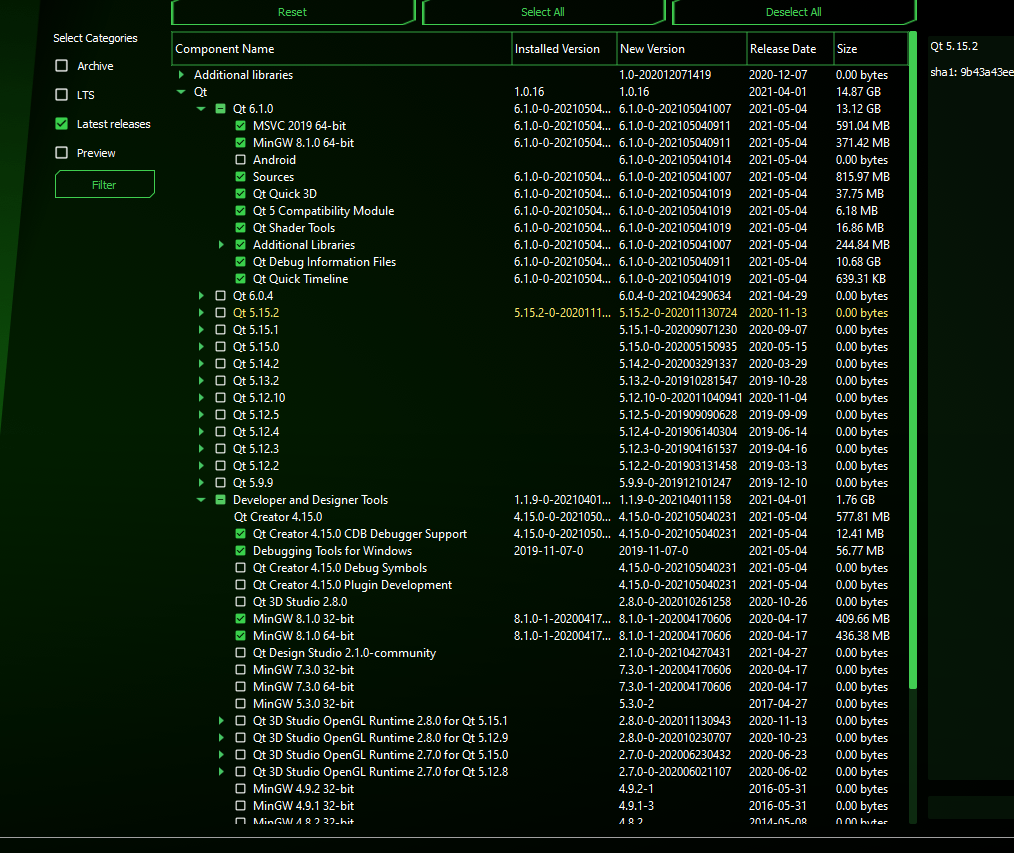
  3. General and Desktop
  4. QT Platform Plugin Set Path
Qt 6.11 is out! See what's new in the release blog

QT Platform Plugin Set Path

Scheduled Pinned Locked Moved Unsolved General and Desktop
19 Posts 3 Posters 2.5k Views 1 Watching
  • Oldest to Newest
  • Newest to Oldest
  • Most Votes
Reply
  • Reply as topic
Log in to reply
This topic has been deleted. Only users with topic management privileges can see it.
  • M Mo1ra ALP

    Hello there, I want DLL files from platforms, styles and imageformats folders to run in home directory. Can you help me?

    Default:

    -- platforms
    ---- qwindows.dll

    -- imageformats
    ---- qgif.dll
    ---- qicns.dll
    ---- qico.dll
    ---- qjpeg.dll

    -- Test.exe

    Must be:
    -- qwindows.dll
    -- qgif.dll
    -- qicns.dll
    -- qico.dll
    -- qjpeg.dll
    -- Test.exe

    M Offline
    M Offline
    Mo1ra ALP
    wrote on last edited by
    #2
    This post is deleted!
    1 Reply Last reply
    0
    • SGaistS Offline
      SGaistS Offline
      SGaist
      Lifetime Qt Champion
      wrote on last edited by
      #3

      Hi and welcome to devnet,

      Please show some patience and allows at least 24 hours before bumping your own thread. This is a voluntary driven forum and people may not even live in the same timezone as you.

      As for issue, you cannot completely flatten the plugin structure. Qt has some expectations with regards to where it will look for specific plugins.

      What is your current issue with it ?

      Interested in AI ? www.idiap.ch
      Please read the Qt Code of Conduct - https://forum.qt.io/topic/113070/qt-code-of-conduct

      M 1 Reply Last reply
      1
      • SGaistS SGaist

        Hi and welcome to devnet,

        Please show some patience and allows at least 24 hours before bumping your own thread. This is a voluntary driven forum and people may not even live in the same timezone as you.

        As for issue, you cannot completely flatten the plugin structure. Qt has some expectations with regards to where it will look for specific plugins.

        What is your current issue with it ?

        M Offline
        M Offline
        Mo1ra ALP
        wrote on last edited by
        #4

        @SGaist I just want it to be a single exe. I embed the dll with wmprotect but the folders remain.

        1 Reply Last reply
        0
        • SGaistS Offline
          SGaistS Offline
          SGaist
          Lifetime Qt Champion
          wrote on last edited by
          #5

          @Mo1ra-ALP said in QT Platform Plugin Set Path:

          wmprotect

          Then you should talk with these folks so see how to properly handle your use case.

          The other solution is to do a static build but it has constraints depending on which license you use.

          Interested in AI ? www.idiap.ch
          Please read the Qt Code of Conduct - https://forum.qt.io/topic/113070/qt-code-of-conduct

          M 1 Reply Last reply
          0
          • SGaistS SGaist

            @Mo1ra-ALP said in QT Platform Plugin Set Path:

            wmprotect

            Then you should talk with these folks so see how to properly handle your use case.

            The other solution is to do a static build but it has constraints depending on which license you use.

            M Offline
            M Offline
            Mo1ra ALP
            wrote on last edited by Mo1ra ALP
            #6

            @SGaist Isn't it possible to create a single exe in QT?

            jsulmJ 1 Reply Last reply
            0
            • M Mo1ra ALP

              @SGaist Isn't it possible to create a single exe in QT?

              jsulmJ Offline
              jsulmJ Offline
              jsulm
              Lifetime Qt Champion
              wrote on last edited by
              #7

              @Mo1ra-ALP said in QT Platform Plugin Set Path:

              Isn't it possible to create a single exe in QT?

              It is. You need static Qt build as @SGaist already mentioned.

              https://forum.qt.io/topic/113070/qt-code-of-conduct

              M 1 Reply Last reply
              0
              • jsulmJ jsulm

                @Mo1ra-ALP said in QT Platform Plugin Set Path:

                Isn't it possible to create a single exe in QT?

                It is. You need static Qt build as @SGaist already mentioned.

                M Offline
                M Offline
                Mo1ra ALP
                wrote on last edited by
                #8

                @jsulm How can I do it? is there any resource?

                jsulmJ 1 Reply Last reply
                0
                • M Mo1ra ALP

                  @jsulm How can I do it? is there any resource?

                  jsulmJ Offline
                  jsulmJ Offline
                  jsulm
                  Lifetime Qt Champion
                  wrote on last edited by
                  #9

                  @Mo1ra-ALP https://wiki.qt.io/Build_Standalone_Qt_Application_for_Windows

                  https://forum.qt.io/topic/113070/qt-code-of-conduct

                  1 Reply Last reply
                  1
                  • M Offline
                    M Offline
                    Mo1ra ALP
                    wrote on last edited by
                    #10

                    Mingw32 required? mingw64 wouldn't it?

                    jsulmJ 1 Reply Last reply
                    0
                    • M Mo1ra ALP

                      Mingw32 required? mingw64 wouldn't it?

                      jsulmJ Offline
                      jsulmJ Offline
                      jsulm
                      Lifetime Qt Champion
                      wrote on last edited by
                      #11

                      @Mo1ra-ALP said in QT Platform Plugin Set Path:

                      Mingw32 required?

                      No

                      https://forum.qt.io/topic/113070/qt-code-of-conduct

                      M 1 Reply Last reply
                      0
                      • jsulmJ jsulm

                        @Mo1ra-ALP said in QT Platform Plugin Set Path:

                        Mingw32 required?

                        No

                        M Offline
                        M Offline
                        Mo1ra ALP
                        wrote on last edited by
                        #12

                        @jsulm I'm getting an error (QT 6.0.1)

                        'cmake' is not recognized as an internal or external command,
                        operable program or batch file.
                        'cmake' is not recognized as an internal or external command,
                        operable program or batch file.
                        
                        jsulmJ 1 Reply Last reply
                        0
                        • M Mo1ra ALP

                          @jsulm I'm getting an error (QT 6.0.1)

                          'cmake' is not recognized as an internal or external command,
                          operable program or batch file.
                          'cmake' is not recognized as an internal or external command,
                          operable program or batch file.
                          
                          jsulmJ Offline
                          jsulmJ Offline
                          jsulm
                          Lifetime Qt Champion
                          wrote on last edited by
                          #13

                          @Mo1ra-ALP What Qt version do you want to build? CMake is only needed if you build Qt6.

                          https://forum.qt.io/topic/113070/qt-code-of-conduct

                          M 1 Reply Last reply
                          0
                          • jsulmJ jsulm

                            @Mo1ra-ALP What Qt version do you want to build? CMake is only needed if you build Qt6.

                            M Offline
                            M Offline
                            Mo1ra ALP
                            wrote on last edited by
                            #14

                            @jsulm QT 6.0.1 / mingw81_64

                            Command:
                            cd C:\QT\6.1.0\Src
                            configure -static -release -no-exceptions

                            3e60d945-9bbd-439c-b658-b6103e8e2bb1-image.png

                            jsulmJ 1 Reply Last reply
                            0
                            • M Mo1ra ALP

                              @jsulm QT 6.0.1 / mingw81_64

                              Command:
                              cd C:\QT\6.1.0\Src
                              configure -static -release -no-exceptions

                              3e60d945-9bbd-439c-b658-b6103e8e2bb1-image.png

                              jsulmJ Offline
                              jsulmJ Offline
                              jsulm
                              Lifetime Qt Champion
                              wrote on last edited by
                              #15

                              @Mo1ra-ALP If you want to build Qt6 install cmake first...

                              https://forum.qt.io/topic/113070/qt-code-of-conduct

                              1 Reply Last reply
                              0
                              • M Offline
                                M Offline
                                Mo1ra ALP
                                wrote on last edited by
                                #16

                                Exit:

                                C:\QT\6.1.0\Src>configure -static -release -no-exceptions
                                + cd qtbase
                                + C:\QT\6.1.0\Src\qtbase\configure.bat -top-level -static -release -no-exceptions
                                CMake Error at qtbase/cmake/QtProcessConfigureArgs.cmake:227 (message):
                                  Unknown command line option '-no-exceptions'.
                                Call Stack (most recent call first):
                                  qtbase/cmake/QtProcessConfigureArgs.cmake:531 (qtConfAddError)
                                
                                jsulmJ 1 Reply Last reply
                                0
                                • M Mo1ra ALP

                                  Exit:

                                  C:\QT\6.1.0\Src>configure -static -release -no-exceptions
                                  + cd qtbase
                                  + C:\QT\6.1.0\Src\qtbase\configure.bat -top-level -static -release -no-exceptions
                                  CMake Error at qtbase/cmake/QtProcessConfigureArgs.cmake:227 (message):
                                    Unknown command line option '-no-exceptions'.
                                  Call Stack (most recent call first):
                                    qtbase/cmake/QtProcessConfigureArgs.cmake:531 (qtConfAddError)
                                  
                                  jsulmJ Offline
                                  jsulmJ Offline
                                  jsulm
                                  Lifetime Qt Champion
                                  wrote on last edited by
                                  #17

                                  @Mo1ra-ALP said in QT Platform Plugin Set Path:

                                  -no-exceptions

                                  remove this parameter from your configure call...
                                  You also should NEVER build inside source directory! Your source tree is now polluted with build artefacts...

                                  https://forum.qt.io/topic/113070/qt-code-of-conduct

                                  M 1 Reply Last reply
                                  0
                                  • jsulmJ jsulm

                                    @Mo1ra-ALP said in QT Platform Plugin Set Path:

                                    -no-exceptions

                                    remove this parameter from your configure call...
                                    You also should NEVER build inside source directory! Your source tree is now polluted with build artefacts...

                                    M Offline
                                    M Offline
                                    Mo1ra ALP
                                    wrote on last edited by
                                    #18

                                    @jsulm Is this command?
                                    configure -static -release C:\QT\6.1.0-Static

                                    1 Reply Last reply
                                    0
                                    • SGaistS Offline
                                      SGaistS Offline
                                      SGaist
                                      Lifetime Qt Champion
                                      wrote on last edited by
                                      #19

                                      No it's not,
                                      Nuke your sources and get new one, 6.1 having been released it's likely a better idea to use that one.

                                      Then make a folder somewhere, go inside it and then call configure from there.

                                      Interested in AI ? www.idiap.ch
                                      Please read the Qt Code of Conduct - https://forum.qt.io/topic/113070/qt-code-of-conduct

                                      1 Reply Last reply
                                      0

                                      • Login

                                      • Login or register to search.
                                      • First post
                                        Last post
                                      0
                                      • Categories
                                      • Recent
                                      • Tags
                                      • Popular
                                      • Users
                                      • Groups
                                      • Search
                                      • Get Qt Extensions
                                      • Unsolved