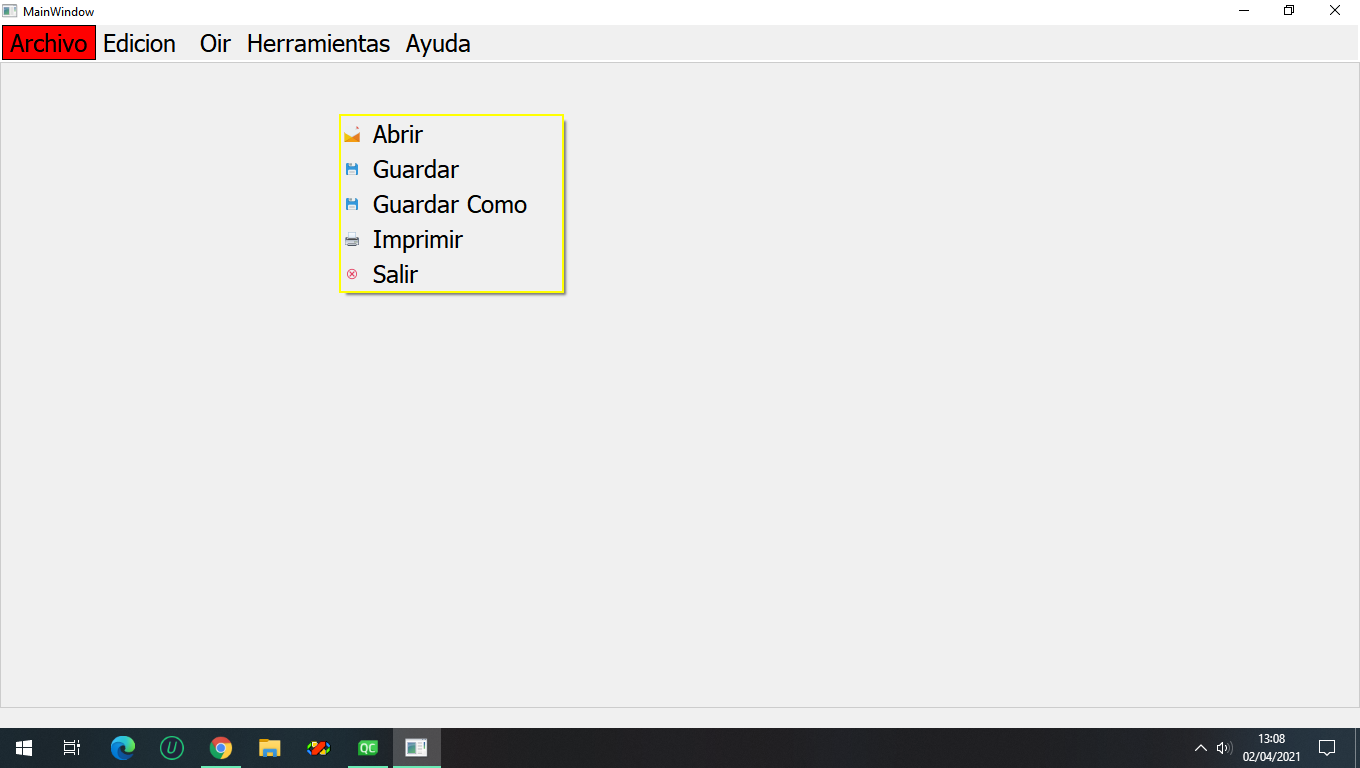
Popup menu
-
Hi,
From your drawing it seems you want a normal menu to be shown as when you left click on a menu.
Do you mean you only want to change one menu entry when right clicking ?
-
From your second image it seems you have clicked on the Archivo menu. Is that the effect you want ?
Note that this behaviour is going to disturb your users. If I right click somewhere on an application I certainly would think it's a bug that a menu opens like that rather than a contextual menu under the mouse pointer.
-
From your second image it seems you have clicked on the Archivo menu. Is that the effect you want ?
Note that this behaviour is going to disturb your users. If I right click somewhere on an application I certainly would think it's a bug that a menu opens like that rather than a contextual menu under the mouse pointer.
-
What if you call the menu's
popupexec method with no parameters ? -
-
You have to pass the correct global coordinates for the popup to appear as stated in the documentation: Pops up the menu so that the action action will be at the specified global position p. To translate a widget's local coordinates into global coordinates, use QWidget::mapToGlobal().
-
@Oumayma
You now have at least 3 separate questions going on exactly this topic.It is not nice to make different people respond to the same issue in different threads. It wastes/duplicates their efforts. Is it not reasonable to limit yourself to just one topic for this?
-
@Oumayma
You now have at least 3 separate questions going on exactly this topic.It is not nice to make different people respond to the same issue in different threads. It wastes/duplicates their efforts. Is it not reasonable to limit yourself to just one topic for this?
@JonB I did not notice it before answering this one. Therefore I close this now because it's an exact duplicate of https://forum.qt.io/topic/125327/qmenu-popup/