Skip to content
  • Categories
  • Recent
  • Tags
  • Popular
  • Users
  • Groups
  • Search
  • Get Qt Extensions
  • Unsolved
Collapse
Brand Logo
  1. Home
  2. Qt Development
  3. QML and Qt Quick
  4. "underlaying" a rectangle
Forum Updated to NodeBB v4.3 + New Features

"underlaying" a rectangle

Scheduled Pinned Locked Moved Solved QML and Qt Quick
17 Posts 4 Posters 1.7k Views 4 Watching
  • Oldest to Newest
  • Newest to Oldest
  • Most Votes
Reply
  • Reply as topic
Log in to reply
This topic has been deleted. Only users with topic management privileges can see it.
  • mzimmersM Offline
    mzimmersM Offline
    mzimmers
    wrote on last edited by
    #4

    Thanks, guys. Hopefully this picture will help explain what I'm trying to do:
    rectangles.png
    The short, wide rectangle overlays (I know that's not the best term) the more square-shaped rectangle.

    1 Reply Last reply
    0
    • fcarneyF Offline
      fcarneyF Offline
      fcarney
      wrote on last edited by
      #5
      Receptacle {
        anchors.centerVertical: rack.verticalCenter // may not be exact spelling
        anchors.right: rack.right
        anchors.rightmargin: -50 // may not accept negative number, in that case you will have to calculate x relative to rack
      }
      Rack {
        id: rack
      }
      

      C++ is a perfectly valid school of magic.

      1 Reply Last reply
      0
      • fcarneyF Offline
        fcarneyF Offline
        fcarney
        wrote on last edited by fcarney
        #6

        Heh, it works:

            Rectangle {
                anchors.verticalCenter: lbrect.verticalCenter
                anchors.right: lbrect.right
                anchors.rightMargin: -25
        
                height: 75
                width: 75
        
                color: "pink"
            }
            Rectangle {
                id: lbrect
        
                anchors.top: listview1.bottom
        
                height: 50
                width: 100
        
                color: "lightblue"
            }
        

        Edit: Note, this only works with sibling items and items with parent child relationships. I chose to put the pink before the lightblue for z ordering purposes.

        C++ is a perfectly valid school of magic.

        ODБOïO 1 Reply Last reply
        0
        • fcarneyF fcarney

          Heh, it works:

              Rectangle {
                  anchors.verticalCenter: lbrect.verticalCenter
                  anchors.right: lbrect.right
                  anchors.rightMargin: -25
          
                  height: 75
                  width: 75
          
                  color: "pink"
              }
              Rectangle {
                  id: lbrect
          
                  anchors.top: listview1.bottom
          
                  height: 50
                  width: 100
          
                  color: "lightblue"
              }
          

          Edit: Note, this only works with sibling items and items with parent child relationships. I chose to put the pink before the lightblue for z ordering purposes.

          ODБOïO Offline
          ODБOïO Offline
          ODБOï
          wrote on last edited by
          #7

          @fcarney hi
          the op mentionned that items are managed by a Column so you can't use anchors

          mzimmersM fcarneyF 3 Replies Last reply
          0
          • ODБOïO ODБOï

            @fcarney hi
            the op mentionned that items are managed by a Column so you can't use anchors

            mzimmersM Offline
            mzimmersM Offline
            mzimmers
            wrote on last edited by
            #8

            @LeLev correct. I could use a ColumnLayout, but I had trouble getting the rows to center, so I went with Column instead.

            Off-topic: is there a rule of thumb for when to use each of these?

            1 Reply Last reply
            0
            • ODБOïO ODБOï

              @fcarney hi
              the op mentionned that items are managed by a Column so you can't use anchors

              fcarneyF Offline
              fcarneyF Offline
              fcarney
              wrote on last edited by fcarney
              #9

              @LeLev He can, he just has to put both inside an Item.

              Edit: Might get messy

              C++ is a perfectly valid school of magic.

              1 Reply Last reply
              0
              • ODБOïO ODБOï

                @fcarney hi
                the op mentionned that items are managed by a Column so you can't use anchors

                fcarneyF Offline
                fcarneyF Offline
                fcarney
                wrote on last edited by fcarney
                #10

                @LeLev Here is a better solution then:

                Rectangle {
                        id: lbrect
                
                        height: 50
                        width: 100
                
                        color: "lightblue"
                
                        Rectangle {
                            anchors.verticalCenter: lbrect.verticalCenter
                            anchors.right: lbrect.right
                            anchors.rightMargin: -25
                
                            height: 75
                            width: 75
                
                            color: "pink"
                
                            z: -1
                        }
                    }
                

                Edit: Removed anchor from lbrect. I copied this from test project. So its not needed.

                C++ is a perfectly valid school of magic.

                mzimmersM 1 Reply Last reply
                1
                • fcarneyF fcarney

                  @LeLev Here is a better solution then:

                  Rectangle {
                          id: lbrect
                  
                          height: 50
                          width: 100
                  
                          color: "lightblue"
                  
                          Rectangle {
                              anchors.verticalCenter: lbrect.verticalCenter
                              anchors.right: lbrect.right
                              anchors.rightMargin: -25
                  
                              height: 75
                              width: 75
                  
                              color: "pink"
                  
                              z: -1
                          }
                      }
                  

                  Edit: Removed anchor from lbrect. I copied this from test project. So its not needed.

                  mzimmersM Offline
                  mzimmersM Offline
                  mzimmers
                  wrote on last edited by
                  #11

                  @fcarney assuming that your lbrect is my rack, I still can't use the anchors.

                  fcarneyF 1 Reply Last reply
                  0
                  • mzimmersM mzimmers

                    @fcarney assuming that your lbrect is my rack, I still can't use the anchors.

                    fcarneyF Offline
                    fcarneyF Offline
                    fcarney
                    wrote on last edited by
                    #12

                    @mzimmers You will use whatever positioning you are currently using. I copied from a test project. Its not needed.

                    C++ is a perfectly valid school of magic.

                    ODБOïO mzimmersM 2 Replies Last reply
                    0
                    • fcarneyF fcarney

                      @mzimmers You will use whatever positioning you are currently using. I copied from a test project. Its not needed.

                      ODБOïO Offline
                      ODБOïO Offline
                      ODБOï
                      wrote on last edited by ODБOï
                      #13

                      @fcarney said in "underlaying" a rectangle:

                      @LeLev Here is a better solution then:

                      yes, that is a nice solution.the only drawback i see is that the child (pink) is heigher than its parent (lightblue), so you have to take that into account when placing this in a column or columnLayout, same thing for the nagative margin.

                      I would use a parent Item as you mentionned earlier

                      1 Reply Last reply
                      0
                      • fcarneyF fcarney

                        @mzimmers You will use whatever positioning you are currently using. I copied from a test project. Its not needed.

                        mzimmersM Offline
                        mzimmersM Offline
                        mzimmers
                        wrote on last edited by
                        #14

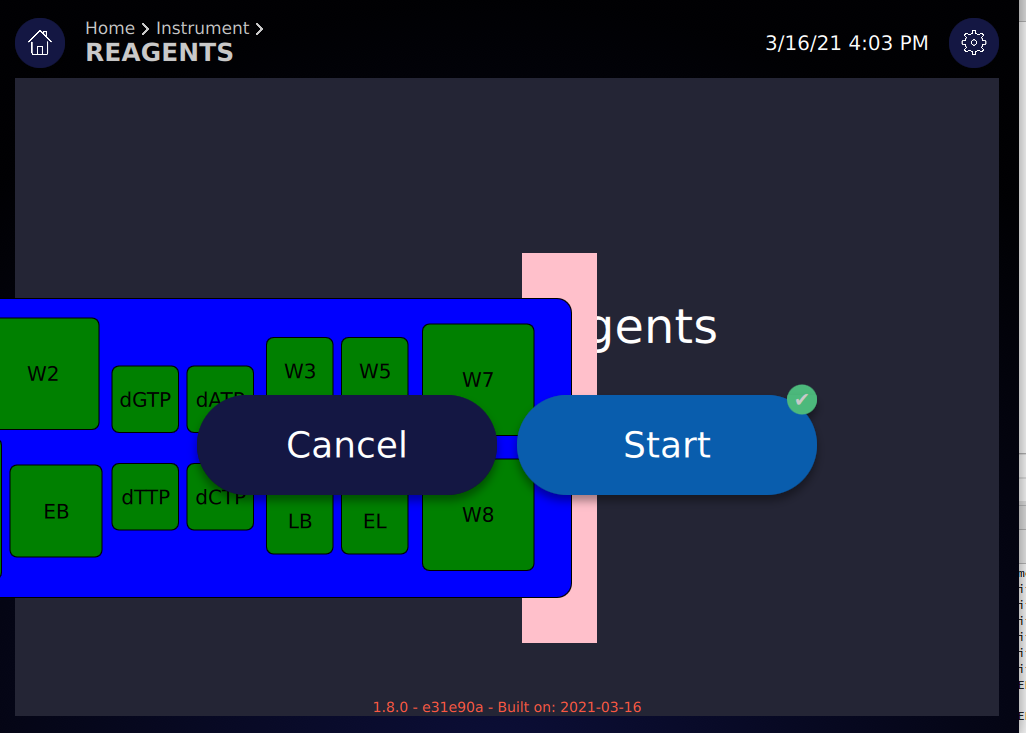
                        @fcarney I misspoke; the positioners you specified do work, if both rectangles are enclosed within an Item. Unfortunately, the display looks like this:
                        left.PNG

                        I assume that what's happening is the Item isn't recognized as a component of the Column; any idea why that might be?

                        Thanks.

                        ODБOïO 1 Reply Last reply
                        0
                        • mzimmersM mzimmers

                          @fcarney I misspoke; the positioners you specified do work, if both rectangles are enclosed within an Item. Unfortunately, the display looks like this:
                          left.PNG

                          I assume that what's happening is the Item isn't recognized as a component of the Column; any idea why that might be?

                          Thanks.

                          ODБOïO Offline
                          ODБOïO Offline
                          ODБOï
                          wrote on last edited by
                          #15

                          maybe this helps
                          https://tinyurl.com/yedtugnn

                          1 Reply Last reply
                          1
                          • mzimmersM Offline
                            mzimmersM Offline
                            mzimmers
                            wrote on last edited by
                            #16

                            Wow...that's quite a website. I had no idea such a tool existed.

                            I do think my problem comes from using Column instead of ColumnLayout, but I'll have to do some more experimentation to see. In any event, the original question has been answered very nicely, so I'm going to mark this solved.

                            Thanks to everyone for the help.

                            ODБOïO 1 Reply Last reply
                            0
                            • mzimmersM mzimmers

                              Wow...that's quite a website. I had no idea such a tool existed.

                              I do think my problem comes from using Column instead of ColumnLayout, but I'll have to do some more experimentation to see. In any event, the original question has been answered very nicely, so I'm going to mark this solved.

                              Thanks to everyone for the help.

                              ODБOïO Offline
                              ODБOïO Offline
                              ODБOï
                              wrote on last edited by
                              #17

                              @mzimmers said in "underlaying" a rectangle:

                              I do think my problem comes from using Column instead of ColumnLayout

                              i'm not saying that at all... i don't know where your problems come from since you don't show the code :)
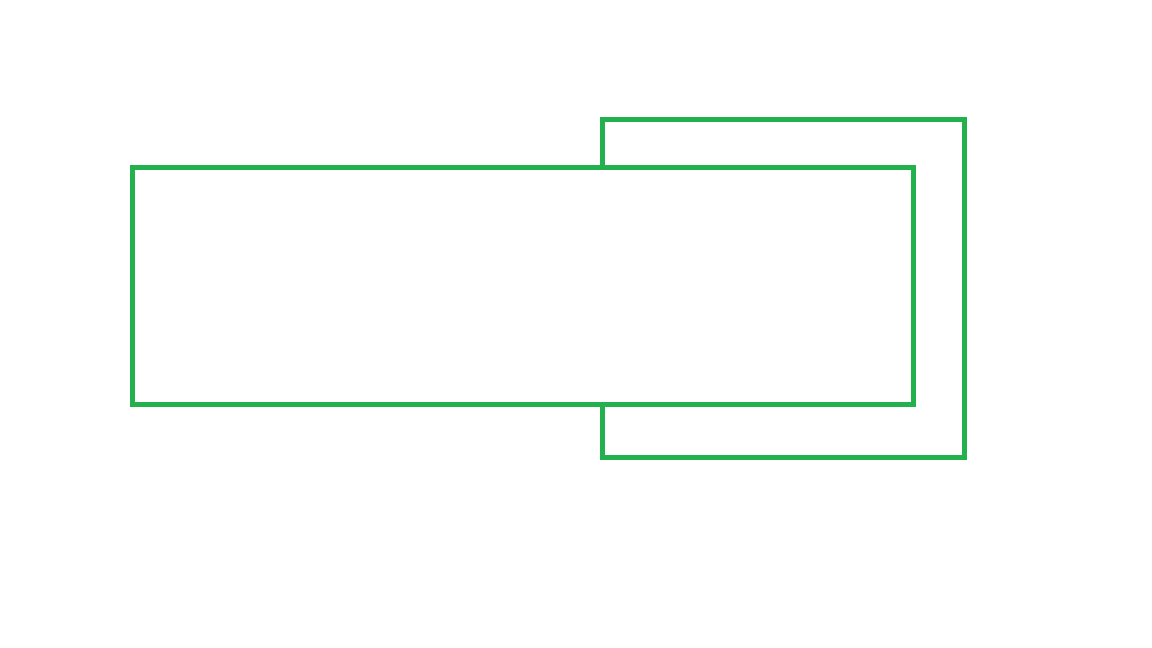
                              the only relevant part of my example is the blue and pink rectangles with their parent, dont pay attention to my ColumnLayout please

                              1 Reply Last reply
                              0

                              • Login

                              • Login or register to search.
                              • First post
                                Last post
                              0
                              • Categories
                              • Recent
                              • Tags
                              • Popular
                              • Users
                              • Groups
                              • Search
                              • Get Qt Extensions
                              • Unsolved