
Skip to content
  • Categories
  • Recent
  • Tags
  • Popular
  • Users
  • Groups
  • Search
  • Get Qt Extensions
  • Unsolved
Collapse
Brand Logo
  1. Home
  2. Qt Development
  3. Qt Creator and other tools
  4. meta-qt5 master sources qt5-creator issue Kit Selection issue
Qt 6.11 is out! See what's new in the release blog

meta-qt5 master sources qt5-creator issue Kit Selection issue

Scheduled Pinned Locked Moved Unsolved Qt Creator and other tools
11 Posts 2 Posters 3.7k Views
  • Oldest to Newest
  • Newest to Oldest
  • Most Votes
Reply
  • Reply as topic
Log in to reply
This topic has been deleted. Only users with topic management privileges can see it.
  • S sateesh.m

    Hi Guys,

                 I am building qt  using meta-qt5 master sources with openembedded-core  layer & meta-openembedded dunfell version sources.
    

    compatible_host = riscv64
    machine = freedom-u540
    gcc version 8.3
    glibc version 2.30

    when I am launching my qtcreator ide, when i want to choose my kit version . It is not picking my selected kit version.

    showing No suitable kits found.

    I am facing issue Error : At least one required feature is not present.
    warning : Cmake version is unsupported.Please update to version 3.14(with file-api) or later.

    So, previously i updated 3.15 Cmake version again I updated 3.18 version also but same issue i am facing.

    Cmake (Default) Version : Supports fileApi:no
    CMake executable does not provided required IDE integration features.

    SO, I am trying to working with qmake. when I am giving qmake path. giving path ( /usr/bin/qmake) but it is showing could not select is showing.

    Even qt version also am trying to choose it is always showing none.

    so I gave this command checking my qt version
    checking command : qmake -query
    QT_SYSROOT:
    QT_INSTALL_PREFIX:/usr
    QT_INSTALL_ARCHDATA:/usr/lib
    QT_INSTALL_DATA:/usr/share
    QT_INSTALL_DOCS:/usr/share/doc
    QT_INSTALL_HEADERS:/usr/include
    QT_INSTALL_LIBS:/usr/lib
    QT_INSTALL_LIBEXECS:/usr/lib/libexec
    QT_INSTALL_BINS:/usr/bin
    QT_INSTALL_TESTS:/usr/share/tests
    QT_INSTALL_PLUGINS:/usr/lib/plugins
    QT_INSTALL_IMPORTS:/usr/impors
    QT_INSTALL_QML:/usr/lib/qml
    QT_INSTALL_TRANSLATIONS:/usr/share/trasnlations
    QT_INSTALL_CONFIGURATION:/etc
    QT_INSTALL_EXAMPLES:/usr/share/examples
    QT_HOST_PREFIX:/usr
    QT_HOST_DATA:/usr/lib
    QT_HOST_BINS:/usr/bin
    QT_HOST_LIBS:/usr/lib
    QMAKE_SPEC:linux-g++
    QMAKE_XSPEC:linux-g++
    QMAKE_VERSION:3.1
    QT_VERSION:5.15.0

    I installed every dependency qtcreator
    qtcreator dependencies :
    DEPENDS += "
    qtbase
    qtscript
    qtxmlpatterns
    qtx11extras
    qtdeclarative
    qttools
    qttools-native
    qtsvg
    chrpath-replacement-native
    zlib"
    DEPENDS_append_libc-musl = " libexecinfo"

    But why no suitable kits found.

    Is anybody Know this please help me to solve this issue.

    Thanks & Regards,
    Sateesh

    jsulmJ Offline
    jsulmJ Offline
    jsulm
    Lifetime Qt Champion
    wrote on last edited by
    #2

    @sateesh-m said in meta-qt5 master sources qt5-creator issue Kit Selection issue:

    when I am giving qmake path. giving path ( /usr/bin/qmake) but it is showing could not select is showing

    What does that mean?
    Is /usr/bin/qmake really from Qt version you built by yourself?

    https://forum.qt.io/topic/113070/qt-code-of-conduct

    1 Reply Last reply
    0
    • S Offline
      S Offline
      sateesh.m
      wrote on last edited by
      #3

      Hi Jsulm,

                           qmake is a binary  present in the  "/usr/bin/ " . So am giving complete path upto qmake binary in my qtcreator ide. i am attaching my screenshots please check it once.  ![cmake&qmake-choosing(x5KAXCYk1fT) (1).jpg](https://ddgobkiprc33d.cloudfront.net/91884e28-cbab-45aa-809b-fda04d421417.jpg) ![cmake&qmake-choosing(x5KAXCYk1fT) (2).jpg](https://ddgobkiprc33d.cloudfront.net/1c9ff3c1-b1dc-4172-9667-8f679c191cd8.jpg) ![processed (5)(RM98bp5GJQn).jpg](https://ddgobkiprc33d.cloudfront.net/4894e6bb-665c-46fc-8ec4-349f77bbf1c5.jpg)
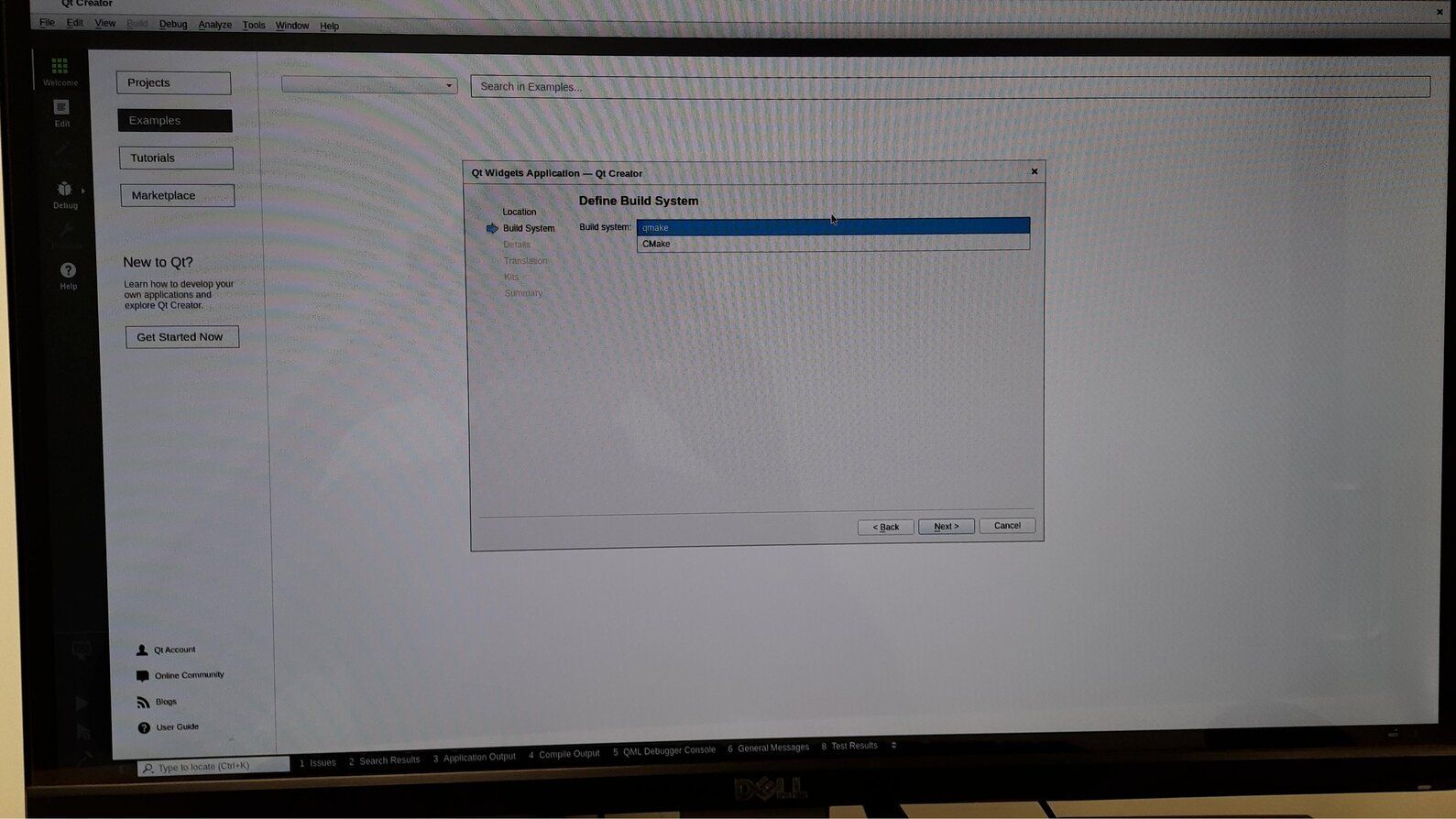
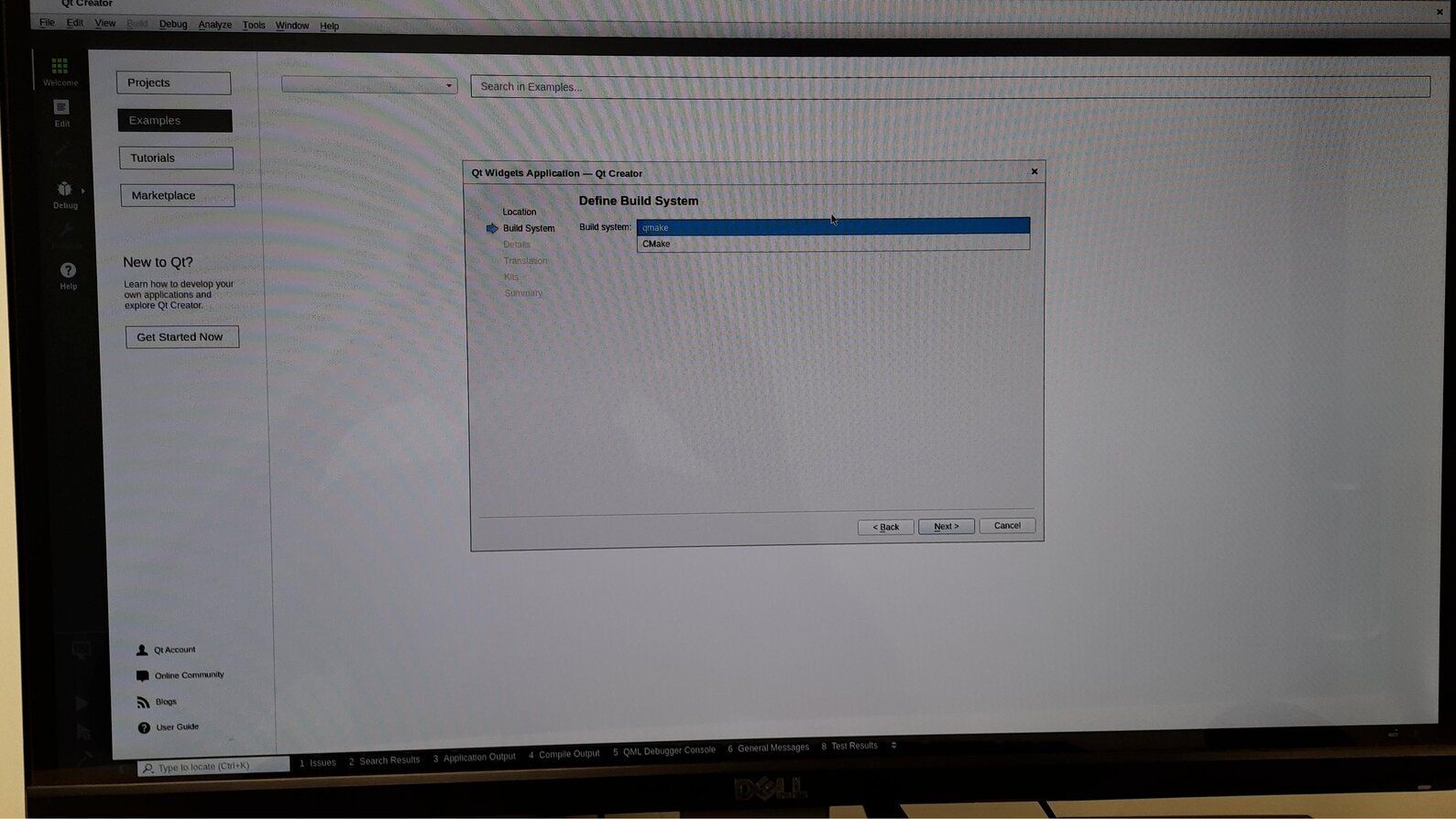
      
      jsulmJ 1 Reply Last reply
      0
      • S sateesh.m

        Hi Jsulm,

                             qmake is a binary  present in the  "/usr/bin/ " . So am giving complete path upto qmake binary in my qtcreator ide. i am attaching my screenshots please check it once.  ![cmake&qmake-choosing(x5KAXCYk1fT) (1).jpg](https://ddgobkiprc33d.cloudfront.net/91884e28-cbab-45aa-809b-fda04d421417.jpg) ![cmake&qmake-choosing(x5KAXCYk1fT) (2).jpg](https://ddgobkiprc33d.cloudfront.net/1c9ff3c1-b1dc-4172-9667-8f679c191cd8.jpg) ![processed (5)(RM98bp5GJQn).jpg](https://ddgobkiprc33d.cloudfront.net/4894e6bb-665c-46fc-8ec4-349f77bbf1c5.jpg)
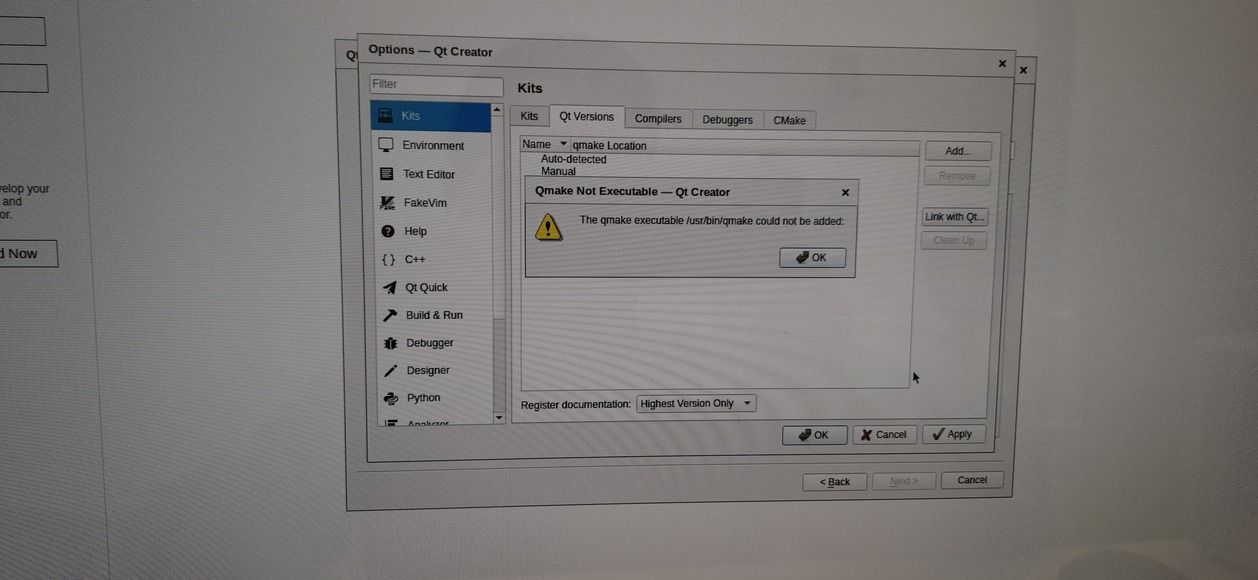

        
        jsulmJ Offline
        jsulmJ Offline
        jsulm
        Lifetime Qt Champion
        wrote on last edited by
        #4

        @sateesh-m Again: Is /usr/bin/qmake really from Qt version you built by yourself?
        You wrote that you built Qt by yourself, did you also install it (for example "make install")?

        https://forum.qt.io/topic/113070/qt-code-of-conduct

        1 Reply Last reply
        0
        • S Offline
          S Offline
          sateesh.m
          wrote on last edited by
          #5

          Hi Jsulm,

                      I didn't installed  using make commands. I used Yocto development. qt5-creator recipe its present in meta-qt5 layer master branch . when I was install this package it genertae qmake binaries in the /usr/bin path.  
          

          My problem is I cannot add qmake to Qtversion in tool -> Build and Run

          Please guide me to solve this issue.

          Thanks & Regards,
          Sateesh

          jsulmJ 1 Reply Last reply
          0
          • S sateesh.m

            Hi Jsulm,

                        I didn't installed  using make commands. I used Yocto development. qt5-creator recipe its present in meta-qt5 layer master branch . when I was install this package it genertae qmake binaries in the /usr/bin path.  
            

            My problem is I cannot add qmake to Qtversion in tool -> Build and Run

            Please guide me to solve this issue.

            Thanks & Regards,
            Sateesh

            jsulmJ Offline
            jsulmJ Offline
            jsulm
            Lifetime Qt Champion
            wrote on last edited by
            #6

            @sateesh-m Can you execute /usr/bin/qmake in a terminal (does that work?)?

            https://forum.qt.io/topic/113070/qt-code-of-conduct

            1 Reply Last reply
            0
            • S Offline
              S Offline
              sateesh.m
              wrote on last edited by
              #7

              Yes @jsulm , it does.
              I was able to build a simple hello world application.

              1 Reply Last reply
              0
              • S Offline
                S Offline
                sateesh.m
                wrote on last edited by
                #8

                Can suggest any solution solving this issue?

                jsulmJ 1 Reply Last reply
                0
                • S sateesh.m

                  Can suggest any solution solving this issue?

                  jsulmJ Offline
                  jsulmJ Offline
                  jsulm
                  Lifetime Qt Champion
                  wrote on last edited by
                  #9

                  @sateesh-m What exactly happens if you try to add your Qt version using /usr/bin/qmake?

                  https://forum.qt.io/topic/113070/qt-code-of-conduct

                  1 Reply Last reply
                  0
                  • S Offline
                    S Offline
                    sateesh.m
                    wrote on last edited by
                    #10

                    Qmkae Not Executable -Qt Creator

                    The qmake executable /usr/bin/qmake could not be added.

                    jsulmJ 1 Reply Last reply
                    0
                    • S sateesh.m

                      Qmkae Not Executable -Qt Creator

                      The qmake executable /usr/bin/qmake could not be added.

                      jsulmJ Offline
                      jsulmJ Offline
                      jsulm
                      Lifetime Qt Champion
                      wrote on last edited by
                      #11

                      @sateesh-m said in meta-qt5 master sources qt5-creator issue Kit Selection issue:

                      Qmkae Not Executable -Qt Creator

                      Can you post the error like it is shown in QtCreator?

                      https://forum.qt.io/topic/113070/qt-code-of-conduct

                      1 Reply Last reply
                      0

                      • Login

                      • Login or register to search.
                      • First post
                        Last post
                      0
                      • Categories
                      • Recent
                      • Tags
                      • Popular
                      • Users
                      • Groups
                      • Search
                      • Get Qt Extensions
                      • Unsolved

