Skip to content
  • Categories
  • Recent
  • Tags
  • Popular
  • Users
  • Groups
  • Search
  • Get Qt Extensions
  • Unsolved
Collapse
Brand Logo
  1. Home
  2. Qt Development
  3. General and Desktop
  4. QGraphicsRectItems
Qt 6.11 is out! See what's new in the release blog

QGraphicsRectItems

Scheduled Pinned Locked Moved Unsolved General and Desktop
4 Posts 3 Posters 319 Views 2 Watching
  • Oldest to Newest
  • Newest to Oldest
  • Most Votes
Reply
  • Reply as topic
Log in to reply
This topic has been deleted. Only users with topic management privileges can see it.
  • privatepepperP Offline
    privatepepperP Offline
    privatepepper
    wrote on last edited by
    #1

    Hello,
    So I am trying to visualize the pathfinding algorithms on qt. How could I make that user could select the starting point and the endpoint with his mouse on the QGraphicsRectItems and I would receive which rectangles were selected?

    1 Reply Last reply
    0
    • mrjjM Offline
      mrjjM Offline
      mrjj
      Lifetime Qt Champion
      wrote on last edited by mrjj
      #2

      Hi
      You mean drag out a rect and then all QGraphicsRectItems within that area are selected ?
      You can use https://doc.qt.io/qt-5/qrubberband.html
      for the drag a rect effect

      Alternatively, the user can already select multiple objects if holding down CTRL and left-clicking.

      privatepepperP 1 Reply Last reply
      0
      • mrjjM mrjj

        Hi
        You mean drag out a rect and then all QGraphicsRectItems within that area are selected ?
        You can use https://doc.qt.io/qt-5/qrubberband.html
        for the drag a rect effect

        Alternatively, the user can already select multiple objects if holding down CTRL and left-clicking.

        privatepepperP Offline
        privatepepperP Offline
        privatepepper
        wrote on last edited by privatepepper
        #3

        @mrjj said in QGraphicsRectItems:

        Hi
        You mean drag out a rect and then all QGraphicsRectItems within that area are selected ?

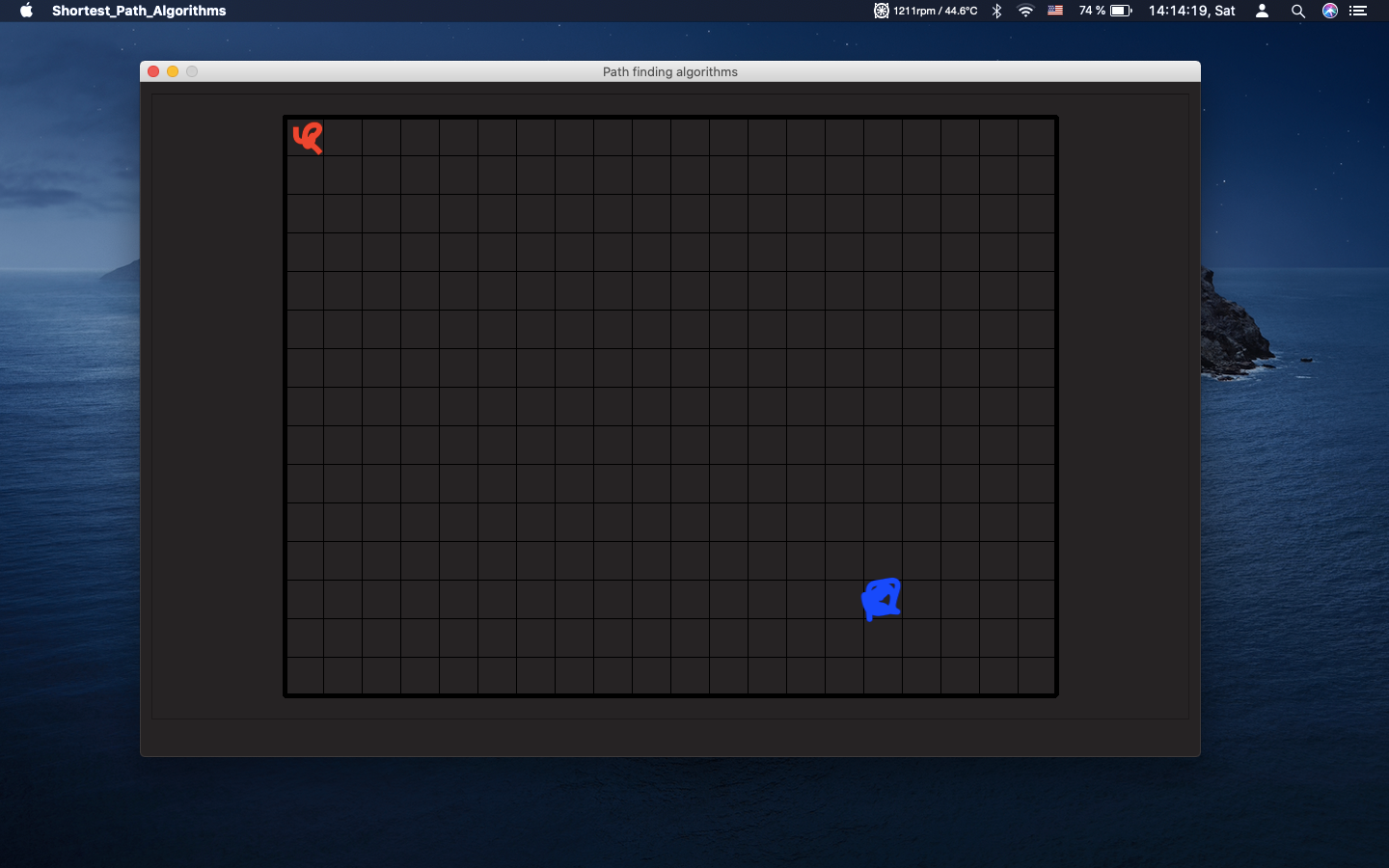
        No, I mean that when a window is opened first two clicks would change QGraphcisRectItems
        color and I could store information which QGraphcisRectItems were "selected" .

        1. Opens a window
        2. Selects a starting point
        3. Selects an endpoint
          Screenshot 2020-05-02 at 14.14.19.png

        And I somehow store those points

        1 Reply Last reply
        0
        • SGaistS Offline
          SGaistS Offline
          SGaist
          Lifetime Qt Champion
          wrote on last edited by
          #4

          Hi,

          You can do it from several different techniques.

          For example, you can make your items selectable and use the QGraphicsScene::selectionChanged signal.

          You can implement the mousePressEvent method to manage the selection yourself and also update the item colour.

          Interested in AI ? www.idiap.ch
          Please read the Qt Code of Conduct - https://forum.qt.io/topic/113070/qt-code-of-conduct

          1 Reply Last reply
          2

          • Login

          • Login or register to search.
          • First post
            Last post
          0
          • Categories
          • Recent
          • Tags
          • Popular
          • Users
          • Groups
          • Search
          • Get Qt Extensions
          • Unsolved