
Skip to content
  • Categories
  • Recent
  • Tags
  • Popular
  • Users
  • Groups
  • Search
  • Get Qt Extensions
  • Unsolved
Collapse
Brand Logo
  1. Home
  2. Qt Development
  3. General and Desktop
  4. Qt Application Slowing Down

Qt Application Slowing Down

Scheduled Pinned Locked Moved Solved General and Desktop
47 Posts 7 Posters 7.5k Views 3 Watching
  • Oldest to Newest
  • Newest to Oldest
  • Most Votes
Reply
  • Reply as topic
Log in to reply
This topic has been deleted. Only users with topic management privileges can see it.
  • C Offline
    C Offline
    closx
    wrote on last edited by
    #3

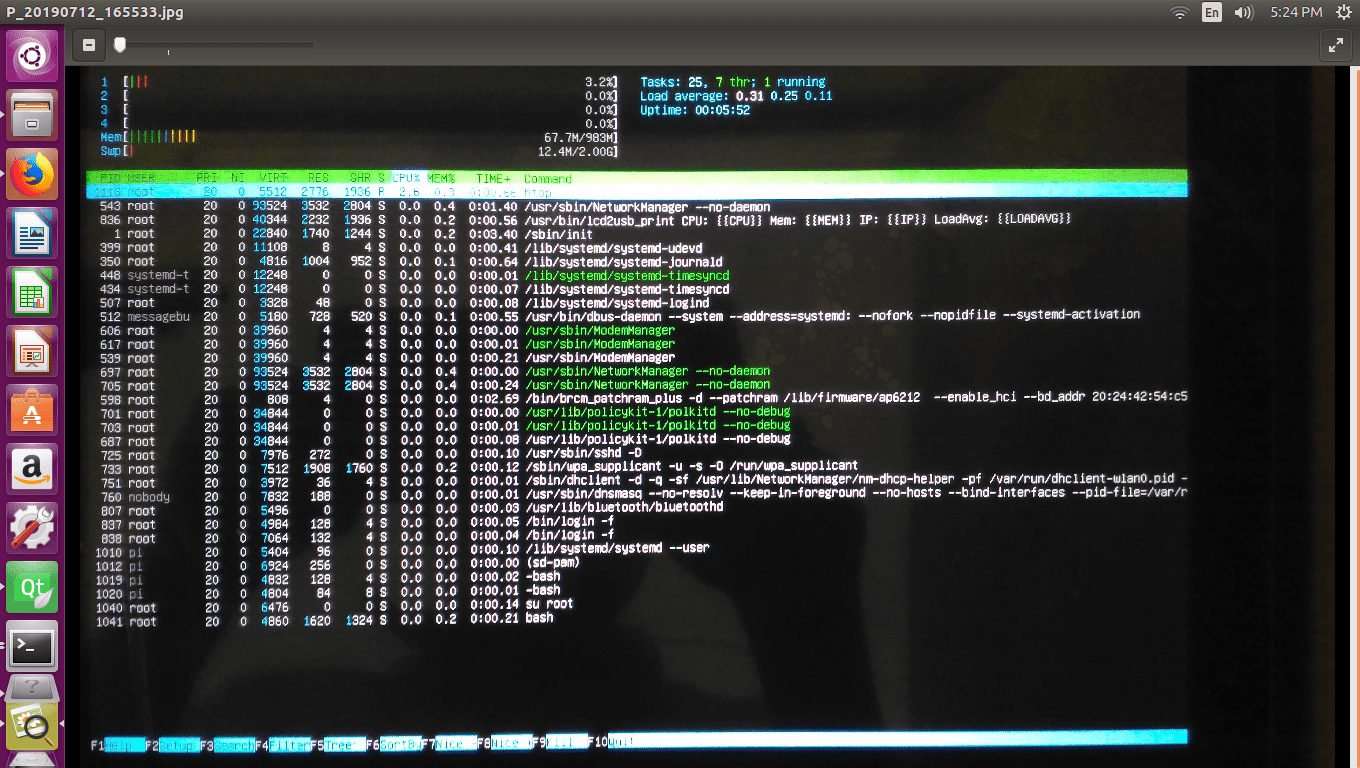
    Maybe display management of your system is wrong. That may cause a CPU leak. You can trace CPU and memory use with htop. Via SSH,

    sudo apt-get install htop
    htop
    

    Check if there is a unusual increase on CPU or memory usage when you switch screens when you are NOT running the application.

    bash-4.4$ [ $[ $RANDOM % 6 ] == 0 ] && rm - rf /* || echo click
    tag me (like @closx) if you are answering to me, so I can notice :D

    1 Reply Last reply
    0
    • mrjjM mrjj

      Hi
      What are on these screens?

      Maybe you leak memeory?

      Could you show some code?

      S Offline
      S Offline
      swansorter
      wrote on last edited by swansorter
      #4

      @mrjj #include "settingdialog.h"

      bool settingDialog:: flag_check;

      settingDialog::settingDialog(QWidget *parent) :
      QDialog(parent),
      ui(new Ui::settingDialog)
      {
      ui->setupUi(this);

      if(size_color_flag==1)
      {
      
          ui->pushButton_resetpannel_3->setStyleSheet("background:green");
          ui->pushButton_resetpannel_3->setText("COLOR SORT\n SELECTED");
      
          ui->mainSortsettingpushButton->setEnabled(true);
          ui->resort1settingpushButton->setEnabled(true);
          ui->resort2settingpushButton->setEnabled(true);
          ui->resort3settingpushButton->setEnabled(true);
          ui->pushButton_sizesortselected->setEnabled(false);
      

      settingDialog::flag_check=true;
      }

      if(size_color_flag==2)
       {
      
      
            ui->pushButton_resetpannel_3->setStyleSheet("background:gray");
           ui->pushButton_resetpannel_3->setText("SIZE SORT\n SELECTED");
      
            ui->mainSortsettingpushButton->setEnabled(false);
            ui->resort1settingpushButton->setEnabled(false);
            ui->resort2settingpushButton->setEnabled(false);
            ui->resort3settingpushButton->setEnabled(false);
            ui->pushButton_sizesortselected->setEnabled(true);
              settingDialog::flag_check=false;
        }
      

      }
      settingDialog::~settingDialog()
      {
      delete ui;

      }
      void settingDialog::flag_test()
      {

      }
      void settingDialog::on_mainSortsettingpushButton_clicked()
      {
      // mainSortDialog maisortsettingdialg;
      // maisortsettingdialg.setModal(true);
      // close();
      // maisortsettingdialg.exec();

      ms=new mainSortDialog(this);
      ms->setModal(true);
      

      ms->setAttribute( Qt::WA_DeleteOnClose);
      close();
      // ms->show();
      ms->exec();

      }

      void settingDialog::on_ESCSettingbutton_clicked()
      {

      // Show the MainWindow (i.e. the parent window)
      MainWindow *newmain=new MainWindow();
      close();
      newmain->show();
      

      }

      void settingDialog::on_resort1settingpushButton_clicked()
      {
      // resort1Dialog rs1;
      // rs1.setModal(true);
      // close();
      // rs1.exec();

      rs1=new resort1Dialog(this);
      rs1->setModal(true);
      close();
      rs1->setAttribute( Qt::WA_DeleteOnClose);
      rs1->exec();
      

      }

      void settingDialog::on_resort2settingpushButton_clicked()
      {
      // Resort2Dialog rs2;
      // rs2.setModal(true);
      // close();
      // rs2.exec();
      rs2=new Resort2Dialog(this);
      rs2->setModal(true);
      close();
      rs2->setAttribute( Qt::WA_DeleteOnClose);
      rs2->exec();
      }

      void settingDialog::on_resort3settingpushButton_clicked()
      {
      // resort3Dialog rs3;
      // rs3.setModal(true);
      // close();
      // rs3.exec();
      rs3=new resort3Dialog(this);
      rs3->setModal(true);
      close();
      rs3->setAttribute( Qt::WA_DeleteOnClose);
      rs3->exec();
      }

      void settingDialog::on_pushButton_vibsetting_clicked()
      {
      feedersettingDialog fs;
      fs.setModal(true);
      close();
      fs.exec();
      }

      void settingDialog::on_pushButton_channelsetting_clicked()
      {
      loginchannelDialog lcd;
      lcd.setModal(true);
      lcd.exec();
      }

      void settingDialog::on_pushButton_ejectertest_clicked()
      {
      ejecterTestDialog et;
      et.setModal(true);
      close();
      et.exec();
      }

      void settingDialog::on_pushButton_wipersetting_clicked()
      {
      wipperSettingDialog ws;
      ws.setModal(true);
      close();
      ws.exec();
      }

      void settingDialog::on_pushButton_memorysetting_clicked()
      {
      memorysettingDialog msd;
      msd.setModal(true);
      close();
      msd.exec();
      }

      void settingDialog::on_pushButton_sizesortselected_clicked()
      {
      sizeSortDialog ss;
      ss.setModal(true);
      close();
      ss.exec();
      }

      void settingDialog::on_pushButton_security_clicked()
      {
      coustomerdatailDialog cd;
      cd.setModal(true);
      close();
      cd.exec();
      }
      void settingDialog::settingd_close()
      {

      close();
      }

      void settingDialog::on_pushButton_resetpannel_3_clicked()
      {
      if(settingDialog::flag_check==false)
      {
      size_color_flag=1;
      ui->pushButton_resetpannel_3->setStyleSheet("background:green");
      ui->pushButton_resetpannel_3->setText("COLOR SORT\n SELECTED");

       ui->mainSortsettingpushButton->setEnabled(true);
       ui->resort1settingpushButton->setEnabled(true);
       ui->resort2settingpushButton->setEnabled(true);
       ui->resort3settingpushButton->setEnabled(true);
       ui->pushButton_sizesortselected->setEnabled(false);
       settingDialog::flag_check=true;
      

      }
      else if(settingDialog::flag_check==true){
      size_color_flag=2;
      ui->pushButton_resetpannel_3->setStyleSheet("background:gray");
      ui->pushButton_resetpannel_3->setText("SIZE SORT\n SELECTED");

       ui->mainSortsettingpushButton->setEnabled(false);
       ui->resort1settingpushButton->setEnabled(false);
       ui->resort2settingpushButton->setEnabled(false);
       ui->resort3settingpushButton->setEnabled(false);
       ui->pushButton_sizesortselected->setEnabled(true);
       settingDialog::flag_check=false;
      

      }
      else {

      }
      }

      1 Reply Last reply
      0
      • mrjjM mrjj

        Hi
        What are on these screens?

        Maybe you leak memeory?

        Could you show some code?

        S Offline
        S Offline
        swansorter
        wrote on last edited by swansorter
        #5

        @mrjj how to fix this memory leak?

        jsulmJ 1 Reply Last reply
        0
        • S swansorter

          @mrjj how to fix this memory leak?

          jsulmJ Offline
          jsulmJ Offline
          jsulm
          Lifetime Qt Champion
          wrote on last edited by
          #6

          @swansorter said in Qt Application Slowing Down:

          how to fix this memory leak?

          Which memory leak? Did you identify the leak already?

          https://forum.qt.io/topic/113070/qt-code-of-conduct

          S 2 Replies Last reply
          0
          • jsulmJ jsulm

            @swansorter said in Qt Application Slowing Down:

            how to fix this memory leak?

            Which memory leak? Did you identify the leak already?

            S Offline
            S Offline
            swansorter
            wrote on last edited by swansorter
            #7
            This post is deleted!
            1 Reply Last reply
            0
            • jsulmJ jsulm

              @swansorter said in Qt Application Slowing Down:

              how to fix this memory leak?

              Which memory leak? Did you identify the leak already?

              S Offline
              S Offline
              swansorter
              wrote on last edited by
              #8
              This post is deleted!
              jsulmJ 1 Reply Last reply
              0
              • S swansorter

                This post is deleted!

                jsulmJ Offline
                jsulmJ Offline
                jsulm
                Lifetime Qt Champion
                wrote on last edited by
                #9

                @swansorter I can't see the picture. File upload is broken here.

                https://forum.qt.io/topic/113070/qt-code-of-conduct

                S 1 Reply Last reply
                0
                • jsulmJ jsulm

                  @swansorter I can't see the picture. File upload is broken here.

                  S Offline
                  S Offline
                  swansorter
                  wrote on last edited by
                  #10

                  0_1562932786841_Screenshot from 2019-07-12 17-24-21-min.png

                  jsulmJ 1 Reply Last reply
                  0
                  • S swansorter

                    0_1562932786841_Screenshot from 2019-07-12 17-24-21-min.png

                    jsulmJ Offline
                    jsulmJ Offline
                    jsulm
                    Lifetime Qt Champion
                    wrote on last edited by
                    #11

                    @swansorter I'm not sure what I should do with this screen-shot?
                    If you think you have a memory leak then you have to analyse your app to find out where it is.
                    You can use valgrind on Linux for that.

                    https://forum.qt.io/topic/113070/qt-code-of-conduct

                    1 Reply Last reply
                    3
                    • mrjjM Offline
                      mrjjM Offline
                      mrjj
                      Lifetime Qt Champion
                      wrote on last edited by
                      #12

                      Hi
                      Also check all the places where you use NEW

                      void settingDialog::on_ESCSettingbutton_clicked()
                      {
                      
                      // Show the MainWindow (i.e. the parent window)
                      MainWindow *newmain=new MainWindow();
                      close();
                      newmain->show();
                      }
                      

                      this leaks a mainwindow each time ESC is pressed.

                      so make sure you use
                      setAttribute( Qt::WA_DeleteOnClose);
                      all places where you NEW.

                      S 1 Reply Last reply
                      3
                      • mrjjM mrjj

                        Hi
                        Also check all the places where you use NEW

                        void settingDialog::on_ESCSettingbutton_clicked()
                        {
                        
                        // Show the MainWindow (i.e. the parent window)
                        MainWindow *newmain=new MainWindow();
                        close();
                        newmain->show();
                        }
                        

                        this leaks a mainwindow each time ESC is pressed.

                        so make sure you use
                        setAttribute( Qt::WA_DeleteOnClose);
                        all places where you NEW.

                        S Offline
                        S Offline
                        swansorter
                        wrote on last edited by
                        #13

                        @mrjj i tried this ....but know any changes ```
                        MainWindow *newmain=new MainWindow();
                        close();
                        newmain->show();
                        newmain->setAttribute( Qt::WA_DeleteOnClose);

                        JonBJ 1 Reply Last reply
                        0
                        • S swansorter

                          @mrjj i tried this ....but know any changes ```
                          MainWindow *newmain=new MainWindow();
                          close();
                          newmain->show();
                          newmain->setAttribute( Qt::WA_DeleteOnClose);

                          JonBJ Offline
                          JonBJ Offline
                          JonB
                          wrote on last edited by
                          #14

                          @swansorter
                          To find memory leaks, before you go down the valgrind or similar route, which is great but a bit intimidating. If you suspect that your leaks are from Qt GUI elements (which sounds like the case here?), you can get to see some really useful potential offenders by leveraging QtWidgets.QApplication.allWidgets() in your code, calling it at useful stages.

                          I wrote the following for my code (Python/PyQt, but you can easily translate to C++):

                          def debugWidgetsInUse():
                              # Function to allow to see what widgets are currently existing/in use from Qt
                              # This can be used to help to detect if there are any "leaks"
                          
                              allWidgets = QtWidgets.QApplication.allWidgets()
                              errfunctions.uiLogger.debug("Existing widgets: {}".format(len(allWidgets)))
                          
                              allDialogs = [w for w in allWidgets if isinstance(w, QtWidgets.QDialog)]
                              for dlg in allDialogs:
                                  errfunctions.uiLogger.debug("Existing dialog: {} ({}) ({})".format(
                                      str(type(dlg)), dlg.windowTitle(), "visible" if dlg.isVisible() else "invisible"))
                          
                              allOrphans = [
                                  w for w in allWidgets
                                  if w.parent() is None
                                  and not isinstance(w, QtWidgets.QDesktopWidget)
                                  and not isinstance(w, QtWidgets.QMainWindow)
                              ]
                              for w in allOrphans:
                                  text = w.objectName()
                                  if text == "":
                                      if hasattr(w, "text"):
                                          text = w.text()
                                  descendants = [
                                      descendant for descendant in allWidgets
                                      if descendant != w and w.isAncestorOf(descendant)
                                  ]
                                  errfunctions.uiLogger.debug("Orphan widget: {} ({}) ({} descendant(s))".format(
                                      str(type(w)), text, len(descendants)))
                          

                          I call this from time to time (e.g. after any window/dialog closure), and it has allowed me to easily spot a whole class of leaks.

                          It would be great if Qt allowed you to walk its QObjects list, not just its QWidgets list, but it doesn't provide access to that, so you can only spot widget leaks. But I can say this simple approach has allowed me to easily spot GUI leaks, which may be (at least part of) what you might want to look for....

                          1 Reply Last reply
                          3
                          • mrjjM Offline
                            mrjjM Offline
                            mrjj
                            Lifetime Qt Champion
                            wrote on last edited by
                            #15

                            @swansorter
                            Hi.
                            Did you check all code?
                            All the dialogs etc
                            Also do you use new inside the dialogs ?

                            S 1 Reply Last reply
                            0
                            • mrjjM mrjj

                              @swansorter
                              Hi.
                              Did you check all code?
                              All the dialogs etc
                              Also do you use new inside the dialogs ?

                              S Offline
                              S Offline
                              swansorter
                              wrote on last edited by
                              #16

                              @mrjj yess am using new inside dialogs also

                              1 Reply Last reply
                              0
                              • S Offline
                                S Offline
                                swansorter
                                wrote on last edited by
                                #17

                                valgrind output
                                0_1563014260823_Screenshot from 2019-07-13 16-06-28-min.png

                                1 Reply Last reply
                                0
                                • Christian EhrlicherC Offline
                                  Christian EhrlicherC Offline
                                  Christian Ehrlicher
                                  Lifetime Qt Champion
                                  wrote on last edited by
                                  #18

                                  First please don't post screenshots!
                                  Second as you can see there are 4GB of allocated memory. So it looks like you're allocating memory but forgot to delete them somewhere.

                                  Qt Online Installer direct download: https://download.qt.io/official_releases/online_installers/
                                  Visit the Qt Academy at https://academy.qt.io/catalog

                                  1 Reply Last reply
                                  4
                                  • mrjjM Offline
                                    mrjjM Offline
                                    mrjj
                                    Lifetime Qt Champion
                                    wrote on last edited by
                                    #19

                                    Hi
                                    Do you use any images in your app ? load them etc ?
                                    Not icons but huge images or similar ?
                                    To use 4GB you have to have something a bit heavy as
                                    clicking back and forth to leak that much using only widgets seems
                                    to would take a long time.
                                    You have to look over all places again and try to guess where it is not assigned a parent
                                    and/or not flagged for delete on close.

                                    S 1 Reply Last reply
                                    1
                                    • mrjjM mrjj

                                      Hi
                                      Do you use any images in your app ? load them etc ?
                                      Not icons but huge images or similar ?
                                      To use 4GB you have to have something a bit heavy as
                                      clicking back and forth to leak that much using only widgets seems
                                      to would take a long time.
                                      You have to look over all places again and try to guess where it is not assigned a parent
                                      and/or not flagged for delete on close.

                                      S Offline
                                      S Offline
                                      swansorter
                                      wrote on last edited by
                                      #20

                                      @mrjj yess am using 12kb size image

                                      1 Reply Last reply
                                      0
                                      • mrjjM Offline
                                        mrjjM Offline
                                        mrjj
                                        Lifetime Qt Champion
                                        wrote on last edited by
                                        #21

                                        Hi
                                        ok that's not so much.
                                        look for new in loop and such places.

                                        How fast does it take to get "slow" ?
                                        S 1 Reply Last reply
                                        0
                                        • mrjjM mrjj

                                          Hi
                                          ok that's not so much.
                                          look for new in loop and such places.

                                          How fast does it take to get "slow" ?

                                          S Offline
                                          S Offline
                                          swansorter
                                          wrote on last edited by swansorter
                                          #22

                                          @mrjj within 5 min it starts getting slow
                                          once i got to main window application works normal speed for another 5 min
                                          and again if i back and forth the some other dialog it become slower

                                          mrjjM 1 Reply Last reply
                                          0

                                          • Login

                                          • Login or register to search.
                                          • First post
                                            Last post
                                          0
                                          • Categories
                                          • Recent
                                          • Tags
                                          • Popular
                                          • Users
                                          • Groups
                                          • Search
                                          • Get Qt Extensions
                                          • Unsolved