Skip to content
  • Categories
  • Recent
  • Tags
  • Popular
  • Users
  • Groups
  • Search
  • Get Qt Extensions
  • Unsolved
Collapse
Brand Logo
  1. Home
  2. Qt Development
  3. General and Desktop
  4. classes with QtimerEvent
Qt 6.11 is out! See what's new in the release blog

classes with QtimerEvent

Scheduled Pinned Locked Moved Unsolved General and Desktop
18 Posts 6 Posters 3.4k Views
  • Oldest to Newest
  • Newest to Oldest
  • Most Votes
Reply
  • Reply as topic
Log in to reply
This topic has been deleted. Only users with topic management privileges can see it.
  • qt_ankit_developerQ qt_ankit_developer

    @dheerendra said in classes with QtimerEvent:

    Dear sir ,
    It is compulsary to inherit gprs_modem2 class from QObject.

    J.HilkJ Offline
    J.HilkJ Offline
    J.Hilk
    Moderators
    wrote on last edited by
    #8

    @qt_ankit_developer
    if you don't want to inherit from QObject, that is fine, QTimerEvent is explicit to QObject based class.

    Using QTimer you can even forgo the QObject inheritance. At least as long as you use the new Qt5 Signal/Slot syntax, with the old SIGNAL() SLOT() macros, you must have QObject as base class.


    Be aware of the Qt Code of Conduct, when posting : https://forum.qt.io/topic/113070/qt-code-of-conduct


    Q: What's that?
    A: It's blue light.
    Q: What does it do?
    A: It turns blue.

    1 Reply Last reply
    1
    • qt_ankit_developerQ Offline
      qt_ankit_developerQ Offline
      qt_ankit_developer
      wrote on last edited by
      #9

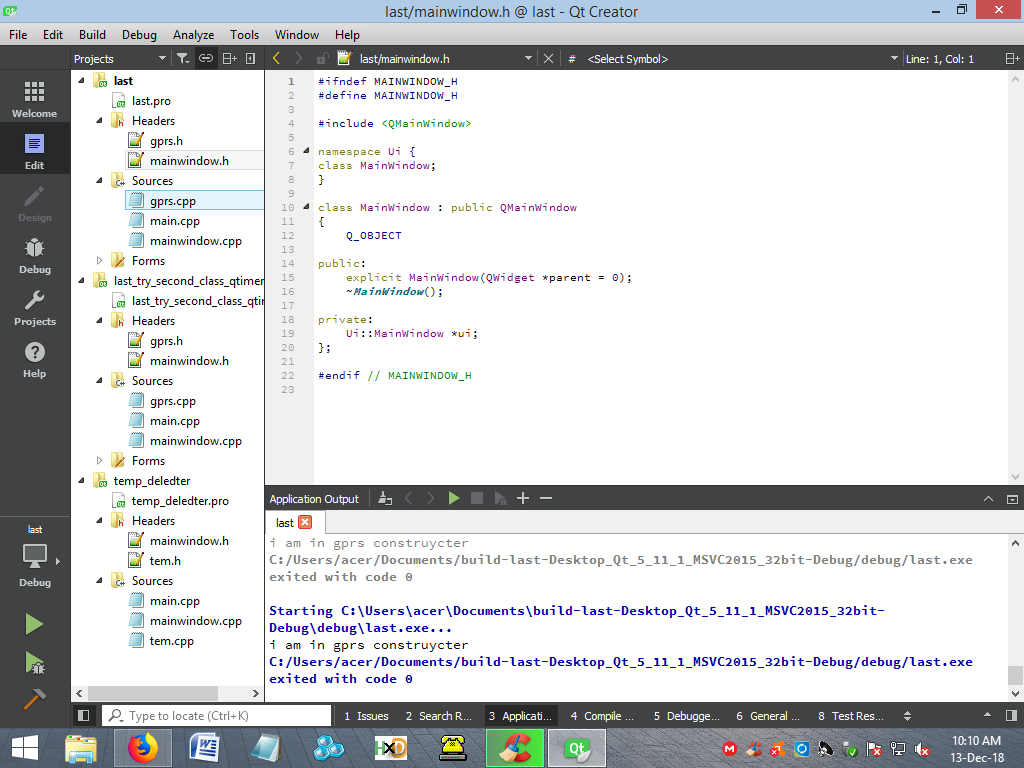
      Dear sir,
      I am attaching my code screen shot .

      I am calling function fun() [this function is in gprs class] from MainWindow & this fun() function start timer calling
      but, it does not work.
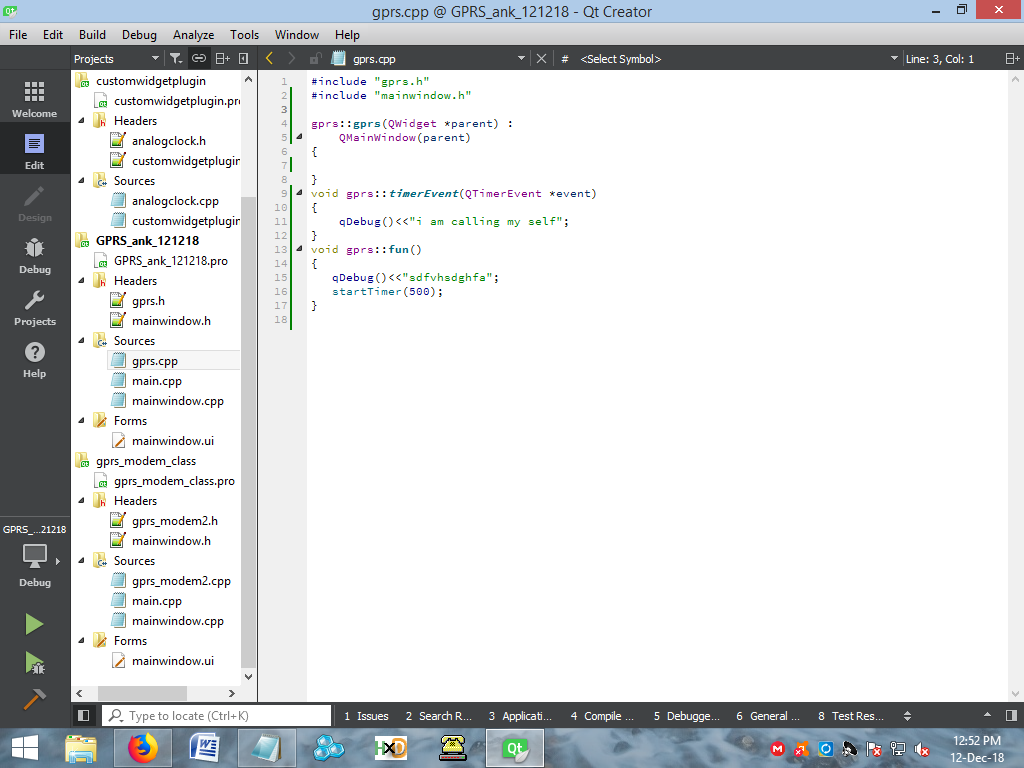
      2_1544599448773_Screenshot (84).png 1_1544599448773_Screenshot (83).png 0_1544599448771_Screenshot (82).png

      J.HilkJ 1 Reply Last reply
      0
      • qt_ankit_developerQ qt_ankit_developer

        Dear sir,
        I am attaching my code screen shot .

        I am calling function fun() [this function is in gprs class] from MainWindow & this fun() function start timer calling
        but, it does not work.

        2_1544599448773_Screenshot (84).png 1_1544599448773_Screenshot (83).png 0_1544599448771_Screenshot (82).png

        J.HilkJ Offline
        J.HilkJ Offline
        J.Hilk
        Moderators
        wrote on last edited by J.Hilk
        #10

        @qt_ankit_developer
        that is because of the lifetime of the gpra object.

        You create it not on the heap inside the slot and as soon as the function ends, it get's deleted again. -> no time for the timer to actually do anything.

        1. either create it on the heap
        2. or make the object a class member

        Be aware of the Qt Code of Conduct, when posting : https://forum.qt.io/topic/113070/qt-code-of-conduct


        Q: What's that?
        A: It's blue light.
        Q: What does it do?
        A: It turns blue.

        qt_ankit_developerQ 1 Reply Last reply
        3
        • J.HilkJ J.Hilk

          @qt_ankit_developer
          that is because of the lifetime of the gpra object.

          You create it not on the heap inside the slot and as soon as the function ends, it get's deleted again. -> no time for the timer to actually do anything.

          1. either create it on the heap
          2. or make the object a class member
          qt_ankit_developerQ Offline
          qt_ankit_developerQ Offline
          qt_ankit_developer
          wrote on last edited by
          #11

          @J.Hilk
          i am little bit confused that my timer is working in my main window class but when i call that timer from diffrent class it not works what i have to do to start a simple timer in different class .

          //this code is working in my main window class
          connect(timer, SIGNAL(timeout()), this, SLOT(timerDone()));
          timer->start(1000);
          void MainWindow::timerDone()
          {
          qDebug() <<"timerdone";
          }

          //this code is not working when same code used in difrent class
          connect(timer, SIGNAL(timeout()), this, SLOT(timerDone()));
          timer->start(1000);
          void GPRS::timerDone()
          {
          qDebug() <<"timerdone";
          }
          please help regarding this problem

          1 Reply Last reply
          0
          • dheerendraD Offline
            dheerendraD Offline
            dheerendra
            Moderators Qt Champions 2024 Qt Champions 2022 Qt Champions 2017
            wrote on last edited by
            #12
            1. show your GPRS class
            2. Show where you are creating the GPRS object
            3. show where you are creating the timer object
            4. Show where you are doing the connect statement

            Dheerendra
            @Community Service
            Certified Qt Specialist
            https://www.pthinks.com

            1 Reply Last reply
            2
            • naykN Offline
              naykN Offline
              nayk
              wrote on last edited by nayk
              #13

              in gprs.h:

              #include <QTimer>
              
              class gprs: public QMainWindow
              {
                  Q_OBJECT
              public:
                  void startTimer(int interval) { mytimer.start(interval); } // - for calling from different class
              // ....
              
              private:
                  QTimer mytimer;
              private slots:
                  void on_timerTimeout();
                  // ...
              }
              

              in gprs.cpp:

              gprs::gprs(Qwidget *parent): QMainWindow(parent)
              {
                  // ...    
                  connect(&mytimer, &QTimer::timeout, this, &gprs::on_timerTimeout);
                  mytimer.start(500);
              }
              
              void gprs::on_timerTimeout()
              {
                  // is timer event timeout
              }
              
              1 Reply Last reply
              0
              • qt_ankit_developerQ Offline
                qt_ankit_developerQ Offline
                qt_ankit_developer
                wrote on last edited by
                #14

                I have tried this method but timer is not calling itself

                3_1544676081909_Screenshot (88).png 2_1544676081909_Screenshot (87).png 1_1544676081909_Screenshot (86).png 0_1544676081890_Screenshot (85).png

                jsulmJ 1 Reply Last reply
                0
                • qt_ankit_developerQ qt_ankit_developer

                  I have tried this method but timer is not calling itself

                  3_1544676081909_Screenshot (88).png 2_1544676081909_Screenshot (87).png 1_1544676081909_Screenshot (86).png 0_1544676081890_Screenshot (85).png

                  jsulmJ Offline
                  jsulmJ Offline
                  jsulm
                  Lifetime Qt Champion
                  wrote on last edited by
                  #15

                  @qt_ankit_developer You again put gprs as local variable in MainWindow constructor!
                  You are aware that it will be destroyed as soon as the constructor finishes?

                  https://forum.qt.io/topic/113070/qt-code-of-conduct

                  1 Reply Last reply
                  4
                  • qt_ankit_developerQ Offline
                    qt_ankit_developerQ Offline
                    qt_ankit_developer
                    wrote on last edited by
                    #16

                    I have tried same with Qobject also by replacing Qmainwindow with Qobject but that doesnot work

                    jsulmJ 1 Reply Last reply
                    0
                    • dheerendraD Offline
                      dheerendraD Offline
                      dheerendra
                      Moderators Qt Champions 2024 Qt Champions 2022 Qt Champions 2017
                      wrote on last edited by dheerendra
                      #17

                      Do the following.

                      1. Inside the header file of MainWindow.h declare variable gprs *gprsHeapObject;
                      2. Insid the mainwindow constructor
                        gprsHeapObject = new gprs
                      3. Now call gprsHeapObject->fun().

                      It should work. As @jsulm said, you are creating the local object inside the constructor. Local object will be destroyed once functions is over.

                      Dheerendra
                      @Community Service
                      Certified Qt Specialist
                      https://www.pthinks.com

                      1 Reply Last reply
                      1
                      • qt_ankit_developerQ qt_ankit_developer

                        I have tried same with Qobject also by replacing Qmainwindow with Qobject but that doesnot work

                        jsulmJ Offline
                        jsulmJ Offline
                        jsulm
                        Lifetime Qt Champion
                        wrote on last edited by
                        #18

                        @qt_ankit_developer It's not about QMainWindow or QObject (QMainWindow is a QObject by the way).
                        You should read about scopes in C++, else you will do the same mistake again and again...

                        https://forum.qt.io/topic/113070/qt-code-of-conduct

                        1 Reply Last reply
                        1

                        • Login

                        • Login or register to search.
                        • First post
                          Last post
                        0
                        • Categories
                        • Recent
                        • Tags
                        • Popular
                        • Users
                        • Groups
                        • Search
                        • Get Qt Extensions
                        • Unsolved