

Update QChart in real time (QtWidgets)
-
Hello!!
I am trying to use an histogram associated to a video streaming so, I want to update the chart frame by frame.
I have a QPushButton associated to a signal wich shows the histogram with this slot:void MainWindow::createHistogram(bool status) { if (status) { showHist = true; chartHist = new QChart(); int histSize[1] = {256}; // number of bins float hranges[2] = {0.0, 255.0}; // min andax pixel value const float* ranges[1] = {hranges}; int channels[1] = {0}; // only 1 channel used cv::MatND hist; cv::Mat ret; imageFunctions::qimage_to_mat(imageViewer->item->pixmap().toImage(), ret); cv::calcHist(&ret, 1, channels, cv::Mat(), hist, 1, histSize, ranges); series = new QtCharts::QBarSet(""); for (int h = 0; h < histSize[0]; ++h) { float bin_value = hist.at<float>(h); series->append(bin_value); if (valueHistMax < bin_value) valueHistMax = bin_value; } QPen pen(0x09418B); pen.setWidth(3); series->setPen(pen); QHorizontalStackedBarSeries *barseries = new QHorizontalStackedBarSeries(); barseries->append(series); chartHist->removeAllSeries(); chartHist->addSeries(barseries); chartHist->setAnimationOptions(QChart::SeriesAnimations); chartHist->legend()->setVisible(false); chartHist->setMaximumWidth(100); chartHist->setMargins(QMargins(0,0,4,0)); chartHist->setAcceptHoverEvents(true); chartHist->layout()->setContentsMargins(0,0,0,0); chartHist->setBackgroundRoundness(0); ui->histLayout->addWidget(chartViewHist); } else { delete series; delete chartHist; delete chartViewHist; showHist = false; } }And when I receive the next frame I call this function:
void MainWindow::updateHistogram(cv::Mat *image) {

    int histSize[1] = {256}; // number of bins
    float hranges[2] = {0.0, 255.0}; // min andax pixel value
    const float* ranges[1] = {hranges};
    int channels[1] = {0}; // only 1 channel used

    cv::MatND hist;
    cv::calcHist(image, 1, channels, cv::Mat(), hist, 1, histSize, ranges);

    //series = new QtCharts::QBarSet("");

    for (int h = 0; h < histSize[0]; ++h) {
        float bin_value = hist.at<float>(h);
        series->replace(h, bin_value);
        //series->append(bin_value);
        if (valueHistMax < bin_value) valueHistMax = bin_value;
    }

    QPen pen(0x09418B);
    pen.setWidth(3);
    series->setPen(pen);

    QHorizontalStackedBarSeries *barseries = new QHorizontalStackedBarSeries();
    barseries->append(series);

    chartHist->removeAllSeries();
    chartHist->addSeries(barseries);

    //clearLayout(ui->histLayout);
    //ui->histLayout->addWidget(chartViewHist);
}
But this gives me a memory access error. I don't know how to do it. What could be wrong here?
Thank you very much!!
-
Hello!!
I am trying to use an histogram associated to a video streaming so, I want to update the chart frame by frame.
I have a QPushButton associated to a signal wich shows the histogram with this slot:void MainWindow::createHistogram(bool status) { if (status) { showHist = true; chartHist = new QChart(); int histSize[1] = {256}; // number of bins float hranges[2] = {0.0, 255.0}; // min andax pixel value const float* ranges[1] = {hranges}; int channels[1] = {0}; // only 1 channel used cv::MatND hist; cv::Mat ret; imageFunctions::qimage_to_mat(imageViewer->item->pixmap().toImage(), ret); cv::calcHist(&ret, 1, channels, cv::Mat(), hist, 1, histSize, ranges); series = new QtCharts::QBarSet(""); for (int h = 0; h < histSize[0]; ++h) { float bin_value = hist.at<float>(h); series->append(bin_value); if (valueHistMax < bin_value) valueHistMax = bin_value; } QPen pen(0x09418B); pen.setWidth(3); series->setPen(pen); QHorizontalStackedBarSeries *barseries = new QHorizontalStackedBarSeries(); barseries->append(series); chartHist->removeAllSeries(); chartHist->addSeries(barseries); chartHist->setAnimationOptions(QChart::SeriesAnimations); chartHist->legend()->setVisible(false); chartHist->setMaximumWidth(100); chartHist->setMargins(QMargins(0,0,4,0)); chartHist->setAcceptHoverEvents(true); chartHist->layout()->setContentsMargins(0,0,0,0); chartHist->setBackgroundRoundness(0); ui->histLayout->addWidget(chartViewHist); } else { delete series; delete chartHist; delete chartViewHist; showHist = false; } }And when I receive the next frame I call this function:
void MainWindow::updateHistogram(cv::Mat *image) {

    int histSize[1] = {256}; // number of bins
    float hranges[2] = {0.0, 255.0}; // min andax pixel value
    const float* ranges[1] = {hranges};
    int channels[1] = {0}; // only 1 channel used

    cv::MatND hist;
    cv::calcHist(image, 1, channels, cv::Mat(), hist, 1, histSize, ranges);

    //series = new QtCharts::QBarSet("");

    for (int h = 0; h < histSize[0]; ++h) {
        float bin_value = hist.at<float>(h);
        series->replace(h, bin_value);
        //series->append(bin_value);
        if (valueHistMax < bin_value) valueHistMax = bin_value;
    }

    QPen pen(0x09418B);
    pen.setWidth(3);
    series->setPen(pen);

    QHorizontalStackedBarSeries *barseries = new QHorizontalStackedBarSeries();
    barseries->append(series);

    chartHist->removeAllSeries();
    chartHist->addSeries(barseries);

    //clearLayout(ui->histLayout);
    //ui->histLayout->addWidget(chartViewHist);
}
But this gives me a memory access error. I don't know how to do it. What could be wrong here?
Thank you very much!!
@ivanicy said in Update QChart in real time (QtWidgets):
memory access error
Where exactly? Did you try to debug? Did you check the stack trace when it crashes?
-
@ivanicy said in Update QChart in real time (QtWidgets):
memory access error
Where exactly? Did you try to debug? Did you check the stack trace when it crashes?
@jsulm I don't know where. Is one of these times that appears an hexadecimal window, Qt doesn't show where is it crashed:
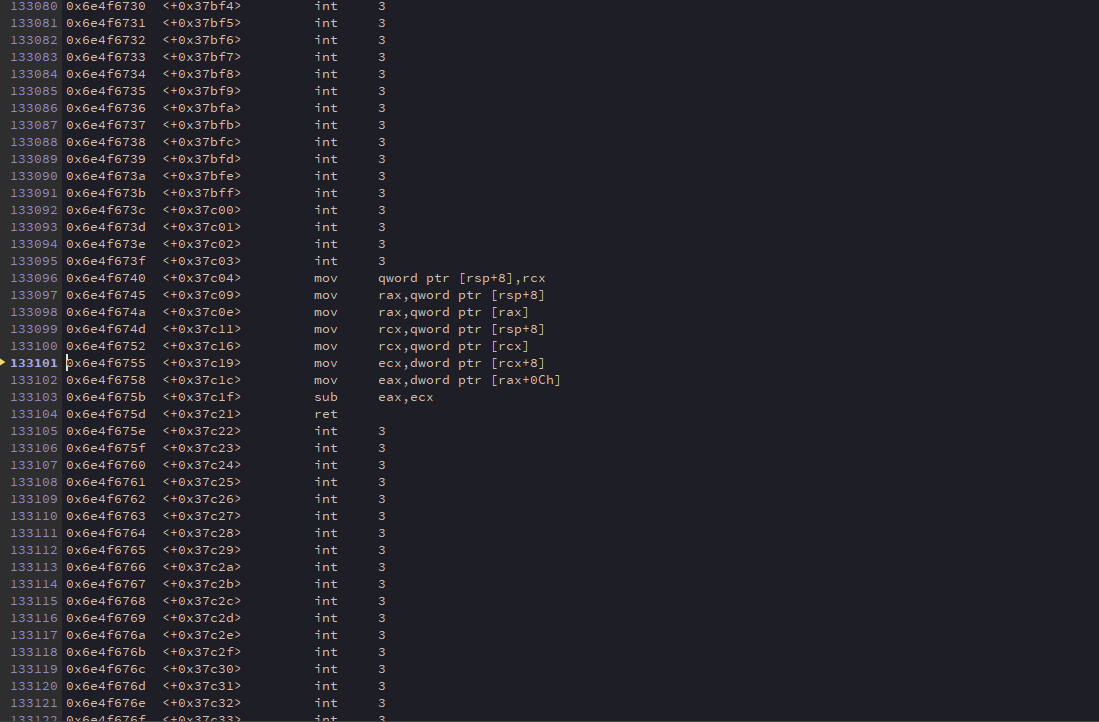
I have this lines in the MainWindow constructor:
    chartHist = new QChart();
    chartViewHist = new QChartView(chartHist);
    chartViewHist->setRenderHint(QPainter::Antialiasing);
    chartViewHist->setMaximumWidth(100);
I am wondering that it is crashing when I do the instantiation of the objects but I don't know.
-
@jsulm I don't know where. Is one of these times that appears an hexadecimal window, Qt doesn't show where is it crashed:
I have this lines in the MainWindow constructor:
    chartHist = new QChart();
    chartViewHist = new QChartView(chartHist);
    chartViewHist->setRenderHint(QPainter::Antialiasing);
    chartViewHist->setMaximumWidth(100);
I am wondering that it is crashing when I do the instantiation of the objects but I don't know.
@ivanicy Are you testing with a release build? Build in debug mode and try again.

