
Database connection
-
Hello everyone,
I'm begining in qt and i want to create connection between a simple qt application with database,but the connection always fails .I did many researchs but i didn't know
where is the problem.
Here is the mainWindow.cpp where i did the connection:#include <QMainWindow> #include <QtSql> #include <QtDebug> #include <QFileInfo> #include <QSqlDatabase> #include <QSqlError> #include <QSqlQuery> MainWindow::MainWindow(QWidget *parent) : QMainWindow(parent), ui(new Ui::MainWindow) { ui->setupUi(this); QSqlDatabase mydb=QSqlDatabase::addDatabase("QODBC"); mydb.setDatabaseName("XE"); mydb.setUserName("SYS "); // mydb.setPort(1521); mydb.setPassword("123456"); if(!mydb.open()) ui->label->setText("no connexion"); else ui->label->setText("connected "); }Dear friends ,I have two big points that I didn't understand :
**1-**What is the difference between QOCI and QODBC and how to know which one i have to use ?
**2-**I saw the qt Documentation where it says: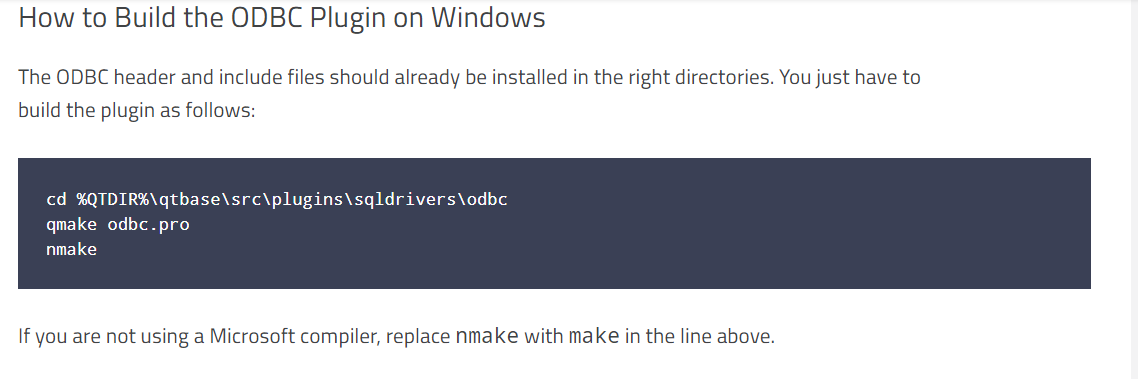
but I didn't find odbc.pro in sqldrivers directory .So should I install the odbc header and include files?if yes I should ,how can Iinstall them?I'm student and I need this to work so I will be so glad if you help me to solve the problem
And thanks in advance.[Moved to General and Desktop ~kshegunov]
-
Hello everyone,
I'm begining in qt and i want to create connection between a simple qt application with database,but the connection always fails .I did many researchs but i didn't know
where is the problem.
Here is the mainWindow.cpp where i did the connection:#include <QMainWindow> #include <QtSql> #include <QtDebug> #include <QFileInfo> #include <QSqlDatabase> #include <QSqlError> #include <QSqlQuery> MainWindow::MainWindow(QWidget *parent) : QMainWindow(parent), ui(new Ui::MainWindow) { ui->setupUi(this); QSqlDatabase mydb=QSqlDatabase::addDatabase("QODBC"); mydb.setDatabaseName("XE"); mydb.setUserName("SYS "); // mydb.setPort(1521); mydb.setPassword("123456"); if(!mydb.open()) ui->label->setText("no connexion"); else ui->label->setText("connected "); }Dear friends ,I have two big points that I didn't understand :
**1-**What is the difference between QOCI and QODBC and how to know which one i have to use ?
**2-**I saw the qt Documentation where it says:
but I didn't find odbc.pro in sqldrivers directory .So should I install the odbc header and include files?if yes I should ,how can Iinstall them?I'm student and I need this to work so I will be so glad if you help me to solve the problem
And thanks in advance.[Moved to General and Desktop ~kshegunov]
-
Hello everyone,
I'm begining in qt and i want to create connection between a simple qt application with database,but the connection always fails .I did many researchs but i didn't know
where is the problem.
Here is the mainWindow.cpp where i did the connection:#include <QMainWindow> #include <QtSql> #include <QtDebug> #include <QFileInfo> #include <QSqlDatabase> #include <QSqlError> #include <QSqlQuery> MainWindow::MainWindow(QWidget *parent) : QMainWindow(parent), ui(new Ui::MainWindow) { ui->setupUi(this); QSqlDatabase mydb=QSqlDatabase::addDatabase("QODBC"); mydb.setDatabaseName("XE"); mydb.setUserName("SYS "); // mydb.setPort(1521); mydb.setPassword("123456"); if(!mydb.open()) ui->label->setText("no connexion"); else ui->label->setText("connected "); }Dear friends ,I have two big points that I didn't understand :
**1-**What is the difference between QOCI and QODBC and how to know which one i have to use ?
**2-**I saw the qt Documentation where it says:
but I didn't find odbc.pro in sqldrivers directory .So should I install the odbc header and include files?if yes I should ,how can Iinstall them?I'm student and I need this to work so I will be so glad if you help me to solve the problem
And thanks in advance.[Moved to General and Desktop ~kshegunov]
@mannel
please also note that ODBC interface sometimes also requires the credentials in the connection string (i don't know if it also works via the setter- and getter-methods)Example for a Microsoft SQL Server accessed via ODBC:
QString connectionString = QString("Driver={SQL Server};Server=%1;Database=%2;Uid=%3;Pwd=%4").arg("127.0.0.1").arg("MyDatabaseName").arg("Username").arg("Password");
db = QSqlDatabase::addDatabase("QODBC");
db.setDatabaseName( connectionString );

