
Background thread won't react to signal until it is finished
-
I'll try to fix my sample code so that it is less confusing. I renamed the instances and did not paste the real code. But I apparently did it wrong.
QThread* thread = new QThread;
MyClass* worker = new MyClass(parameters);
worker->moveToThread(thread);
connect(thread, SIGNAL(started()), worker, SLOT(start()));
connect(worker, SIGNAL(progress(int)), this, SLOT(onProgress(int)));
connect(worker, SIGNAL(finished()), worker, SLOT(deleteLater()));
connect(thread, SIGNAL(finished()), thread, SLOT(deleteLater()));
connect(this, SIGNAL(mySignal()), worker, SLOT(onSignal()));
thread->start();
In the worker class there is a function:
void MyClass::start()  {
for (int i=0; i<something;i++) {
    slowFunction(i);
    }
}
I get this construction from some Internet tutorial or guide. It used to work correctly until I noticed this problem.
Is this wrong? Is there another way how the thread should be started? Thank you.
@vlada said:
In the worker class there is a function
That'll do it. You're blocking the event loop, as @Chris-Kawa correctly guessed. :)
You must have a running event loop (unblocked) so the slot invocation events are processed. My advice is to run this particular for loop through the event queue, for example:class MyClass : public QObject { // ... Q_INVOKABLE void slowFunction(int); } void MyClass::start() { const int startIndex = 0; QMetaObject::invokeMethod(this, "slowFunction", Qt::QueuedConnection, Q_ARG(int, startIndex)); } void MyClass::slowFunction(int i) { if (i >= something) return; // Do the slow thing // Queue the function for the next iteration i++; QMetaObject::invokeMethod(this, "slowFunction", Qt::QueuedConnection, Q_ARG(int, i)); } -
What @kshegunov said or use a 0-timeout timer as a loop:
void MyClass::start() { startTimer(0); } void MyClass::timerEvent(QTimerEvent* e) { if (something--) slowFunction(); else killTimer(e->timerId()); } -
Sorry to reopen this old thread but I still have some unsolved issues.
I found one case where it would be very difficult and slow to implement the above suggestions. Would it be possible to tell the thread to pause a "for" or a "while" loop and check if didn't receive a cancel signal?
Another problem I just discovered is that old threads are not deleted. Here is my code:
    QThread* searchThread = new QThread;
    FileSearch* search = new FileSearch(directories, 2); // 2 = get all files from subdirectories
    search->moveToThread(searchThread);
    connect(searchThread, SIGNAL(started()), search, SLOT(start()));
    connect(search, SIGNAL(fileCountUpdate(int)), this, SLOT(onFileCountUpdate(int)));
    connect(search, SIGNAL(filesFound(QStringList)), this, SLOT(onFilesFound(QStringList)));
    connect(this, SIGNAL(¨), search, SLOT(cancelScanning()));
    connect(search, SIGNAL(finished()), search, SLOT(deleteLater()));
    connect(searchThread, SIGNAL(finished()), searchThread, SLOT(deleteLater()));
    searchThread->start();
If I run this thread a couple times and then emit the cancelScanning() signal, I can see it was called on all the previously run (and finished) threads except of the one which is currently running.
My thread should find all files in a given path and all subdirectories. It works but it is sometimes difficult to cancel or takes a long time if there are many files or directories in one location.
What I can not successfully solve is the situation when there is a search running (first of all I don't know how to detect this at all). What happens now is that if I start a new thread which finishes before the current one, I get response (return value emitted as a signal) from both threads. Instead of it, I would like to get response only from last one called. How could I achieve this? Thank you.
-
You can use a QWaitCondition to break the thread when the thread is in a loop.
See example : http://doc.qt.io/qt-5/qtcore-threads-waitconditions-example.htmlregards
Karl-Heinz -
Sorry to reopen this old thread but I still have some unsolved issues.
I found one case where it would be very difficult and slow to implement the above suggestions. Would it be possible to tell the thread to pause a "for" or a "while" loop and check if didn't receive a cancel signal?
Another problem I just discovered is that old threads are not deleted. Here is my code:
    QThread* searchThread = new QThread;
    FileSearch* search = new FileSearch(directories, 2); // 2 = get all files from subdirectories
    search->moveToThread(searchThread);
    connect(searchThread, SIGNAL(started()), search, SLOT(start()));
    connect(search, SIGNAL(fileCountUpdate(int)), this, SLOT(onFileCountUpdate(int)));
    connect(search, SIGNAL(filesFound(QStringList)), this, SLOT(onFilesFound(QStringList)));
    connect(this, SIGNAL(¨), search, SLOT(cancelScanning()));
    connect(search, SIGNAL(finished()), search, SLOT(deleteLater()));
    connect(searchThread, SIGNAL(finished()), searchThread, SLOT(deleteLater()));
    searchThread->start();
If I run this thread a couple times and then emit the cancelScanning() signal, I can see it was called on all the previously run (and finished) threads except of the one which is currently running.
My thread should find all files in a given path and all subdirectories. It works but it is sometimes difficult to cancel or takes a long time if there are many files or directories in one location.
What I can not successfully solve is the situation when there is a search running (first of all I don't know how to detect this at all). What happens now is that if I start a new thread which finishes before the current one, I get response (return value emitted as a signal) from both threads. Instead of it, I would like to get response only from last one called. How could I achieve this? Thank you.
@vlada said in Background thread won't react to signal until it is finished:
Would it be possible to tell the thread to pause a "for" or a "while" loop and check if didn't receive a cancel signal?
Nope. There are other options though - one is to batch up the data processing (as recommended above) - split the chunks of work through the event loop. Another option is to use an (atomic) flag or a
volatilevariable for that. E.g:class FileSearch : public QObject { // ... private: volatile bool scanning; }; void FileSearch::start() { // ... scanning = true; while ( scanning ) { // ... do scanning or w/e } // ... } void FileSearch::cancelScanning() { scanning = false; }and you connect that slot directly:
connect(this, SIGNAL(...), search, SLOT(cancelScanning()), Qt::DirectConnection);What happens now is that if I start a new thread which finishes before the current one, I get response (return value emitted as a signal) from both threads. Instead of it, I would like to get response only from last one called. How could I achieve this?
Cancel the current operation before starting another one (if I get the question correctly).
PS.
Unless you're stuck to Qt4 then you should migrate the signal-slot connections to the Qt5 syntax. -
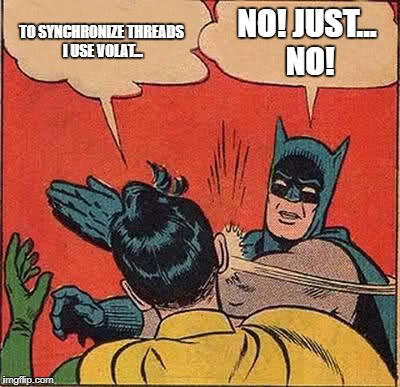
From the creator of C++:
Do not use volatile except in low-level code that deals directly with hardware.
Do not assume volatile has special meaning in the memory model. It does not. It is not -- as in some later languages -- a synchronization mechanism. To get synchronization, use atomic, a mutex, or a condition_variable. -
From the creator of C++:
Do not use volatile except in low-level code that deals directly with hardware.
Do not assume volatile has special meaning in the memory model. It does not. It is not -- as in some later languages -- a synchronization mechanism. To get synchronization, use atomic, a mutex, or a condition_variable.Yeah, I know Chris, in this particular case the race is benign.
PS. And it's last on the list ... ;D
-
Signals/Slots communication across thread works through event loop. Inside the start() try to call processEvents. You start() function is busy & may not get time to process the slot().
:) So many responses. I did not see all them b4 posting my response.
-
I tried to call the processEvents() by a timer every 200ms or after processing 1000 items and that seems to do the trick.
Also I found out I was missing one more connection:
connect(search, SIGNAL(finished()), searchThread, SLOT(quit()));That was causing that my old threads were still alive even though the start() function already finished.
@kshegunov Thank you for the hint regarding new SLOT/SIGNAL syntax. I somehow didn't realize it has changed since the old one still works.


