Skip to content
  • Categories
  • Recent
  • Tags
  • Popular
  • Users
  • Groups
  • Search
  • Get Qt Extensions
  • Unsolved
Collapse
Brand Logo
  1. Home
  2. Qt Development
  3. 3rd Party Software
  4. Send mail
Qt 6.11 is out! See what's new in the release blog

Send mail

Scheduled Pinned Locked Moved 3rd Party Software
qxt
25 Posts 3 Posters 22.4k Views 2 Watching
  • Oldest to Newest
  • Newest to Oldest
  • Most Votes
Reply
  • Reply as topic
Log in to reply
This topic has been deleted. Only users with topic management privileges can see it.
  • Y Offline
    Y Offline
    Yacinoben
    wrote on last edited by Yacinoben
    #14

    alt text

    i tried in ubuntu, but always error

    1 Reply Last reply
    0
    • SGaistS Offline
      SGaistS Offline
      SGaist
      Lifetime Qt Champion
      wrote on last edited by
      #15
      TEMPLATE = app
      TARGET = test_email
      INCLUDEPATH += .
      QT += network
      # Input
      HEADERS += qxtglobal.h \
                 qxtmail_p.h \
                 qxtmailattachment.h \
                 qxtmailmessage.h \
                 qxtsmtp.h \
                 qxtsmtp_p.h \
                 qxthmac.h
      SOURCES += main.cpp \
                 qxtglobal.cpp \
                 qxtmailattachment.cpp \
                 qxtmailmessage.cpp \
                 qxtsmtp.cpp \
                 qxthmac.cpp
      

      Is what I have and it's building except I needed to add a forward declaration for QIODevice in qxtmailattachement.h

      Interested in AI ? www.idiap.ch
      Please read the Qt Code of Conduct - https://forum.qt.io/topic/113070/qt-code-of-conduct

      1 Reply Last reply
      1
      • Y Offline
        Y Offline
        Yacinoben
        wrote on last edited by Yacinoben
        #16

        I copied direct, no make , same error in release and debug mode
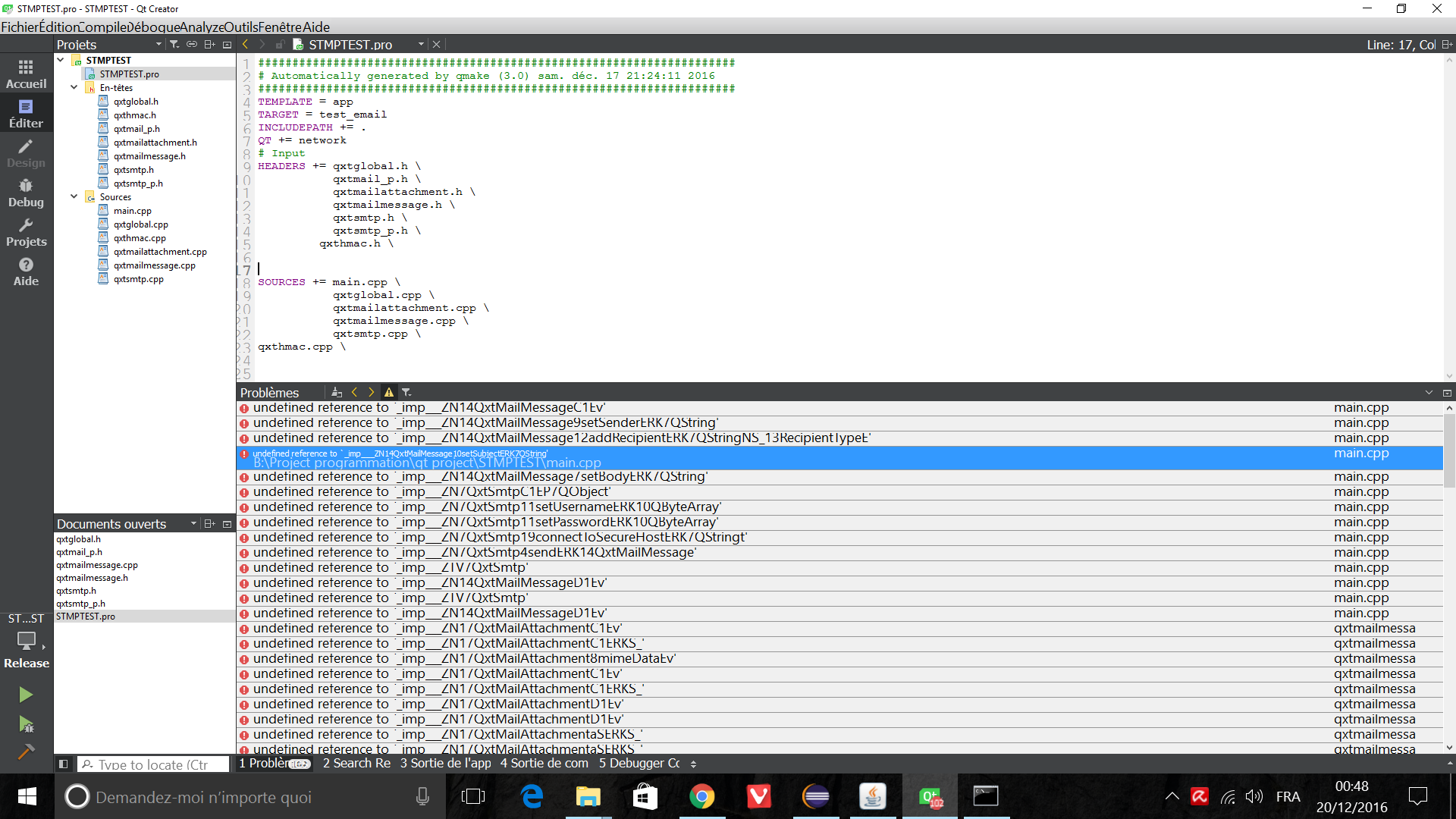
        alt text

        But why i get this message after execution of mingw32-make ?
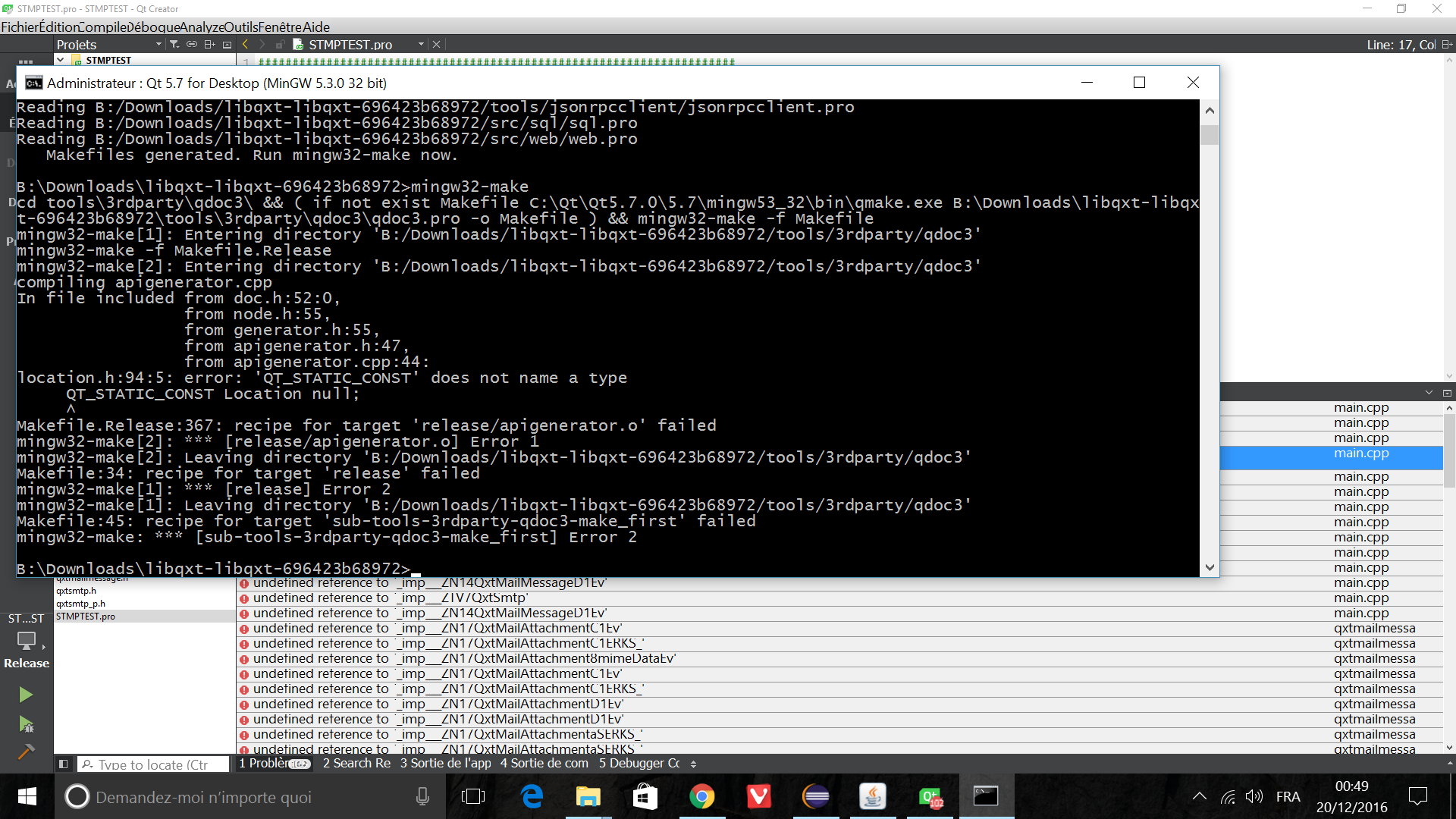
        alt text

        I followed this guide https://bitbucket.org/libqxt/libqxt/wiki/user_guidet

        1 Reply Last reply
        0
        • SGaistS Offline
          SGaistS Offline
          SGaist
          Lifetime Qt Champion
          wrote on last edited by
          #17

          Did you do a clean rebuild ?

          As for the second error, you took the original sources which were written for Qt 4. There has been some changes with Qt 5 so if you want to build Qxt with Qt 5. As I wrote before, you should at least take a look at the pull request related to that.

          Interested in AI ? www.idiap.ch
          Please read the Qt Code of Conduct - https://forum.qt.io/topic/113070/qt-code-of-conduct

          1 Reply Last reply
          1
          • Y Offline
            Y Offline
            Yacinoben
            wrote on last edited by Yacinoben
            #18

            Thaaank, it finally compile, I take the pull request, and i add a #include <QIODevice> in file QxtMailAttachement.h .

            but he remain a last problem .

            .pro

            TEMPLATE = app
            TARGET = test_email
            
            
            CONFIG  += qxt
            QXT += core
            QT += network
            # Input
            SOURCES += main.cpp 
            INCLUDEPATH+= C:/Qxt/include
            LIBS+= -LC:/Qxt/bin -lQxtCored -lQxtNetworkd -lQxtSqld -lQxtWebd -lQxtWidgetsd


            main.cpp

            #include <QtCore>
            #include <QtGui>
            #include <QxtMailMessage>
            #include <QxtSmtp>
            #include <QtNetwork>
             
             
            int main(int argc, char *argv[])
            {
                QCoreApplication a(argc, argv);
             
                QxtMailMessage message;
                message.setSender("Ken31@gmail.com");
                message.addRecipient("Ken31@gmail.com");
                message.setSubject("Alarm");
                message.setBody("Alarm message.");
             
                QxtSmtp smtp;
                a.connect(&smtp, SIGNAL(mailSent(int)), SLOT(quit()));
                smtp.setUsername("Ken31@gmail.com");
                smtp.setPassword("password");
                smtp.connectToSecureHost("smtp.gmail.com");
                smtp.send(message);
             
                return a.exec();
            }
            

            I wanted to send an email, but it does not send, and same problem with hotmail.

            1 Reply Last reply
            0
            • SGaistS Offline
              SGaistS Offline
              SGaist
              Lifetime Qt Champion
              wrote on last edited by
              #19

              You should add some error handling, there are several things that could go wrong.

              Interested in AI ? www.idiap.ch
              Please read the Qt Code of Conduct - https://forum.qt.io/topic/113070/qt-code-of-conduct

              1 Reply Last reply
              1
              • Y Offline
                Y Offline
                Yacinoben
                wrote on last edited by
                #20
                
                testSmtp::testSmtp(QWidget *parent) : QWidget(parent)
                {
                
                      QxtMailMessage *message =new QxtMailMessage;;
                      message->setSender("Ken31@gmail.com");
                      message->addRecipient("Ken31@gmail.com");
                      message->setSubject("Alarm");
                      message->setBody("Alarm message.");
                
                      QxtSmtp *smtp= new QxtSmtp(this);
                
                      smtp->setUsername("Ken31@gmail.com");
                      smtp->setPassword("passwordGmail");
                      smtp->connectToSecureHost("smtp.gmail.com");
                      smtp->send(*message);
                
                       connect(smtp, SIGNAL(mailSent(int)), this, SLOT(mailSent(int)));
                       connect(smtp, SIGNAL(mailFailed(int,int,QByteArray)), this, SLOT(mailFailed(int,int,QByteArray)));
                       connect(smtp, SIGNAL(recipientRejected(int,QString,QByteArray)), this, SLOT(recipientRejected(int,QString,QByteArray)));
                       connect(smtp, SIGNAL(senderRejected(int,QString,QByteArray)), this, SLOT(senderRejected(int,QString,QByteArray)));
                       connect(smtp, SIGNAL(connected()), this, SLOT(connected()));
                       connect(smtp, SIGNAL(connectionFailed(QByteArray)), this, SLOT(connectionFailed(QByteArray)));
                       connect(smtp, SIGNAL(authenticated()), this, SLOT(authenticated()));
                       connect(smtp, SIGNAL(authenticationFailed(QByteArray)), this, SLOT(authenticationFailed(QByteArray)));
                       connect(smtp, SIGNAL(finished()), this, SIGNAL(finished()));
                
                void testSmtp::mailSent(int mailID){
                    qDebug() << mailID << true;
                    emit finished(mailID, true);
                }
                
                void testSmtp::mailFailed(int mailID, int, const QByteArray & msg){
                    emit finished(mailID, false);
                    emit erreur(QString::number(mailID) + " mailFailed " + msg, __LINE__);
                }
                
                void testSmtp::recipientRejected(int mailID, const QString& address, const QByteArray & msg  ){
                    emit erreur(QString::number(mailID) + "recipientRejected " + address + " " + msg, __LINE__);
                }
                
                void testSmtp::senderRejected(int mailID, const QString& address, const QByteArray & msg  ){
                    emit erreur(QString::number(mailID) + "senderRejected " + address + " " + msg, __LINE__);
                }
                
                void testSmtp::connected(){
                    if(QCoreApplication::arguments().contains("dvp"))
                        qDebug() << "connected";
                }
                
                void testSmtp::connectionFailed( const QByteArray & msg ){
                    emit erreur("connectionFailed " + msg, __LINE__);
                    finished();
                }
                
                void testSmtp::authenticated(){
                    if(QCoreApplication::arguments().contains("dvp"))
                        qDebug() << "authenticated";
                }
                
                void testSmtp::authenticationFailed( const QByteArray & msg ){
                    emit erreur("authenticationFailed " + msg, __LINE__);
                    finished();
                }


                testSmtp.h

                class testSmtp : public QWidget
                {
                    Q_OBJECT
                public:
                    explicit testSmtp(QWidget *parent = 0);
                
                signals:
                
                public slots:


                    void mailSent(int mailID);
                     void mailFailed(int mailID, int, const QByteArray & msg);
                
                     void recipientRejected(int mailID, const QString & address, const QByteArray & msg );
                     void senderRejected(int mailID, const QString & address, const QByteArray & msg );
                
                     void connected();
                     void connectionFailed( const QByteArray & msg );
                     void authenticated();
                     void authenticationFailed( const QByteArray & msg );
                
                signals:
                    void finished();
                    void finished(int id, bool result);
                
                    void erreur(QString text, int no_ligne);
                };
                

                i have no error . but it doesn't send

                1 Reply Last reply
                0
                • SGaistS Offline
                  SGaistS Offline
                  SGaist
                  Lifetime Qt Champion
                  wrote on last edited by
                  #21

                  Don't send the message before connecting all the signals.

                  Add a button and in the slot connected to its clicked signal, create and send the message.

                  Interested in AI ? www.idiap.ch
                  Please read the Qt Code of Conduct - https://forum.qt.io/topic/113070/qt-code-of-conduct

                  1 Reply Last reply
                  0
                  • Y Offline
                    Y Offline
                    Yacinoben
                    wrote on last edited by
                    #22

                    I tried, but always Nothing, when i click in button, no message error .

                     QPushButton *button = new QPushButton("Send",this);
                          QxtMailMessage *message =new QxtMailMessage;;
                          QxtSmtp *smtp= new QxtSmtp(this);
                          smtp->setUsername("Ken31@gmail.com");
                          smtp->setPassword("password");
                          smtp->connectToSecureHost("smtp.gmail.com");
                    
                       connect(button,&QPushButton::pressed,this,[smtp,message]{
                               message->setSender("Ken31@gmail.com");
                               message->addRecipient("Ken31@gmail.com");
                               message->setSubject("Alarm");
                               message->setBody("Alarm message.");
                               smtp->send(*message);});
                    
                    /*other signal*/
                    

                    I also tried to write functions of QXtSmtp in the slot lamba-function but nothing

                    1 Reply Last reply
                    0
                    • M Offline
                      M Offline
                      MajidKamali
                      wrote on last edited by
                      #23

                      Did you turned on less secure apps?
                      https://www.google.com/settings/security/lesssecureapps

                      1 Reply Last reply
                      0
                      • Y Offline
                        Y Offline
                        Yacinoben
                        wrote on last edited by Yacinoben
                        #24

                        Yes, i used this code source : https://codeload.github.com/xcoder123/SimpleSmtp_SSL_QT5/zip/master and he works perfectly .
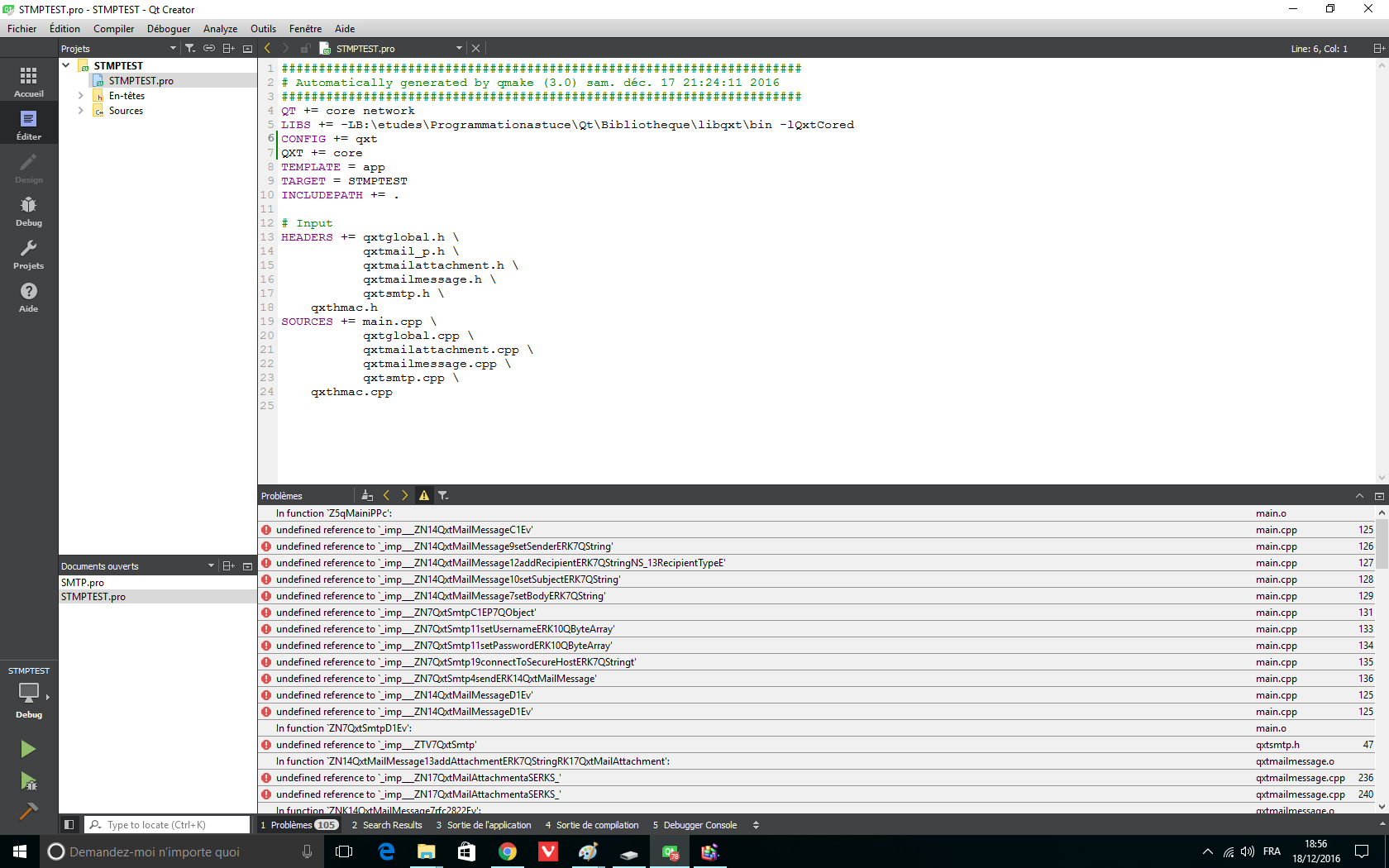
                        1 Reply Last reply
                        0
                        • Y Offline
                          Y Offline
                          Yacinoben
                          wrote on last edited by
                          #25

                          The essential Qxt is builded and works.
                          @SGaist thank you for your help :)

                          1 Reply Last reply
                          0

                          • Login

                          • Login or register to search.
                          • First post
                            Last post
                          0
                          • Categories
                          • Recent
                          • Tags
                          • Popular
                          • Users
                          • Groups
                          • Search
                          • Get Qt Extensions
                          • Unsolved