
Skip to content
  • Categories
  • Recent
  • Tags
  • Popular
  • Users
  • Groups
  • Search
  • Get Qt Extensions
  • Unsolved
Collapse
Brand Logo
  1. Home
  2. Qt Development
  3. QML and Qt Quick
  4. Draging Items from Library
Qt 6.11 is out! See what's new in the release blog

Draging Items from Library

Scheduled Pinned Locked Moved Unsolved QML and Qt Quick
4 Posts 2 Posters 841 Views 1 Watching
  • Oldest to Newest
  • Newest to Oldest
  • Most Votes
Reply
  • Reply as topic
Log in to reply
This topic has been deleted. Only users with topic management privileges can see it.
  • yassserY Offline
    yassserY Offline
    yassser
    wrote on last edited by
    #1

    Hi !
    I m using Qt creator 4.8.0 and in the Qt Quick Designer I cant drag items from the library ,
    but they appear normally when editing the code manually! is there any solution to that other than reinstalling everything?

    KazuoAsanoK 1 Reply Last reply
    0
    • yassserY yassser

      Hi !
      I m using Qt creator 4.8.0 and in the Qt Quick Designer I cant drag items from the library ,
      but they appear normally when editing the code manually! is there any solution to that other than reinstalling everything?

      KazuoAsanoK Offline
      KazuoAsanoK Offline
      KazuoAsano
      Qt Champions 2018
      wrote on last edited by
      #2

      Hi @yassser,

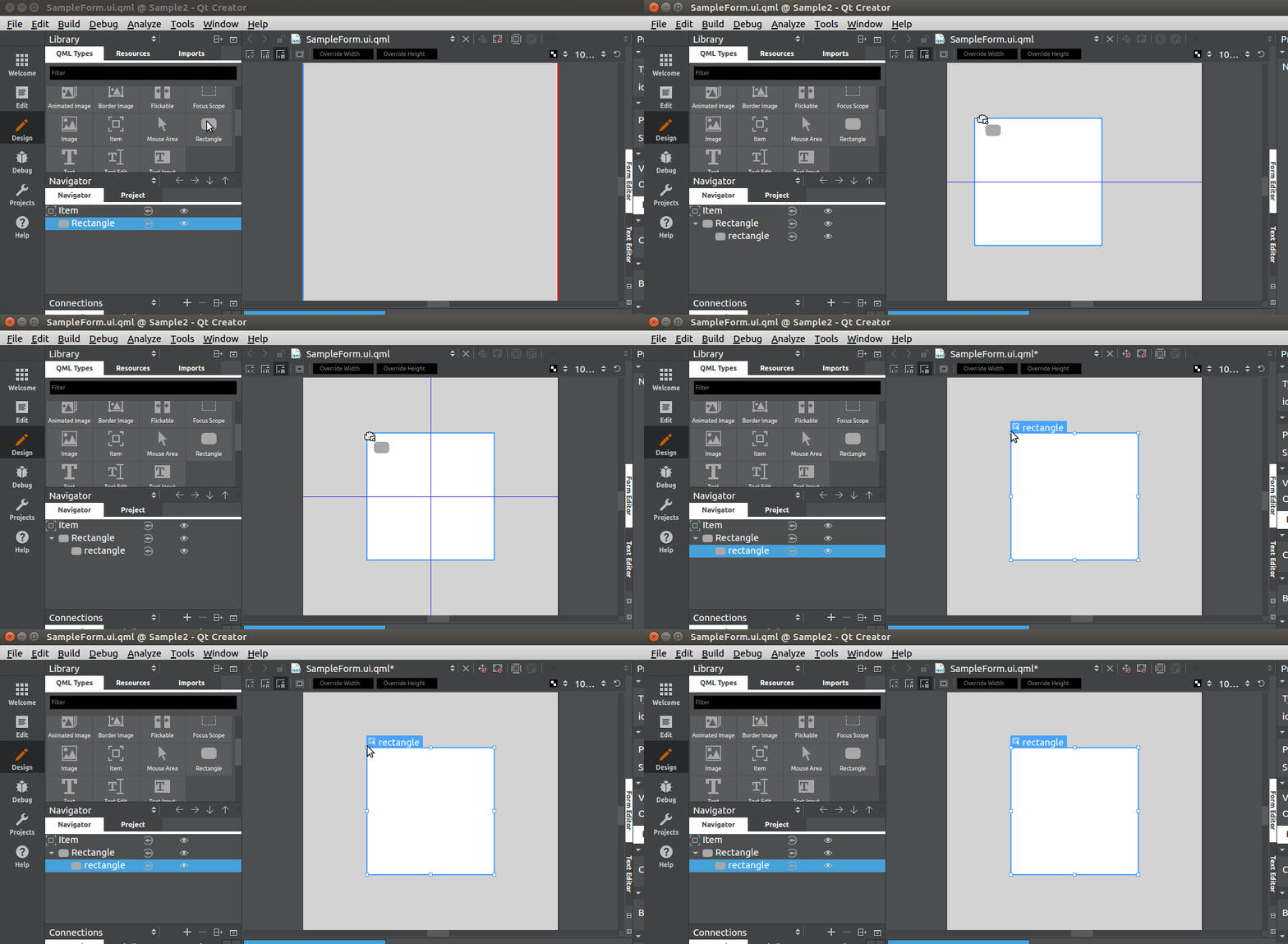
      In my case, I can drag&drop items like the below animation-gif.
      Specifically, Which QML modules can't drag items from the library?
      0_1546170190006_Peek 2018-12-30 20-36.gif

      yassserY 1 Reply Last reply
      2
      • KazuoAsanoK KazuoAsano

        Hi @yassser,

        In my case, I can drag&drop items like the below animation-gif.
        Specifically, Which QML modules can't drag items from the library?
        0_1546170190006_Peek 2018-12-30 20-36.gif

        yassserY Offline
        yassserY Offline
        yassser
        wrote on last edited by
        #3

        Hi @KazuoAsano !

        all the types( Basic,Costumed,Controls ....) mybe the problem is in the QtCreator 4.8.0 because when i used 4.7.0 it worked well

        KazuoAsanoK 1 Reply Last reply
        0
        • yassserY yassser

          Hi @KazuoAsano !

          all the types( Basic,Costumed,Controls ....) mybe the problem is in the QtCreator 4.8.0 because when i used 4.7.0 it worked well

          KazuoAsanoK Offline
          KazuoAsanoK Offline
          KazuoAsano
          Qt Champions 2018
          wrote on last edited by
          #4

          @yassser ,

          I'm also using QtCreator4.8.0 + Qt 5.12.
          I checked "Windows10 x64" / "Ubuntu 18.04LTS x64", and it works normally.
          macOS Mojave hasn't been confirmed since I don't have it.
          ( Ah~, please someone provide me Mac book Air 2018:( )

          although it will not be much advice..., your issue may be improved re-install.

          1 Reply Last reply
          0

          • Login

          • Login or register to search.
          • First post
            Last post
          0
          • Categories
          • Recent
          • Tags
          • Popular
          • Users
          • Groups
          • Search
          • Get Qt Extensions
          • Unsolved