Skip to content
  • Categories
  • Recent
  • Tags
  • Popular
  • Users
  • Groups
  • Search
  • Get Qt Extensions
  • Unsolved
Collapse
Brand Logo
  1. Home
  2. Qt Development
  3. QML and Qt Quick
  4. Highlight sizing
Qt 6.11 is out! See what's new in the release blog

Highlight sizing

Scheduled Pinned Locked Moved Unsolved QML and Qt Quick
3 Posts 2 Posters 1.2k Views 1 Watching
  • Oldest to Newest
  • Newest to Oldest
  • Most Votes
Reply
  • Reply as topic
Log in to reply
This topic has been deleted. Only users with topic management privileges can see it.
  • D Offline
    D Offline
    DavidM29
    wrote on last edited by
    #1

    Hello,
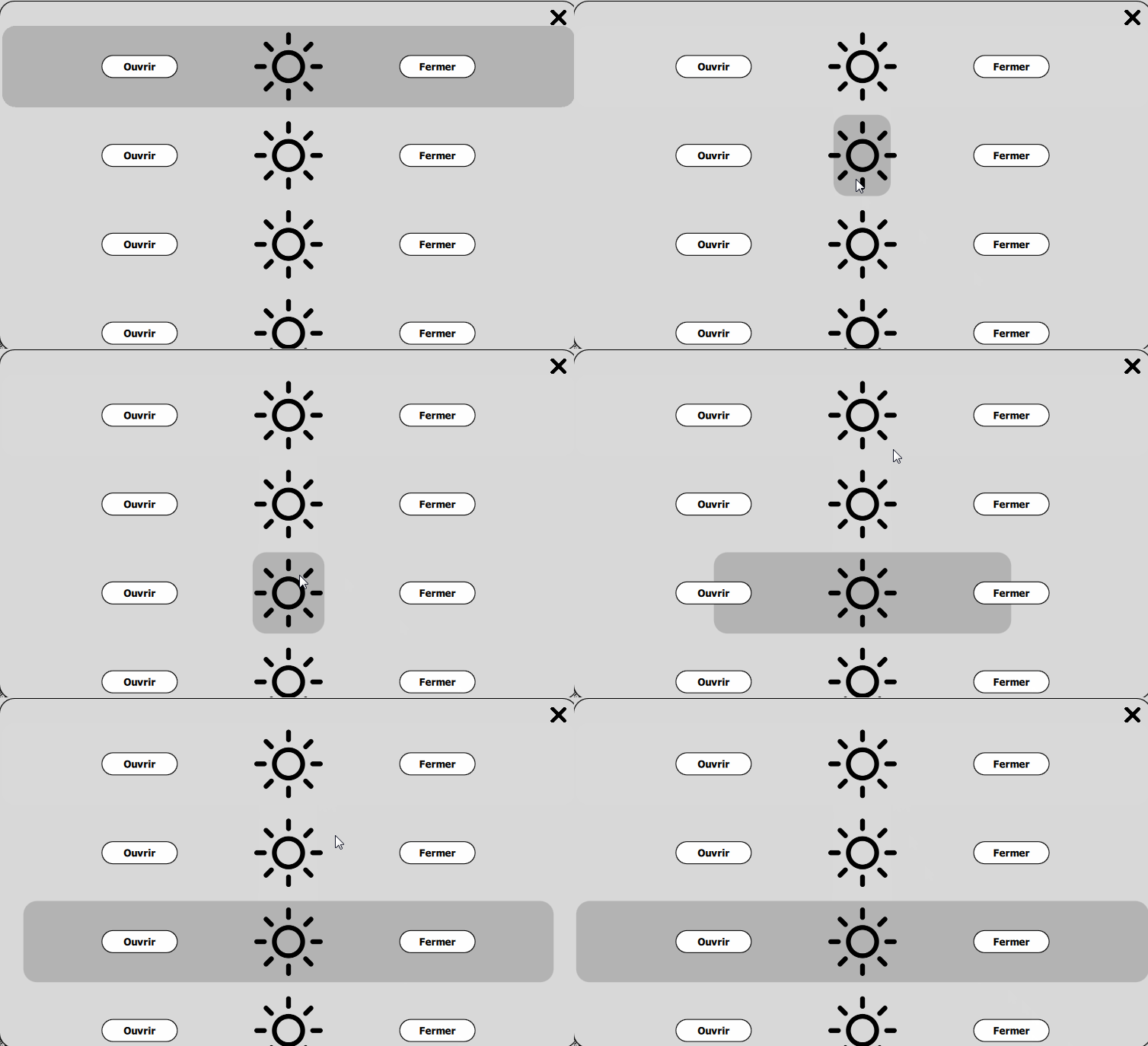
    I would like to change the Highlight size (width and height) but I can't change the size it still depends on the delegate size.

    Here is the my highlight component :

            Component {
                id: highlight
                Rectangle {
                    height: 50
                    width: 100
                    anchors.horizontalCenter: parent.horizontalCenter
                    radius: height/6
                    color: "#b3b3b3"
    
                }
            }
    
    ODБOïO 1 Reply Last reply
    0
    • D DavidM29

      Hello,
      I would like to change the Highlight size (width and height) but I can't change the size it still depends on the delegate size.

      Here is the my highlight component :

              Component {
                  id: highlight
                  Rectangle {
                      height: 50
                      width: 100
                      anchors.horizontalCenter: parent.horizontalCenter
                      radius: height/6
                      color: "#b3b3b3"
      
                  }
              }
      
      ODБOïO Offline
      ODБOïO Offline
      ODБOï
      wrote on last edited by
      #2

      @DavidM29 really ? ... are you sure ? the code i send you in your previous post :

      https://forum.qt.io/topic/94722/handle-the-highlight-of-listview/20

      you can fully customize the highlight.

      D 1 Reply Last reply
      0
      • ODБOïO ODБOï

        @DavidM29 really ? ... are you sure ? the code i send you in your previous post :

        https://forum.qt.io/topic/94722/handle-the-highlight-of-listview/20

        you can fully customize the highlight.

        D Offline
        D Offline
        DavidM29
        wrote on last edited by DavidM29
        #3

        @LeLev
        Yes when I use this code which is the one you gave me :

            width: listView.currentItem.width/10; height: listView.currentItem.height
        

        The Highlight start like that :
        0_1537367201700_a72b6ccc-4022-4474-a858-c62697dac821-image.png

        then it turn like that with an animation :
        0_1537367248883_c9660eff-ee75-4011-b45b-08be78462688-image.png

        At strat it fill the delagate

        I believe it is because I have to keep the highlightFollowsCurrentItem property to true. But if I change this I'll have trouble as soon as the ListView will scroll on the press of one button.
        Here is what its looks like :
        0_1537368401189_bug.gif

        1 Reply Last reply
        0

        • Login

        • Login or register to search.
        • First post
          Last post
        0
        • Categories
        • Recent
        • Tags
        • Popular
        • Users
        • Groups
        • Search
        • Get Qt Extensions
        • Unsolved