
Scale Factor for MapQuickItem using ZoomLevel
-
Hi there, i'm developing a personal project using QtLocation module.
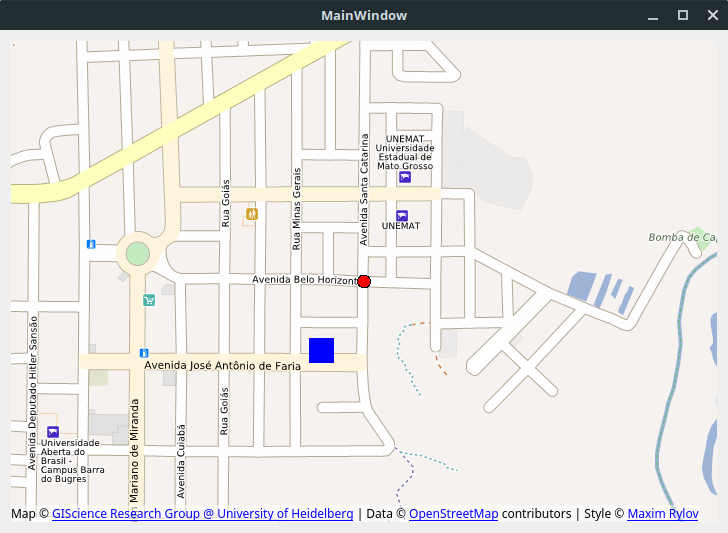
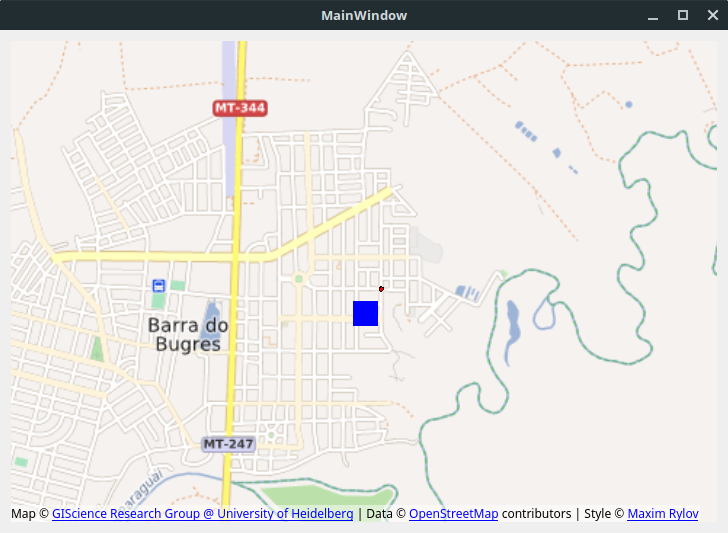
In a part of my project, i need to setup a Direcition Icon between 2 points to indicate what is the next step, but i've noticed that when i zoom in or zoom out my map, the scale factor of MapQuickItem and MapCircle are different.Example:
Code
MapCircle {

    color: "red"
    radius: 15
    center: QtPositioning.coordinate(-15.06568900, -57.17396500)

}

MapQuickItem{

    anchorPoint.x: rect.width / 2
    anchorPoint.y:  rect.height / 2
    coordinate: QtPositioning.coordinate(-15.06711, -57.17487)

    sourceItem: Rectangle{
        id: rect
        width: 25
        height: 25
        color: "blue"
    }

}
Zoom Level: 16
Zoom Level: 14.56
My question is: How can i calculate the scale factor using the zoom level of map to rezise my MapQuickItem objects ?
-
I believe for the MapCircle type that the radius is in meters, so it will become smaller as you zoom out. The MapQuickItem, the item size is in pixels, and the size will stay constant as you zoom in and out. So if you want them both to be the same size, I would change the MapCircle to also be a MapQuickItem with source item a rectangle with a radius that makes it a circle.
If you want the MapQuickItem to scale as you zoom in similar to the MapCircle, you need to set its zoomLevel property to a value that is not zero. If you set the zoomLevel property to 15 for instance, then at zoom level 15 your MapQuickItem will be 1:1 scale. As in, if it was 20 pixels wide, it will be 20 pixels wide at zoom level 15. If you zoom out it will be smaller, and if you zoom in it will be larger
-
Earlier, i readed a bit of source code of MapQuickItem to check how the code resize the objects
 qreal scale = 1.0;
 // use 1+x to avoid fuzzy compare against zero
 if (!qFuzzyCompare(1.0 + zoomLevel_, 1.0))
     scale = std::pow(0.5, zoomLevel_ - map()->cameraData().zoomLevel());
  return scale;
But now, with your explanation, i understood why they are using a zoomLevel variable to decide if the image needs to be rezise
Thank you for the reply, i solved the problem with this code:
MapQuickItem{

    anchorPoint.x: rect.width / 2
    anchorPoint.y:  rect.height / 2
    zoomLevel: 16 //set the zoomLevel (1:1 scale)
    coordinate: QtPositioning.coordinate(-15.06711, -57.17487)

    sourceItem: Rectangle{
        id: rect
        width: 25
        height: 25
        color: "blue"
    }

}
